Book a Free Strategy Call
Skip the read: talk to Walid in 30 min.
Free strategy call. We map your AI engineering team, you keep the notes.
The AI tools for business productivity that deliver consistent results in 2026 fall into 3 categories: writing and communication (Claude, GPT-4o), workflow automation (n8n, Make, Zapier), and coding (Claude Code, Cursor, GitHub Copilot). Most teams get 80% of the value from 2-3 well-chosen tools, not a stack of 20.
The productivity gain that surprises teams most is not from the AI itself. It comes from replacing the manual hand-offs between tools: the copy-paste, the status-update emails, the context switching. Teams that automate the connections between their apps typically save 5-10 hours per person per week without adding headcount.
This guide covers 11 tools with honest assessments of where each earns its place, where it falls short, and when to build internally vs. buy an off-the-shelf solution.
1. Microsoft Copilot for Microsoft 365
For organizations deeply embedded in the Microsoft ecosystem, Copilot for Microsoft 365 represents a native and powerful enhancement to existing workflows. It’s an enterprise-grade AI assistant integrated directly into the applications your teams use daily-Outlook, Teams, Word, Excel, and PowerPoint. This deep integration is its key differentiator, allowing the AI to access and reason over your organization's data (emails, files, meetings, chats) via the Microsoft Graph while respecting existing security and compliance policies.
This tool excels at contextual tasks like summarizing lengthy email threads in Outlook, drafting proposals in Word based on meeting notes from Teams, or generating presentation outlines in PowerPoint. Its value lies in reducing the friction between applications, making it one of the most cohesive ai tools for business productivity available for Microsoft-centric businesses.
Implementation and Use-Case Analysis
| Category | Details |
|---|---|
| Ideal Use-Case | Automating document creation, summarizing communications, and generating data insights directly within Microsoft 365 apps. |
| Effort to Implement | Low. It is an add-on license for existing eligible Microsoft 365 E3/E5 or Business Standard/Premium plans. |
| Potential ROI | High. Significant time savings on administrative tasks and content generation for users already proficient with Microsoft tools. |
| Limitations | The quality of its output is highly dependent on the quality and organization of your company's data within Microsoft Graph. |
Access requires an eligible underlying Microsoft 365 license, with Copilot priced as a per-user, per-year add-on. The user experience is smooth, appearing as a natural extension of the familiar Office interface.
When to partner or build custom: If your core operations run outside the Microsoft stack or you need highly specialized AI agents, AI team augmentation is a better path. For teams needing to upskill, specialized AI workshops on advanced tools that extend beyond standard Copilot capabilities can provide the necessary expertise.
Website: https://www.microsoft.com/en-us/microsoft-365/copilot/pricing
Related Reads
2. Google Workspace with Gemini for Workspace
For companies built on the Google ecosystem, Gemini for Workspace is the natural AI evolution, embedding generative capabilities directly within the familiar interfaces of Gmail, Docs, Sheets, and Meet. Its primary strength lies in its tight integration, letting teams use AI without leaving their existing productivity suite. Gemini acts as a collaborative partner, capable of drafting emails in Gmail, generating entire documents in Docs from a simple prompt, or creating custom templates in Sheets.
This native approach makes it one of the most accessible ai tools for business productivity for Google-centric organizations. It focuses on accelerating content creation and communication tasks with features like note-taking and translation in Google Meet. For a wider comparison, see our guide to AI content creation tools. With clear enterprise-grade privacy controls and admin oversight, it ensures that your company's data remains secure and is not used for model training.
Implementation and Use-Case Analysis
| Category | Details |
|---|---|
| Ideal Use-Case | Accelerating content creation, summarizing information, and streamlining communication directly within the Google Workspace suite. |
| Effort to Implement | Low. It is a straightforward add-on for existing Google Workspace business and enterprise plans. |
| Potential ROI | High. Delivers immediate time savings on drafting, editing, and data organization for teams already proficient in Google's apps. |
| Limitations | Advanced AI features are tied to higher-tier Gemini plans, and its effectiveness is limited to the Google Workspace environment. |
Access is managed through a per-user, per-month add-on license to an eligible Google Workspace plan. The user experience feels intuitive, with Gemini features appearing as helpful suggestions and tools within each application.
When to partner or build custom: If business needs extend beyond Google's suite or require AI agents integrated into proprietary software, AI-adopted engineer placements can bridge the gap. For development teams, specialized AI workshops on tools like Cursor or using Claude for code provide expertise that goes far beyond native Gemini capabilities.
Website: https://workspace.google.com
Free weekly brief
Steal our production automations
The exact n8n flows, Claude Code setups, and prompts we ship for clients, broken down step by step. No spam, unsubscribe anytime.
3. OpenAI ChatGPT (Team and Enterprise)
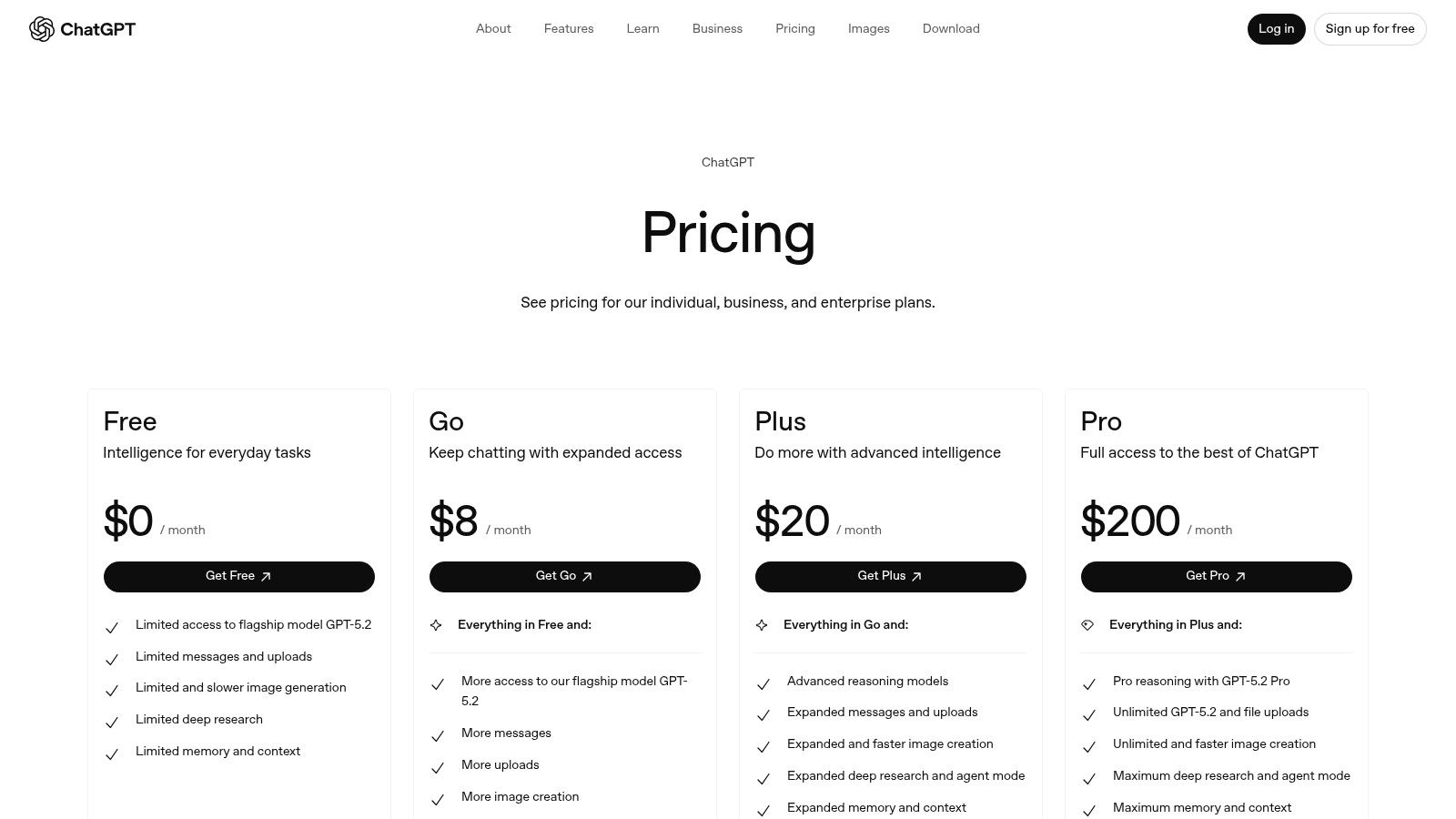
For businesses seeking a versatile and widely adopted generative AI platform, OpenAI’s ChatGPT Team and Enterprise plans offer a powerful, general-purpose solution. These offerings build upon the familiar consumer version with essential business-grade features like admin controls, team workspaces, centralized billing, and a commitment not to train on business data by default. This makes it a secure starting point for cross-functional knowledge work, content creation, and complex problem-solving.
The platform shines in its flexibility, helping marketing teams draft campaigns, developers debug code, and operations leaders analyze data through natural language. Its strength lies in its broad applicability and the extensive ecosystem of custom GPTs, making it one of the most adaptable ai tools for business productivity for teams that need a ready-to-use, powerful language model without deep technical integration.
Implementation and Use-Case Analysis
| Category | Details |
|---|---|
| Ideal Use-Case | Content generation, data analysis, coding assistance, and internal Q&A systems where a flexible, powerful LLM is required. |
| Effort to Implement | Low. Setup is fast with a simple subscription model. User onboarding is minimal due to widespread familiarity with the interface. |
| Potential ROI | High. Can immediately boost individual and team productivity across various text-based and analytical tasks. |
| Limitations | Deeper, automated integrations into core business systems often require custom API work or third-party connectors like Zapier. |
The Team plan is available with a per-user, per-month fee, billed annually or monthly. The Enterprise tier requires contacting sales for custom pricing and adds features like SSO and unlimited, high-speed model access. The user experience is clean, intuitive, and focused on the conversational interface.
When to partner or build custom: To embed generative AI into proprietary software or build complex automations, AI team augmentation is essential. For companies looking to maximize the platform's API capabilities, AI-adopted engineer placements can provide the necessary development firepower, supported by targeted AI workshops on advanced coding tools.
Website: https://openai.com/pricing
4. Anthropic Claude for Teams
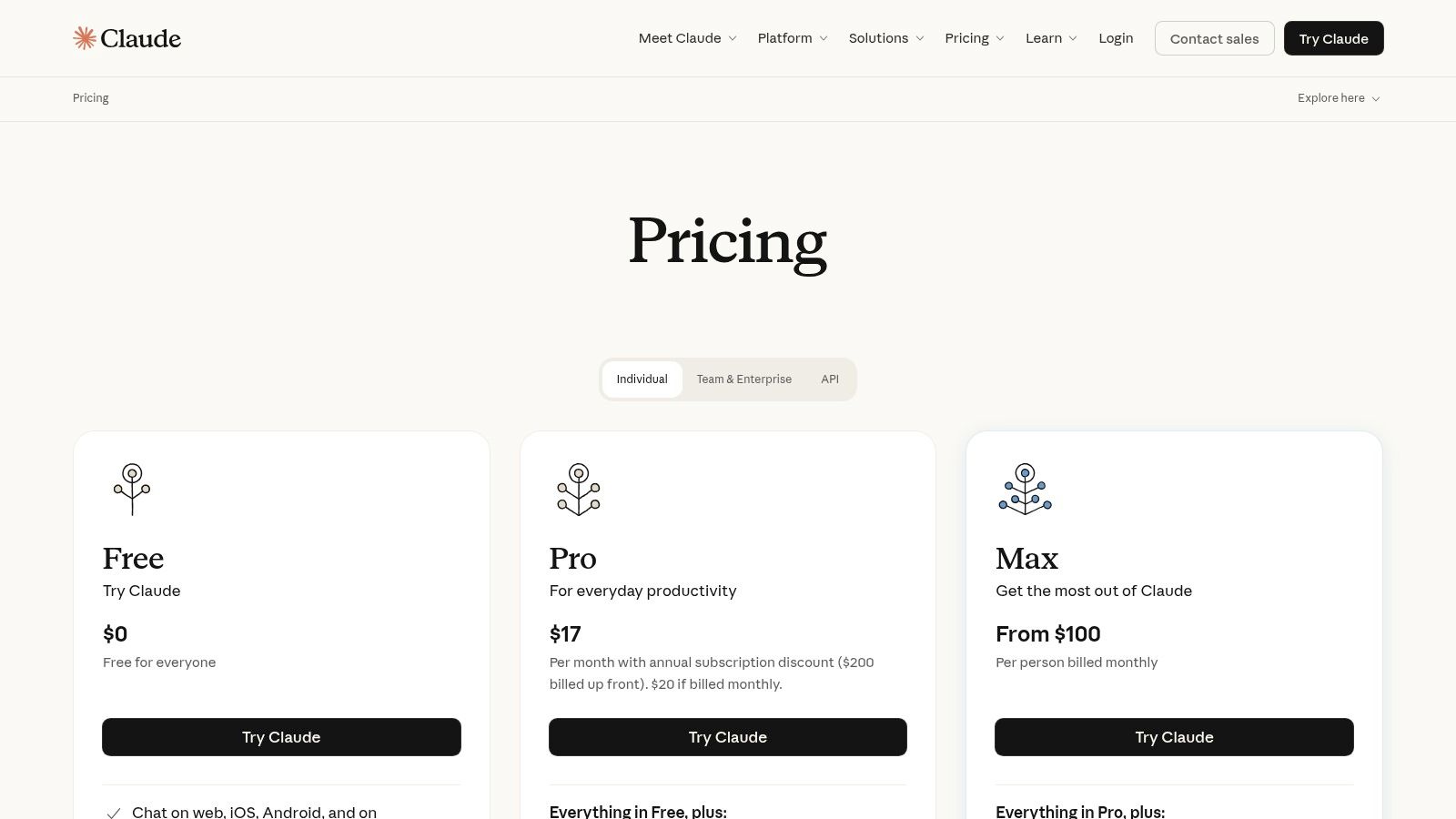
For teams prioritizing sophisticated reasoning and analysis over vast document sets, Anthropic's Claude for Teams provides a powerful, privacy-focused solution. Its key strength lies in its extensive context window, allowing it to process and synthesize information from hundreds of pages of text at once. This makes it ideal for complex tasks like analyzing research papers, reviewing lengthy contracts, or generating detailed reports from multiple sources without losing critical details.
Unlike some competitors, Claude has a clear privacy stance, committing not to train its models on your data by default. With features like enterprise search across company content and connectors for platforms like Slack and Microsoft 365, it becomes one of the most capable ai tools for business productivity for knowledge-intensive work, offering both a desktop app and strong administrative controls for secure team management.
Implementation and Use-Case Analysis
| Category | Details |
|---|---|
| Ideal Use-Case | Analyzing large documents, legal contract review, market research synthesis, and creating nuanced long-form content. |
| Effort to Implement | Low. It is a SaaS platform with team-based seat licenses, SSO integration, and admin controls for straightforward deployment. |
| Potential ROI | High. Significant efficiency gains for roles that depend on digesting and analyzing large volumes of information, like legal and research. |
| Limitations | Minimum seat counts may apply, making it less suitable for very small teams. Premium seats are needed for high-volume users. |
The Claude for Teams plan is priced per user, per month, with a minimum number of seats required to start. The user experience is centered around a clean, conversational interface, ensuring a minimal learning curve for new team members.
When to partner or build custom: While Claude excels at analysis, technical teams may need more specialized coding assistants. For dev teams looking to standardize advanced AI coding practices, consider AI-adopted engineer placements or targeted AI workshops on tools like Cursor and using Claude for complex code generation to maximize development velocity.
Website: https://claude.com/pricing
5. Slack (with built‑in AI features)
Slack has evolved from a messaging app into a full productivity hub, now enhanced with native AI features integrated directly into its paid plans. For teams that live in Slack for daily communication and project collaboration, these built-in AI capabilities provide significant efficiency gains without requiring external tools. The AI is designed to distill knowledge from your company's conversational history, turning unstructured chat into structured insights and summaries.
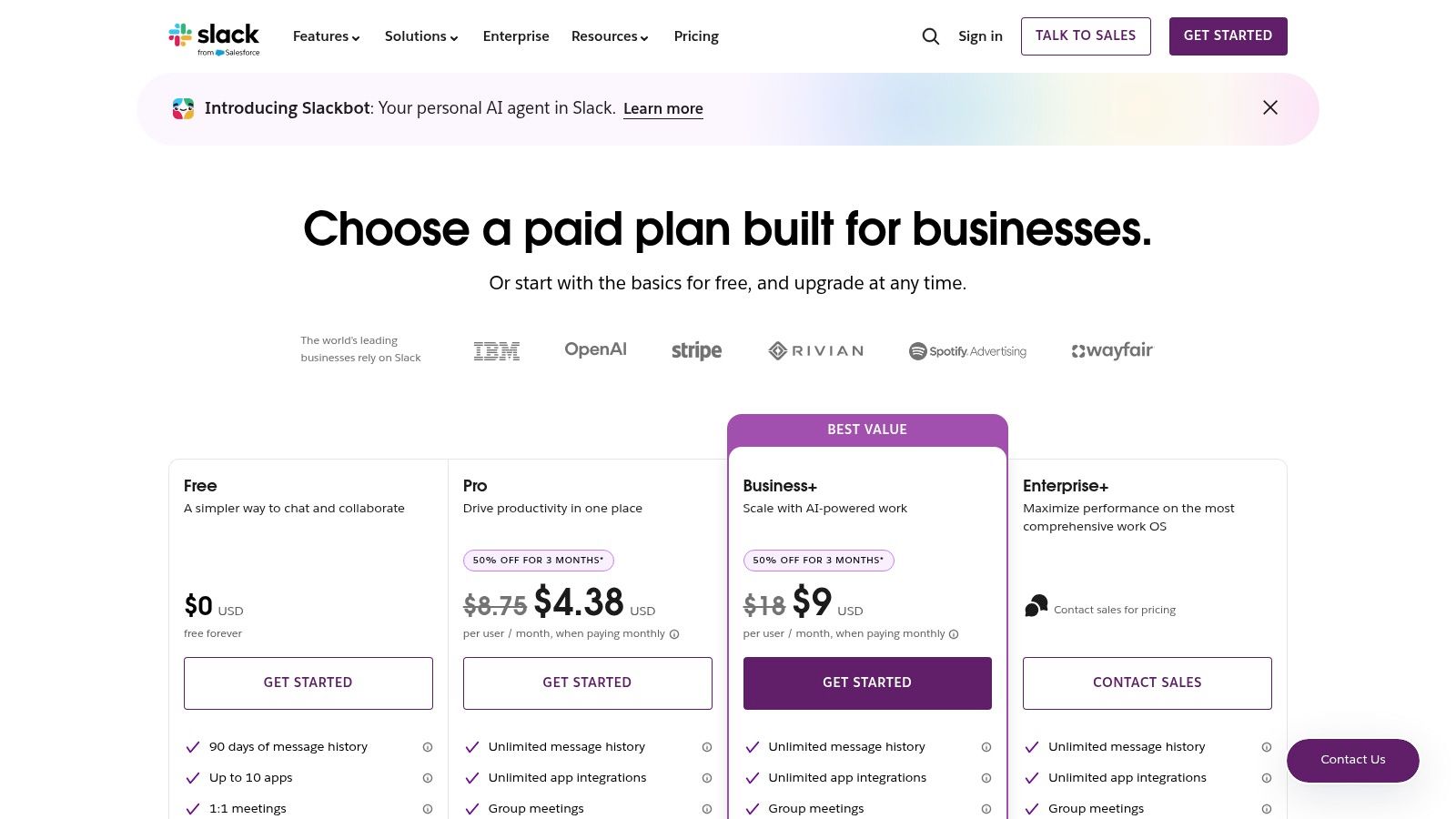
This functionality shines in its ability to generate channel recaps, summarize long threads, and power an intelligent search that understands natural language queries. By embedding these features directly, Slack reduces context switching and makes institutional knowledge more accessible, solidifying its place among the essential ai tools for business productivity for communication-centric organizations. Its strong integration ecosystem, especially with Salesforce, further extends its value in enterprise environments.
Implementation and Use-Case Analysis
| Category | Details |
|---|---|
| Ideal Use-Case | Quickly catching up on channel activity, finding answers in past conversations, and automating routine communication. |
| Effort to Implement | Low. AI features are built into paid plans (Pro, Business+, Enterprise Grid), requiring no separate installation. |
| Potential ROI | High. Reduces time spent searching for information and reading through backlogs, accelerating decision-making. |
| Limitations | The now-discontinued separate "Slack AI" add-on has been bundled, and the availability of advanced AI features varies by pricing tier. |
Access to the core AI features is included in paid subscriptions, with the user experience being a natural extension of the existing Slack interface. Users can invoke AI summaries and search with simple commands or clicks, making adoption frictionless for teams already familiar with the platform.
When to partner or build custom: If you need AI agents that perform complex actions across multiple systems triggered by Slack, a custom integration built by specialized talent is necessary. Through AI-adopted engineer placements and targeted AI workshops, development teams can learn to integrate tools like Cursor and Claude for Code to build sophisticated, developer-focused workflows within Slack.
Website: https://slack.com/pricing
6. Notion (with Notion AI)
Notion has evolved from a popular knowledge management tool into a unified workspace, combining docs, wikis, projects, and databases with a powerful integrated AI layer. Its primary advantage is reducing tool sprawl by centralizing information and workflows that traditionally require multiple applications. The addition of Notion AI transforms static documents and databases into dynamic assets, capable of summarizing content, drafting text, and automating repetitive tasks directly within a team's primary hub for information.
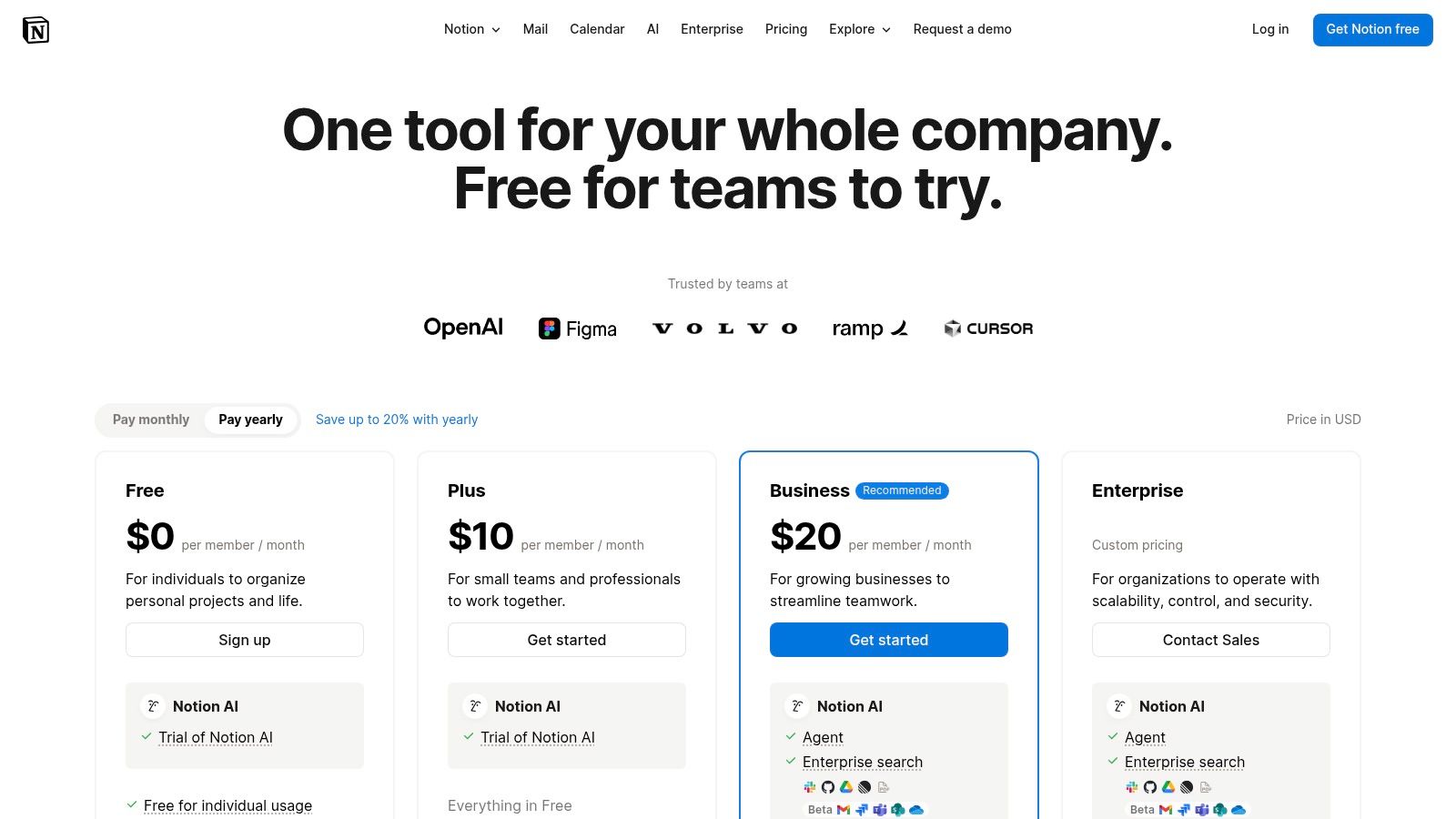
This platform excels at creating a single source of truth that is both human-readable and AI-enhanced. Teams can use it to build an internal wiki, manage content calendars, or track complex projects, with Notion AI assisting at every step. This makes it one of the most versatile ai tools for business productivity for teams focused on content operations and collaborative knowledge management.
Implementation and Use-Case Analysis
| Category | Details |
|---|---|
| Ideal Use-Case | Centralizing company knowledge, managing content pipelines, and automating project documentation within a single platform. |
| Effort to Implement | Low to Medium. Easy to start, but migrating existing knowledge bases and establishing governance requires planning. |
| Potential ROI | High. Significant efficiency gains from tool consolidation and AI-assisted content creation and summarization. |
| Limitations | The strongest governance and security features are locked behind Business or Enterprise tiers. Some AI features are still in beta. |
Access to Notion AI is available as a paid add-on to all plans, including Free, Plus, Business, and Enterprise tiers, priced on a per-user, per-month basis. The user experience is intuitive, with AI features built into the existing block-based editor.
When to partner or build custom: To integrate Notion's data with complex, proprietary systems, you need a specialized solution. AI team augmentation allows you to build these bespoke integrations, and hands-on AI workshops can upskill your teams on advanced tools to get the most out of your centralized knowledge base.
Website: https://www.notion.com/pricing
7. Zapier (AI orchestration + automation)
Zapier has long been the leader in no-code automation, and its evolution into an AI orchestration platform makes it indispensable for connecting disparate systems. It allows businesses to build automated workflows, known as "Zaps," that link over 3,000 applications. The recent addition of an AI action layer enables users to integrate models like GPT directly into these Zaps, orchestrating complex sequences without writing a single line of code. This makes it a powerful tool for non-technical teams looking to automate processes across sales, marketing, and operations.
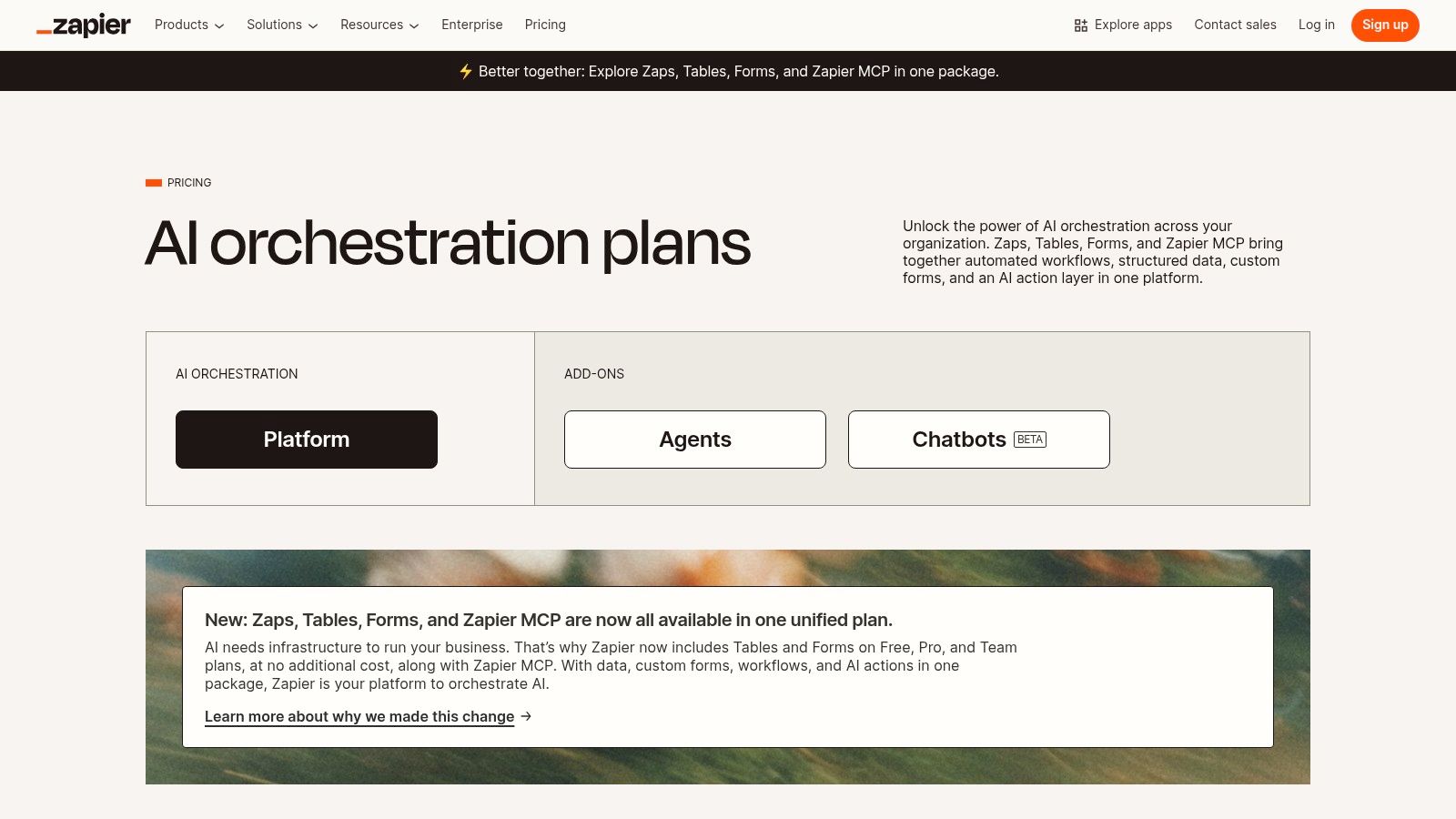
The platform excels at creating trigger-based automations, such as automatically summarizing new leads from a CRM with AI and sending the summary to a Slack channel. Its visual editor simplifies the process of building these connections, democratizing the power of AI-driven automation. For businesses that want to tap a broad ecosystem of apps, Zapier is one of the most accessible ai tools for business productivity for bridging software gaps and implementing automated intelligence into daily tasks.
Implementation and Use-Case Analysis
| Category | Details |
|---|---|
| Ideal Use-Case | Connecting various cloud applications (e.g., Salesforce, Slack, Google Sheets) with AI actions to automate lead nurturing, data entry, and internal communication workflows. |
| Effort to Implement | Low. The visual, no-code interface allows for rapid deployment of simple to moderately complex automations without engineering support. |
| Potential ROI | High. Drastically reduces manual effort on repetitive tasks, accelerates processes like lead qualification, and frees up staff for strategic work. |
| Limitations | Task-based pricing can become expensive for high-volume workflows. Complex, multi-step Zaps may be brittle and require careful error handling. |
Zapier offers a free tier with limited functionality, and its paid plans are priced based on the number of tasks executed per month. The user interface is intuitive, guiding users through the creation of Zaps step-by-step. To get a deeper understanding of practical applications, you can learn more about how to automate repetitive tasks.
When to partner or build custom: When automation needs involve proprietary systems without Zapier integrations or require enterprise-grade performance, a custom solution is necessary. AI team augmentation provides the expertise to build reliable, scalable automation solutions, while specialized AI workshops for dev teams can open up even more advanced capabilities.
Website: https://www.make.com/en/pricing
8. Make (formerly Integromat)
For organizations that need to build complex, multi-step automations involving AI models and various SaaS applications, Make provides a powerful visual canvas. Unlike simpler point-and-click tools, its strength lies in giving users granular control over data flow using routers, filters, and variables. This allows for sophisticated, conditional logic that can orchestrate complex workflows, such as sending customer support tickets to a sentiment analysis AI, then routing them to different departments based on the outcome.
Make is a cornerstone for creating reliable, always-on automations that connect thousands of applications. This makes it one of the most versatile ai tools for business productivity for technical operations teams who need to build and monitor complex systems. Its visual editor demystifies complex API interactions, enabling teams to construct and troubleshoot workflows that might otherwise require significant custom code.
Implementation and Use-Case Analysis
| Category | Details |
|---|---|
| Ideal Use-Case | Building complex, multi-app automations that incorporate AI models for tasks like data enrichment, sentiment analysis, or content generation. |
| Effort to Implement | Medium. The visual interface is intuitive, but building sophisticated scenarios requires a logical, detail-oriented approach. |
| Potential ROI | High. Drastically reduces manual data handling and connects disparate systems, creating highly efficient, automated operational processes. |
| Limitations | The credits-based pricing model requires careful monitoring to manage costs. Advanced governance and security features are gated behind higher-tier Enterprise plans. |
Make operates on a flexible, credits-based pricing model that scales with usage, with plans offering features like minute-level scheduling and team management. The platform’s detailed execution logs are invaluable for debugging and ensuring operational reliability.
When to partner or build custom: While Make is powerful for connecting existing APIs, it can't create the AI models themselves. When you need to augment your team with developers who can build custom AI agents or integrate highly specialized models, AI-adopted engineer placements can provide experts proficient in platforms like Make to build end-to-end solutions.
Website: https://www.make.com/en/pricing
9. GitHub Copilot (Business and Enterprise)
For technology-driven organizations, GitHub Copilot is the definitive AI pair programmer, designed to augment the entire software development lifecycle. It integrates directly into developers' existing environments, including VS Code, JetBrains, and the command line, providing intelligent code completions, chat-based assistance, and context-aware agents. The Business and Enterprise tiers add essential organizational controls, such as policy management, license administration, and the ability to reason over a company's own codebase securely.
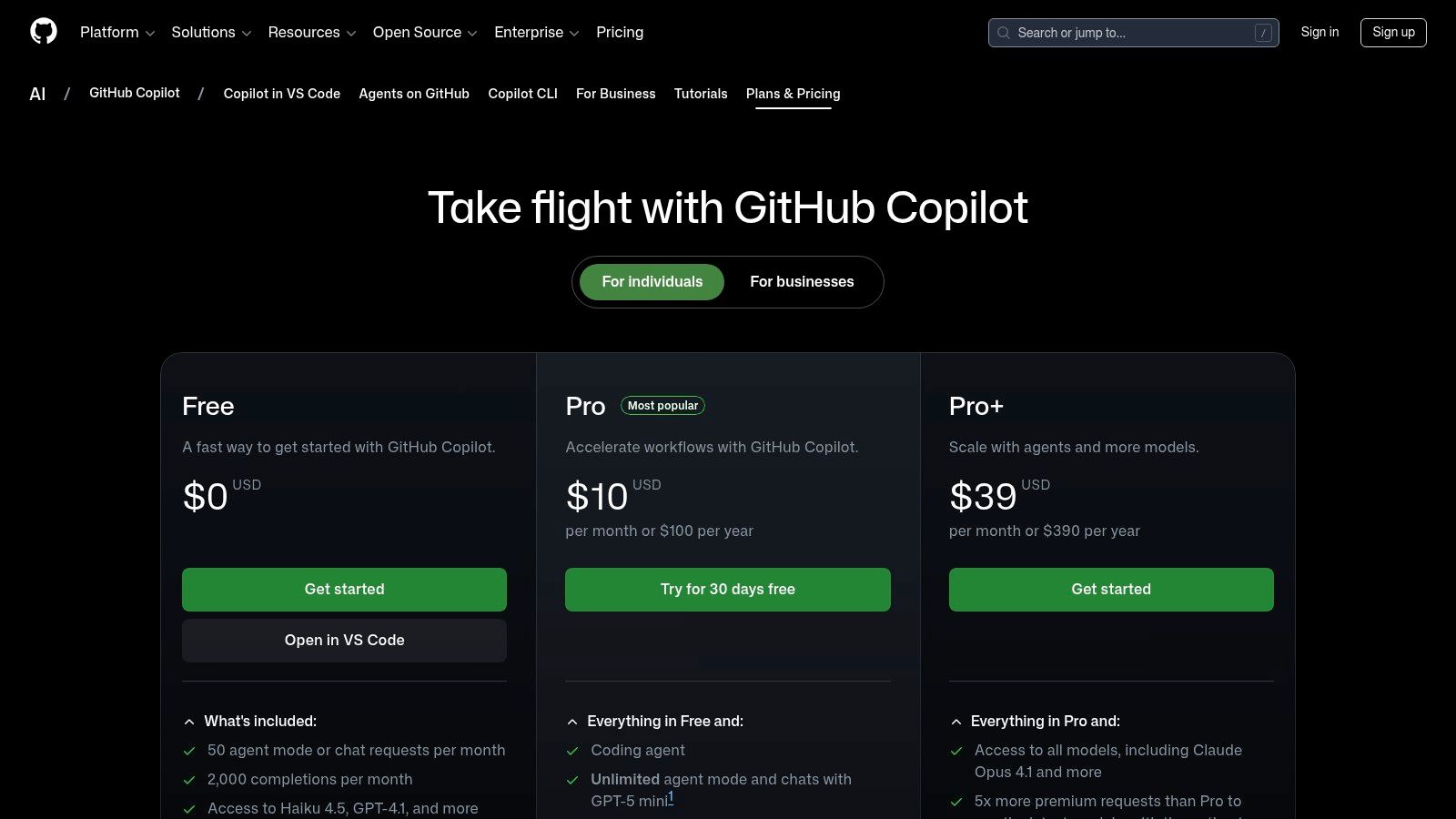
This tool excels at accelerating development velocity, reducing boilerplate code, and helping engineers tackle unfamiliar languages or frameworks. By providing instant context and suggestions, it has become one of the most impactful ai tools for business productivity for engineering teams, allowing them to focus on complex problem-solving rather than routine syntax. This focus on developer efficiency is a key reason many organizations are investing in strategies to improve team productivity with AI-assisted coding.
Implementation and Use-Case Analysis
| Category | Details |
|---|---|
| Ideal Use-Case | Accelerating software development, onboarding new engineers, and enforcing coding standards across the organization. |
| Effort to Implement | Low. Managed as a per-user seat license within an existing GitHub organization, with straightforward IDE extension installation. |
| Potential ROI | High. Directly impacts developer productivity and code quality, with studies showing significant reductions in time spent on repetitive tasks. |
| Limitations | Its primary value is locked within the development workflow and GitHub ecosystem. Premium usage quotas may need management for power users. |
Access is provided via GitHub Business or Enterprise plans with a clear per-user, per-month pricing model. The user experience is smooth, with Copilot’s suggestions appearing unobtrusively within the developer's chosen code editor.
When to partner or build custom: For companies needing to go beyond standard Copilot and integrate bespoke AI agents into CI/CD pipelines, AI team augmentation is more effective. Targeted AI workshops on advanced tools like Cursor or using Claude for code can upskill engineering teams on the latest development tools and practices.
Website: https://github.com/features/copilot/plans
10. HubSpot (AI CRM and AI assistants/agents)
HubSpot evolves its popular CRM platform by deeply embedding AI assistants across its entire suite of tools for Marketing, Sales, and Service teams. Rather than a standalone tool, HubSpot’s AI is a native enhancement that uses your existing customer data to automate tasks, generate content, and provide insights. This integration is key, allowing go-to-market teams to use AI directly within their established workflows, from drafting sales outreach sequences to generating marketing copy and summarizing customer service tickets.
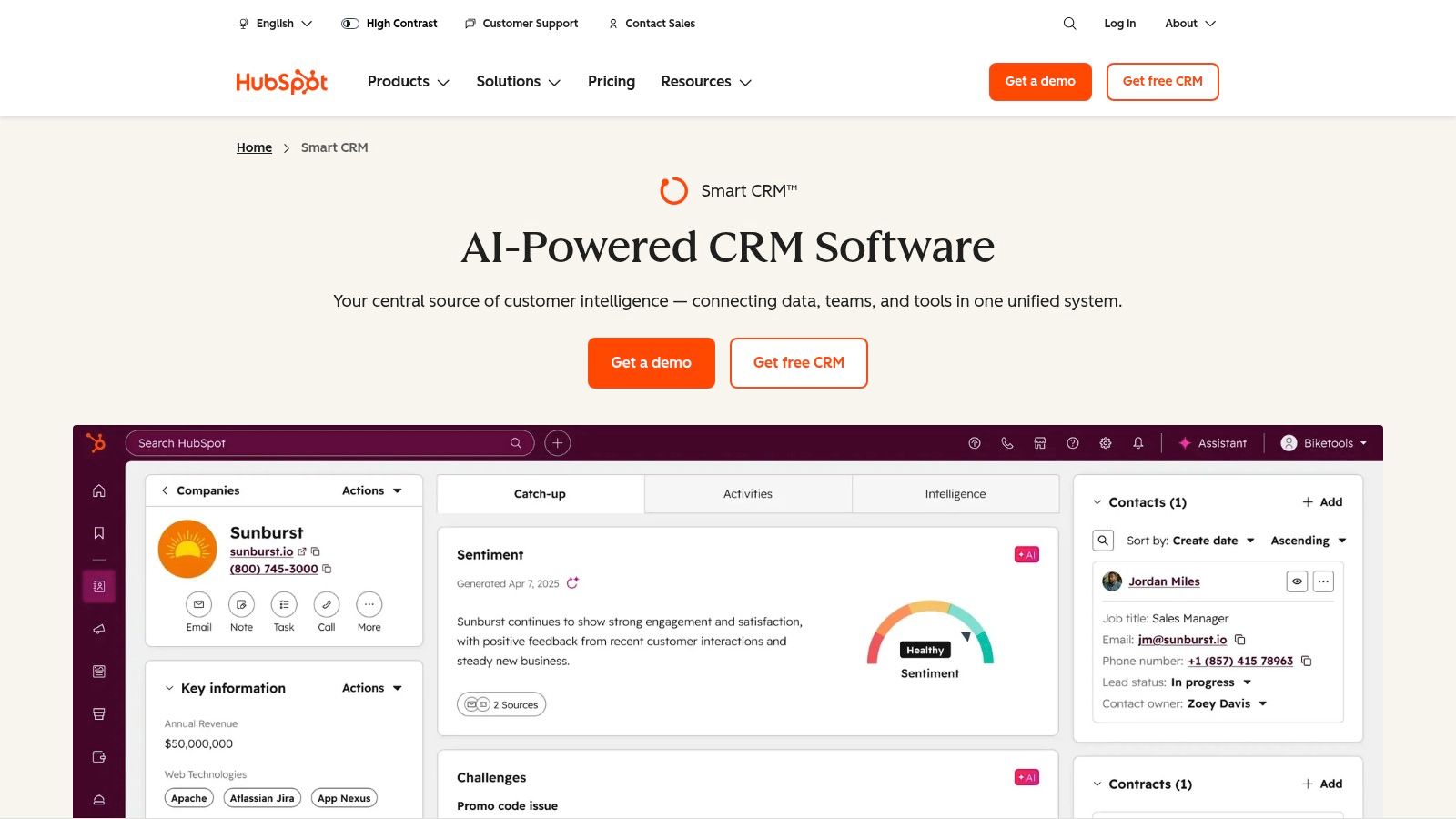
The platform centralizes AI-powered actions, making it one of the most cohesive ai tools for business productivity for businesses that need a single source of truth for their customer-facing operations. By bringing AI into the CRM, HubSpot helps teams streamline content creation, prospecting, and data analysis without needing to switch between different applications, unifying the entire customer lifecycle.
Implementation and Use-Case Analysis
| Category | Details |
|---|---|
| Ideal Use-Case | Automating content generation for marketing campaigns, streamlining sales prospecting, and providing AI-assisted customer service all within a single CRM. |
| Effort to Implement | Low. AI features are embedded within existing HubSpot hubs. Activation is straightforward for current users. |
| Potential ROI | High. Significant productivity gains for sales and marketing teams by reducing manual data entry and content creation tasks. |
| Limitations | Pricing can become complex with different hubs and tiers, and some advanced AI features rely on a usage-based credit system. |
HubSpot’s pricing scales from free basic plans to full enterprise tiers, with AI features included in various hubs. The user experience is designed to be intuitive, with AI assistants appearing contextually where they are most needed.
When to partner or build custom: While HubSpot’s AI is powerful for go-to-market functions, you may need a custom solution for deep operational or engineering automation. AI-adopted engineer placements can augment your team with the right skills, while advanced AI workshops for dev teams on tools like Cursor and Claude for code go beyond the scope of a standard CRM.
Website: https://www.hubspot.com/products/crm/ai-crm
11. AWS Marketplace: Machine Learning and Generative AI Solutions
For businesses operating within the AWS ecosystem, the AWS Marketplace is a centralized hub for procuring and deploying pre-vetted AI and machine learning models. Instead of building algorithms from scratch, teams can subscribe to hundreds of solutions, from natural language processing and computer vision to specialized generative AI applications. This approach streamlines procurement, governance, and billing directly through an existing AWS account.
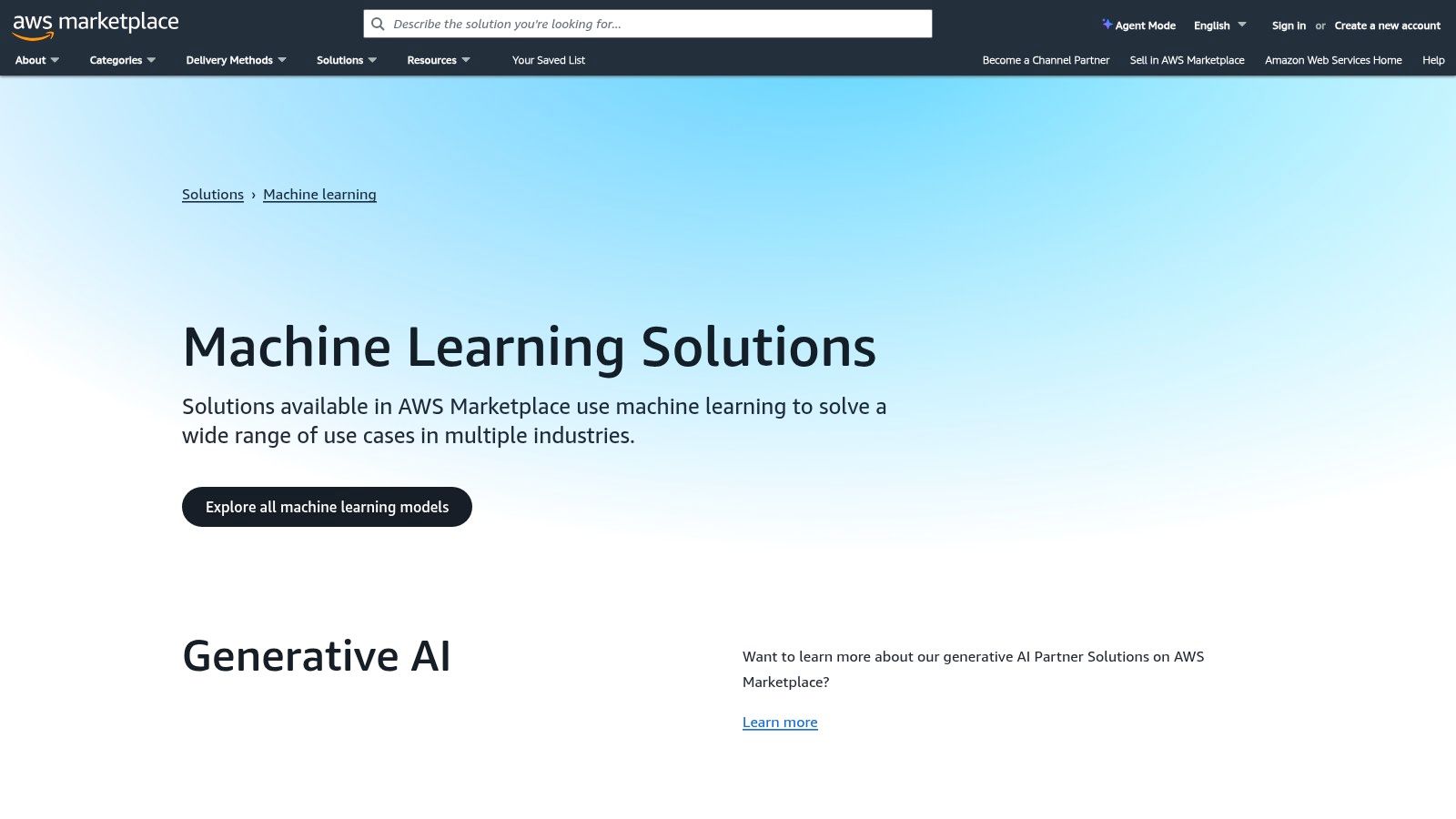
The key advantage is the ability to deploy these models directly into your cloud infrastructure, like Amazon SageMaker, with pay-as-you-go pricing. This makes it one of the most scalable ai tools for business productivity for companies needing to integrate specific AI capabilities into their cloud-native workflows without the long development cycles. For a deeper dive into strategy, you can review this guide on how to implement AI in business.
Implementation and Use-Case Analysis
| Category | Details |
|---|---|
| Ideal Use-Case | Teams with AWS expertise needing to quickly deploy specific, pre-built AI models for tasks like fraud detection or text analysis. |
| Effort to Implement | Medium. Requires an AWS account and cloud engineering knowledge to deploy, manage, and integrate the selected models. |
| Potential ROI | High. Drastically reduces model development time and R&D costs by using ready-made, specialized solutions. |
| Limitations | Capabilities, licensing, and pricing vary widely by vendor. The user is responsible for managing the deployed infrastructure. |
Access is tied to an active AWS account, with costs determined by the individual marketplace listings, which often include a mix of subscription fees and usage-based charges. The user experience is that of a typical cloud services marketplace, prioritizing technical documentation over a simplified UI.
When to partner or build custom: While the marketplace offers components, integrating them into a cohesive business solution requires expertise. AI-adopted engineer placements can augment your team, helping you select, deploy, and manage these models effectively. Specialized AI workshops can also upskill your teams on implementing and scaling these cloud-based tools.
Website: https://aws.amazon.com/marketplace/solutions/machine-learning/
Top 11 AI Business Productivity Tools Compared
| Product | Core features ✨ | Value / ROI 💰 | Target audience 👥 | USP / Pricing & ease |
|---|---|---|---|---|
| Microsoft Copilot for Microsoft 365 ★★★★☆ | Copilot across Outlook/Teams/Word/Excel/PowerPoint; Copilot Chat & Studio for agents ✨ | Deep MS Graph integration → productivity + compliance gains 💰 | Organizations standardized on Microsoft 365 👥 | Native enterprise security/compliance; requires qualifying M365 licenses; agent usage metered |
| Google Workspace + Gemini ★★★★☆ | Native AI in Gmail/Docs/Sheets/Slides/Meet + Gemini app; meeting notes & translation ✨ | Improves content & meeting productivity inside familiar apps 💰 | Teams already on Google Workspace 👥 | Enterprise admin controls; advanced features tied to higher SKUs; clear workspace tiers |
| OpenAI ChatGPT (Team & Enterprise) ★★★★☆ | Team workspaces, central billing, multiple models, GPT ecosystem & integrations ✨ | Fast setup for cross‑functional work; strong GPT marketplace for custom flows 💰 | Cross‑functional teams, knowledge workers, analysts 👥 | Privacy options (no training on team data); plan limits vary; broad third‑party connector need |
| Anthropic Claude for Teams ★★★★☆ | Long‑context models, M365/Slack connectors, enterprise search, desktop apps ✨ | High‑quality reasoning for analysis workflows; clear privacy stance 💰 | Teams needing deep reasoning, research & agent workflows 👥 | Standard/premium seats, SSO & admin controls; premium seats raise costs |
| Slack (with built‑in AI) ★★★★☆ | Conversation/channel summaries, AI search, file summaries, workflow suggestions ✨ | Boosts knowledge-sharing & meeting recap efficiency 💰 | Collaboration-heavy teams and enterprises with app ecosystems 👥 | Native AI in paid tiers; integration ecosystem (2,600+ apps); advanced features tiered |
| Notion + Notion AI ★★★★☆ | Unified docs, DBs, projects + AI agent, meeting notes, enterprise search ✨ | Reduces tool sprawl; improves content ops and KM 💰 | Knowledge teams, product/content ops, PMs 👥 | Competitive Business-tier pricing; some AI features beta; governance at higher tiers |
| Zapier (AI orchestration) ★★★★☆ | No‑code Zaps, 3,000+ integrations, Interfaces & AI action layer ✨ | Fast automations without engineering; clear task‑based ROI 💰 | Ops, marketing, sales teams needing quick integrations 👥 | Vast app coverage; transparent task pricing but heavy use increases costs |
| Make (formerly Integromat) ★★★★☆ | Visual scenario editor, routers/filters/variables, minute scheduling, API access ✨ | Fine‑grained control for complex, always‑on automations 💰 | Technical ops teams building scalable workflows 👥 | Credits pricing model (monitoring required); strong branching & logs |
| GitHub Copilot (Business & Enterprise) ★★★★☆ | AI code completions, chat & agents in IDEs; org controls & context ✨ | Significant engineering productivity gains; clear per‑seat pricing 💰 | Engineering teams using GitHub & popular IDEs 👥 | Deep GitHub/IDE integration; quota management for heavy users |
| HubSpot (AI CRM) ★★★★☆ | AI assistants across Marketing, Sales & Service; prospecting & enrichment ✨ | Centralizes GTM automation & content; scales freemium→enterprise 💰 | GTM teams, SMBs to enterprises focused on CRM 👥 | Hub/tier pricing; advanced AI consumes usage credits |
| AWS Marketplace: ML & GenAI ★★★★☆ | Deployable ML/GenAI packages, SageMaker deployment, private offers ✨ | Buy vetted components; cloud‑native procurement & governance 💰 | Cloud/ML teams, enterprises procuring vetted models 👥 | Pay‑as‑you‑go via AWS; requires AWS expertise and integration effort |
From Tools to Transformation: Building Your AI Productivity Roadmap
Sorting through the huge number of AI tools for business productivity can feel overwhelming, but this detailed exploration should provide clarity. We have moved beyond simple feature lists and into the practical applications of platforms like Microsoft Copilot, Google Workspace with Gemini, and specialized communication hubs like Slack AI. The goal has been to arm you with the insights needed to see these tools not as isolated gadgets, but as integral components of a cohesive operational strategy.
The core takeaway is that the "best" tool is rarely a universal answer. For a development team, the choice between GitHub Copilot and a custom-trained model via AWS Marketplace depends entirely on project complexity and security requirements. Similarly, a marketing team's decision between HubSpot's integrated AI agents and a more flexible Zapier-powered workflow hinges on their existing tech stack and long-term automation goals. True productivity gains are found at the intersection of a tool's capabilities and your organization's specific, well-defined needs.
From Adoption to Integration: The Human Element
Simply subscribing to a new SaaS platform is just the first step. The true challenge, and the greatest opportunity, lies in weaving these AI tools into the fabric of your daily operations. This is where the human element becomes critical. The most powerful AI is ineffective if your team doesn't know how to use it properly.
This is why strategic implementation is non-negotiable. Consider these essential next steps:
- Skill Augmentation: Before a full-scale rollout, identify potential skill gaps. Does your team understand prompt engineering? Are your developers prepared to integrate new APIs securely? Targeted AI workshops are not a cost center; they are an investment in maximizing your ROI.
- Process Redesign: Don't just layer AI onto broken processes. Use this technological shift as a catalyst to rethink and redesign workflows from the ground up. Where can an AI assistant like Claude or ChatGPT Teams remove bottlenecks entirely, rather than just speeding up a single task?
- Strategic Partnerships: Recognize when your internal capacity is maxed out. Sometimes, the fastest path to significant productivity gains is through external expertise. This could mean AI team augmentation with specialized engineers or partnering with a firm to architect a complete automation strategy.
Building Your AI-Powered Future: A Strategic Approach
The journey toward mastering ai tools for business productivity is a marathon, not a sprint. It begins with selecting the right platforms but quickly evolves into a deeper strategic exercise focused on people, processes, and partnerships. The tools we’ve covered, from Notion AI for knowledge management to Make for complex automation, represent a powerful arsenal. However, their ultimate success depends on your ability to build a supportive ecosystem around them.
Preparing your teams is paramount. Investing in hands-on AI workshops focused on specific tools like Cursor or using Claude for dev teams can turn skepticism into advocacy and surface unforeseen efficiencies. When you encounter a productivity challenge that off-the-shelf tools can't solve, the answer may lie in a custom-built solution or a strategic AI-adopted engineer placement. The ultimate goal is to adopt AI and to build a more intelligent, resilient, and innovative organization from the inside out.
For deeper coverage: best workflow automation platforms compares the leading tools for automating ops; how to make your team AI-native covers the organizational side; and best AI agent development agencies lists teams that can build custom agents for your specific workflows.
Where AY Automate fits
We are not one of the tools on this list. We place AI engineers who use tools like these to generate revenue for your business, that is the offer. For business productivity specifically, that means an engineer who wires the tools above into your actual workflows instead of leaving each app as a separate subscription your team has to stitch together by hand. See AI engineer placement or explore AI strategy consulting.
Continue Reading
What Is Hyperautomation in 2026? (Definition, Stack, and the Honest ROI)
Hyperautomation in 2026: RPA combined with AI agents. What frontier models changed, where it delivers ROI, and when plain automation is the right answer.
Custom AI Agent Development in 2026: The Honest Buyer's Guide
Updated June 2026. Two years ago, "AI agent development" meant a chatbot with extra steps.
Generative AI Consulting & Development Services (2026 Buyer's Guide)
Generative AI consulting in 2026: how to scope engagements, what they cost, and how to pick a firm that ships instead of one that just presents decks.
Book a Free Strategy Call
Building this in production?
Walid runs a 30-min call to map your AI engineering team. Free, no slides.
Free weekly brief
Steal our production automations
The exact n8n flows, Claude Code setups, and prompts we ship for clients, broken down step by step. No spam, unsubscribe anytime.

Taha builds and ships custom AI agents and workflow automations for AY Automate clients across SaaS, finance, and professional services.