Book a Free Strategy Call
Skip the read: talk to Walid in 30 min.
Free strategy call. We map your AI engineering team, you keep the notes.
Framer 3.0 AI Agents: What Shipped and Where No-Code Agents Actually Fit
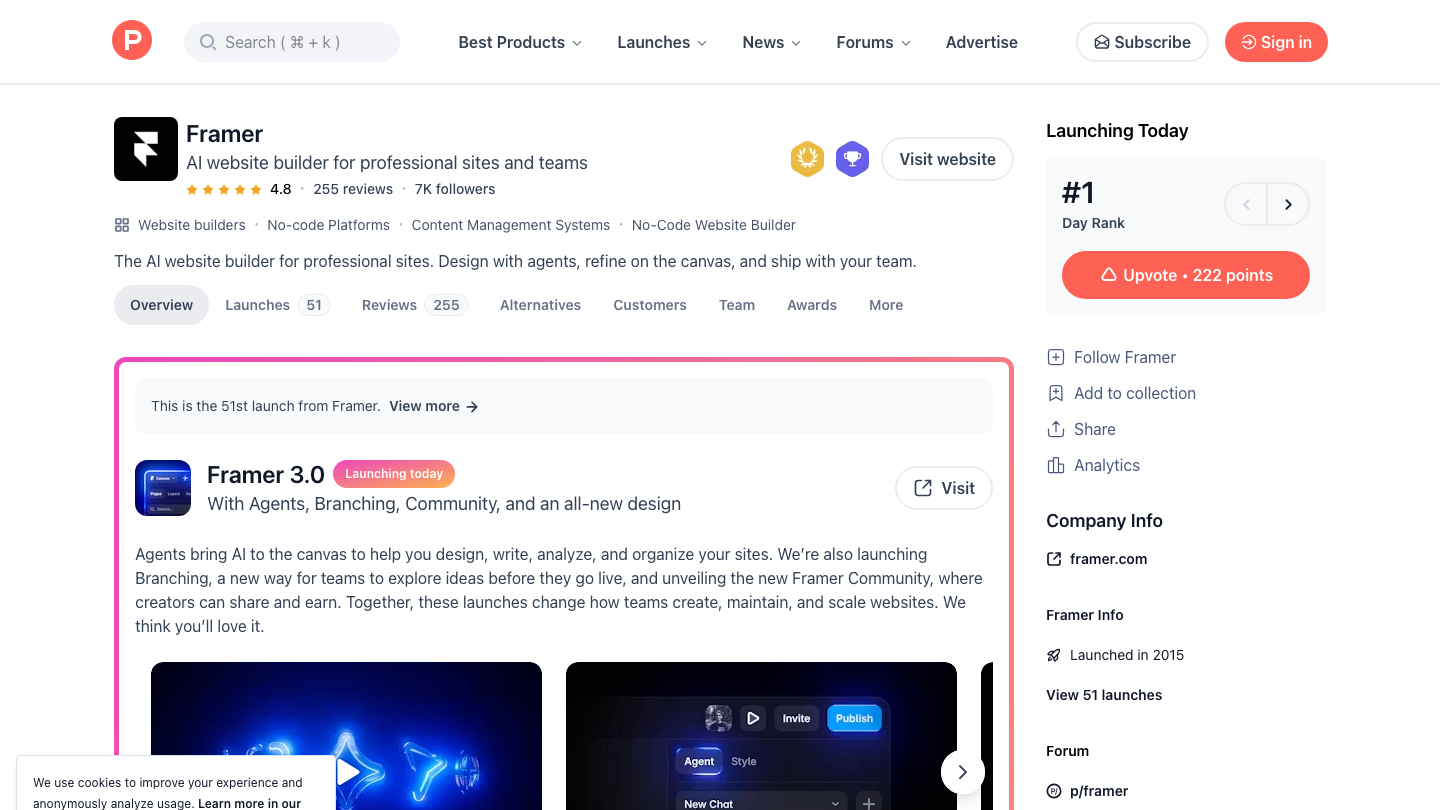
Framer 3.0 AI agents shipped on June 16, 2026, as the headline of Framer 3.0: agents that live inside the design canvas rather than in a separate chat window, and that can design pages, edit components, manage CMS content, and push changes through a review workflow. The launch hit #1 on Product Hunt for the day, and the practical meaning is that a mainstream no-code site builder has gone agentic.
The hook for founders and marketers: instead of generating a static mockup or throwaway prototype, Framer's agents operate on a live project, and every change becomes native Framer work you can inspect and refine. Framer paired this with branching, so agent edits land in an isolated branch you review before publishing, and a new Community for creators.
This post covers what Framer 3.0 actually shipped, what the agents can and cannot do, who the release fits, and where a no-code agent stops being enough for a real automation stack. We verified the feature list against Framer's own announcement and Product Hunt rather than restating launch-day hype, so what follows is an even-handed read of where the agents help and where they stop.
If you are weighing Framer against hiring help, our roundup of the best Framer agencies covers that side separately.
TL;DR
- Framer 3.0 launched June 16, 2026 with AI agents, branching, and a new Community, and it ranked #1 on Product Hunt for the day.
- Framer agents work inside a live project and can generate pages, edit components and styles, write code, manage CMS content, and audit a site for issues like broken links.
- Branching lets agent changes land in an isolated branch you review and merge before publishing, which makes agent edits safer for production sites.
- External agents connect outside tools such as Claude Code, Cursor, Codex, and Gemini CLI so they can create, edit, and manage Framer projects.
- Agents are scoped to website work inside Framer. They do not replace backend logic, data pipelines, or cross-tool automation that runs outside the site.
- Best fit: founders, marketers, and small teams who want to move faster on a marketing site without leaving their builder.
What did Framer 3.0 ship?
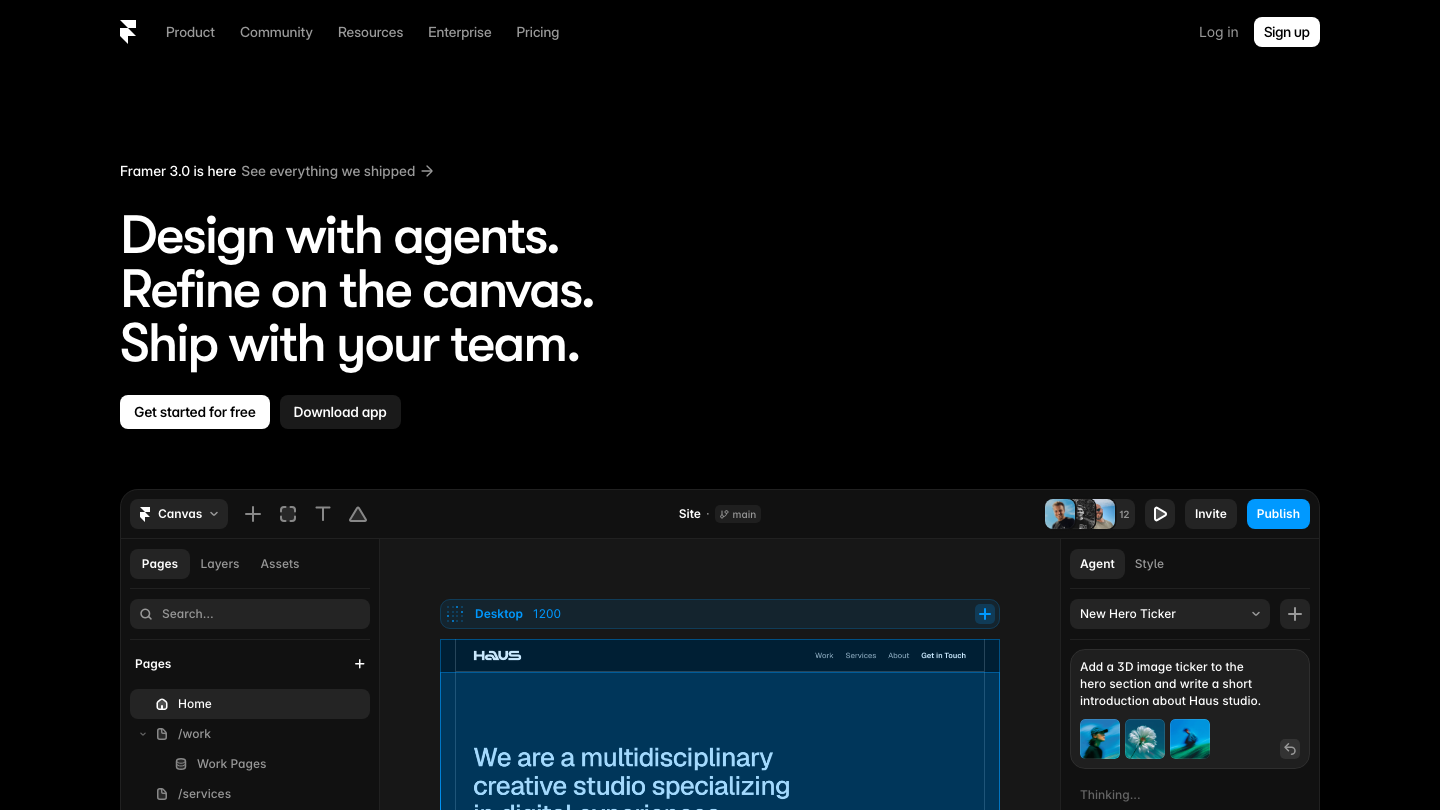
Framer 3.0 bundles three named releases plus pricing changes. The first is Framer Agents, AI that runs directly in the canvas where you already design and publish. Framer's framing is that the agent edits pages, components, styles, CMS content, SEO settings, and publishing workflows, and that every change becomes native Framer work rather than disconnected code or a separate prototype.
The second is Branching. You can ask an agent to make changes in a dedicated branch, review what changed, compare versions, and publish only when ready, without touching the live site. Framer positions branching as the piece that makes agent workflows practical for production and for larger teams that need a safe way to adopt agents.
The third is the new Framer Community, a creator platform with a marketplace, gallery, awards, and social feed. Framer says it paid creators 6.5 million dollars in 2025, which it cites as 200 percent year-over-year growth. Alongside these, Framer introduced AI credits to meter agent usage across plans and announced simpler plans with lower editor pricing.
There is also an External Agents capability, which we cover below because it matters most for anyone running a broader automation stack.
Free weekly brief
Steal our production automations
The exact n8n flows, Claude Code setups, and prompts we ship for clients, broken down step by step. No spam, unsubscribe anytime.
What can the Framer AI agents do?
Inside a project, Framer's agents handle the kind of work you would otherwise do by hand on the canvas. Per Framer, agents can generate pages from scratch, generate designs from screenshots, build responsive layouts and breakpoints, apply styling and interactions, create components, write custom code, and connect to the CMS. They can also audit a site for broken links, accessibility issues, and styling inconsistencies, then surface analytics.
The External Agents feature is the more interesting part for technical teams. Framer lets you connect outside agent tools such as Claude Code, Cursor, Codex, and Gemini CLI so those agents can create, edit, audit, and manage Framer projects. In practice that means a developer already working in Claude Code can drive Framer changes from their existing environment instead of context-switching into the canvas.
Two caveats keep this honest. First, agent output still needs review, which is exactly why branching exists. Second, these are website-scoped capabilities. The agent is good at the surface a visitor sees and the content behind it, not at the systems your business runs once a visitor converts.
Who is Framer 3.0 for?
The clearest fit is founders, marketers, and small teams who own a marketing site and want to ship changes faster without writing front-end code or waiting on a designer. If your site lives in Framer already, agents plus branching remove a lot of manual canvas work and give you a review step before anything goes live.
It also fits agencies and larger teams that need a controlled way to let AI touch production. Branching is the feature that makes this defensible: changes stay isolated until a human merges them. That is a meaningful difference from tools that generate a one-shot output you then have to reconcile by hand.
It is a weaker fit if your site is the front door to a product that depends on custom backends, authenticated flows, or data that lives outside Framer. The agents are strong at the website layer. They are not a general automation platform, and Framer does not claim they are.
Where no-code agents fit a real automation stack
A no-code builder agent is one layer. A real stack usually has three: the website and content layer, the workflow and integration layer, and the custom logic layer. Framer 3.0 agents are strong on the first and stop there by design.
The website layer is everything a visitor sees and the CMS behind it. Framer now automates much of that. The workflow layer is where leads, payments, CRM updates, notifications, and multi-tool handoffs happen after someone converts. That work crosses systems Framer does not touch, which is the domain of custom workflow automation. The custom logic layer is the part with real business rules, data, and edge cases, where you want custom automation or purpose-built AI agent development rather than a site-builder agent.
The practical read: let Framer agents own the marketing site so your team moves faster there, and route everything that happens after a click into a dedicated automation layer. The two layers complement each other.
Here is how the agents map against where you still need custom work.
| Task | Framer 3.0 agents do this well | Where you still need a custom build |
|---|---|---|
| Build and edit marketing pages | Yes, generate and refine pages on the canvas | Pages tied to authenticated app state |
| CMS content updates | Yes, connect to and manage CMS entries | Content synced from an external database or ERP |
| Responsive layout and styling | Yes, breakpoints, effects, components | Pixel-exact custom front-end outside Framer |
| Site audits | Yes, broken links, accessibility, consistency checks | Deep performance or security audits |
| Lead capture form on the site | Yes, build the form UI | Routing leads to a CRM, scoring, and follow-up |
| Post-conversion workflows | No, scoped to the site | Payments, onboarding, notifications, integrations |
| Custom business logic | No | Backend rules, data pipelines, custom APIs |
| Multi-tool orchestration | Partial via External Agents driving Framer | Cross-system automation across your full stack |
What are the limitations of Framer 3.0 agents?
The first limit is scope. Agents operate on Framer projects. Anything beyond the website, such as your billing system, your CRM, or a product backend, sits outside what they can reach.
The second is review overhead. Branching is a strength, but it also tells you the honest truth: agent output is a draft that needs a human to compare, approve, and merge. That is good practice. It is also a reminder that this is not a fully autonomous pipeline.
The third is cost metering. Framer introduced AI credits to power agents across plans. Heavy agent use consumes credits, so teams running constant iteration should model usage rather than assume agent work is free at the margin. Framer also changed plan structure and editor pricing alongside the launch, so confirm current numbers on Framer's site before budgeting.
The fourth is lock-in to the website layer. The more you let agents shape your site, the more your marketing surface lives natively in Framer. That is fine if Framer is your committed builder. It is a consideration if you expect to migrate later.
For the exact process we run in production, see our AI agent deployment workflow: steps, tools, and when not to use it.
FAQ
What is Framer 3.0?
Framer 3.0 is the June 16, 2026 release of the Framer website builder. It introduced AI agents that work inside the design canvas, branching for reviewing changes before publishing, a new creator Community, and AI credits to meter agent usage. It ranked #1 on Product Hunt the day it launched.
What can Framer AI agents do?
Per Framer, agents can generate pages from scratch and from screenshots, build responsive layouts, apply styling and interactions, create components, write custom code, manage CMS content, and audit a site for broken links, accessibility issues, and styling inconsistencies, all inside a live project.
What is branching in Framer 3.0?
Branching lets agent changes land in an isolated branch. You review what changed, compare versions, and publish only when ready, without touching the live site. It is the feature that makes agent edits safer for production sites and larger teams.
Does Framer 3.0 work with Claude Code or Cursor?
Yes. Framer's External Agents capability connects outside tools including Claude Code, Cursor, Codex, and Gemini CLI, so those agents can create, edit, audit, and manage Framer projects from your existing environment.
Is Framer 3.0 free?
Framer changed its plans and pricing alongside the launch and introduced AI credits to power agents across plans, including a more generous Basic plan and lower editor pricing. Agent usage consumes credits, so check Framer's current pricing page for exact figures before you commit.
Can Framer agents replace a developer or an agency?
For website design and content work inside Framer, agents handle a large share of routine tasks. They do not replace the backend logic, data work, and cross-tool automation a developer or agency handles once a visitor converts. Most teams pair Framer agents with a dedicated automation layer, and a Framer development agency can build that layer without starting from scratch.
Where do no-code agents stop being enough?
They stop at the edge of the website. Anything involving payments, CRM routing, custom business rules, external data, or multi-system handoffs needs a real automation build such as custom workflow automation rather than a site-builder agent.
Is Framer 3.0 worth switching to?
If your marketing site already lives in Framer, the agents plus branching are a meaningful speed gain with a built-in review step. If your site depends on custom backends or sits outside Framer, the agents help less, and the decision is closer. Judge it against your real stack, not the launch-day ranking.
Sources: Framer Blog: Introducing Framer Agents, Branching, and the new Community, Framer Updates : Framer 3.0, Framer on Product Hunt
Book a Free Strategy Call
Building this in production?
Walid runs a 30-min call to map your AI engineering team. Free, no slides.
Free weekly brief
Steal our production automations
The exact n8n flows, Claude Code setups, and prompts we ship for clients, broken down step by step. No spam, unsubscribe anytime.

Ex-IBM AI engineer and enterprise architect. Adel owns the technical architecture behind every automation and AI agent system AY Automate ships.