Book a Free Strategy Call
Skip the read: talk to Walid in 30 min.
Free strategy call. We map your AI engineering team, you keep the notes.
The top AI content creation tools in 2026 for technical teams are Claude (structured reasoning and long-form), ChatGPT (breadth of integrations), Midjourney (generative images), and Runway (video). For developer productivity, Cursor with Claude Code extends the category into the IDE.
The conversation around ai content creation tools has fundamentally shifted from basic marketing copy to a core driver of engineering productivity and team augmentation. For organizations focused on technical excellence, these platforms are no longer just for creating blog posts; they are essential for generating code, streamlining documentation, and accelerating development cycles. This guide moves beyond generic reviews to provide a strategic look at the most impactful tools that enable 'AI-adopted engineers' and enhance technical workflows.
This resource is designed for CTOs, operations leaders, and engineering managers aiming to integrate AI directly into their development processes. We will explore how platforms like Claude and specialized developer environments such as Cursor are writing assistants and sophisticated coding partners. You will discover how targeted AI workshops, such as those for Weavy.ai or Claude for dev teams, can rapidly upskill entire development teams and how strategic AI team augmentation can fill critical skill gaps without the overhead of traditional hiring.
We will analyze each tool through the lens of developer efficiency, integration potential, and its role in building a smarter, more agile engineering workforce. Each entry provides a concise breakdown of core features, ideal use cases for technical teams, practical limitations, and direct links to get started. Our goal is to help you identify the precise platforms that will standardize best practices, reduce manual overhead, and embed intelligent automation across your engineering and product teams.
1. OpenAI: ChatGPT
OpenAI’s ChatGPT is a foundational, general-purpose AI assistant that excels as one of the most versatile ai content creation tools available. Beyond basic text generation, its advanced models (like GPT-4o) handle complex reasoning, data analysis, and multimodal inputs, allowing users to generate everything from marketing copy and research summaries to presentation slides and Python scripts from a single interface. Its core strength lies in its powerful underlying models, which consistently produce high-quality, context-aware content across diverse domains.
For engineering and development teams, ChatGPT is an indispensable coding assistant. It can generate boilerplate code, debug complex functions, and even explain legacy codebases. This makes it a key component in an AI-augmented development workflow, where AI tools handle routine tasks, freeing up engineers to focus on high-impact architectural decisions.
Core Features & Use Cases
- Multimodal Content Generation: Create and edit text, generate images with DALL·E 3, and analyze data from uploaded files.
- Custom GPTs & Workflows: Build tailored assistants for specific tasks like "SEO Content Brief Generator" or "Code Reviewer" without writing any code.
- Enterprise-Grade Security: The Team and Enterprise plans offer robust admin controls, SSO, and workspace management, ensuring data privacy and compliance.
Pricing and Access
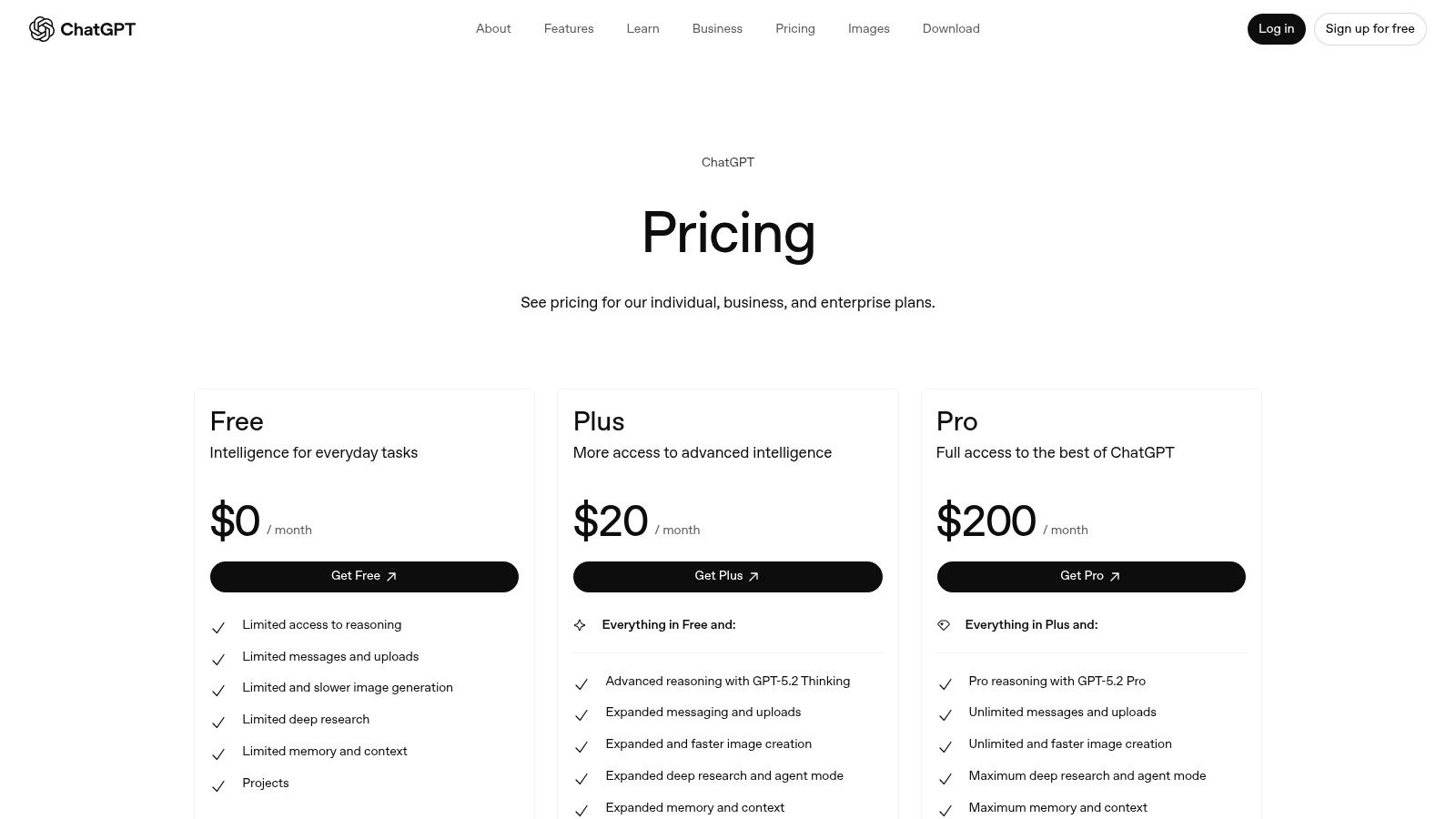
- Free Plan: Access to GPT-3.5 with limited usage of advanced features.
- Plus ($20/user/month): Full access to GPT-4o, DALL·E 3, Advanced Data Analysis, and higher usage caps.
- Team ($25/user/month, billed annually): Includes everything in Plus, with a larger context window, secure workspace, and admin console.
- Enterprise (Custom Pricing): Provides unlimited high-speed access, enterprise-grade security, and dedicated support.
| Pros | Cons |
|---|---|
| State-of-the-art model quality and reasoning. | Usage limits on advanced features vary by plan. |
| Extensive multimodal capabilities (text, voice, image). | Some powerful features remain in research preview or are gated. |
| Robust security and admin controls for business and enterprise tiers. | Reliance on a third-party platform may not suit all security models. |
For organizations looking to integrate such powerful models more deeply, custom solutions are often necessary. Discover how to build and deploy specialized AI agents for your business with AY Automate's expert implementation services.
Related Reads
2. Anthropic: Claude
Anthropic’s Claude is engineered for high-performance reasoning and excels as one of the most reliable ai content creation tools for tasks requiring long-context understanding. It is particularly adept at processing and synthesizing information from large documents, making it ideal for creating detailed reports, analyzing complex contracts, or generating structured marketing copy from extensive brand guidelines. Its strength lies in its ability to maintain coherence and accuracy over massive inputs, setting it apart for analytical and long-form writing tasks.
For development and engineering teams, Claude is a powerful coding partner, especially for projects involving large codebases or complex documentation. It can interpret, summarize, and generate code with a deep understanding of context, making it valuable for onboarding new developers or conducting thorough code reviews. Many organizations use Claude in specialized AI workshops for dev teams to train their engineers on leveraging its advanced context capabilities for more efficient development cycles.
Core Features & Use Cases
- Long-Context Processing: Analyze and generate content from extensive documents, research papers, or entire code repositories with a leading context window.
- Structured Content Generation: Ideal for creating highly organized outputs like legal summaries, financial reports, and technical documentation.
- Cross-Platform Accessibility: Available via web, dedicated desktop and mobile apps (iOS/Android), and an API for custom integrations.
Pricing and Access
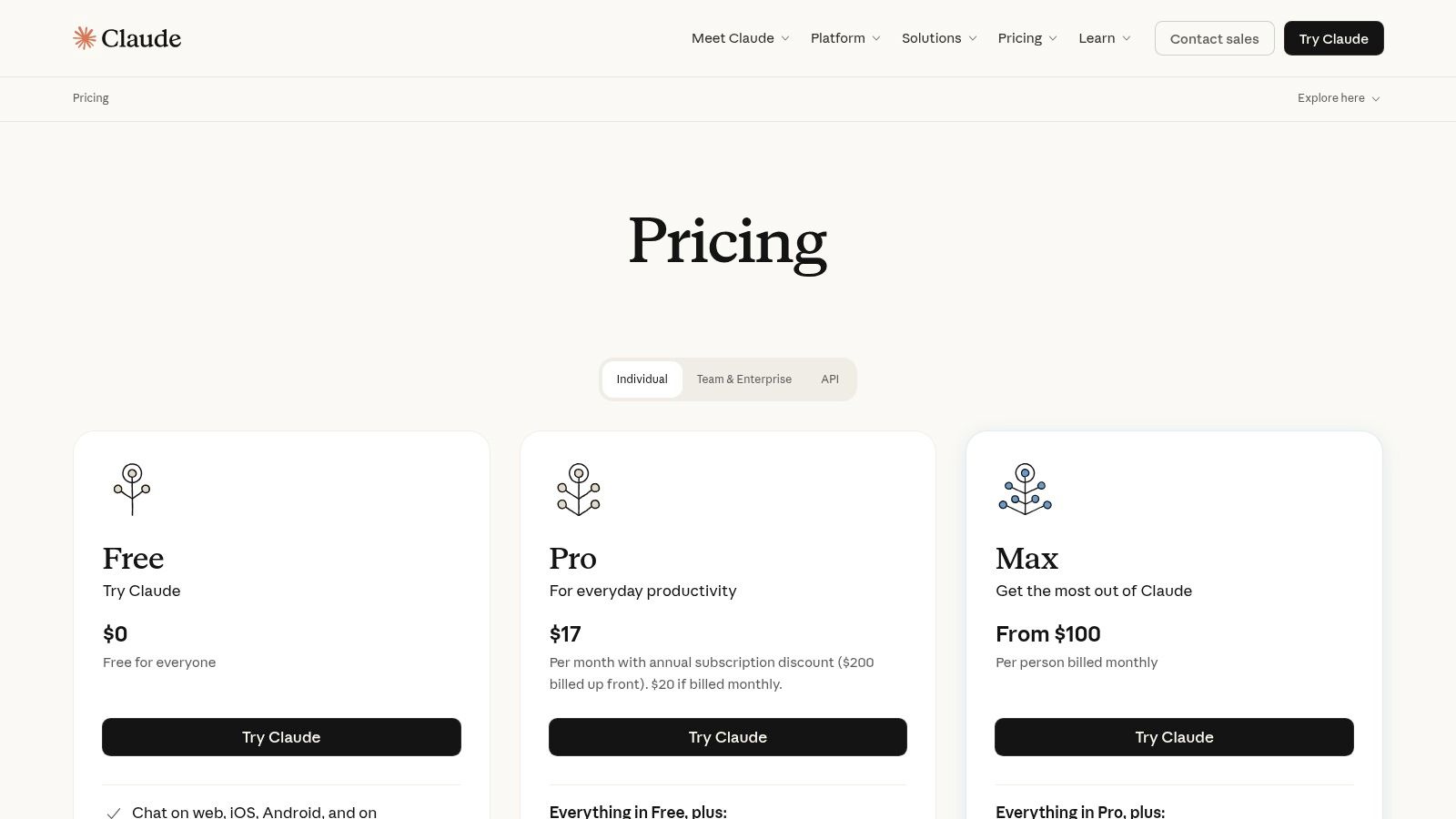
- Free Plan: Provides access to Claude Sonnet with daily message limits.
- Pro ($20/month): Five times more usage than the free plan, priority access, and access to the most powerful model, Claude Opus.
- Team ($30/user/month): Includes everything in Pro, plus a 200K context window, a central admin console, and increased usage for team collaboration.
- Enterprise (Custom Pricing): Offers maximum usage, enterprise-grade security features like SSO, and dedicated support for large-scale deployments.
| Pros | Cons |
|---|---|
| Exceptional performance on long-context tasks and analysis. | Higher cost for the Pro and Team tiers compared to some competitors. |
| Produces reliable, well-structured, and coherent written outputs. | Access to the most advanced models is gated behind paid plans. |
| Transparent and straightforward pricing for both web and API usage. | Some features on Team plans require premium seats for full access. |
Mastering Claude's large context window is key to unlocking its full potential for sophisticated analysis and content generation. Learn how advanced context engineering can transform your workflows with our guide on breaking down context engineering.
Free weekly brief
Steal our production automations
The exact n8n flows, Claude Code setups, and prompts we ship for clients, broken down step by step. No spam, unsubscribe anytime.
3. Google: Gemini
Google's Gemini is an integrated AI ecosystem deeply embedded within the Google Workspace and Search products, making it one of the most accessible ai content creation tools for organizations already invested in Google's suite. Its key differentiator is its seamless integration; users can summarize email threads in Gmail, draft documents in Docs, or conduct advanced research directly from the search bar using powerful models like Gemini Pro and Ultra. The platform is designed to streamline existing workflows by bringing AI capabilities directly into the tools teams use daily.
For development teams leveraging Google Cloud Platform, Gemini's advanced models serve as a powerful coding and infrastructure assistant. The AI can help generate configuration files for cloud services, debug application code within the ecosystem, and explain complex queries. When integrated into engineering workflows, Gemini can significantly reduce the time spent on repetitive coding and deployment tasks, allowing developers to focus on core logic and innovation.
Core Features & Use Cases
- Deep Workspace Integration: Natively use Gemini within Gmail, Docs, Sheets, and Slides to summarize, draft, and create content without switching context.
- Advanced Multimodal Models: Access to Gemini Pro for everyday tasks and Gemini Advanced (powered by Ultra) for complex reasoning, creative ideation, and coding.
- Bundled Cloud Storage: The AI Premium plan conveniently bundles access to Gemini Advanced with 2TB of Google One cloud storage.
Pricing and Access
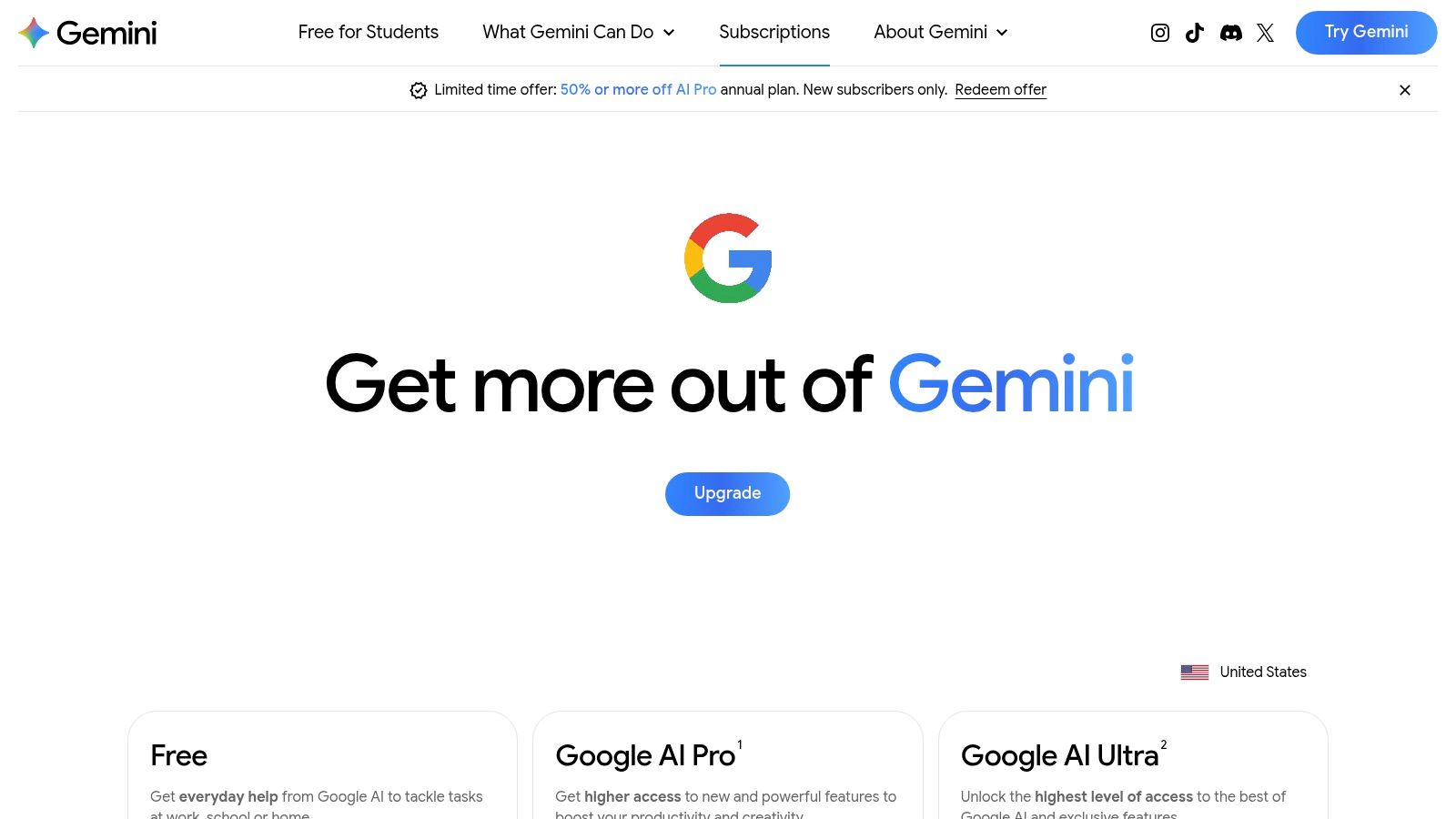
- Gemini (Free): Standard access to the Gemini Pro model.
- Gemini Advanced ($19.99/month): Provides access to the more capable 1.0 Ultra model, integration into Workspace apps, and 2TB of Google One storage.
- Enterprise (Custom Pricing): Tailored for plans for businesses needing enterprise-grade security, controls, and wider deployment across their organization.
| Pros | Cons |
|---|---|
| Seamless integration with the Google Workspace ecosystem. | Feature availability and model access can vary by region and account. |
| Subscription conveniently bundles AI access with Google One storage. | The most powerful Ultra model is locked behind a premium subscription. |
| Strong multimodal capabilities, including advanced reasoning and code. | Less customizable for specific workflows compared to dedicated platforms. |
While integrated tools like Gemini are excellent for general productivity, specialized development tasks often require custom solutions. For insights on augmenting your engineering team with dedicated AI experts, explore AY Automate's AI team augmentation services.
4. Adobe: Firefly and Creative Cloud
Adobe's Firefly and its integration into the Creative Cloud suite position it as one of the most essential ai content creation tools for creative professionals. Instead of being a standalone application, Firefly’s generative AI capabilities are embedded directly into industry-standard software like Photoshop, Illustrator, and Premiere Pro. This allows designers, video editors, and marketers to use features like Generative Fill and Expand within their existing, familiar workflows, dramatically accelerating asset creation and modification without leaving the environment they know best.
For enterprise creative teams, Adobe's ecosystem offers a secure and scalable solution. Firefly is trained on Adobe Stock images and openly licensed content, providing commercial safety and indemnification that matters for brand-sensitive work. This focus on responsible AI makes it a reliable choice for organizations that need to produce high volumes of visual content while mitigating legal risks associated with AI-generated media.
Core Features & Use Cases
- Integrated Generative AI: Use Generative Fill and Expand in Photoshop, create vector graphics from text prompts in Illustrator, and generate storyboards in Express.
- Text-to-Media Generation: The standalone Firefly web app enables text-to-image, text-to-video, and text-to-audio creation for rapid ideation and asset production.
- Enterprise Governance: Team and Enterprise plans include features for IP indemnification, user management, and a credit-based system for controlling generative AI usage.
Pricing and Access
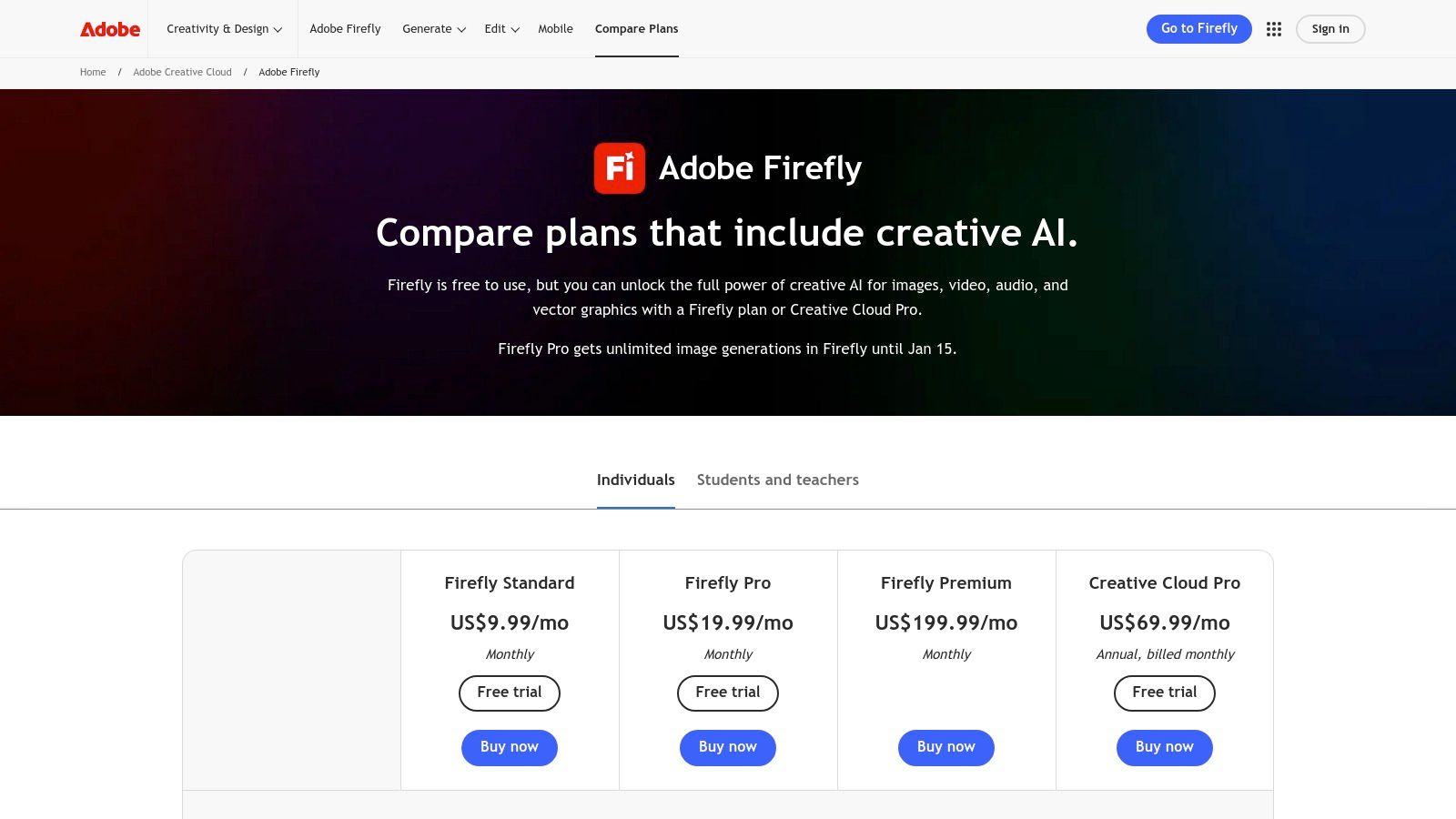
- Free Plan: Includes 25 generative credits per month for standard-resolution image generation.
- Premium ($4.99/month): Provides 100 monthly generative credits, no watermarks, and access to Adobe Fonts.
- Creative Cloud Plans (Varies): Most plans, like the All Apps plan, include a monthly allocation of generative credits (e.g., 1,000 credits for the All Apps plan).
- Enterprise (Custom Pricing): Offers custom credit allocations, enterprise-grade security, and indemnification.
| Pros | Cons |
|---|---|
| Seamless integration with industry-standard creative apps. | The generative credit system can be complex to track across a team. |
| Trained on licensed content, offering IP indemnification for business. | Recent price increases for some Creative Cloud plans have been a factor. |
| Robust ecosystem for professional designers, marketers, and agencies. | Heavily focused on visual media; less versatile for pure text generation. |
For brands looking to leverage such tools at scale, automating the creation process is key. Learn how to create personalized product images at scale with custom automation workflows.
5. Canva: Magic Studio
Canva’s Magic Studio integrates a full suite of AI capabilities directly into its popular design platform, positioning it as one of the most accessible ai content creation tools for marketing and creative teams. It streamlines asset production by combining AI-powered text, image, and video generation with a vast library of templates and brand governance features. This allows teams to produce on-brand social media posts, presentations, and ad creatives at a significantly faster pace.
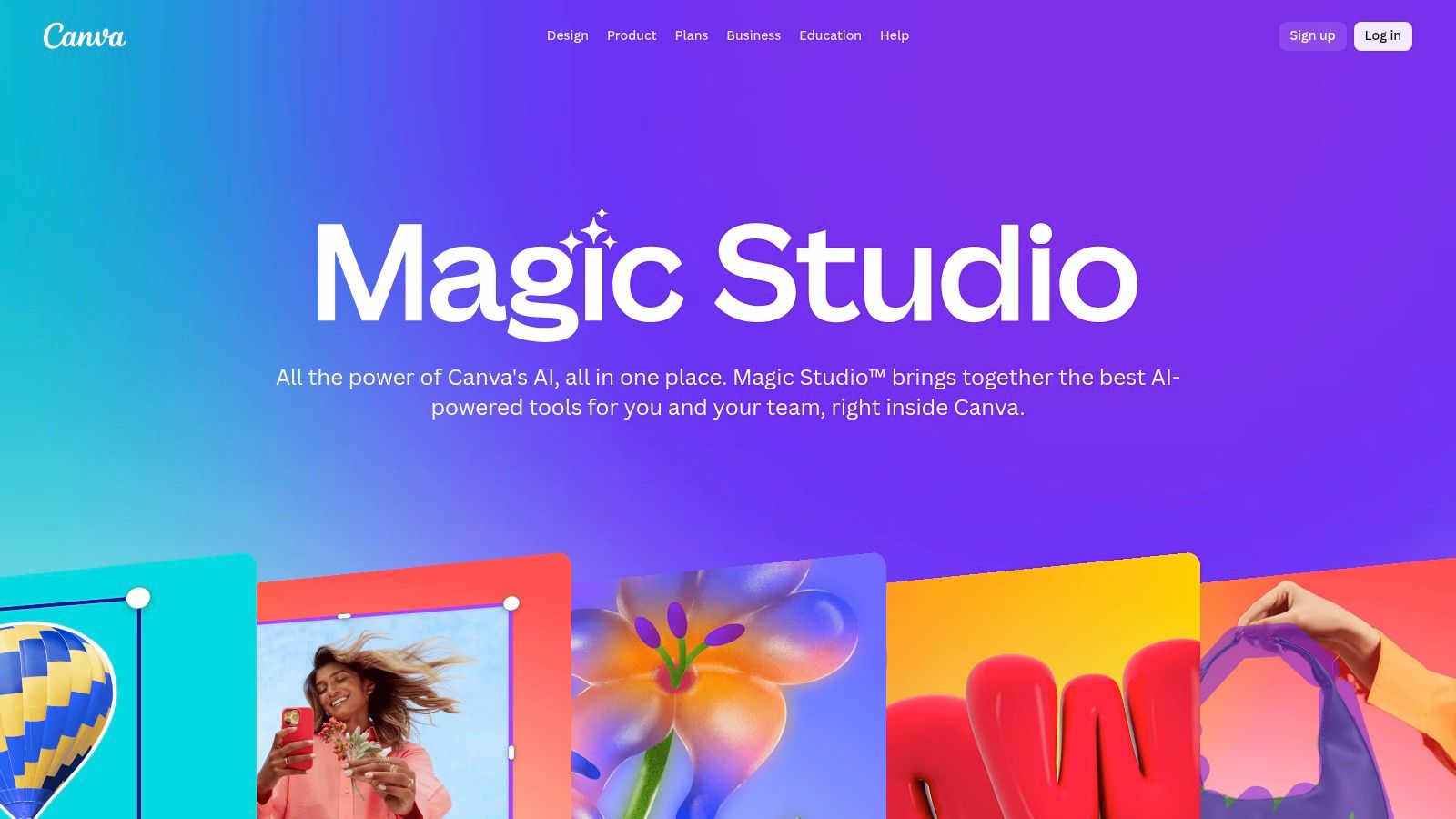
The platform's strength lies in its unified workflow. A user can generate copy with Magic Write, create visuals with Magic Media, and then instantly repurpose a design into different formats with Magic Switch. For businesses, this means a single, non-technical team member can manage a multi-channel content strategy from one dashboard, ensuring brand consistency while accelerating campaign launches.
Core Features & Use Cases
- Magic Tools Suite: A collection of AI features including Magic Write (copywriting), Magic Design (instant templates), Magic Switch (format conversion), and Magic Media (text-to-image/video).
- Brand Kit & Governance: Centralize brand assets, fonts, and colors, and use admin controls to lock down templates, ensuring all AI-generated content remains on-brand.
- Canva Shield: Enterprise-grade trust and safety controls, including AI content review and indemnification for enterprise users, making it a safe choice for corporate use.
Pricing and Access
- Free Plan: Limited access to Magic Studio tools with usage credits.
- Pro (€11.99/user/month): Increased usage credits, Brand Kit, and access to premium templates and stock assets.
- Teams (€14.99/user/month): Includes everything in Pro, plus real-time collaboration, brand controls, and administrative tools.
| Pros | Cons |
|---|---|
| Extremely fast and intuitive for non-designers to create assets. | Many of the most powerful AI features are gated behind paid tiers. |
| Broad library of templates and assets speeds up content creation. | Teams pricing and credit systems have changed, affecting some users. |
| Strong, safe-by-default enterprise controls and brand governance. | AI generation quality may not match specialized, single-purpose tools. |
While Canva excels at streamlining established creative workflows, building truly novel AI applications requires a different approach. For projects demanding custom AI agent development or specialized team augmentation, connect with AY Automate to explore our custom AI solutions.
6. Midjourney
Midjourney is a specialized AI image and video generator renowned for producing highly stylized, artistic, and concept-driven visuals. Operating primarily through a Discord server with an expanding web interface, it has become a go-to platform for creative professionals, marketing teams, and artists. Its strength lies in its unique aesthetic and powerful prompt interpretation, making it one of the best ai content creation tools for generating key art, ad campaign visuals, and conceptual designs that stand out.
Unlike general-purpose tools, Midjourney is engineered for artistic output, allowing teams to quickly visualize creative directions and produce campaign assets at scale. The platform's active community and distinct visual style make it an invaluable tool for brand and content teams looking to replace manual design workflows with AI-generated creatives that maintain a high level of quality and artistic integrity.
Core Features & Use Cases
- High-Quality Stylized Imagery: Generate photorealistic or artistic images perfect for ad creatives, social media content, and conceptual art.
- Prompt-Based Video Generation: Create short video clips from text prompts, ideal for dynamic social media content and motion graphics.
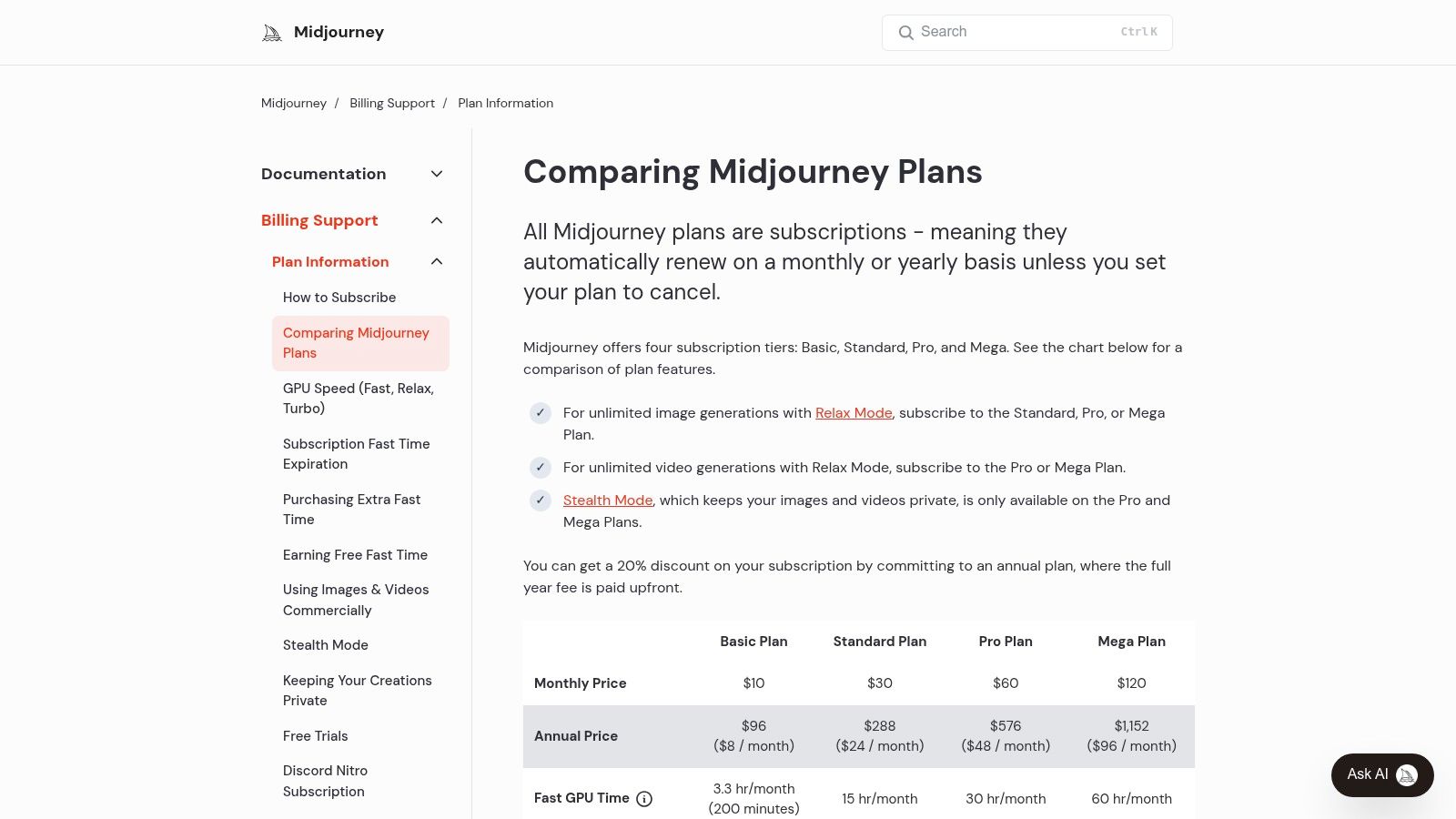
- GPU Time Management: Plans include "Fast" GPU hours for priority processing, with some offering unlimited "Relax" mode for non-urgent jobs.
- Stealth Mode: Available on higher-tier plans, this feature allows users to keep their generations private from the public community feed.
Pricing and Access
- Basic Plan ($10/month): Provides 3.3 hours/month of Fast GPU time.
- Standard Plan ($30/month): Includes 15 hours/month of Fast GPU time and unlimited Relaxed GPU time.
- Pro Plan ($60/month): Offers 30 hours/month of Fast GPU time, unlimited Relaxed time, and Stealth Mode.
- Mega Plan ($120/month): Comes with 60 hours/month of Fast GPU time, unlimited Relaxed time, and Stealth Mode.
| Pros | Cons |
|---|---|
| Best-in-class for high-quality, stylized visual outputs. | The primary workflow is Discord-based, which can be a hurdle for some. |
| Robust community provides inspiration and prompt-sharing. | Managing GPU minutes and job modes requires a learning curve. |
| Stealth Mode on Pro/Mega plans ensures privacy for commercial work. | Video generation capabilities are still emerging compared to image features. |
While Midjourney excels at visual creation, integrating these assets into a cohesive, automated content pipeline often requires custom development. Learn how AY Automate's expert implementation services can help build AI agents to manage your entire creative workflow, from asset generation to deployment.
7. Runway
Runway has established itself as a video-first AI platform, transitioning from a research project into a powerful suite of ai content creation tools for filmmakers, marketers, and creative agencies. Its core offering revolves around advanced generative video models like Gen-2, which can create high-fidelity video clips from text prompts or still images. This makes it ideal for producing marketing videos, animated explainers, and rapid conceptual storyboarding without the need for traditional production pipelines.
For creative teams, Runway excels at rapid ideation and asset generation, allowing for quick testing of visual concepts for ad campaigns or social media content. The platform's workflow-oriented design includes collaborative project features and a clear credit-based system, providing production teams with the predictability needed to manage resources effectively. This positions Runway as a practical, production-ready tool rather than just an experimental model.
Core Features & Use Cases
- Generative Video Models: Create video clips using Text to Video, Image to Video, and Video to Video functionalities.
- AI Magic Tools: A full suite of AI-powered video editing tools, including inpainting, super-slow motion, and background removal.
- Collaborative Workflows: Features designed for teams, including shared workspaces, multiple seats, and project management.
Pricing and Access
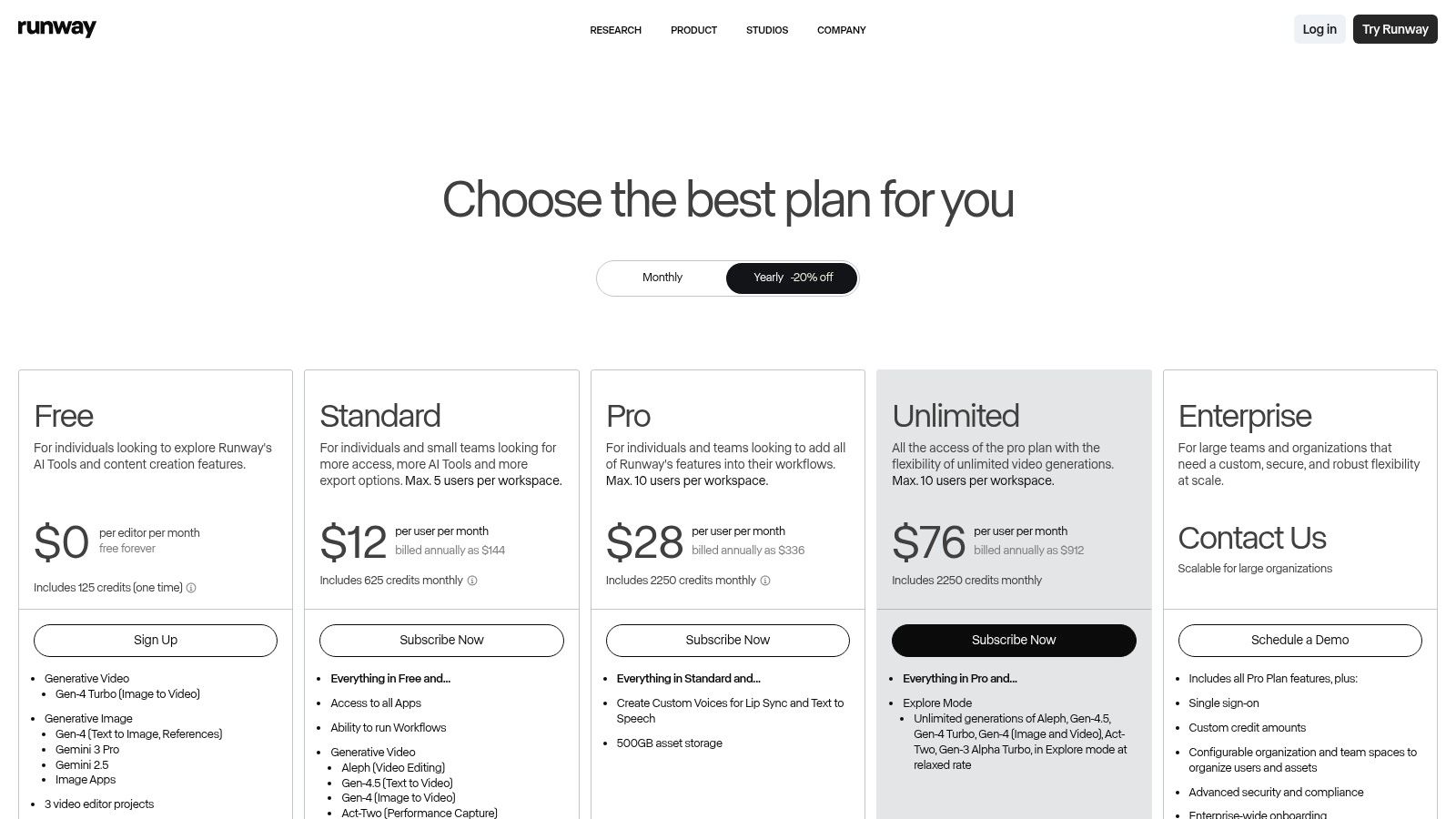
- Basic (Free): Provides 125 credits to start, with limited exports (720p with watermark) and project storage.
- Standard ($12/user/month, billed annually): Includes 625 credits per month, 4K exports, and access to more AI Magic Tools.
- Pro ($28/user/month, billed annually): Offers 2,250 credits, access to all AI tools, and the Pro Research Program.
- Unlimited ($76/user/month, billed annually): Includes unlimited video generations in a relaxed mode, plus all Pro features.
- Enterprise (Custom Pricing): Tailored for larger teams needing advanced security, custom model training, and dedicated support.
| Pros | Cons |
|---|---|
| Powerful, production-oriented generative video tooling. | Free and lower-tier plans have significant limitations on exports. |
| Clear credit system and collaborative features for teams. | Credit budgeting is essential, as high-resolution generations are costly. |
| Unlimited generation mode available on the highest tier. | The quality of generated video can still be inconsistent for some prompts. |
While Runway provides exceptional tools for creative content, scaling its use across a large organization often requires specialized knowledge. For teams looking to build robust, automated creative pipelines or train custom models, AY Automate offers expert AI workshops and implementation services to maximize your investment in generative AI.
8. Descript
Descript revolutionizes audio and video editing by treating media like a text document, making it one of the most accessible ai content creation tools for creators. Its core innovation is text-based editing, where users can cut, copy, paste, and delete parts of a video or podcast simply by editing the auto-generated transcript. This approach dramatically lowers the learning curve for content production, empowering marketing teams and solo creators to produce high-quality tutorials, podcasts, and social media clips without needing traditional video editing skills.
The platform is particularly powerful for producing "talking head" style content, where features like automatic filler-word removal ("um," "uh") and Studio Sound audio cleanup can turn a rough recording into a polished final product in minutes. The AI-powered "Overdub" feature allows users to clone their voice to correct misspoken words or add new narration without re-recording, a significant time-saver in post-production workflows.
Core Features & Use Cases
- Text-Based Video & Audio Editing: Edit video and audio by manipulating the transcript, with automatic removal of filler words and word gaps.
- Overdub & Studio Sound: Clone your voice to make audio corrections and use AI to remove background noise and enhance voice quality for a professional sound.
- Screen Recording & Multitrack Production: Capture screen and camera footage, then easily assemble it into a multi-layered presentation with stock media, captions, and transitions.
Pricing and Access
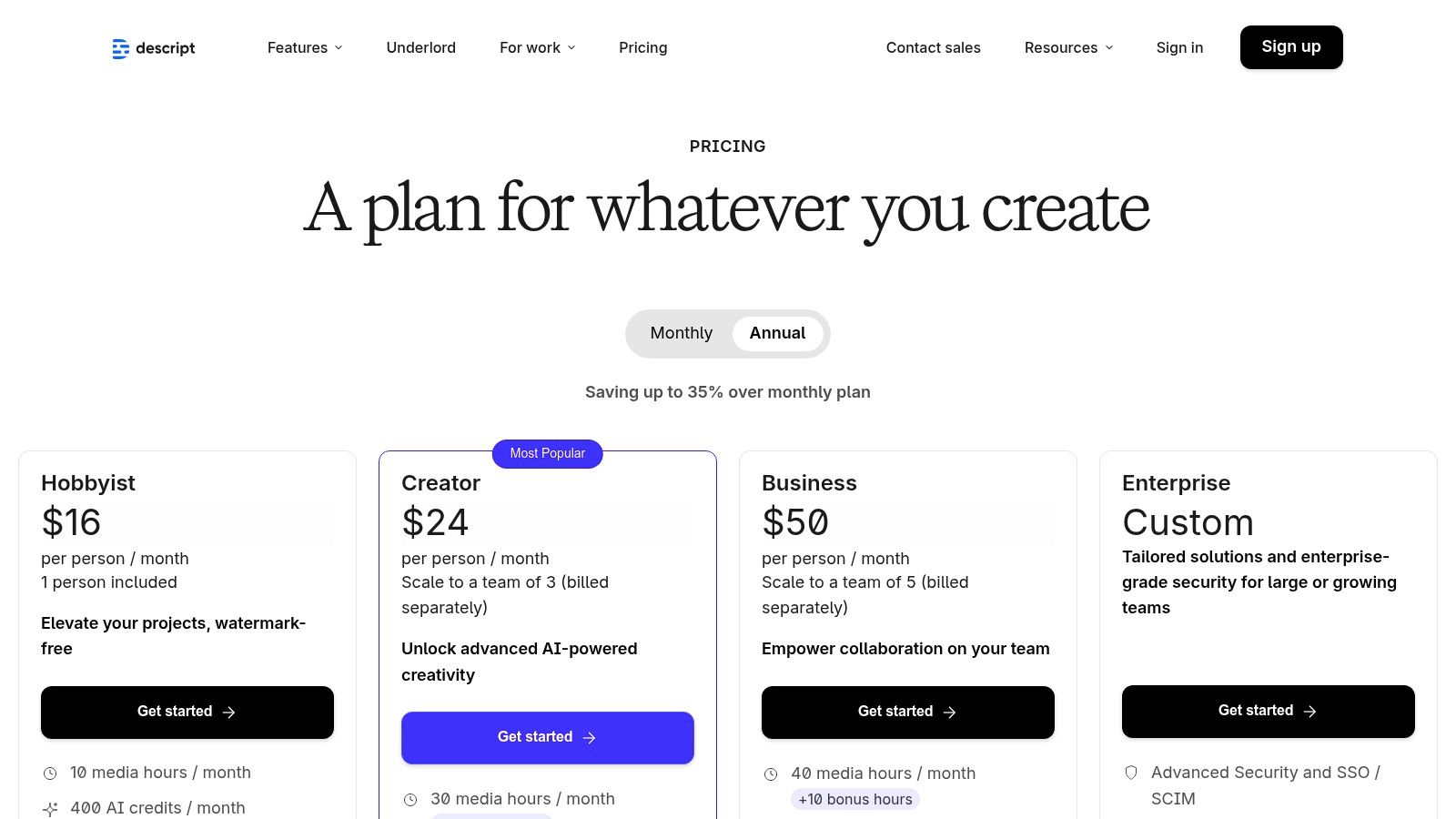
- Free: Basic video editing with 1 hour of transcription per month and one watermark-free export.
- Creator ($12/editor/month, billed annually): 10 hours of transcription, unlimited watermark-free exports, and up to 4K video quality.
- Pro ($24/editor/month, billed annually): Includes everything in Creator plus 30 hours of transcription, Overdub, and advanced AI audio features.
- Enterprise (Custom Pricing): Offers custom transcription limits, dedicated account support, SSO, and advanced security controls.
| Pros | Cons |
|---|---|
| Extremely intuitive, text-based editing workflow. | A limited number of watermark-free exports on the Free plan. |
| Powerful AI audio features like Studio Sound and Overdub. | Heavy-duty production workflows may still require a traditional NLE. |
| Fast turnaround for podcasts, tutorials, and social content. | Voice cloning quality can vary and requires initial training. |
While Descript automates post-production, many organizations need to automate the entire content lifecycle. For end-to-end solutions, from ideation to distribution, consider how AY Automate's custom AI agents can build a fully automated content pipeline for your team.
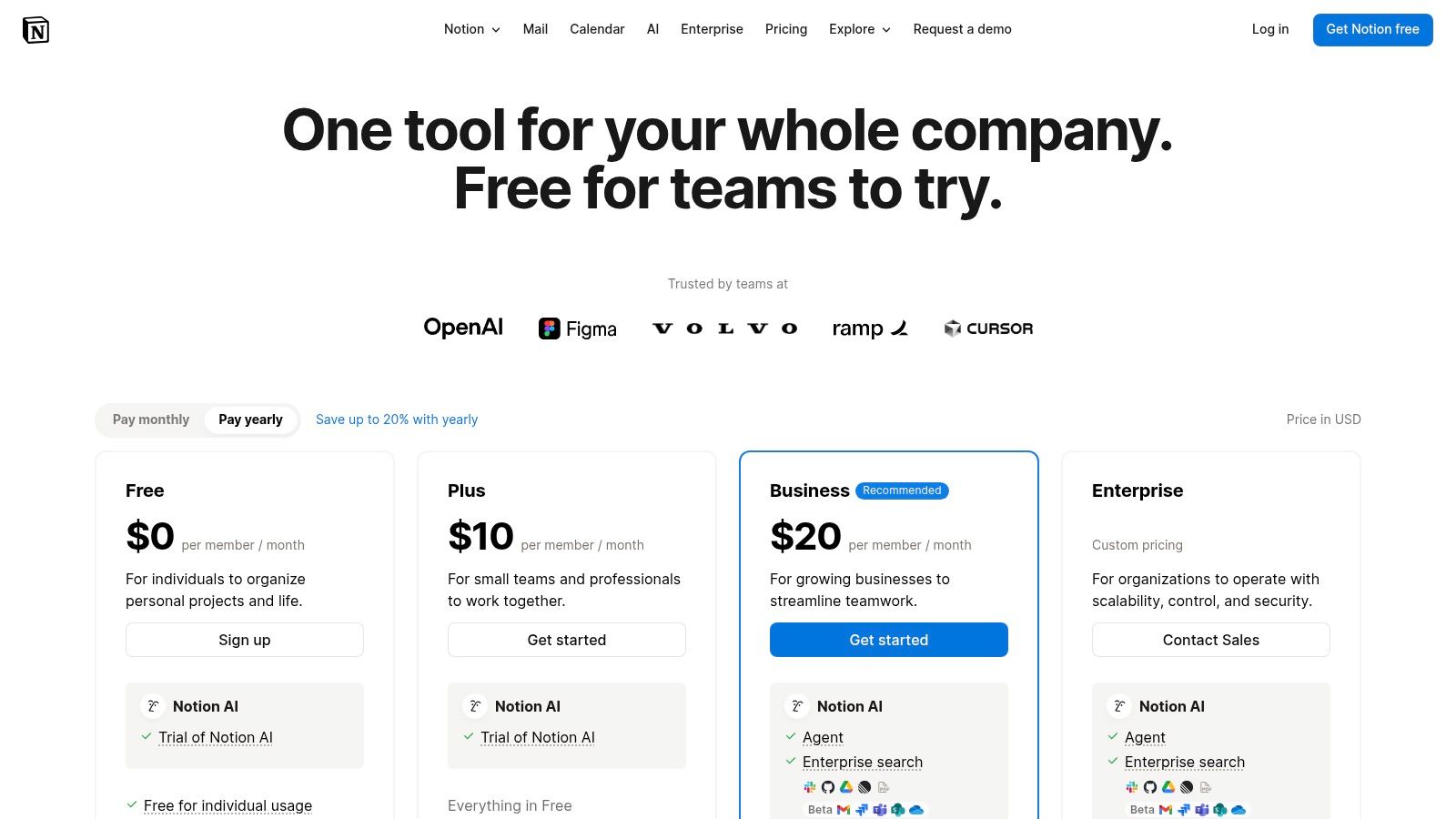
9. Notion: Notion AI
Notion AI integrates content creation, knowledge management, and project operations into a single, unified workspace. Rather than a standalone application, it embeds AI directly into the docs, wikis, and databases teams already use, making it one of the most cohesive ai content creation tools for content strategy and execution. This allows marketing and engineering teams to draft, plan, and automate content workflows without context switching, directly linking AI-generated drafts to content calendars and project tasks.
For engineering teams, Notion AI streamlines documentation and project management by auto-summarizing meeting notes, generating project briefs from action items, and drafting technical documentation. Integrating AI within their central knowledge base helps standardize processes and onboard new developers faster, aligning with modern AI-augmented workflows where structured information and automated summaries are key.
Core Features & Use Cases
- Integrated Content Operations: Use AI to draft articles, social media posts, or meeting summaries directly within Notion pages and databases.
- AI-Powered Automation & Databases: Leverage AI Autofill to tag, summarize, and extract insights from database entries, automating content management tasks.
- Enterprise Governance & Security: Business and Enterprise plans offer SSO, SCIM, and advanced permissions, ensuring secure AI adoption across the organization.
Pricing and Access
- Free Plan: Limited trial of Notion AI features.
- Plus ($8/user/month): Basic workspace features for small teams.
- Business ($15/user/month): Includes collaborative workspaces and SAML SSO.
- Enterprise (Custom Pricing): Advanced controls, security, and dedicated support.
- Notion AI Add-On ($8/user/month): Can be added to any paid plan for full AI access.
| Pros | Cons |
|---|---|
| Unified docs, AI, and project operations in one platform. | Full AI access is an add-on or bundled with higher-tier plans. |
| Standardizes content workflows and team collaboration. | AI capabilities are focused on text and not multimodal generation. |
| Strong enterprise governance and security features. | Can feel less specialized than dedicated AI writing tools. |
While Notion AI is excellent for integrated workflows, organizations often need more specialized AI tools for complex tasks. Discover our AI workshops on tools like Cursor and Claude to augment your development teams at AY Automate's training page.
10. Jasper
Jasper is a marketing-focused AI platform engineered specifically for teams that require consistent, on-brand content across complex campaigns. Unlike general-purpose ai content creation tools, Jasper’s strength is its robust brand governance system, which ingests brand voices, product knowledge, and target audience personas to ensure every output is aligned with strategic messaging. This makes it an ideal choice for marketing organizations looking to scale content production without sacrificing brand integrity.
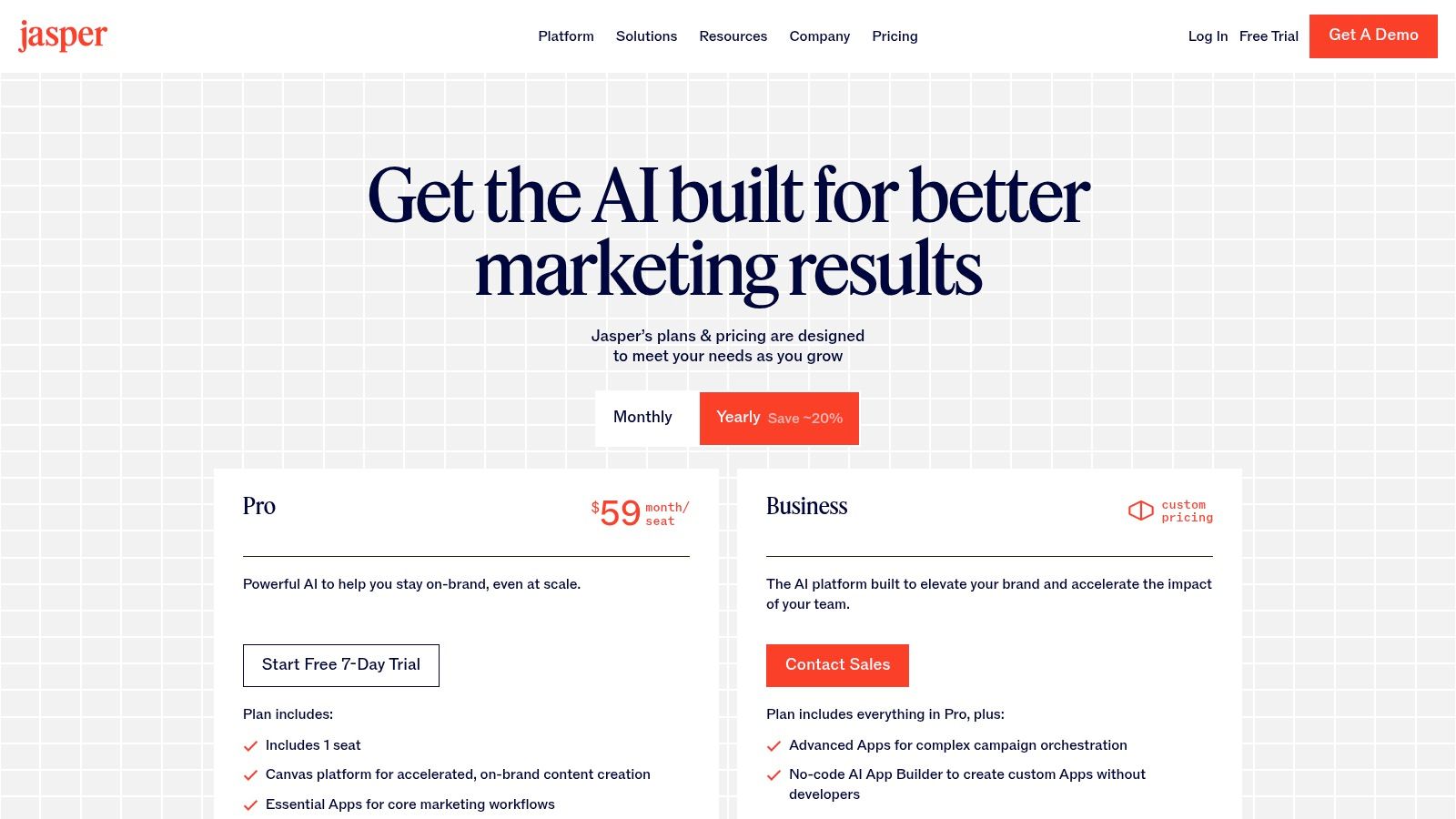
The platform moves beyond simple text generation with features like the Canvas, a collaborative space where teams can map out and generate all assets for a multistep marketing campaign. For engineering teams working alongside marketing, Jasper's API provides a way to programmatically integrate on-brand content generation into internal tools or digital products, bridging the gap between development and marketing workflows.
Core Features & Use Cases
- Brand Voice & Knowledge: Train the AI on your style guides, product catalogs, and company facts to ensure consistent and accurate content.
- Campaign Canvas: A visual workflow builder to orchestrate and create interconnected assets for entire campaigns, from ad copy to landing pages.
- Team Collaboration: Provides a centralized workspace for marketing teams to create, review, and refine content together, ensuring alignment.
Pricing and Access
- Creator ($39/user/month, billed annually): Designed for individuals, includes one brand voice and 50 knowledge assets.
- Pro ($59/user/month, billed annually): For small teams, adds collaboration features, 10 marketing campaigns, and more brand voices/knowledge assets.
- Business (Custom Pricing): Tailored for growing teams and businesses, offering advanced security, API access, and dedicated customer success management.
| Pros | Cons |
|---|---|
| Designed specifically for marketing teams with strong brand controls. | Higher entry price point compared to general-purpose AI writers. |
| Excellent for orchestrating multi-asset campaigns. | The best value is only realized after a thorough brand setup process. |
| Enterprise-grade features and support are available on Business tier. | May be overly complex for individuals or very small-scale projects. |
While Jasper excels at brand-aligned content, engineering teams often require more specialized AI tools for code generation and workflow automation. If your focus is on AI-augmented development, explore how AY Automate's AI workshops can equip your team with tools like Cursor and Claude for advanced coding applications.
11. Copy.ai
Copy.ai positions itself as a streamlined AI content platform designed for marketing and sales teams who need both high-volume creation and automated workflows. It stands out by offering a chat-based interface with unlimited word generation and access to multiple leading models, including those from OpenAI, Anthropic, and Google. This makes it a versatile choice among ai content creation tools for teams wanting to avoid being locked into a single AI ecosystem while maintaining a simple, collaborative user experience.
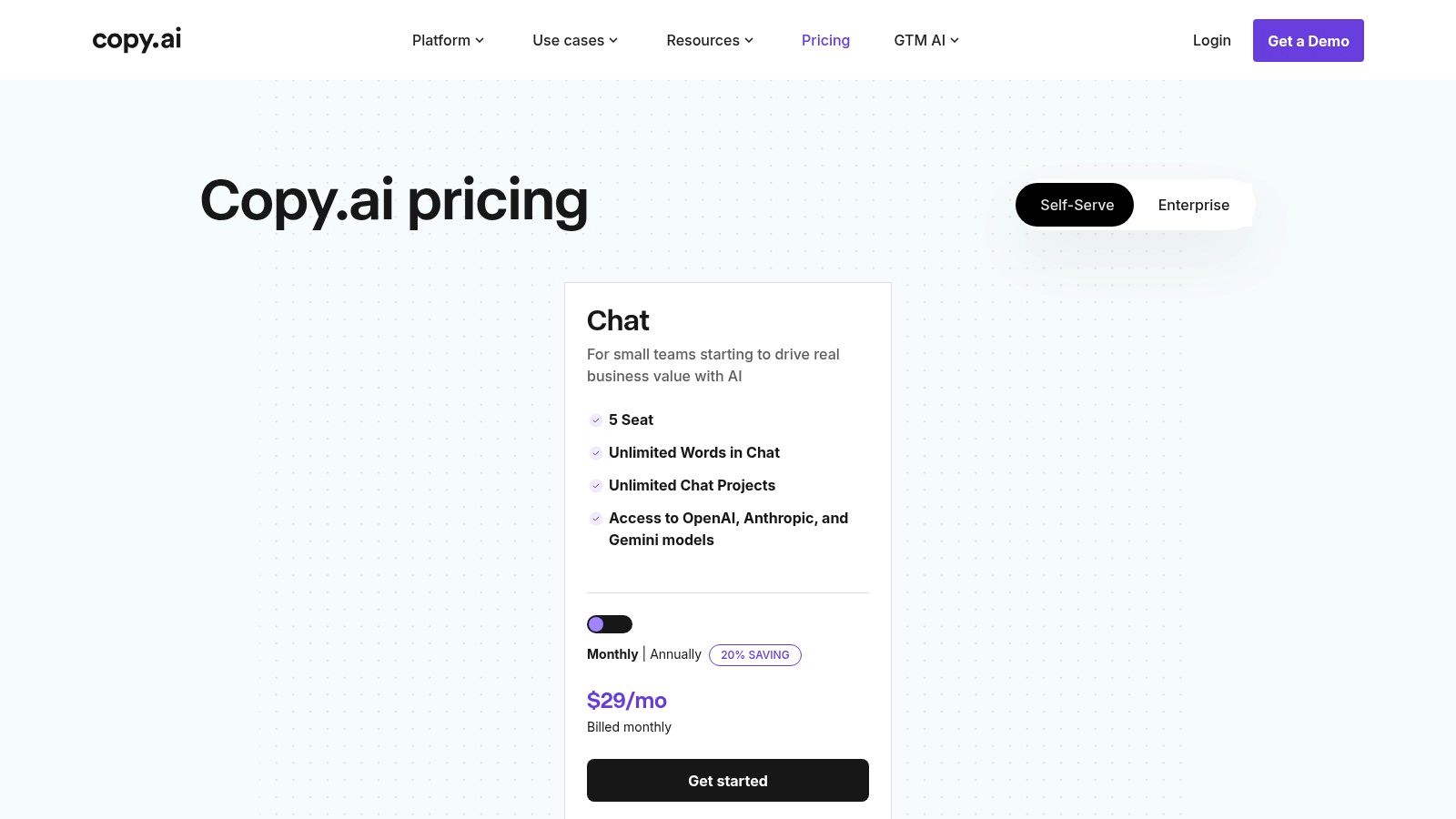
The platform is built around projects and a central "Chat" interface, promoting an organized and collaborative environment. For teams looking to move beyond simple text generation, Copy.ai's higher-tier plans introduce workflow automation and a "Content Agent Studio." This allows users to build repeatable processes, such as generating social media calendars or drafting sales outreach sequences, which is ideal for scaling marketing and GTM operations efficiently.
Core Features & Use Cases
- Multi-Model Access: Switch between different LLMs to find the best fit for specific tasks, from creative copywriting to technical summaries.
- Workflow Automation: Build and run automated sequences for repetitive content tasks like lead enrichment, content repurposing, and personalized email campaigns.
- Collaborative Workspace: Organize content creation by projects, allowing teams to work together within a unified, chat-centric interface.
Pricing and Access
- Free Plan: Includes 2,000 words in Chat and limited features.
- Pro ($49/month): Unlimited words, 5 user seats, and access to all models.
- Team ($249/month): Everything in Pro, plus 20 seats and API access.
- Scale (Custom Pricing): Adds advanced workflow capabilities, agent creation, and enterprise-grade support.
| Pros | Cons |
|---|---|
| Simple onboarding and guided implementation. | Best automation features are locked behind higher-tier Scale plan. |
| Model choice across major providers offers flexibility. | Workflow credits on advanced plans require monitoring and management. |
| Chat-based interface is intuitive and promotes collaboration. | Lacks the deep coding and data analysis features of platforms like ChatGPT. |
While Copy.ai provides excellent out-of-the-box automation for GTM teams, organizations with complex operational needs often require more specialized solutions. To explore how custom-built AI agents can integrate with your proprietary data and systems, see how AY Automate's AI workshops can upskill your team.
12. Leonardo.ai
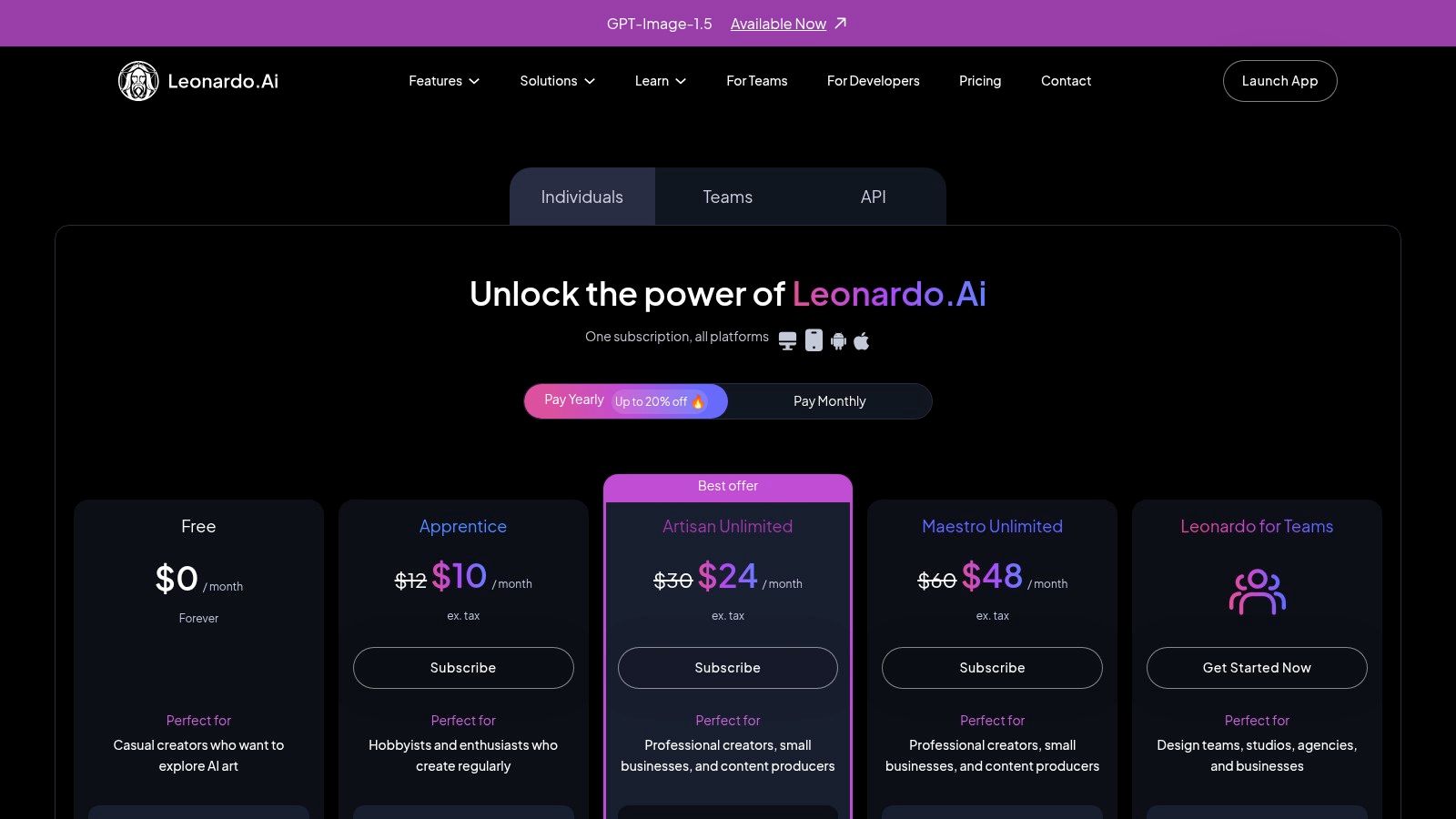
Leonardo.ai is an advanced image and video generation platform designed for creative professionals and marketing teams. It stands out among ai content creation tools by offering a powerful suite of features that provide granular control over asset production, from product shots and marketing visuals to unique artistic concepts. Its core strength is its custom model training capability, allowing users to fine-tune AI models on their own artistic styles or brand assets for consistent and unique outputs.
For growth and marketing teams, Leonardo.ai is a powerful engine for rapid creative testing. It enables the generation of diverse visual assets at scale, significantly accelerating A/B testing cycles for ad creatives and social media content. The platform's API access on higher tiers allows for seamless integration into automated content workflows, making it a valuable tool for teams focused on performance marketing.
Core Features & Use Cases
- Custom Model Training: Train personalized AI models on your own datasets to generate images and assets that match a specific aesthetic or brand identity.
- Realtime Canvas & Gen: An interactive canvas for real-time image generation and editing, blending human creativity with AI-powered assistance.
- Motion & Video Generation: Animate still images or generate short video clips from text prompts, expanding creative possibilities beyond static visuals.
Pricing and Access
- Free Plan: Includes a monthly token allowance for basic image generation.
- Apprentice ($10/month): Provides a larger token bank, API access, and premium features.
- Artisan ($24/month): Offers more tokens and faster job processing.
- Maestro ($48/month): Includes a substantial token allocation and priority infrastructure for power users and teams.
| Pros | Cons |
|---|---|
| Powerful personal model training for unique, brand-aligned assets. | The interface can have a steeper learning curve for beginners. |
| Generous token system and competitive pricing for power users. | Unlimited generation is restricted to Leonardo's proprietary models. |
| API access allows for integration into custom content workflows. | Video generation features are still evolving compared to competitors. |
While tools like Leonardo.ai excel at asset generation, scaling their use across an organization requires technical expertise. For companies needing to augment their teams with AI-adopted engineers or implement custom automation, AY Automate offers specialized AI team augmentation and workshops to accelerate adoption and integration.
12 AI Content Creation Tools: Feature Comparison
| Product | Core focus / Capabilities | Unique features ✨ | Target audience 👥 | Quality ★ / Pricing 💰 |
|---|---|---|---|---|
| OpenAI: ChatGPT | General-purpose assistant (writing, code, multimodal, custom GPTs) | ✨ Custom GPTs, multimodal inputs, enterprise admin 🏆 | 👥 Individuals → Enterprises | ★★★★★ / 💰 Freemium → Enterprise |
| Anthropic: Claude | Long-context writing, analysis, agentic workflows | ✨ Strong long-context + Claude Code, connectors | 👥 Teams, analysts, devs | ★★★★☆ / 💰 Free → Pro/Max tiers |
| Google: Gemini | Assistant + embedded Workspace AI, video/image generation | ✨ Deep Gmail/Docs integration, Flow/Whisk video tools | 👥 Google Workspace orgs, creatives | ★★★★ / 💰 Subscription bundles (Pro/Ultra) |
| Adobe: Firefly & Creative Cloud | Generative within industry-standard creative apps | ✨ Generative Fill/Expand, credit system, enterprise indemnity | 👥 Creative pros & enterprises | ★★★★ / 💰 Credit-based plans; enterprise |
| Canva: Magic Studio | Fast template-driven asset creation for socials/ads | ✨ Magic tools (Write/Design/Switch), brand controls | 👥 Marketing teams, content creators | ★★★★ / 💰 Freemium → Paid teams |
| Midjourney | Stylized image & video generation (Discord/web) | ✨ Best-in-class stylized outputs, strong community 🏆 | 👥 Visual artists, agencies, creatives | ★★★★★ / 💰 Subscription + GPU minutes |
| Runway | Video-first AI (text→video, editing, collaboration) | ✨ Production-ready text-video, workflow builder | 👥 Video teams, marketing production | ★★★★ / 💰 Credit/storage tiers |
| Descript | Text-driven audio/video editing & overdub voice cloning | ✨ Overdub, Studio Sound, text-based video edit | 👥 Podcasters, creators, educators | ★★★★ / 💰 Freemium → Paid tiers |
| Notion: Notion AI | Docs, knowledge, meetings + AI agents in workspace | ✨ AI agents, DB-driven workflows, enterprise governance | 👥 Product/ops teams, enterprises | ★★★★ / 💰 Bundled in Business/Enterprise |
| Jasper | Marketing-first content + campaign orchestration | ✨ Brand Voices, Canvas for campaigns, governance | 👥 Marketing teams & agencies | ★★★★ / 💰 Paid (higher entry for full value) |
| Copy.ai | Chat-based content + multi-model access & agents | ✨ Unlimited chat words, model choice, Agents plan | 👥 Marketing/sales teams wanting fast onboarding | ★★★★ / 💰 Paid tiers; Agents for automation |
| Leonardo.ai | Image & video gen with personal model training | ✨ Personal model training, token/hosted unlimited options | 👥 Power users, creative teams | ★★★★ / 💰 Token plans; team tiers |
For the exact process we run in production, see our SEO + GEO content system workflow: steps, tools, and when not to use it.
Beyond Tools: Building a Future-Proof Engineering Team with AI Strategy
We've explored a powerful roster of AI content creation tools, from the versatile large language models of OpenAI, Anthropic, and Google to the specialized creative suites of Adobe Firefly, Midjourney, and Runway. Each tool, whether for writing, visual generation, or code assistance, offers a distinct advantage. However, the true competitive edge doesn't come from simply subscribing to a platform; it emerges from building a cohesive strategy that integrates these tools into the very fabric of your team's workflow.
The journey from adopting individual AI tools to achieving systemic transformation requires a deliberate, human-centric approach. Simply handing a developer a ChatGPT Plus license or giving a designer access to Canva Magic Studio is not a strategy. It’s a starting point. Real, sustainable growth is realized when your team possesses the access and the aptitude to leverage these technologies effectively.
From Individual Adoption to Team-Wide Mastery
The most significant barrier to AI adoption isn't technology; it's proficiency. To overcome this, organizations must invest in structured upskilling and a culture of continuous learning. This is where targeted training becomes non-negotiable.
- Strategic AI Workshops: Focused training sessions are essential for building foundational skills. Consider dedicated workshops on platforms like Weavy.ai for collaborative coding, Cursor for building an AI-native development environment, or advanced prompting techniques for Claude and GPT-4. These workshops transform theoretical knowledge into practical, repeatable skills that your engineering and creative teams can apply immediately.
- AI Team Augmentation: Sometimes, the fastest way to bridge a skills gap is to bring in external expertise. Through AI team augmentation, you can embed skilled, AI-adopted engineers directly into your projects. This approach provides an immediate boost in productivity and, just as importantly, facilitates knowledge transfer to your existing staff, raising the skill level of the entire team.
Identifying the Right Path for Your Organization
Choosing the right tool is a major decision point. Your selection should be guided by your specific operational needs, team structure, and long-term goals.
Consider these guiding questions:
- For Scalability: Are you a marketing team needing to produce high-volume, varied creatives? Tools like Canva Magic Studio or Jasper are designed for this. A development team standardizing code quality might look to specialized tools or custom-trained models.
- For Integration: How well does the tool integrate with your existing tech stack (e.g., Slack, Notion, Jira)? A powerful tool that creates workflow friction will ultimately hinder, not help, your team's efficiency.
- For Security and Control: Do your projects involve sensitive intellectual property? In such cases, exploring self-hosted models or platforms with robust data privacy policies is paramount. Off-the-shelf cloud solutions may not meet your security requirements.
Ultimately, the goal is to move beyond using AI content creation tools as isolated novelties and start building an integrated "AI-stack" that functions as a core part of your operational infrastructure. This involves connecting different AI services through APIs, automating handoffs between creative and development workflows, and building custom agents that execute complex, multi-step tasks specific to your business logic.
When off-the-shelf solutions and basic integrations reach their limits, it’s time to think about custom development. True operational transformation is achieved when you design bespoke AI agents and secure, automated systems that link these powerful tools directly to your unique business processes. This is the final step: moving from using AI to becoming an AI-powered organization.
Ready to move beyond basic tools and build a truly automated, AI-powered operation? AY Automate specializes in designing and deploying the custom AI agents and secure, enterprise-grade workflows your team needs to scale effectively. Visit AY Automate to discover how we can help you integrate, automate, and transform your business.
If this sounds like the right fit, our AI agent development page covers scope, process, and how an engagement starts.
Where AY Automate fits
We are not one of the tools on this list. We place AI engineers who use tools like these to generate revenue for your business, that is the offer. For content creation at scale, that means an engineer who builds the automation around these tools instead of running them by hand. See AI engineer placement or explore our related service.
Continue Reading
What Is Hyperautomation in 2026? (Definition, Stack, and the Honest ROI)
Hyperautomation in 2026: RPA combined with AI agents. What frontier models changed, where it delivers ROI, and when plain automation is the right answer.
Custom AI Agent Development in 2026: The Honest Buyer's Guide
Updated June 2026. Two years ago, "AI agent development" meant a chatbot with extra steps.
Generative AI Consulting & Development Services (2026 Buyer's Guide)
Generative AI consulting in 2026: how to scope engagements, what they cost, and how to pick a firm that ships instead of one that just presents decks.
Book a Free Strategy Call
Building this in production?
Walid runs a 30-min call to map your AI engineering team. Free, no slides.
Free weekly brief
Steal our production automations
The exact n8n flows, Claude Code setups, and prompts we ship for clients, broken down step by step. No spam, unsubscribe anytime.

Taha builds and ships custom AI agents and workflow automations for AY Automate clients across SaaS, finance, and professional services.