Book a Free Strategy Call
Skip the read: talk to Walid in 30 min.
Free strategy call. We map your AI engineering team, you keep the notes.
AI Recruiting Automation: How to Automate Your Hiring Pipeline in 2026
AI recruiting automation means wiring artificial intelligence into each stage of hiring, from sourcing candidates to scheduling interviews to sending offers, so your team spends less time on repetitive coordination and more time on judgment calls. Search interest spiked hard in late 2025: Google Trends shows "ai recruiting software" hit its search peak that September before cooling through 2026 as the workflow moved from novelty to standard practice. The reason is simple. Hiring is full of structured, repeatable steps, and structured repeatable steps are exactly what automation handles well. This guide walks through the pipeline stage by stage, shows what to automate versus what to keep human, and covers the build-versus-buy decision plus the compliance lines you cannot cross.
TL;DR
- Automate the mechanical stages: sourcing enrichment, resume parsing, interview scheduling, and follow-up sequences are safe, high-leverage wins.
- Keep humans on judgment: final ranking, interview decisions, and offer terms should never be fully delegated to a model.
- Buy for standard flows, build for your stack: off-the-shelf tools cover common workflows; custom automation with n8n or AI agents glues your specific ATS, CRM, and calendar together.
- Compliance is real: NYC Local Law 144, the EU AI Act, and EEOC guidance impose actual obligations on automated hiring tools. Know them before you ship.
- Sometimes you do not need to hire at all: embedding AI-native engineers can be faster than running a months-long hiring cycle.
The hiring pipeline, stage by stage
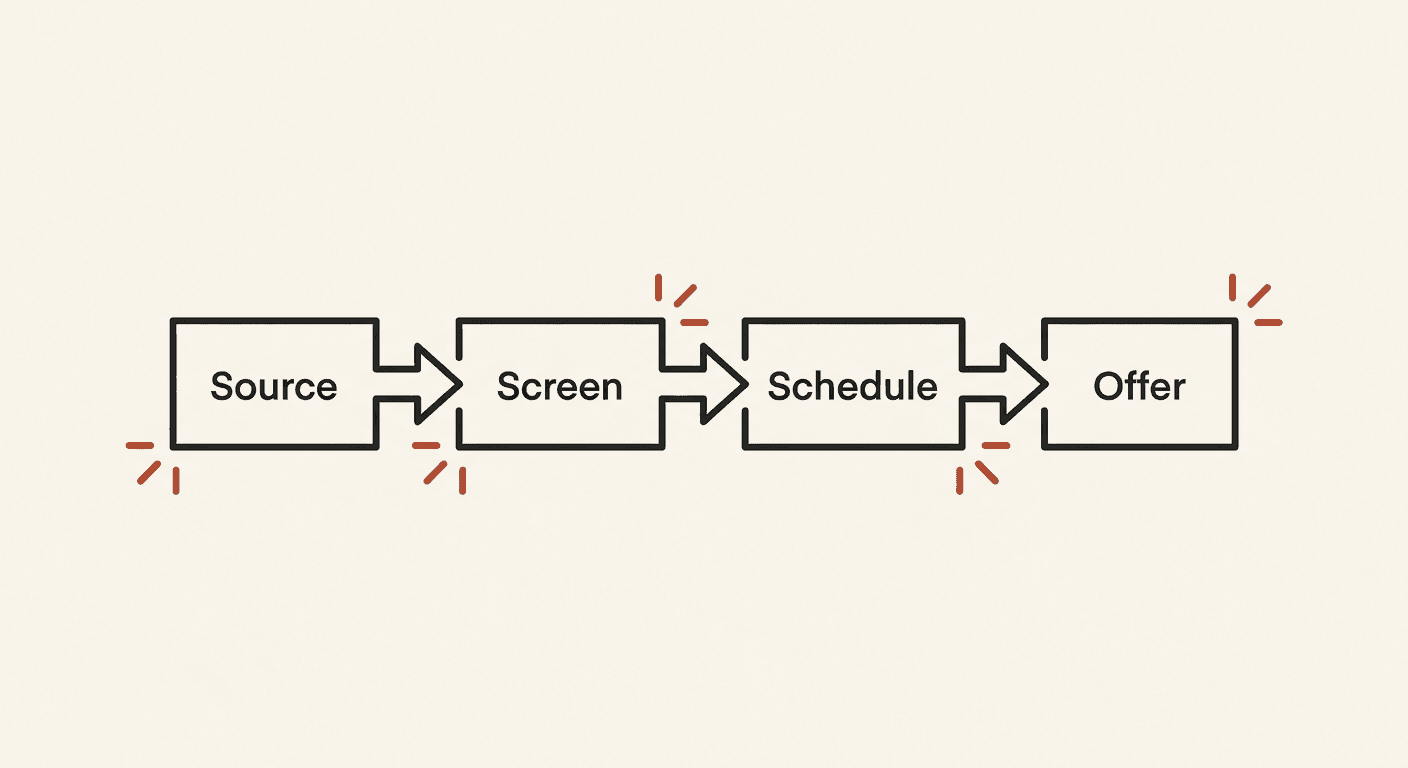
The cleanest way to think about recruiting automation is to map your funnel and ask, at each stage, "what is mechanical here, and what needs a human?" Below is that breakdown.
Sourcing
What to automate: candidate discovery and enrichment. AI can search job boards and professional networks against a role profile, deduplicate results, enrich each profile with public data, and push qualified leads into your applicant tracking system. It can also draft a first-pass shortlist ranked by how closely a background matches the role requirements you defined.
What to keep human: the role profile itself, and the decision about which sourcing channels reflect your values. If you let a model define "ideal candidate" from your past hires, you risk encoding the bias of who you have hired before. A human should set the criteria; automation should execute the search.
Screening and ranking
What to automate: parsing. Resume parsing, skills extraction, and structured data capture (years of experience, certifications, location, work authorization) are reliable to automate. AI can also surface relevant signals, like flagging that a candidate's portfolio matches a required framework.
What to keep human: the final ranking and any reject decision. Automated screening tools have a documented history of filtering out qualified people for arbitrary reasons, such as employment gaps or non-standard titles. Use AI to organize and annotate the pool, then have a recruiter make the call. For more on what these tools can and cannot do, see what is AI recruiting software.
Scheduling
What to automate: almost all of it. Interview scheduling is the single highest-return automation in recruiting. AI scheduling assistants can read availability across interviewers, propose slots to candidates, handle reschedules, send calendar invites, and trigger reminders, all without a coordinator in the loop. This stage is low-risk because there is no judgment about the candidate involved, only logistics.
What to keep human: nothing critical, though you may want a human override for VIP candidates or complex panel interviews.
Outreach and nurture
What to automate: sequenced communication. Personalized outreach, application confirmations, status updates, and "we are still reviewing" nurture messages can all run on automated sequences triggered by stage changes in your ATS. Candidates consistently rank communication and responsiveness as a top factor in their experience, and automation is what makes consistent communication possible at scale.
What to keep human: the messages that carry weight, like a personal note from the hiring manager or a tough conversation about timing. Automate the volume; reserve the high-stakes touches for people.
Offer and onboarding
What to automate: the paperwork. Offer letter generation from templates, background check kickoff, document collection, equipment provisioning, and onboarding task assignment are all mechanical and benefit from automation that removes delays.
What to keep human: the offer terms and the offer conversation. Compensation, level, and negotiation are judgment and relationship work. A model can draft the letter; a human should own the number and the conversation.
Free weekly brief
Steal our production automations
The exact n8n flows, Claude Code setups, and prompts we ship for clients, broken down step by step. No spam, unsubscribe anytime.
Off-the-shelf tools vs custom automation
The build-versus-buy question comes down to how standard your process is.
Buy when your flow is standard. If you run a conventional ATS and a common interview process, off-the-shelf AI recruiting tools will cover most of what you need out of the box. They handle resume parsing, scheduling, and candidate communication with minimal setup, and you should not rebuild what you can buy. See our roundup of AI recruiting software for where the strong off-the-shelf options sit.
Build when your stack is specific. The friction shows up at the seams. Most teams run a particular ATS, a separate CRM, a calendar system, an outreach tool, and a background-check vendor, and no single product connects all of them the way your process actually works. This is where custom automation earns its keep. Workflow platforms like n8n let you orchestrate the handoffs between systems, and custom AI agents can handle the steps that require reasoning, like drafting a tailored outreach message or summarizing a candidate against a role.
If you are gluing several tools into one coherent pipeline, custom automation is usually the difference between a workflow that mostly works and one that runs reliably end to end. Staffing teams in particular tend to outgrow off-the-shelf tooling fast; we cover that case in AI recruiting software for staffing agencies.
Where automation should stop
Automating hiring is a legal and ethical question as much as a technical one, and the rules are real.
Human judgment. The final hire decision should always rest with a person. AI can rank, summarize, and surface, but a model optimizing on historical data will reproduce the patterns in that data, including the bad ones. Keep a human accountable for every reject and every offer.
Bias and the compliance landscape. Several concrete regulations now govern automated hiring:
- NYC Local Law 144 took effect with enforcement beginning July 5, 2023. It requires employers using an automated employment decision tool for candidates in New York City to commission an independent bias audit within the prior year, publish a summary of the results, and notify candidates that the tool is being used.
- The EU AI Act classifies AI systems used for recruitment and employment decisions as high-risk, which brings obligations around risk management, data governance, transparency, human oversight, and conformity assessment. The Act entered into force in 2024 with its requirements phasing in over the following years.
- In the United States, the EEOC has issued guidance on how existing anti-discrimination law, including Title VII and the Americans with Disabilities Act, applies to AI and automated tools in employment. An employer can be liable for discriminatory outcomes even when a third-party vendor built the tool.
The practical takeaway: if you deploy AI in screening or selection, you are responsible for auditing it for adverse impact, documenting human oversight, and meeting disclosure obligations in the jurisdictions where you hire.
Candidate experience. Over-automation backfires. Candidates can tell when they are talking to a machine through every touchpoint, and a hiring process with no human contact damages your employer brand. Use automation to be faster and more responsive, not more distant.
A faster alternative to building a hiring engine
Here is the honest framing. A lot of teams invest in recruiting automation because they need to ship a product faster, and hiring is the bottleneck. But building and tuning a hiring engine is itself a multi-month project, and at the end of it you still have to run a full hiring cycle.
If the actual goal is shipping, there is a shorter path. Embedding AI-native engineers who already work fluently with modern AI tooling can put senior capacity on your roadmap in days rather than the weeks or months a sourcing-to-offer cycle takes. You skip the funnel entirely and get to building. For teams under deadline pressure, that is often the better trade than automating a pipeline you do not have time to run.
Frequently Asked Questions
Can you fully automate hiring with AI? No, and you should not try. You can automate sourcing, parsing, scheduling, and routine communication end to end, but the final selection and offer decisions need human accountability, both for quality and for legal compliance. The right model is AI-assisted hiring with humans on the judgment calls.
Is AI recruiting automation legal? Yes, when done correctly. It is governed by real rules: NYC Local Law 144 requires bias audits and candidate notice for automated decision tools, the EU AI Act treats recruitment AI as high-risk, and EEOC guidance applies existing anti-discrimination law to these tools. Legality depends on auditing for bias, keeping human oversight, and meeting disclosure obligations in your jurisdictions.
What is the easiest part of hiring to automate first? Interview scheduling. It is pure logistics with no judgment about the candidate, so it is low-risk and high-return. An AI scheduling assistant that coordinates availability, sends invites, and handles reschedules frees up hours of coordinator time immediately.
Should I buy a tool or build custom automation? Buy when your process is standard, since off-the-shelf tools handle common flows well. Build custom automation when you need to connect a specific stack of ATS, CRM, calendar, and outreach tools that no single product ties together. Many teams do both: a core tool plus custom automation to glue the seams.
How long does it take to set up recruiting automation? A basic off-the-shelf tool can be running in days. A custom pipeline that orchestrates several systems with n8n or AI agents takes longer to design and test, but pays off in reliability. If your real bottleneck is shipping rather than hiring, embedding engineers can be faster than either.
For a primer on the category before you buy, see what is AI recruiting software and the best AI recruiting software comparison.
Book a Free Strategy Call
Building this in production?
Walid runs a 30-min call to map your AI engineering team. Free, no slides.
Free weekly brief
Steal our production automations
The exact n8n flows, Claude Code setups, and prompts we ship for clients, broken down step by step. No spam, unsubscribe anytime.

Taha builds and ships custom AI agents and workflow automations for AY Automate clients across SaaS, finance, and professional services.