Book a Free Strategy Call
Skip the read: talk to Walid in 30 min.
Free strategy call. We map your AI engineering team, you keep the notes.
The three moves that make Claude Code work for teams: a shared CLAUDE.md at the repo root with conventions and context, a team skills library in .claude/skills/ for repeatable workflows, and standardized hooks that catch mistakes before they reach a pull request. Configure once and every developer ships consistent, high-quality output from day one.
Claude Code is the most powerful AI coding assistant available in 2026. But there is a growing gap between teams that use it well and teams that treat it like a glorified autocomplete. The difference is not talent. It is setup. Teams that invest a few hours building shared context, conventions, and workflows get dramatically better output from Claude Code than teams where every developer runs it solo with zero coordination. This guide walks you through exactly how to set up Claude Code for your engineering team, from shared configuration files to CI/CD integration to multi-agent workflows. Whether you have a team of 3 or 300, these patterns will make Claude Code a genuine force multiplier.
Why Teams Struggle with Claude Code
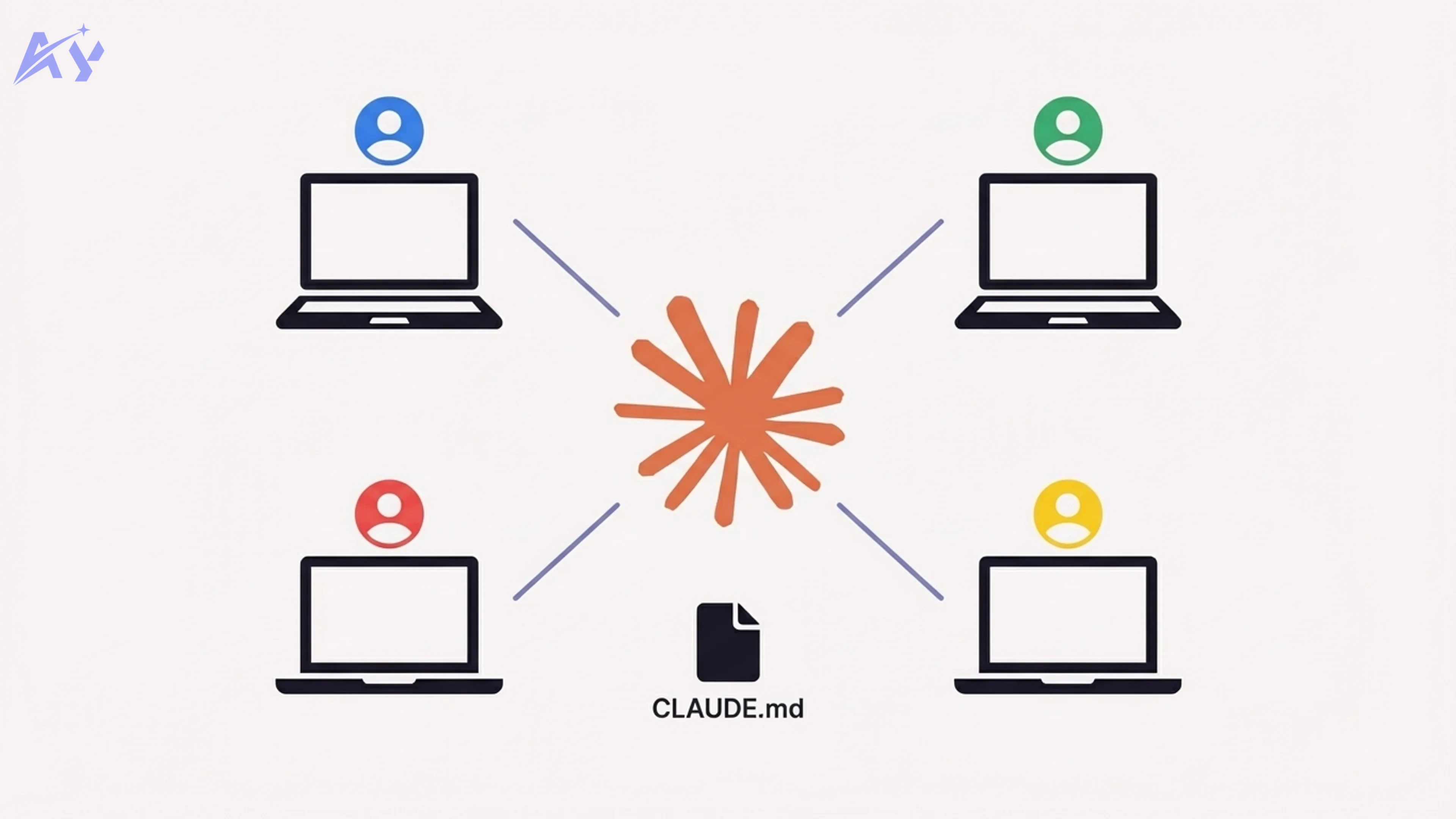
Most teams adopt Claude Code the same way: one developer starts using it, gets excited, tells the rest of the team, and suddenly everyone is prompting in their own style with no shared context. The result is chaos that looks productive.
Here are the three most common failure modes we see when working with engineering teams on AI agent development:
Inconsistent outputs. Developer A gets Claude to generate React components with Tailwind utility classes. Developer B gets the same request back with inline styles. Developer C gets styled-components. Nobody told Claude what the team actually uses, so it guesses differently every time.
No shared context. Claude Code is remarkably good at understanding codebases when you give it context. But if every developer starts a fresh session with no project-level instructions, Claude has to rediscover your architecture, conventions, and patterns from scratch. That means slower responses, more hallucinations, and output that does not match your codebase.
No conventions for prompting. One developer writes three-sentence prompts. Another writes three paragraphs. A third just types "fix the bug." Without shared conventions for how to interact with Claude Code, you cannot build repeatable workflows or share what works.
The fix for all three problems is the same: treat Claude Code configuration as infrastructure, not personal preference.
Set Up a Shared CLAUDE.md
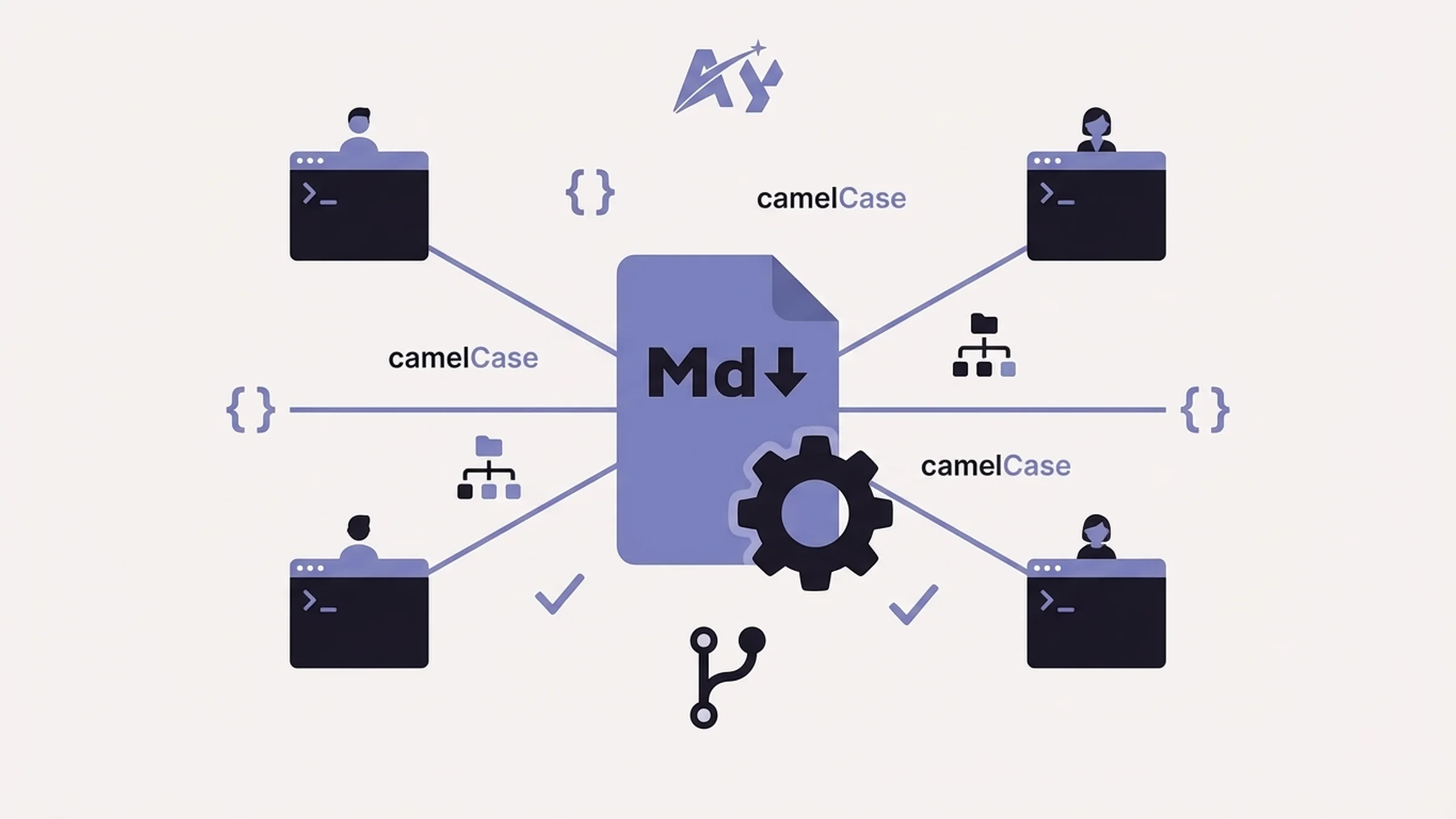
The single highest-leverage thing you can do for your team is create a CLAUDE.md file at the root of your repository and commit it to version control. This file gives Claude Code persistent context about your project every time any team member starts a session.
Think of CLAUDE.md as onboarding documentation for an extremely fast junior developer who has amnesia between sessions. It should contain everything Claude needs to write code that fits your codebase.
What goes in CLAUDE.md
A strong team CLAUDE.md covers five areas:
- Project overview - what the app does, the tech stack, key architectural decisions
- Commands - how to build, test, lint, and deploy
- Code conventions - naming, file structure, import patterns, component patterns
- Do-not rules - things Claude should never do (use npm instead of pnpm, add
anytypes, bypass auth) - Architecture patterns - where business logic lives, how data flows, what patterns to follow
Example CLAUDE.md for a team
# Project Name - Claude Code Guide
Tech Stack
- Framework: Next.js 15 (App Router) + React 19 + TypeScript (strict)
- Styling: Tailwind CSS v4 + shadcn/ui (new-york style)
- Database: PostgreSQL via Prisma ORM
- Auth: Better Auth (role-based: USER, ADMIN, EDITOR)
- State: Zustand + TanStack React Query v5
- Package Manager: pnpm (always use pnpm, never npm or yarn)
Related Reads
Key Commands
pnpm dev # Start dev server pnpm build # Production build pnpm test # Run test suite pnpm lint # ESLint + Prettier check pnpm db:migrate # Run Prisma migrations
Free weekly brief
Steal our production automations
The exact n8n flows, Claude Code setups, and prompts we ship for clients, broken down step by step. No spam, unsubscribe anytime.
Code Conventions
- Server Components by default; use "use client" only when needed
- React Query hooks in hooks/ for all data fetching
- Zod schemas for all form validation
- cn() from lib/utils.ts for merging Tailwind classes
- All API routes use try/catch with standardized error responses
File Structure
- app/ - Next.js App Router pages and API routes
- components/ui/ - shadcn/ui base components
- components/sections/ - page-level section components
- hooks/ - React Query hooks and custom hooks
- lib/ - utilities, database clients, auth helpers
DO NOT
- Use npm or yarn (pnpm only)
- Add any types - use proper TypeScript types
- Access the database from client components
- Create new UI components when shadcn/ui has an equivalent
- Skip Zod validation on form inputs
- Commit .env files
Structuring CLAUDE.md for large teams
For larger teams or monorepos, you can nest CLAUDE.md files. Claude Code reads the root-level file first, then picks up additional CLAUDE.md files in subdirectories as you work in them.
repo/
  CLAUDE.md                  # Global conventions
  packages/
    frontend/
      CLAUDE.md              # Frontend-specific rules
    backend/
      CLAUDE.md              # Backend-specific rules
    shared/
      CLAUDE.md              # Shared library conventions
This lets the frontend team enforce React patterns while the backend team enforces API design rules, all within the same repository. The key rule: keep each file focused. The root file covers universal conventions. Subdirectory files cover domain-specific rules. For real-world examples of what engineers put in CLAUDE.md files, see our best CLAUDE.md examples from real repos.
Build a Team Skills Library
Skills are reusable Claude Code instructions that live in .claude/skills/ and can be triggered as slash commands. For a team, a shared skills library means everyone can access the same high-quality workflows without reinventing prompts.
Setting up a shared skills folder
Create a .claude/skills/ directory in your repository and commit it alongside your code:
.claude/
  skills/
    create-api-route.md
    write-unit-test.md
    generate-db-migration.md
    review-pr.md
    refactor-component.md
Each skill file is a markdown document that describes a task for Claude Code in detail. Here is an example:
# Skill: Create API RouteWhen the user asks to create a new API route, follow these steps:
- Create the route file in app/api/[resource]/route.ts
- Include proper TypeScript types for request and response
- Add Zod validation for all input parameters
- Wrap handler logic in try/catch with standardized error responses
- Add rate limiting middleware if the route is public-facing
- Include JSDoc comments describing the endpoint
- If the route needs auth, use the withAuth wrapper from lib/auth.ts
Template
Use this structure for all new routes:
import { NextRequest, NextResponse } from "next/server"; import { z } from "zod";
const requestSchema = z.object({ // define input schema });
export async function POST(request: NextRequest) { try { const body = await request.json(); const validated = requestSchema.parse(body); // handler logic return NextResponse.json({ data: result }); } catch (error) { if (error instanceof z.ZodError) { return NextResponse.json({ error: error.errors }, { status: 400 }); } return NextResponse.json({ error: "Internal server error" }, { status: 500 }); } }
Skill conventions for teams
Establish a few rules so skills stay useful as the library grows:
- One skill per file. Keep skills focused on a single task.
- Use descriptive filenames.
write-unit-test.mdis better thantest.md. - Include examples. Show Claude what the output should look like.
- Version control everything. Skills should go through code review just like application code.
- Add a README. Document available skills so new team members can discover them.
Over time, your skills library becomes a codified version of your team's best practices. New developers get access to institutional knowledge from day one, and Claude Code produces consistent output regardless of who is prompting.
Standardize Your Hooks and Commands
Claude Code supports hooks that run automatically before or after certain events. For a team, standardized hooks prevent entire categories of mistakes before code ever reaches a pull request.
Configuring team hooks
Hooks are defined in .claude/settings.json, which you can commit to your repository so every team member gets the same configuration:
{
  "hooks": {
    "pre-commit": {
      "command": "pnpm lint && pnpm typecheck",
      "description": "Run lint and type checking before every commit"
    },
    "post-file-edit": {
      "command": "pnpm prettier --write $FILE",
      "description": "Auto-format files after Claude edits them"
    }
  },
  "permissions": {
    "allow": [
      "read",
      "edit",
      "bash(pnpm *)",
      "bash(git *)",
      "bash(npx prisma *)"
    ],
    "deny": [
      "bash(rm -rf *)",
      "bash(npm *)",
      "bash(yarn *)"
    ]
  }
}
Custom slash commands
Beyond hooks, you can define custom slash commands that standardize common operations. These pair well with the skills library:
{
  "commands": {
    "/test": "Run the full test suite with pnpm test and report any failures",
    "/migrate": "Generate a new Prisma migration based on schema changes",
    "/review": "Review the current git diff and suggest improvements"
  }
}
What to standardize first
If you are just getting started, focus on these three areas:
| Hook/Command | Purpose | Why it matters |
|---|---|---|
| Pre-commit lint check | Catches style violations before commit | Prevents messy PRs and style arguments |
| Auto-format on edit | Formats code after Claude writes it | Ensures consistent formatting without manual steps |
| Package manager restriction | Blocks npm/yarn commands | Prevents lockfile conflicts across the team |
| Type check on save | Runs tsc after file changes | Catches type errors immediately |
| Test runner command | Standardized test execution | Everyone runs tests the same way |
The goal is to make it impossible for Claude Code to produce output that violates your team's standards. When the guardrails are automated, you spend less time on code review and more time shipping. For the full hook patterns and a library of examples, see our Claude Code hooks examples.
Use Claude Code in CI/CD
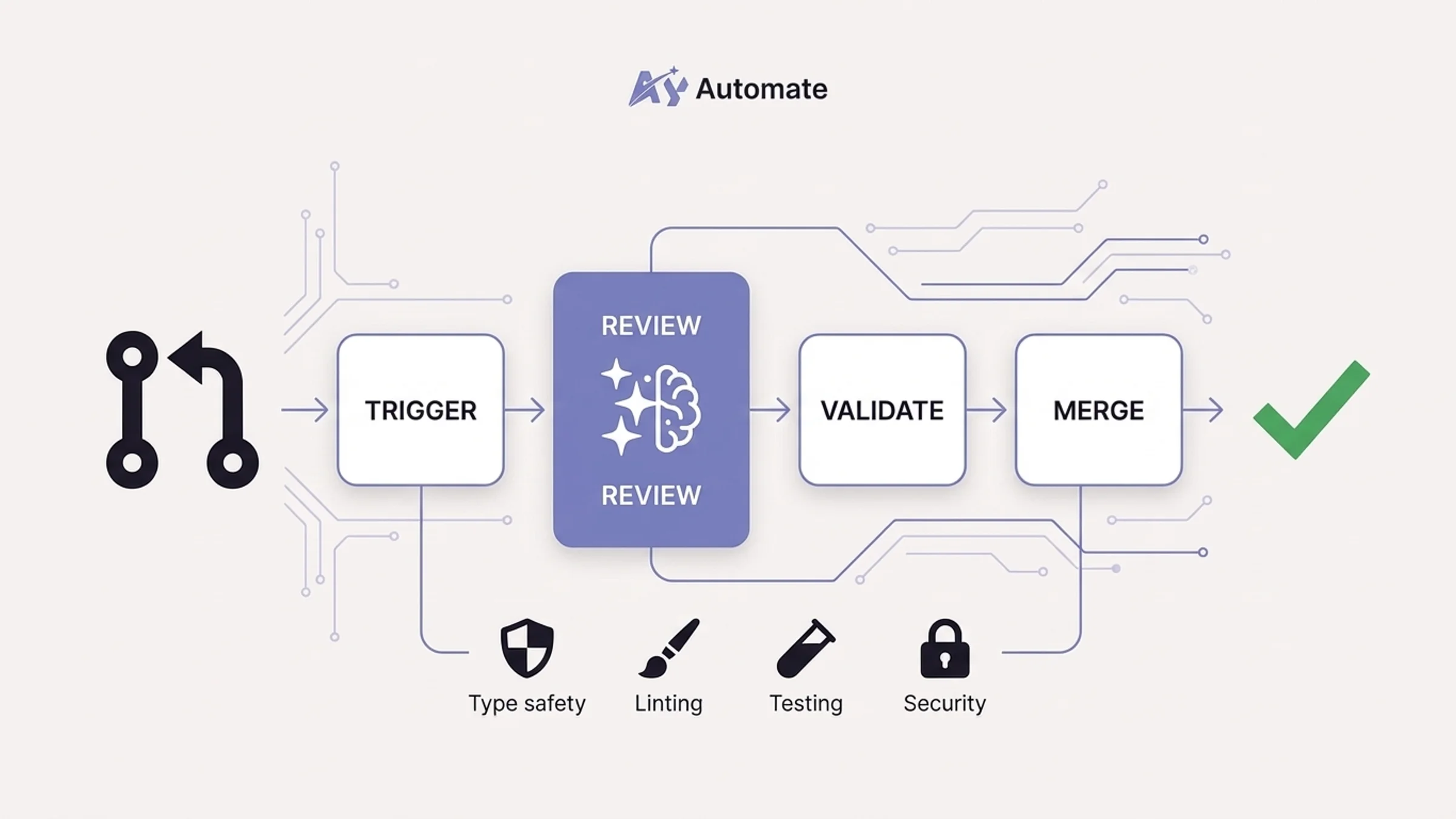
One of the most underused Claude Code features in 2026 is CI/CD integration. The claude-code-action GitHub Action lets you bring Claude Code into your automated pipelines, turning it from a local coding tool into a team-wide automation layer.
Setting up claude-code-action
Add the GitHub Action to your repository:
# .github/workflows/claude-code-review.yml name: Claude Code PR Reviewon: pull_request: types: [opened, synchronize]
jobs: review: runs-on: ubuntu-latest steps: - uses: actions/checkout@v4 - uses: anthropics/claude-code-action@v1 with: anthropic_api_key: ${{ secrets.ANTHROPIC_API_KEY }} prompt: | Review this pull request. Check for: - TypeScript type safety (no any types) - Proper error handling in API routes - Consistent use of our component patterns - Missing tests for new functionality - Security issues (exposed secrets, SQL injection, XSS) Provide specific, actionable feedback as PR comments.
What to automate with Claude Code in CI/CD
Here are the workflows teams are getting the most value from:
Automated PR reviews. Claude Code reads the diff, checks it against your project conventions, and posts review comments. This does not replace human review, but it catches the mechanical stuff (missing types, inconsistent patterns, forgotten error handling) so your reviewers can focus on architecture and logic.
Documentation generation. When a PR changes an API route, Claude Code can automatically update the API documentation. When it adds a new component, it can generate or update the component catalog.
Migration validation. Claude Code can review Prisma schema changes and flag potential issues: missing indexes, breaking changes to existing tables, or missing migration files.
Test generation. On every PR that adds new utility functions or API routes, Claude Code can generate skeleton test files and post them as a suggested commit.
The key principle: use CI/CD Claude Code for tasks that are repetitive, rule-based, and currently slowing down your review process. Save the creative, architectural work for human developers using Claude Code locally.
Agent Teams and Multi-Agent Workflows
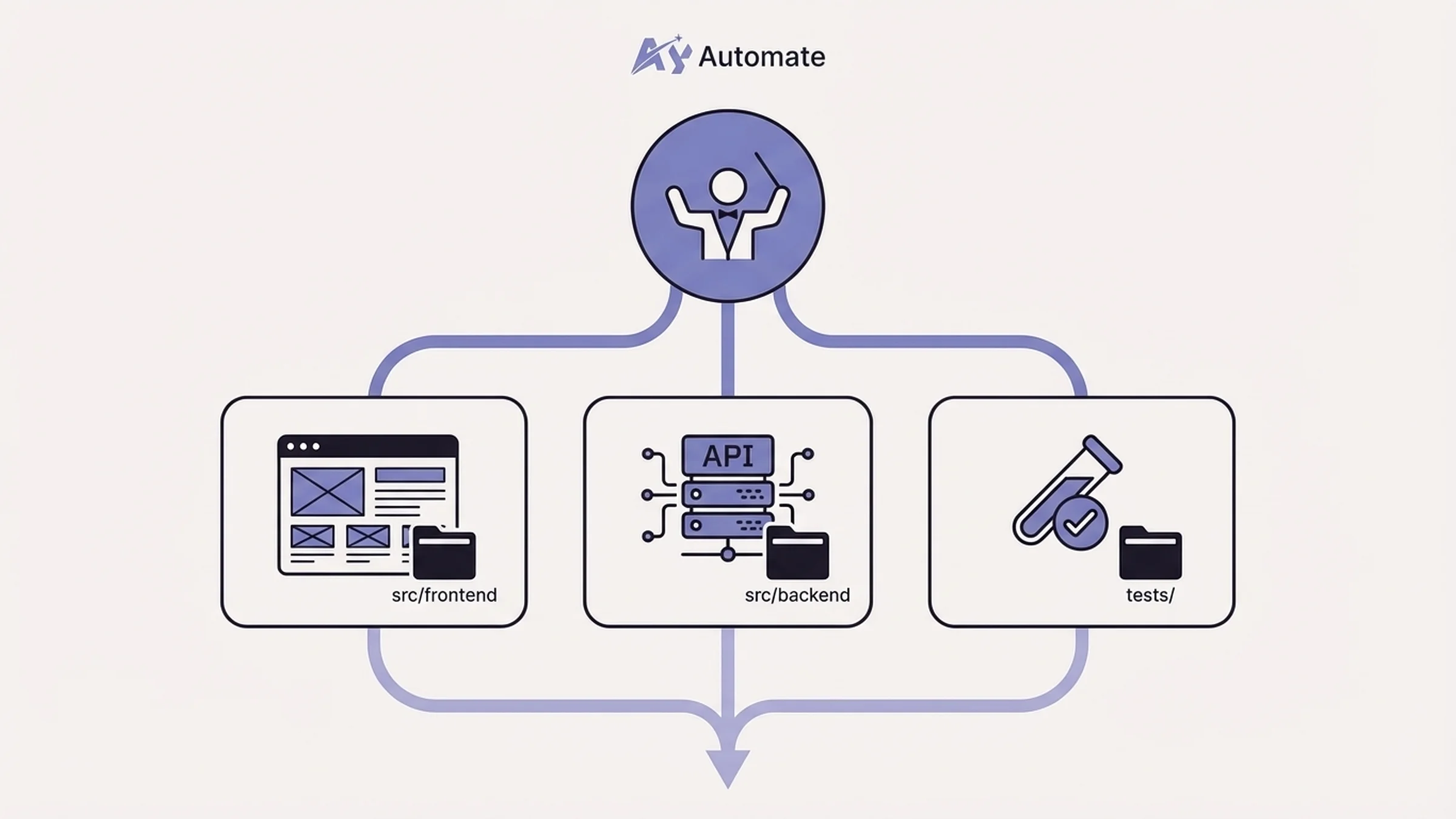
Claude Code's Agent Teams feature lets you split a complex task across multiple Claude agents that work in parallel. For teams working on large features or cross-cutting changes, this is a genuine productivity breakthrough.
When to use Agent Teams
Agent Teams make sense when a task has clearly separable components that can be worked on simultaneously:
- Building a new feature that touches frontend, backend, and database layers
- Refactoring a module where tests, implementation, and documentation all need updates
- Running a large codebase migration (updating imports, changing API patterns, fixing type errors)
- Performing a security audit across multiple service boundaries
How to structure agent workflows
The orchestrator pattern is the most reliable approach. One agent acts as the coordinator, breaking the task into subtasks and delegating to specialist agents:
Orchestrator Agent
- Reads the task description
- Breaks it into subtasks
- Delegates to specialist agents
- Merges results and resolves conflicts
Frontend Agent
- Works in components/ and app/ directories
- Follows React and UI conventions
Backend Agent
- Works in app/api/ and lib/ directories
- Follows API and database conventions
Test Agent
- Writes tests for changes made by other agents
Runs the test suite and reports failures
The key to making this work is your CLAUDE.md file. Each agent reads it, so your conventions are enforced across all parallel workstreams. Without that shared context, agents will produce conflicting code.
Practical tips for Agent Teams
Start small. Run two agents in parallel before trying four. The coordination overhead is real, and conflicts between agents can eat up more time than you save if the task boundaries are not clean.
Use Agent Teams for breadth, not depth. They work best when agents are working in different files or directories. Two agents editing the same file will create merge conflicts that require manual resolution.
Review the merged output carefully. Agent Teams produce a lot of code quickly. Invest the time saved into thorough review. If you have set up CI/CD integration with Claude Code, automated review can help here too. For enterprise teams running autonomous agents in production, OpenClaw and NemoClaw enterprise setup adds the NVIDIA-backed security layer needed to deploy multi-agent workflows safely at scale. For the full architecture patterns behind this, see our guide to building multi-agent systems with Claude.
Best Practices for Team Adoption
Rolling out Claude Code to a team is as much a change management challenge as a technical one. Here is the adoption playbook that works, based on what we have seen across dozens of teams through our custom AI training programs:
Start with pair programming sessions
Have your most experienced Claude Code user run live pair programming sessions with the team. Show real workflows: how to prompt effectively, how to use skills, how to recover when Claude goes off track. Seeing it in action is worth more than any documentation. If you need engineers who already know Claude Code inside and out, AI staff augmentation places pre-vetted AI-native developers on your team within 2-4 weeks.
Build a code review culture around Claude output
Establish a norm that Claude-generated code gets the same review scrutiny as human-written code. This is not about distrust. It is about quality. Claude Code is fast but not infallible, and team review catches the gaps.
Create a lightweight review checklist for Claude-generated PRs:
- Does the code follow our established patterns?
- Are there proper types (no inferred
any)? - Is error handling complete?
- Are edge cases covered?
- Would a new team member understand this code?
Onboarding checklist for new team members
When a new developer joins the team, include Claude Code setup in their onboarding:
- Install Claude Code CLI and authenticate
- Read the project
CLAUDE.mdfile to understand conventions - Browse the
.claude/skills/directory to see available workflows - Run through three guided exercises using team skills
- Pair with a senior developer on a real task using Claude Code
- Submit their first Claude-assisted PR for review
Measure and iterate
Track how Claude Code is being used across the team. Not to monitor individuals, but to improve the system. Which skills get used most? Where does Claude Code produce the most review comments? What patterns consistently need manual correction? Use that data to improve your CLAUDE.md, add new skills, and tighten your hooks.
Solo vs Team Claude Code Setup
Here is a side-by-side comparison of what a solo Claude Code setup looks like versus a properly configured team setup:
| Dimension | Solo Setup | Team Setup |
|---|---|---|
| CLAUDE.md | Personal notes or none | Committed to repo, reviewed by team |
| Skills | Ad-hoc prompts saved locally | Shared .claude/skills/ in version control |
| Hooks | None or personal config | Standardized in .claude/settings.json |
| Code style | Depends on prompt quality | Enforced by CLAUDE.md + hooks + linting |
| CI/CD integration | None | claude-code-action for PR reviews and automation |
| Agent Teams | Rarely used | Used for cross-cutting features and migrations |
| Onboarding | "Just download it" | Structured checklist with guided exercises |
| Output consistency | Variable | Predictable across all team members |
| Knowledge sharing | Tribal knowledge | Codified in skills and configuration |
| Review process | Optional | Mandatory with Claude-specific checklist |
The team setup requires more upfront investment, but it pays for itself within the first week. Consistent output means fewer review cycles, fewer bugs, and faster onboarding for new team members.
Actionable Takeaways
If you take nothing else from this guide, do these five things:
Create a CLAUDE.md file in your repository root. Cover your tech stack, commands, code conventions, and do-not rules. Commit it to version control. This single file will improve Claude Code output quality for every developer on your team immediately.
Build three starter skills. Pick the three tasks your team does most often (creating components, writing tests, building API routes) and write skill files for them. Commit them to
.claude/skills/.Add pre-commit hooks. At minimum, run your linter and type checker before every commit. This catches mistakes regardless of whether the code was written by a human or Claude.
Set up claude-code-action. Even a basic PR review workflow saves hours per week in review time and catches issues before human reviewers need to.
Run a team workshop. Spend two hours showing your team how to use the shared setup. Pair programming with Claude Code is a skill, and it improves dramatically with practice.
If you need help building these systems for your team, we work with engineering organizations to design and implement AI agent development workflows and custom training programs tailored to your stack and team size.
FAQ
How long does it take to set up Claude Code for a team?
A basic team setup (CLAUDE.md, a few skills, standardized hooks) takes about half a day. A full setup including CI/CD integration, Agent Teams workflows, and an onboarding program takes one to two weeks. The basic setup delivers immediate value, so start there and iterate.
Does every team member need a Claude Code subscription?
Yes. Each developer needs their own Claude Pro or Max subscription, or your organization needs an Anthropic API key with sufficient usage limits. For teams of five or more, the Teams plan provides centralized billing and admin controls.
Can we use Claude Code with a monorepo?
Absolutely. Claude Code handles monorepos well, especially with nested CLAUDE.md files. Place a root-level file with global conventions and subdirectory files with package-specific rules. Claude Code reads the most relevant file based on your working directory.
How do we handle sensitive code and secrets?
Add clear rules to your CLAUDE.md about files and patterns Claude should never read or modify. Use the permissions deny list in .claude/settings.json to block access to sensitive directories. Never commit .env files, and make sure your skills do not reference real API keys or credentials in their examples.
Does Claude Code work with other AI coding tools?
Yes. Many teams use Claude Code alongside other tools like GitHub Copilot. Claude Code excels at complex, multi-file tasks and architecture-level work. Copilot is better for inline autocomplete. They complement each other rather than competing.
What if different team members want different Claude Code behaviors?
Team-level settings go in the committed .claude/settings.json and CLAUDE.md. Individual developers can add personal overrides in their home directory (~/.claude/). The convention is that team settings are mandatory (enforced by hooks and CI) while personal settings handle cosmetic preferences like verbosity and response style.
How do we measure ROI from Claude Code for our team?
Track three metrics: PR cycle time (from open to merge), number of review rounds per PR, and time-to-first-commit for new team members. Teams with a proper Claude Code setup typically see 30-50% reduction in PR cycle time and significantly faster onboarding. You can also track the ratio of Claude-assisted PRs that pass CI on the first attempt.
Is Claude Code secure enough for enterprise use?
Claude Code runs locally on each developer's machine. Your code is sent to Anthropic's API for processing but is not used for training and is not stored beyond the session. For enterprise security requirements, Anthropic offers SOC 2 compliance, data processing agreements, and the option to use Claude Code through a VPN or air-gapped environment. Check Anthropic's security documentation for the latest certifications.
For a visual reference of agent swarm topologies and orchestration patterns used in team deployments, see the agent swarms architecture breakdown.
Continue Reading
CLAUDE.md vs AGENTS.md: What Changed When Claude Code Added AGENTS.md Support (2026)
Claude Code 2.1.277 reads AGENTS.md when a folder has no CLAUDE.md. Here is the exact precedence, the /config setting, what to do with old symlink and import workarounds, and how to verify it works.
AGENTS.md Explained: The Open Spec for AI Coding Agent Instructions
AGENTS.md is an open, cross-tool markdown file for giving AI coding agents project context: build commands, tests, and conventions. Codex, Cursor, and opencode read it natively, and since version 2.1.277 (September 18, 2026) Claude Code falls back to it when a folder has no CLAUDE.md.
Claude Skills Marketplace: Where to Find and Submit Claude Skills (2026)
There's no single official Claude Skills Marketplace. Skills ship inside plugins across two Anthropic-run catalogs and Anthropic's own GitHub repo, plus a few independent community sites that index or curate skills separately. Here's where to actually find them, and the real path to submit one.
Book a Free Strategy Call
Building this in production?
Walid runs a 30-min call to map your AI engineering team. Free, no slides.
Free weekly brief
Steal our production automations
The exact n8n flows, Claude Code setups, and prompts we ship for clients, broken down step by step. No spam, unsubscribe anytime.

Ex-IBM AI engineer and enterprise architect. Adel owns the technical architecture behind every automation and AI agent system AY Automate ships.