Book a Free Strategy Call
Skip the read: talk to Walid in 30 min.
Free strategy call. We map your AI engineering team, you keep the notes.
TL;DR
- Pick Gemini CLI if cost and context window matter most. It is free for individual use (60 requests/minute, 1,000 requests/day with a personal Google account), open source under Apache 2.0, and gives you a 1M-token context window on Gemini 3 models.
- Pick Claude Code if you want the more mature agent runtime. Anthropic shipped hooks, skills, sub-agents, and MCP first, and the ecosystem built around it (community skills, MCP servers, CI patterns) is deeper as a result.
- Use both if you're serious about agentic coding. They read and write the same filesystem and git history, so running Gemini CLI for cheap, high-volume tasks and Claude Code for the work that needs deeper reasoning is a legitimate split, not a compromise.
- Pricing: Gemini CLI is free for individuals within daily quota, with paid tiers through Google AI Pro/Ultra or pay-as-you-go via the Gemini API. Claude Code is metered against Anthropic API usage or bundled into a Claude Max plan ($100-$200/mo depending on tier).
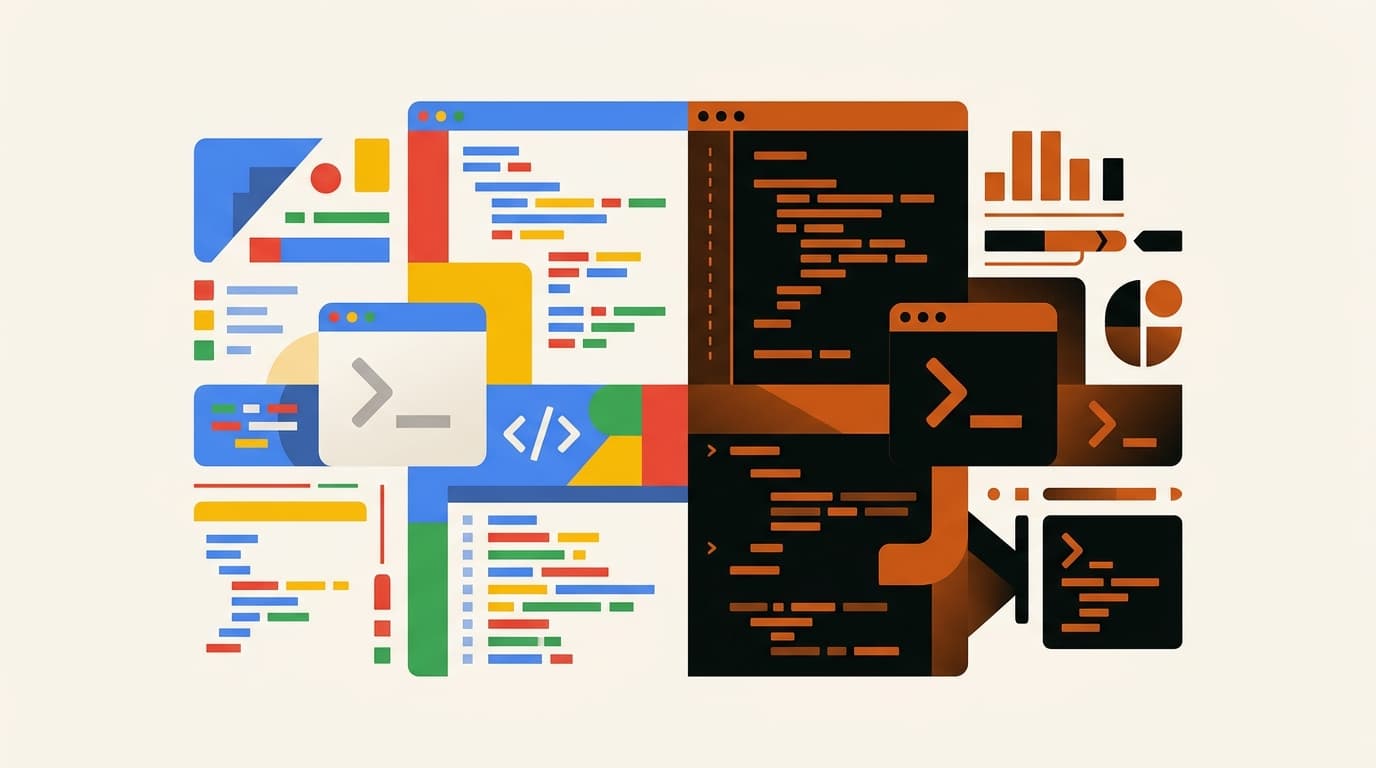
Both of these tools now live in the terminal, which is the first thing that surprises people comparing them. A year ago this would have been a clean pitch: Anthropic's CLI-native agent versus Google's newer entrant chasing the same idea. In 2026 the gap is narrower. Gemini CLI shipped hooks, agent skills, and subagents, the same three primitives that made Claude Code's agent loop configurable. The real differences now are cost, context window, model routing, and how deep each ecosystem actually goes once you're past the demo.
This guide compares Gemini CLI and Claude Code as they exist today: real free-tier limits, real feature parity checks, and where each one still pulls ahead. We're an Anthropic Partner agency that builds production systems with Claude Code, so we use it daily and we're not neutral on it, but the comparison below is checked against both tools' current documentation, not vibes.
Related Reads
Side-by-side comparison
| Dimension | Gemini CLI | Claude Code |
|---|---|---|
| Maker | Anthropic | |
| License | Open source, Apache 2.0 | Proprietary CLI (source not open) |
| Primary surface | Terminal | Terminal |
| Models | Gemini 3 (Pro, Flash) | Claude (Sonnet, Opus, Haiku) |
| Context window | 1M tokens | 200K tokens standard (1M in beta on some plans) |
| Free tier | Yes: 60 req/min, 1,000 req/day (personal Google account) | No standing free tier; API usage or Claude Max subscription |
| Hooks | Yes: SessionStart, BeforeTool, AfterTool, and more | Yes: PreToolUse, PostToolUse, SessionStart, and more |
| Skills | Yes: Agent Skills, based on the open agentskills.io standard | Yes: Anthropic Skills, markdown packs auto-loaded by trigger |
| Subagents | Yes: built-in (codebase_investigator) plus custom | Yes: spawned via the Task tool |
| MCP support | Yes | Yes, first-party from launch |
| Context file | GEMINI.md | CLAUDE.md |
| Checkpointing / rewind | Yes: save and resume sessions, rewind to a prior state | Yes: session persistence across turns |
| GitHub integration | Gemini CLI GitHub Action (PR review, issue triage, @gemini-cli mentions) | Anthropic-published GitHub Action, similar pattern |
| Sandboxing | Yes: built-in sandbox mode, trusted-folder policies | Yes: permission model with per-tool, per-command allowlists |
| Pricing model | Free tier, then Google AI Pro/Ultra or pay-as-you-go API | Metered API usage or Claude Max bundle |
| Ecosystem maturity | Newer; growing skill and MCP server library | More established; larger body of community skills, MCP servers, CI patterns |
The table looks close because the tools have converged on the same primitives. What separates them in practice is how deep each implementation goes, and what it costs to find out.
Free weekly brief
Steal our production automations
The exact n8n flows, Claude Code setups, and prompts we ship for clients, broken down step by step. No spam, unsubscribe anytime.
Gemini CLI deep dive
Gemini CLI is Google's open-source terminal agent, installed with npm install -g @google/gemini-cli or via Homebrew, and it is genuinely free to start. Sign in with a personal Google account and you get 60 requests a minute and 1,000 a day against Gemini 3 models, no credit card, no API key setup. That free tier alone changes who can try an agentic CLI without a budget conversation first.
The context window is the other headline number. Gemini 3 gives Gemini CLI a 1M-token window, which matters for large monorepos or long-running sessions where you don't want to think about context compaction as often. Google backs this with built-in tools: Google Search grounding for real-time information, file operations, shell commands, and web fetch, all available without installing an MCP server first.
Hooks, skills, and subagents are now first-class here too. Hooks fire at defined lifecycle points (SessionStart, BeforeTool, AfterTool, and others) and communicate over stdin/stdout JSON, close in design to Claude Code's hook model. Agent Skills follow the open agentskills.io standard: self-contained folders with a SKILL.md that Gemini CLI discovers, activates on a matching task, and loads on demand so you're not paying context tokens for skills you're not using. Subagents ship built in (a codebase_investigator subagent handles deep codebase analysis) and you can write your own.
Where Gemini CLI stops being the right answer: ecosystem depth. It's open source and improving fast, but the library of community MCP servers, published skills, and battle-tested CI patterns built around Claude Code over the last two years is still larger. If you need a specific integration today, there's a real chance someone already built it for Claude Code and not yet for Gemini CLI.
Claude Code deep dive
Claude Code is Anthropic's coding agent. Install it via npm, run claude in a project directory, and the CLI already has tools to read and write files, run bash, search the codebase, and call any MCP server you point it at.
The defining property is agentic maturity. Claude Code was built around the agent loop from the start: a structured plan mode for tasks that need scoping before execution, a permissions system that asks before running shell commands, and session persistence across turns. It's built for describing an outcome and letting the agent work for minutes or hours.
Hooks, skills, and sub-agents are the customization layer. Hooks intercept lifecycle events (PreToolUse, PostToolUse, SessionStart, UserPromptSubmit) so you can inject formatters, linters, or custom validation. Skills are markdown knowledge packs that auto-load on trigger phrases. Sub-agents are spawned via the Task tool, each with its own context window and toolset.
MCP is native and was the reference implementation at launch, which means most MCP servers (filesystem, Postgres, Linear, Notion, GitHub) drop in with one config entry and get exercised by a wider set of real projects.
Where Claude Code stops being the right answer: cost predictability for light or exploratory use. There's no free daily quota; you're either metered on API usage or paying for a Claude Max plan. For someone who wants to try an agentic CLI for a weekend project with zero spend, Gemini CLI's free tier is the easier entry point.
Head-to-head
Cost
Gemini CLI wins clearly for individuals and small teams. The free tier (60 req/min, 1,000 req/day) covers a real amount of daily work with a personal Google account, and heavier use scales through Google AI Pro/Ultra or pay-as-you-go API pricing. Claude Code has no standing free tier: you pay Anthropic API rates per token, or bundle into Claude Max ($100-$200/mo depending on tier) for a fixed quota. Heavy agentic users can spend meaningfully more on Claude Code than on Gemini CLI's free or entry tiers.
Context window
Gemini CLI wins on the number. Gemini 3 gives it a 1M-token context window as standard. Claude Code's context is 200K tokens on most plans, with 1M-token context available in beta on some tiers. For very large repos or long sessions where you don't want to manage context compaction, Gemini CLI's window is the more generous default.
Agentic maturity
Claude Code wins, though the gap has narrowed. Both tools now have hooks, skills, subagents, and MCP. The difference is depth of implementation and the volume of real-world use each has absorbed: more published skills, more MCP servers built and tested against it, more documented CI and hook patterns from teams running it in production.
Openness
Gemini CLI wins outright. It's Apache 2.0 licensed and open source; you can read the code, fork it, or audit exactly what it does. Claude Code's CLI is proprietary; you get the documented behavior and the permissions model, not the source.
Ecosystem
Claude Code wins for now. It's had more time in front of more developers, so the library of community skills, MCP servers, and battle-tested hook and CI patterns is larger. Gemini CLI's equivalent library is real and growing, just younger.
Model access
Neither is multi-model in the Cursor sense. Gemini CLI is Gemini-only (Pro and Flash variants, with model routing between them); Claude Code is Claude-only (Sonnet, Opus, Haiku). If you want to switch model providers entirely, neither CLI does that; an IDE like Cursor is the tool for that job.
GitHub integration
Tie. Both ship a GitHub Action: Gemini CLI's supports PR review, issue triage, and @gemini-cli mentions in issues and PRs. Claude Code's Anthropic-published action covers the same territory. Pick based on which model you'd rather have reviewing code, not the integration itself.
When to pick which
Pick Gemini CLI when:
- You want to try an agentic CLI without committing budget first.
- Your work involves very large repos or long sessions where a 1M-token window matters daily, not occasionally.
- You want the option to read or modify the agent's own source code.
- You're already inside the Google Cloud / Vertex AI ecosystem and want that billing path.
- Cost per request is the deciding factor for a small team or solo project.
Pick Claude Code when:
- You want the more mature agent runtime with the deepest library of published skills and MCP servers to borrow from.
- You're running production agent workflows and want patterns other teams have already tested at scale.
- You value Anthropic's models specifically for the coding and reasoning tasks you're running.
- You need a permissions and hooks setup with the largest body of real-world precedent behind it.
Can you use both?
Yes, and it's a reasonable split rather than a hedge. Both tools touch the filesystem and git, not each other, so nothing stops you running Gemini CLI for cheap, high-volume, or exploratory tasks and Claude Code for the work where you want its deeper agentic track record.
A typical split looks like this:
- Use Gemini CLI for first-pass exploration on a new or unfamiliar codebase, leaning on the 1M-token window and free tier to poke around without worrying about spend.
- When a task needs the more battle-tested agent loop, hand it to Claude Code, especially anything with hooks, MCP servers, or CI integration you've already built around it.
- Commit between agentic runs regardless of which tool is running, so you can roll back cleanly if either agent gets something wrong.
- Avoid running both on the same file at the same time; they don't coordinate with each other and can step on the same edit.
For teams that want a Claude Code setup done properly, with hooks, skills, and MCP servers tailored to their codebase, we build Claude Code agencies-grade setups for product teams. The goal is picking the tool that earns its keep for the task in front of you, not defending a single-vendor stack out of habit.
Closing
Gemini CLI and Claude Code converged on the same idea faster than most predicted: a terminal-first agent with hooks, skills, subagents, and MCP as core primitives, not add-ons. Gemini CLI wins on price and context window and it's the easier tool to try today with zero commitment. Claude Code wins on agentic maturity and the depth of what's been built around it. If you're weighing cost against a proven ecosystem, that's the actual trade, not "which one is smarter."
If you want help designing the right agentic setup for your team (Claude Code skills, hooks, MCP servers, CI integration), book a free consultation. We'll audit your stack and tell you where each tool earns its keep. The Claude Code workflows guide covers the 8 production patterns worth learning first.
FAQ
Is Gemini CLI better than Claude Code?
Neither is universally better. Gemini CLI wins on cost (a real free tier) and context window (1M tokens standard). Claude Code wins on agentic maturity and ecosystem depth: more published skills, more MCP servers built against it, more production precedent. Pick based on which trade-off matters for your work.
Is Gemini CLI free?
Yes, for individual use with a personal Google account: 60 requests per minute and 1,000 requests per day against Gemini 3 models, no credit card required. Heavier use scales through Google AI Pro/Ultra subscriptions or pay-as-you-go via the Gemini API, and Vertex AI for enterprise billing.
How much does Claude Code cost?
There's no standing free tier. You either pay Anthropic API rates per token, or bundle into a Claude Max plan ($100-$200/mo depending on tier) for a fixed usage quota. Heavy agentic users can outspend Gemini CLI's free and entry tiers by a wide margin.
Does Gemini CLI support MCP?
Yes. MCP servers are configured in ~/.gemini/settings.json, the same pattern Claude Code uses with its own settings files. Both tools treat MCP as a first-class extension point, not a bolt-on.
Does Gemini CLI have hooks and subagents?
Yes, both are current features. Hooks fire at lifecycle events (SessionStart, BeforeTool, AfterTool, and more) and communicate over stdin/stdout JSON. Subagents ship built in (a codebase_investigator subagent for codebase analysis) and you can write custom ones. This closed a gap that used to favor Claude Code exclusively.
Which has the bigger context window?
Gemini CLI, with a 1M-token window standard on Gemini 3 models. Claude Code's standard context is 200K tokens, with 1M-token context in beta on some plans. For very large repos, Gemini CLI's window is the more generous default without opting into a beta.
Is Gemini CLI open source?
Yes, Apache 2.0 licensed, with the full source on GitHub. Claude Code's CLI is proprietary; Anthropic documents its behavior and permissions model but does not publish the source.
Can I use Gemini CLI and Claude Code together?
Yes. They read and write the same filesystem and git history, not each other, so most teams split by task: Gemini CLI for cheap, high-volume, or exploratory work, Claude Code for tasks that benefit from its deeper agentic track record. Commit between runs and avoid touching the same file with both at once.
Continue Reading
Spec-Driven Development: Writing Specs AI Agents Can Build (2026)
What spec-driven development means for AI coding agents, how it differs from prompting, what a good spec contains, and a lightweight workflow to start using it.
Claude Code Training for Teams: The 6 Layers That Matter
Real Claude Code training for teams goes past prompting tips: CLAUDE.md, permission scoping, skills, hooks, subagents, and review discipline. How we run it ourselves, and how to teach it.
Claude Cowork vs Claude Code: Which One Your Team Actually Needs (2026)
Claude Cowork and Claude Code run on the same models but solve different jobs. A decision framework, full feature and pricing comparison, and where an implementation partner fits.
Book a Free Strategy Call
Building this in production?
Walid runs a 30-min call to map your AI engineering team. Free, no slides.
Free weekly brief
Steal our production automations
The exact n8n flows, Claude Code setups, and prompts we ship for clients, broken down step by step. No spam, unsubscribe anytime.

Ex-IBM AI engineer and enterprise architect. Adel owns the technical architecture behind every automation and AI agent system AY Automate ships.