Book a Free Strategy Call
Skip the read: talk to Walid in 30 min.
Free strategy call. We map your AI engineering team, you keep the notes.
To automate a business process, start by mapping the current process exactly as it runs today, not as you wish it ran. Identify the step that is highest-volume and most consistent, then connect the triggering event to the output action using a tool like Zapier, Make, or n8n. Most teams can automate their first process in under a day.
The most common mistake is automating a broken process. Automation makes bad processes fail faster and more consistently. Fix the process first, then automate it.
This guide covers a practical framework for selecting and automating business processes, the tools that make it possible at different budget levels, and where AI agents change the equation for processes that weren't automatable before.
Why Business Process Automation Is No Longer Optional
Everyone is trying to scale without just throwing more people at the problem. That old model is a recipe for disaster: it creates operational bottlenecks, introduces human error, and sends your costs through the roof.
The conversation has completely shifted. It's no longer a question of if you should automate, but how fast you can get intelligent workflows up and running.
Think of automation as the engine that lets your business run 24/7. It's how you move from fragmented, manual tasks to a cohesive system where work gets done with precision, data flows where it needs to, and your team is freed up. This lets them focus on what they do best: creative problem-solving and strategic thinking.
The Undeniable Impact on Growth Metrics
The numbers tell the story. The global Business Process Automation (BPA) market is on track to explode from USD 9.8 billion in 2020 to USD 19.6 billion by 2026, largely thanks to advancements in AI and machine learning.
The adoption rates are just as telling. A staggering 66% of companies are already automating at least one business process. Of those, 86% report a direct jump in productivity, and 59% have successfully cut operational costs.
This is more than a trend; it's a clear signal that your competitors are already on board. They’re using automation to:
- Slash operational costs by cutting down on manual work and waste.
- Skyrocket productivity by getting tasks done faster and more accurately than a human ever could.
- Sharpen decision-making with access to clean, real-time data from automated systems.
- Boost employee morale by getting rid of the mind-numbing, repetitive tasks that cause burnout.
Building a Resilient, Scalable Operation
Ultimately, the goal is a business that’s both resilient and built for scale. Automation is the foundation for that.
When your processes are systematized, they become predictable and measurable. That makes them far easier to optimize. Understanding the critical Workflow Automation Benefits in areas like DevOps shows why this is a strategic imperative across the entire company, not an IT project. This thinking goes way beyond simple task management and evolves into a full strategy for intelligent operations.
And if you want to see how far this concept can go, you might be interested in our deep dive on https://www.ayautomate.com/blog/what-is-hyperautomation.
By embedding automation into the core of your operations, you’re doing more than tweaking a workflow. You are fundamentally upgrading your company's capacity for growth. It’s the difference between a business that’s always playing catch-up and one that’s built to lead.
Related Reads
Finding Your First High-Impact Automation Opportunities
Knowing where to start with automation can feel overwhelming. If you just jump in, you risk burning time and money on projects that don't move the needle. The trick is to start with a practical "automation audit" to find the real bottlenecks: the repetitive, soul-crushing work that's holding your business back.
Forget abstract theories. This is about rolling up your sleeves, talking to your teams, and asking pointed questions about their day-to-day grind. What tasks make them groan? What's eating up all their time? The answers will light up a direct path to your first big wins.
This journey is about moving from tangled, manual workflows to intelligent, 24/7 operations. It's a strategic evolution.
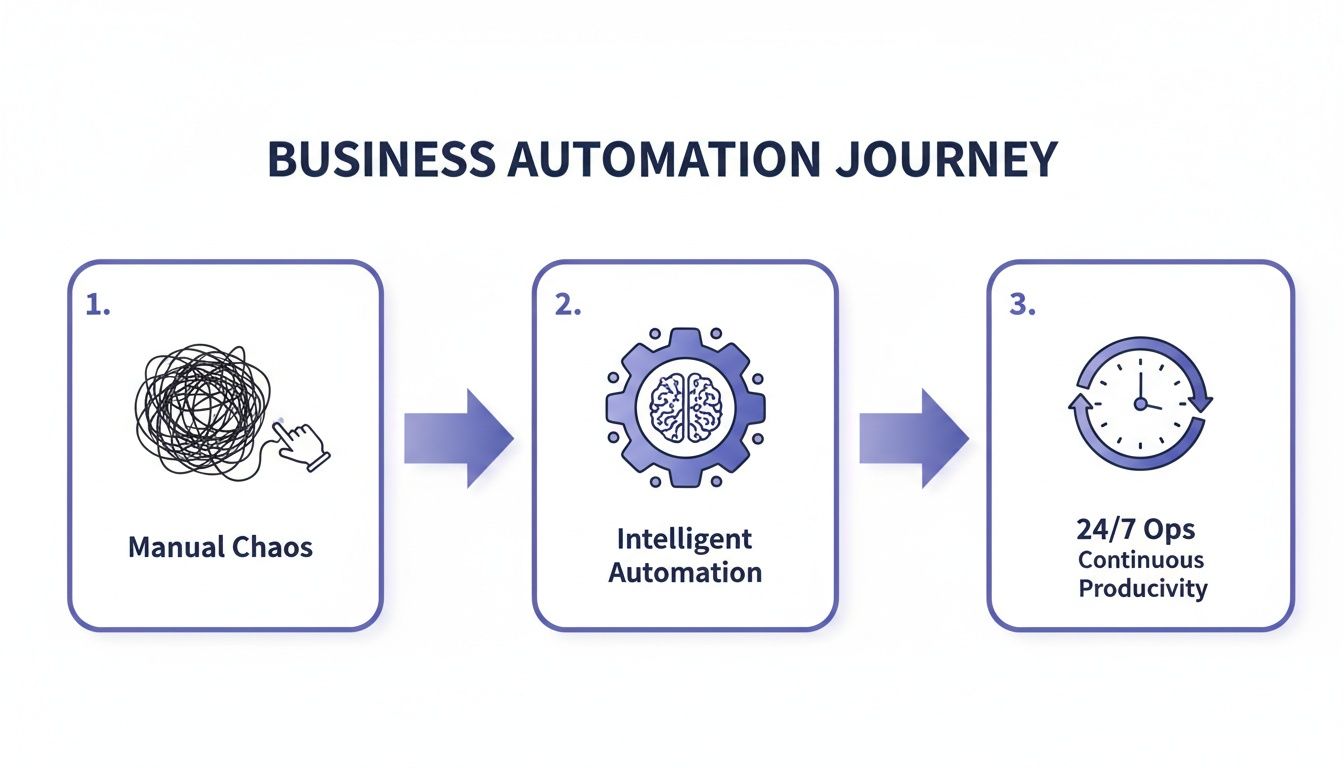
The real takeaway here goes beyond efficiency. It's about fundamentally changing your operational capacity from something chaotic and limited to a force that's continuous and intelligent.
Pinpointing Prime Automation Candidates
So, where do you look first? Your best targets almost always share a few common traits. These are the tasks silently draining productivity from your company every single day.
Start by hunting for processes that are:
- High-Volume & Repetitive: What are your people doing dozens, or even hundreds, of times a day? Think copy-pasting data, generating the same weekly report, or processing standard invoices. We actually have a whole guide on how to automate data entry if that's a pain point for you.
- Prone to Human Error: Where do mistakes creep in? Tasks that involve manually moving information between systems, like from your CRM to your accounting software, are notorious for this. One wrong keystroke can cause a cascade of problems.
- Painfully Time-Consuming: Just ask your team this simple question: "If you could snap your fingers and eliminate one task from your week, what would it be?" Their answers are pure gold. They'll point you straight to the workflows causing the most friction.
- Jumping Between Systems: If a process requires someone to have five different tabs open just to complete one action, it’s a prime candidate for automation. Stitching those systems together with an automated workflow is a massive productivity booster.
The most successful automation projects don't start with the most complex problems. They start with the most annoying ones: the tasks everyone on the team wishes would just disappear. Solving these builds momentum and delivers immediate, tangible value.
Prioritizing Your Automation Roadmap
Once you have a list of potential projects, you need to decide what to tackle first. Don't overcomplicate it. A simple Impact vs. Effort matrix is your best friend here.
This framework helps you visually map out where the quick wins are. You just categorize each idea along two axes:
- Impact: How much value will this really create? Think in terms of hours saved, errors eliminated, or even new revenue opened up.
- Effort: How hard is this going to be to build? Be honest about the technical complexity, development time, and whether you need specialized skills.
This simple exercise immediately clarifies your priorities. You'll spot the "quick wins": the high-impact, low-effort projects that should be at the very top of your list. Nailing these first builds confidence, quiets the skeptics, and secures the buy-in you'll need for more ambitious projects later on.
Building Your Team and Upskilling Talent
Of course, having a great plan is one thing; having the right people to execute it is another. While your team might be able to handle some simple automations with no-code tools, more advanced workflows involving AI often need a specialist.
This is where you can get creative. Instead of getting stuck in a long, expensive hiring cycle, consider AI team augmentation. This lets you bring in expert AI engineers on a flexible, project-by-project basis. They can get your first critical automations built and running in a fraction of the time.
An even more powerful approach is an AI adopted engineer placement. Here, an expert doesn't just build for you; they embed within your team to mentor and upskill your own people. They transfer knowledge and best practices, helping you build a sustainable, in-house automation powerhouse for the long run.
Finally, to get everyone on the same page, targeted AI workshops are incredibly effective. Training sessions on AI-native coding tools like Cursor or how to properly use LLMs like Claude for development tasks ensure your entire team is working from the same powerful playbook. This speeds up everything and fosters a culture where everyone is thinking about automation.
Free weekly brief
Steal our production automations
The exact n8n flows, Claude Code setups, and prompts we ship for clients, broken down step by step. No spam, unsubscribe anytime.
Designing Your Automation Architecture
Alright, you've pinpointed the high-impact automation opportunities. Now for the fun part: building the technical backbone to make it all happen. This is more than just picking a cool new tool; it’s about architecting a system that’s resilient, secure, and can actually grow with your business. The decisions you make here will define how well your automations run and adapt down the road.
A common first question is whether to use no-code platforms, custom-coded solutions, or those newfangled intelligent AI agents. This isn’t a one-size-fits-all answer. A simple, linear workflow connecting two standard SaaS apps? That’s a perfect job for a no-code tool. But if you're dealing with sensitive data, complex logic, or massive scale, you absolutely need something sturdier.

Building Your Implementation Team
Before a single line of code is written, you need the right builders. The talent you bring in directly shapes the quality and speed of your projects. Traditional hiring is notoriously slow and expensive, especially for niche AI roles. Let's be honest, that's not how fast-moving teams operate anymore.
Instead, think about more agile talent strategies:
- AI Team Augmentation: This lets you inject specialized AI engineering talent right into your existing teams on a flexible basis. Need a Python expert who knows a specific LLM inside and out for a three-month sprint? Augmentation gets you that skill set without the long-term overhead.
- AI Adopted Engineer Placements: This is a more integrated approach. You embed a senior AI engineer directly within your team. Their mission is twofold: lead the development of critical automation projects and, just as important, transfer their knowledge and upskill your own developers. This is how you build sustainable, in-house expertise.
This is more than filling a seat. It's about strategically injecting expertise to fast-track your roadmap and create an automation-first culture from the inside out. The right person can introduce new tools and methods that have a ripple effect across the entire organization.
The goal goes beyond completing a project: it raises your team's entire skill set. An embedded expert acts as a catalyst, introducing advanced techniques and mentoring your engineers to become self-sufficient in AI-driven automation.
Standardizing Your AI Toolstack Through Workshops
Consistency is everything when you're trying to scale automation. If every developer is using different tools and reinventing the wheel, you're building a messy, unmaintainable system. I've found that targeted AI workshops are the fastest way to standardize your team's toolkit and get everyone working from the same high-performance playbook.
These workshops need to be hands-on and practical, not theory-heavy lectures. A great workshop helps your team truly master the tools that will become the core of your automation architecture.
Here are a few examples of high-impact workshop topics we've seen work wonders:
- Mastering AI-Assisted Coding with Cursor: A session focused on Cursor can show developers how to bake AI directly into their coding environment. The result? Faster development cycles and better code quality.
- Leveraging Claude & Code for Dev Teams: Training on an advanced LLM like Claude teaches your team how to use it for complex problem-solving, code generation, and documentation. It essentially becomes a powerful development partner.
- Weavy.ai Workshops for In-App Functionality: For teams building their own products, a workshop on a platform like Weavy can show them how to embed collaboration features like chat and feeds right into your applications, automating entire user engagement workflows.
By investing in these focused training sessions, you ensure your whole engineering team is armed with the best tools and a shared understanding of best practices. This unified approach is fundamental to designing and building a successful automation architecture, preventing fragmentation and making sure your solutions are stable and manageable for the long haul.
Putting Automation into Practice with the Right People
Once you’ve got a solid architecture mapped out, it’s time to shift from planning to execution. This is where the rubber meets the road, and honestly, where a lot of automation strategies fall apart. Success hinges on having the right people, the right talent, to actually bring your vision to life.
Building smart, complex automation goes beyond picking a tool off the shelf. It’s about assembling a team with the very specific skills needed to build, launch, and manage these systems day in and day out.
But here’s the problem: trying to hire for those niche AI roles the old-fashioned way is a major bottleneck. It can take months, cost a small fortune, and you might still not find the right person. To keep things moving, you have to think differently. It's less about hiring permanent employees and more about strategically bringing in the exact expertise you need, right when you need it. This lets you get projects off the ground faster, reduces risk, and helps you build a real automation capability without the massive overhead from day one.
Get Moving Fast with AI Team Augmentation
One of the most effective ways I've seen to get immediate traction is through AI team augmentation. The model is simple: you inject specialized AI engineering talent directly into your existing teams, but only for the duration of a specific project. It’s the perfect fix when you have a clear automation goal but are missing the specific in-house skills to get it done.
Let's say you want to build a custom workflow that uses an advanced language model to analyze all your unstructured customer feedback from support tickets and reviews. Instead of spending the next six months searching for a full-time hire who might have that experience, team augmentation lets you bring in a seasoned expert who has already built a dozen systems just like it.
They parachute in, hit the ground running, deliver the project, and then they're gone. You get maximum impact with minimal long-term commitment.
This approach gives you a few serious advantages:
- Speed to Market: You can kick off your project in weeks, not months. That speed is a huge competitive edge, letting you see the ROI from your automation work that much sooner.
- Access to Niche Skills: The AI world is incredibly specialized. Augmentation opens up a global talent pool, so you can find engineers with deep, hands-on experience in the specific models, platforms, or integration patterns you need.
- Cost-Effectiveness: You skip the sky-high costs of traditional recruiting, onboarding, and benefits for a full-time employee. You pay for the expertise you need, for exactly as long as you need it.
In practice, cloud bot solutions show how AI can be used to automate business processes efficiently. To explore this further, you might find this resource on Cloud Bot Solutions Automating Business Processes With Ai helpful for understanding practical applications.
Build for the Long Haul with AI Adopted Placements
While team augmentation is fantastic for getting specific projects done quickly, building a lasting, in-house automation practice requires a deeper kind of knowledge transfer. This is where a model we call AI Adopted Engineer Placements comes into play. It goes beyond just completing a project; it’s about fundamentally leveling up your own team.
Here's how it works: a senior AI engineer embeds directly with your team for a longer-term engagement, playing a dual role.
- They lead the development of your most important automation projects, making sure they’re built correctly from the ground up.
- They act as a mentor and coach, actively passing on their knowledge, best practices, and advanced techniques to your own developers.
The real value of an adopted placement is more than the code they write; it's the expertise they leave behind. They transform your team's capabilities, turning them from beginners into self-sufficient automation builders.
This strategy is all about building for the future. The embedded expert introduces your team to new tools, modern architectural patterns, and a more strategic way of thinking about automation. By the time their placement ends, your team can not only maintain the systems they helped build but is also ready to tackle the next wave of automation challenges on their own.
Standardize Your Stack with Targeted AI Workshops
To really scale your automation efforts across the company, you need consistency. If every engineer is using different tools or solving problems in their own unique way, you’ll end up with a messy, fragmented ecosystem that's a nightmare to maintain.
Targeted, hands-on AI workshops are the best way to standardize your team's toolkit and establish a shared set of best practices. These aren't your typical, boring training sessions. I'm talking about focused, practical workshops designed to help your team master the specific, high-impact tools that will become the core of your development and automation stack.
Here are a few examples of workshops that deliver immediate, practical value:
- AI-Native Coding with Cursor: A workshop on an AI-first code editor like Cursor can completely change how your developers write, debug, and understand code. It teaches them how to weave AI assistance into their daily workflow, which can dramatically boost their productivity.
- Advanced Development with Claude & Code for Dev Teams: Training your team on a powerful model like Claude for development goes way beyond just generating code snippets. A good workshop will teach them how to use it for complex system design, API integrations, and even generating high-quality documentation.
- Practical Weavy.ai Workshops: A session focused on a platform like Weavy.ai shows teams how to quickly embed collaborative features into their applications, automating user engagement and communication workflows without building from scratch.
By investing in these workshops, you're teaching new skills and creating a shared language and a unified methodology. That alignment is what allows you to build stable, scalable automations and a culture where everyone feels able to contribute.
Managing and Optimizing Your Automated Workflows
Getting your first automated workflow live is a huge win. But don’t pop the champagne just yet; this is where the real work begins. The true power of automation isn’t in one-off projects; it’s in building a resilient, intelligent system that gets better over time.
Without a solid post-launch plan, even the most brilliant automations can start to decay. They might fail silently, become obsolete as your business changes, or slowly rack up "automation debt." A proactive approach to management is what turns a cool tech project into a lasting competitive advantage.

This is more than best practice; it's becoming critical for survival. The push for digital process automation (DPA) is set to pump an extra USD 8.05 billion into the market between 2023 and 2028. This isn't hype. Companies are desperate to fix the manual bottlenecks holding them back, so much so that the workflow automation market is expected to rocket past $45 billion by 2032.
Just ask anyone in finance. A staggering 35% of finance professionals point to bad internal processes as their biggest headache. Automation is the cure.
Get Your Governance and Monitoring in Order
Governance isn't about red tape. It's about ownership and clarity. Every single workflow needs a designated owner: someone who is responsible for its health and performance. When things go sideways, you know exactly who to call.
You can't manage what you can't measure, which is why performance dashboards are non-negotiable. Real-time visibility is the foundation of good governance.
At a minimum, your dashboards need to track:
- Execution Volume: How many times did the workflow run? This matters for capacity planning and spotting usage trends.
- Success vs. Failure Rates: What’s the pass/fail percentage? A climbing failure rate is your canary in the coal mine.
- Processing Time: How long does it take from start to finish? If it suddenly takes twice as long, you’ve likely got a bottleneck in a connected system.
- Cost Per Execution: If you're using paid APIs or cloud functions, you have to track costs. Otherwise, your ROI can evaporate without you even noticing.
Don’t wait for something to blow up. Proactive monitoring helps you catch small dips in performance before they become massive operational failures that your customers or internal teams have to suffer through.
Define Your SLAs and Build Smarter Error Handling
Not all automations are mission-critical, and that’s okay. A workflow that archives old marketing files doesn't need the same level of attention as one that processes customer payments. This is where Service Level Agreements (SLAs) come into play.
An SLA is just a simple promise. It defines the expected uptime and performance for a workflow. For instance, a customer onboarding automation might have a 99.9% uptime SLA with a five-minute maximum processing time. This immediately clarifies priorities for your tech team.
Just as important is what happens when things go wrong. Silent failures are an automation killer. Your workflows need to be smart enough to handle a hiccup without just crashing.
Here are a few error-handling strategies I always build in:
- Automated Retries: For temporary glitches like a network blip, the system should try again a few times before giving up.
- Fallback Paths: If the primary API is down, can the workflow pivot to a secondary data source to complete the job?
- Smart Alerting: When a critical, unrecoverable error hits, the system needs to immediately ping the right person on Slack or PagerDuty with a specific, actionable message, not some generic "Error 500" alert.
Your Continuous Optimization Playbook
The best automations are never "done." They evolve. All that data you're collecting from your monitoring dashboards is a goldmine for making things better.
Set up a regular review cycle (monthly or quarterly is a good starting point) to dig into the performance data for your most important workflows. Look for patterns. Is one specific step always the slowest? Are failure rates slowly creeping up?
This analysis will point you straight to improvement opportunities. Maybe a tool you use released a more efficient API endpoint, or you realize you can slash a workflow's logic in half to make it faster. These small, iterative tweaks add up, delivering huge gains in efficiency and resilience over the long haul.
For a deeper dive on what to track, check out our guide on how to measure operational efficiency. This playbook ensures your automations grow with your business, delivering more and more value every year.
Common Questions About Business Process Automation
Even with the best roadmap, you're going to have questions. It's just part of the process. Let's dig into some of the most common ones I hear from founders, CTOs, and ops leaders when they're first dipping their toes into automation.
What’s This Really Going to Cost?
I get it. Everyone wants to know the price tag. The honest answer is that it can be anything from a simple monthly fee for a no-code tool to a significant investment in a custom AI agent. But honestly, you're asking the wrong question.
The conversation shouldn't be about cost; it should be about Return on Investment (ROI).
A well-planned automation project pays for itself, and usually pretty fast. It cuts down labor costs, eliminates those expensive human errors, and lets your team get more done. That's why we always start with an automation audit; it's designed to model this ROI from day one, so you're only putting money into projects that have a rock-solid business case.
How Do I Pick Between No-Code Tools and Custom AI Agents?
This is a classic dilemma, and it boils down to three things: how complex is the task, what are your security needs, and does the process require actual thinking?
- No-code tools are your go-to for straightforward, repetitive tasks. Think connecting standard apps like Slack and Salesforce. They’re fantastic for linear workflows.
- Custom code becomes necessary when you're dealing with huge volumes of data, have very specific business rules, or need to connect to homegrown systems that don't have a standard API.
- AI agents are what you need when the process requires judgment. A great example is qualifying a complex sales lead or making sense of unstructured customer feedback. A simple rule-based system just can't do that.
More often than not, the best solutions are a hybrid. You might use a no-code tool to kick off a workflow, then hand it off to a custom script for heavy lifting, and finally bring in an AI agent for the decision-making part. It's all about using the right tool for the job.
Can We Automate in a Heavily Regulated Industry?
Absolutely. We see this all the time in enterprise and government work. The key isn't the tool itself, but the architecture behind it. You don't have to push all your sensitive data through a public cloud platform.
The solution is to use self-hosted and private AI solutions.
This approach gives you total control. By running workflows inside your own secure infrastructure, you own data privacy and compliance from end to end. You could deploy open-source models on your own servers or use a self-hosted automation platform like n8n. You get all the power of modern automation without compromising on enterprise-grade security.
How Do We Start if We Don’t Have a Dedicated Automation Team?
You don't need one, at least not at first. Trying to hire a full-time automation team right out of the gate is slow and expensive. A much smarter way is to build that muscle over time while getting wins on the board today.
Start small. A focused automation audit will pinpoint a few high-impact, low-effort opportunities. Then, you can bring in a specialist through a model like AI Team Augmentation or an AI adopted engineer placement to get those first one or two projects built. It's a quick way to prove the value internally.
At the same time, you can start upskilling your own team. Run some targeted AI workshops for your developers. Show them how to use modern tools like the Cursor code editor or how to use Claude to speed up development. This way, you're embedding the skills directly into your engineering culture and building a sustainable, in-house capability.
Ready to stop repetitive work and scale your operations without adding headcount? The team of ex-IBM architects at AY Automate can help you design and deploy custom AI agents that cut costs and boost productivity.
If this sounds like the right fit, our AI automation agency page covers scope, process, and how an engagement starts.
For the exact process we run in production, see our n8n workflow builder workflow: steps, tools, and when not to use it.
For related reading: best workflow automation platforms compares the specific tools for each use case; AI-powered workflow automation goes deeper on the AI-native approach; and how to automate repetitive tasks covers the individual-task level before you think about process-level automation.
Book a free automation audit to find your first high-impact opportunity.
Continue Reading
AI Agents for Business in 2026: Real Use Cases, Cost, and How to Pick the Right One
Updated June 2026. "AI agents for business" went from buzzword to real category between 2024 and 2026.
What Is Hyperautomation in 2026? (Definition, Stack, and the Honest ROI)
Hyperautomation in 2026: RPA combined with AI agents. What frontier models changed, where it delivers ROI, and when plain automation is the right answer.
Custom AI Agent Development in 2026: The Honest Buyer's Guide
Updated June 2026. Two years ago, "AI agent development" meant a chatbot with extra steps.
Book a Free Strategy Call
Building this in production?
Walid runs a 30-min call to map your AI engineering team. Free, no slides.
Free weekly brief
Steal our production automations
The exact n8n flows, Claude Code setups, and prompts we ship for clients, broken down step by step. No spam, unsubscribe anytime.

Walid founded AY Automate to help businesses ship AI workflows that actually move revenue. He leads strategy and oversees every client engagement end-to-end.
Full Bio →