Book a Free Strategy Call
Skip the read: talk to Walid in 30 min.
Free strategy call. We map your AI engineering team, you keep the notes.
To make your team AI-native: standardize one AI tool per workflow (Claude Code for development, Claude for writing and analysis, n8n for automation), build shared prompt libraries, run regular AI workflow reviews, and measure output per head rather than hours worked. The shift takes 4 to 8 weeks for most teams.
There is a growing divide between teams that use AI occasionally and teams that have made AI a core part of how they operate. The first group opens ChatGPT when they get stuck. The second group has rebuilt their entire workflow around AI from the ground up. That second group is what we call "AI-native," and in 2026, the gap between these two approaches is widening fast. Companies that figure out how to build an AI-native team are shipping faster, producing higher-quality work, and retaining their best people. This guide walks you through exactly how to get there, step by step.
What Does AI-Native Actually Mean?
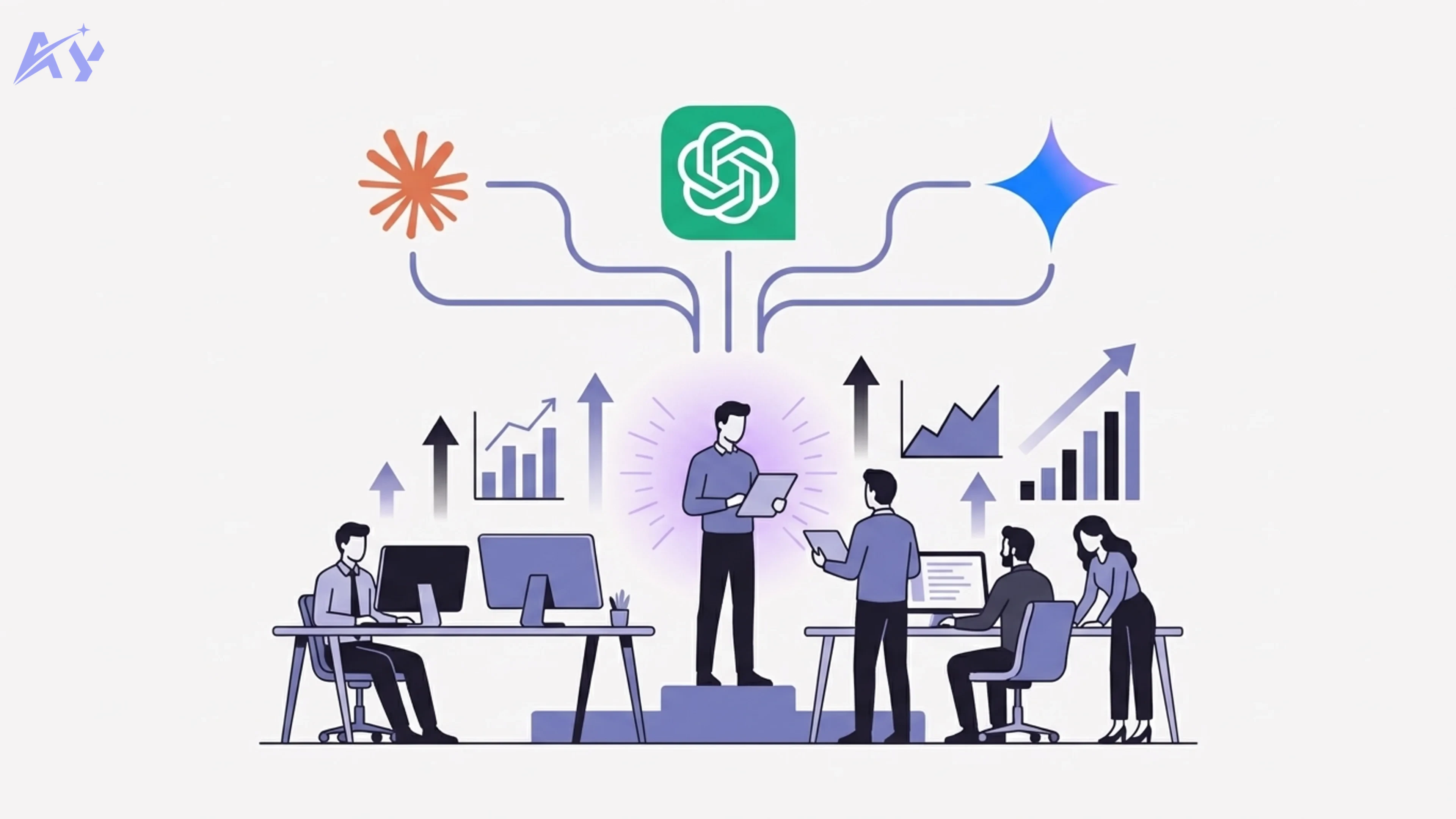
Using AI tools does not make a team AI-native. Most teams in 2026 have access to at least one AI product. The difference is structural. An AI-native team has redesigned its processes, conventions, and culture so that AI is a default participant in every workflow, not an optional add-on.
Think of it this way: a team that uses Google Docs is not "cloud-native." A team that has rebuilt its entire collaboration model around real-time cloud documents, with no local files, no email attachments, and shared permissions baked into every process, that team is cloud-native. The same distinction applies to AI.
An AI-native team treats AI as a collaborator with defined roles and responsibilities. Engineers pair-program with Claude Code on every pull request. Marketers generate first drafts with AI and spend their time editing and strategizing. Product managers use AI to synthesize user research across hundreds of interviews in minutes. The AI is not a shortcut. It is part of the system.
For companies still evaluating what this shift looks like in practice, our AI strategy consulting service helps leadership teams build a concrete roadmap tailored to their organization.
The companies pulling ahead right now are not the ones with the biggest AI budgets. They are the ones that have embedded AI into how their teams think, plan, and execute every day.
Step 1: Audit Your Team's Current AI Usage
Before you build anything, you need to understand where your team stands today. Most leaders overestimate their team's AI maturity because they confuse awareness with ability.
Anthropic published research in early 2026 showing that 94% of knowledge workers say they understand how to use AI tools, but only 33% demonstrate effective usage when observed performing real tasks. That is a 61-percentage-point gap between what people think they can do and what they actually do. This is the skills gap you need to close.
The AI Usage Assessment Framework
Run a structured audit across your team using these four categories:
1. Non-users (0-5% of work involves AI)
They have accounts but rarely log in. They may have tried ChatGPT once, found it unhelpful for their specific task, and stopped. Do not assume resistance. Often these team members simply never received guidance relevant to their role.
2. Casual users (5-20% of work involves AI)
They use AI for isolated tasks like drafting emails, summarizing documents, or brainstorming ideas. Their usage is ad hoc, with no consistent patterns or saved workflows.
3. Regular users (20-50% of work involves AI)
They have found specific use cases where AI reliably accelerates their work. They may have custom instructions or saved prompts. They are your early adopters.
4. Power users (50%+ of work involves AI)
They have fundamentally restructured how they work. AI is their default starting point for nearly every task. They build custom workflows, chain tools together, and actively experiment with new capabilities.
Most teams discover a distribution that looks something like this: 15% non-users, 40% casual users, 35% regular users, and 10% power users. Your goal over the next 90 days is to shift that curve to the right.
How to Run the Audit
Do not rely on self-reporting alone, given the 94% vs 33% gap mentioned above. Instead, combine three data sources:
- Usage analytics: Pull login frequency and session duration from your AI tool subscriptions. Most enterprise plans for Claude, ChatGPT, and Gemini provide admin dashboards with this data.
- Workflow shadowing: Have managers observe 2-3 team members during actual work sessions. Note where AI is used, where it is not, and where it could be.
- Skills assessment: Give each team member a role-specific task and ask them to complete it using AI. Time them. Evaluate the output quality. This reveals the real skills gap.
Document everything. You will need this baseline data to measure progress in Step 5.
Step 2: Choose Your AI Stack
Picking the right tools matters, but picking too many tools matters more. The biggest mistake teams make is subscribing to every AI product available and leaving individuals to figure out what to use when. That creates fragmentation, inconsistent outputs, and zero shared knowledge.
An AI-native team standardizes on a primary stack and builds shared expertise around it.
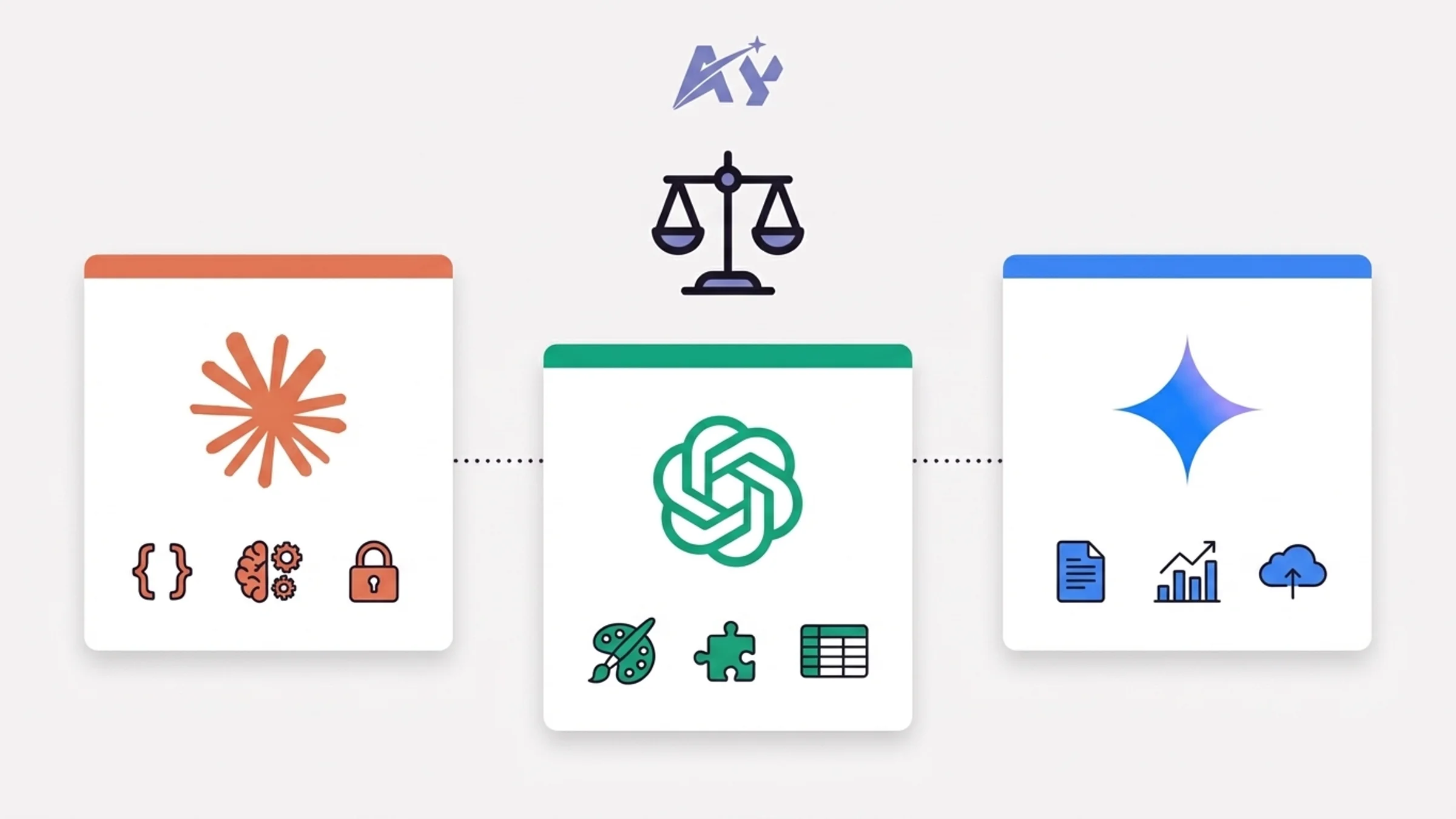
AI Tool Comparison for Teams (2026)
| Capability | Claude (Anthropic) | ChatGPT (OpenAI) | Gemini (Google) |
|---|---|---|---|
| Code generation and review | Claude Code with agent teams, CLAUDE.md conventions, 1M token context | GPT-5.4 with Codex agent, strong on isolated tasks | Gemini 2.5 Pro with 1M context, good for Google-stack teams |
| Long document analysis | 200K standard, 1M via API; best-in-class for multi-file reasoning | 128K standard, 1M via API; strong summarization | 1M native context; tight integration with Google Workspace |
| Writing and content | Natural, low-hallucination prose; strong editorial voice | Broadest style range; native DALL-E for images | Good but tends toward generic outputs without heavy prompting |
| Team collaboration | Claude Team plan ($30/user/month), shared projects, CLAUDE.md files | ChatGPT Team ($25/user/month), shared GPTs, custom instructions | Gemini Business ($20/user/month via Google Workspace) |
| Data analysis | Strong reasoning over structured data; no native spreadsheet integration | Code Interpreter with native file upload; strong for spreadsheets | Native Sheets and BigQuery integration; best for Google-stack analytics |
| Privacy and data policy | No training on team data; SOC 2 Type II certified | No training on Team/Enterprise data; SOC 2 certified | Data may be used for improvement on lower tiers; Enterprise tier excludes training |
| Best for | Engineering-heavy teams, complex multi-step workflows, teams that value AI safety | Broad use cases, creative teams, teams needing image/video generation | Google Workspace-native organizations, data analytics teams |
Our Recommendation
For most technology teams building an AI-native workflow in 2026, we recommend Claude as the primary AI platform with targeted use of ChatGPT or Gemini for specific gaps.
Here is why. Claude Code's agent architecture lets developers spin up parallel agents that handle backend, frontend, and testing simultaneously. The CLAUDE.md convention means your entire team shares the same context, coding standards, and project knowledge in a single file that travels with your repository. And the 1M-token context window means Claude can reason across your entire codebase, not the file you have open alone.
That said, if your team lives in Google Workspace and your primary use case is document analysis and spreadsheet work, Gemini is a strong choice. If you need native image generation or the broadest plugin ecosystem, ChatGPT still wins there.
For teams deploying autonomous AI agents, OpenClaw and NemoClaw enterprise setup provides the security guardrails needed for production, including NVIDIA-backed isolation and compliance controls that enterprise environments require.
The key principle: pick one primary tool, get everyone proficient on it, then layer in secondary tools for specific use cases.
Step 3: Build Shared Workflows and Skills
This is where most AI adoption efforts fail. Teams buy the tools, send a few tutorial links, and expect adoption to happen organically. It does not. Without shared workflows and conventions, every team member reinvents the wheel in isolation.
Establish a CLAUDE.md (or Equivalent) Convention
If your team uses Claude Code, the single most impactful thing you can do is create and maintain a CLAUDE.md file in every repository. This file tells Claude about your project's architecture, coding standards, key commands, and conventions. Every team member who opens the repo gets the same AI context automatically.
A good CLAUDE.md file includes:
- Project overview: What the project does, the tech stack, and key architecture decisions
- Code conventions: Naming patterns, file structure, import rules, testing expectations
- Key commands: How to build, test, lint, and deploy
- Do-not rules: Explicit boundaries like "never use npm" or "never bypass auth middleware"
- Important file paths: So the AI knows where to look for critical code
When your entire team operates from the same CLAUDE.md, the AI produces consistent outputs regardless of who is prompting it. This eliminates the "it works differently for everyone" problem that kills team adoption.
Build a Shared Prompt Library
Beyond code, create a centralized library of proven prompts and workflows for your team's most common tasks. Store these in a shared Notion workspace, a GitHub repo, or your internal wiki. Each entry should include:
- The task it solves
- The exact prompt or workflow steps
- Example inputs and outputs
- Who created it and when it was last updated
Teams that maintain a shared prompt library see 40-60% faster onboarding for new AI workflows compared to teams that rely on individual knowledge.
Define AI-First Workflow Standards
For each major workflow your team performs, document an AI-first version. Here are three examples:
Code review workflow (AI-first)
- Developer opens PR
- Claude Code reviews the diff against CLAUDE.md standards
- AI flags issues and suggests fixes
- Human reviewer focuses on architecture decisions and business logic
- AI generates the merge commit summary
Content creation workflow (AI-first)
- Human defines the topic, audience, and key messages
- AI generates a structured outline with SEO keywords
- Human reviews and adjusts the outline
- AI writes the first draft
- Human edits for voice, accuracy, and brand alignment
- AI checks for SEO optimization and readability
User research synthesis (AI-first)
- Upload interview transcripts to Claude (1M context handles dozens of transcripts)
- AI identifies themes, contradictions, and key quotes
- Human validates findings against their domain knowledge
- AI generates the research report draft
- Human finalizes recommendations
For teams that want hands-on help building these workflows, our custom AI training program covers exactly this: designing AI-first processes tailored to your team's specific work.
Step 4: Train Your Team Systematically
Sending your team a link to Claude's documentation is not training. An AI-native company in 2026 treats AI skills the same way it treats any other critical competency: with structured onboarding, practice, and ongoing development.
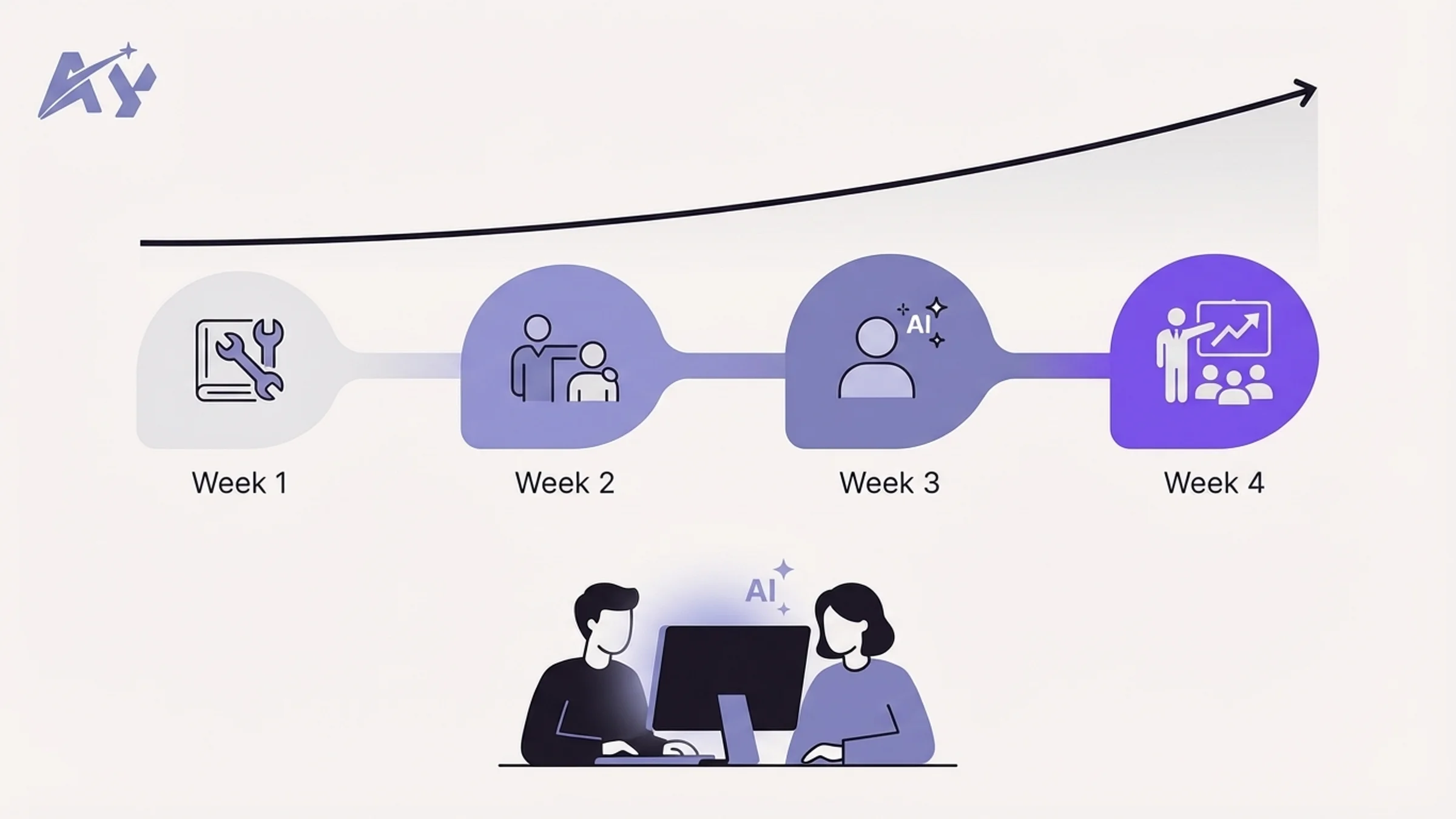
The 30-Day AI Onboarding Program
Week 1: Foundations (all roles)
- Day 1-2: Set up accounts, install tools, configure team settings
- Day 3-4: Complete role-specific tutorial (engineer, marketer, PM, designer)
- Day 5: First real task completed with AI, reviewed by a power user
Week 2: Guided practice (role-specific)
- Each team member completes 3 real work tasks using AI-first workflows
- Daily 15-minute check-in with their AI mentor (a designated power user)
- Document what worked, what failed, and what prompts they refined
Week 3: Independence
- Team members work independently using AI-first workflows
- End-of-week skills assessment: complete a timed task, compare output quality and speed to Week 1 baseline
- Share one new prompt or workflow with the team library
Week 4: Contribution
- Each team member identifies one workflow in their role that is not yet AI-enhanced
- They design and document an AI-first version
- Present it to the team for feedback and adoption
Pair Programming with AI
For engineering teams, pair programming with AI is the single fastest way to build competence. The model is simple: one developer works with Claude Code on a real task while another developer observes and coaches on prompting technique.
This is not theoretical training. The pair works on actual tickets from the sprint backlog. The observer's job is to notice moments where the developer could have given Claude better context, used a different approach, or leveraged a feature they did not know about.
Run these sessions twice a week for the first month. After that, most developers will have internalized the patterns and will not need the observer. If your team lacks AI-native talent internally, AI staff augmentation can fill the gap with pre-vetted engineers who hit the ground running, typically placed within 2-4 weeks.
Measuring Training Effectiveness
Track three metrics during the onboarding period:
- Task completion time: How long does it take to complete standard tasks with AI vs without? Target: 30-50% reduction by end of Week 4.
- Output quality score: Have a senior team member blind-review outputs from AI-assisted and non-AI-assisted work. Score on a 1-5 scale for accuracy, completeness, and adherence to standards.
- Adoption consistency: What percentage of eligible tasks are being completed with AI-first workflows? Target: 70%+ by end of Week 4.
Step 5: Measure and Iterate
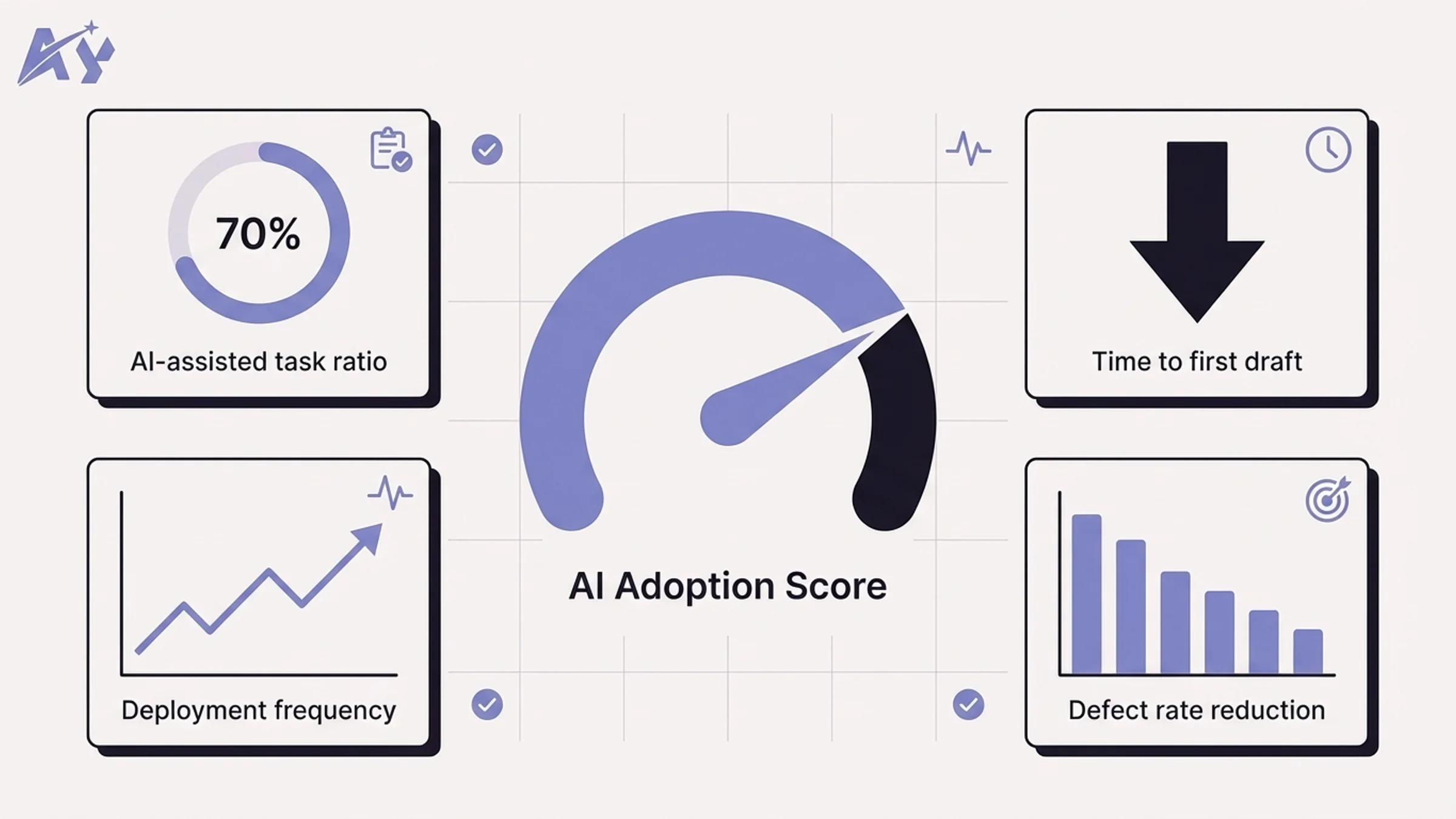
You cannot manage what you do not measure. AI-native teams track specific KPIs that show whether AI adoption is actually improving outcomes, not increasing tool usage alone.
Core AI Adoption KPIs
| KPI | What It Measures | Target (90 days) | How to Track |
|---|---|---|---|
| AI-assisted task ratio | % of tasks where AI was used meaningfully | 70%+ | Weekly self-report + tool usage analytics |
| Time to first draft | Average time from task start to first deliverable draft | 40-50% reduction | Project management tool timestamps |
| Code review cycle time | Time from PR opened to PR merged | 30% reduction | GitHub/GitLab analytics |
| Deployment frequency | How often the team ships to production | 2x increase | CI/CD pipeline metrics |
| Defect rate | Bugs per release or per 1,000 lines of code | 20% reduction | Bug tracking system |
| Prompt library contributions | New shared prompts/workflows added per week | 3-5 per team per week | Shared library analytics |
| Training completion rate | % of team that finished the 30-day onboarding | 95%+ | LMS or spreadsheet tracking |
| Employee satisfaction with AI tools | How useful the team finds their AI stack | 4.0+ out of 5.0 | Monthly pulse survey |
The Monthly AI Retrospective
Add a standing monthly meeting specifically for AI workflow review. This is not a general retrospective. It focuses exclusively on:
- What AI workflows are working well and should be standardized
- What workflows are underperforming and need redesign
- New AI capabilities released in the past month that the team should evaluate
- Prompt library updates and contributions
- Skills gaps identified and training needed
Keep it to 45 minutes. Assign a rotating facilitator. Document decisions and action items. This single meeting is what separates teams that plateau at casual AI usage from teams that continuously improve toward true AI-native status.
Iterate on Your AI Stack
Review your tooling quarterly. The AI landscape in 2026 moves fast. Claude, ChatGPT, and Gemini all ship major updates every 4-8 weeks. What was the best tool for a specific task in January may not be the best tool in April.
Designate one person on the team as your "AI scout." Their job is to evaluate new releases, test them against your current workflows, and recommend changes. This prevents the team from either falling behind on capabilities or getting distracted by every new launch.
AI-Native Team vs Traditional Team
Here is what the difference looks like in practice across key dimensions:
| Dimension | Traditional Team | AI-Native Team |
|---|---|---|
| Starting a new task | Open a blank document or IDE | Open AI with project context loaded, generate a structured starting point |
| Code review | Manual line-by-line review, 1-2 day turnaround | AI pre-review catches style/logic issues, human reviewer focuses on architecture; turnaround under 4 hours |
| Writing a blog post | Writer researches, outlines, drafts, edits (8-12 hours) | AI generates research summary and outline, writer directs and edits (3-5 hours) |
| Onboarding a new developer | Read docs, shadow teammates, 2-4 weeks to first meaningful PR | AI explains codebase via CLAUDE.md, new dev ships first PR in 2-3 days |
| Debugging a production issue | Grep through logs, read stack traces, 30-60 min to root cause | AI analyzes logs and codebase simultaneously, root cause in 5-15 min |
| Knowledge sharing | Tribal knowledge, Slack threads, outdated wiki pages | AI-accessible project files (CLAUDE.md), living prompt libraries, AI can answer team questions from shared context |
| Responding to a customer issue | Support agent reads ticket, searches knowledge base, drafts response (10-15 min) | AI drafts response from knowledge base, agent reviews and personalizes (3-5 min) |
| Quarterly planning | Manual data gathering, spreadsheet analysis, 2-week process | AI synthesizes data from multiple sources, generates draft plans, team focuses on strategic decisions (3-5 days) |
Actionable Takeaways
Start with an honest audit. Use the four-tier framework (non-user, casual, regular, power user) and do not rely on self-reported data. The 94% vs 33% skills gap is real. Measure observed behavior, not stated confidence.
Standardize on one primary AI tool. Fragmentation kills adoption. Pick Claude, ChatGPT, or Gemini as your team's default, get everyone proficient on it, and only add secondary tools for specific capability gaps.
Build shared context, not individual expertise. CLAUDE.md files, shared prompt libraries, and documented AI-first workflows ensure that AI knowledge belongs to the team, not to individual power users who might leave.
Train with real work, not tutorials. The 30-day onboarding program works because it uses actual tasks from the sprint backlog. Pair programming with AI accelerates learning faster than any course or documentation.
Measure outcomes, not usage. Track time-to-first-draft, code review cycle time, deployment frequency, and defect rates. If the numbers are not improving, your AI adoption is cosmetic, not structural.
Sources
- Anthropic. "The AI Skills Gap: Theoretical Knowledge vs Observed Performance." Anthropic Research Blog, January 2026.
- OpenAI. "GPT-5.4 System Card and Benchmarks." OpenAI Documentation, March 2026.
- Google DeepMind. "Gemini 2.5 Pro Technical Report." Google AI Blog, February 2026.
- Anthropic. "Claude Code: Agent Teams and CLAUDE.md." Anthropic Documentation, 2026.
- DORA. "2025 State of DevOps Report: AI-Assisted Development." Google Cloud, 2025.
FAQ
What does AI-native mean for a team?
An AI-native team has restructured its workflows, conventions, and culture so that AI is a default participant in every process. It goes beyond having AI tool subscriptions. AI-native means the team has shared context files, documented AI-first workflows, and measures AI's impact on outcomes like shipping speed and code quality.
How long does it take to make a team AI-native?
Most teams can complete the foundational transformation in 90 days. The 30-day onboarding program builds individual skills, and the following 60 days are spent refining shared workflows, building the prompt library, and establishing the measurement cadence. Full cultural adoption typically takes 6-12 months.
What is the best AI tool for team collaboration in 2026?
For engineering-heavy teams, Claude with Claude Code offers the strongest team collaboration features, including CLAUDE.md shared context files, agent teams for parallel task execution, and a 1M-token context window. For Google Workspace-native organizations, Gemini integrates most cleanly. ChatGPT offers the broadest general-purpose capabilities and the largest plugin ecosystem.
How do you measure AI adoption success?
Track outcome-based KPIs rather than usage metrics. The most important indicators are: time-to-first-draft reduction (target 40-50%), code review cycle time reduction (target 30%), deployment frequency increase (target 2x), and defect rate reduction (target 20%). Supplement these with a monthly employee satisfaction survey about AI tool usefulness.
Can non-technical teams become AI-native?
Yes. The AI-native framework applies to any knowledge work team. Marketing teams use AI for content generation, research synthesis, and campaign analysis. Sales teams use AI for prospect research, email personalization, and CRM data enrichment. Operations teams use AI for process documentation, vendor analysis, and reporting. The key is the same: standardize on tools, build shared workflows, train systematically, and measure outcomes.
What is a CLAUDE.md file and why does it matter?
A CLAUDE.md file is a project-level configuration document that gives Claude context about your codebase, conventions, and standards. It lives in the root of your repository and is automatically loaded when any team member uses Claude Code on that project. It matters because it ensures every team member gets consistent AI behavior regardless of their individual prompting skill, eliminating the "works for me but not for you" problem.
How much does it cost to make a team AI-native?
Tool costs range from $20-30 per user per month for team plans on Claude, ChatGPT, or Gemini. The larger investment is time: expect 20-30 hours per team member during the 30-day onboarding period, plus 5-10 hours of leadership time to design workflows and run the audit. Most teams report a positive ROI within 60 days through time savings alone, with engineering teams seeing the fastest payback due to reduced code review cycles and faster shipping.
How do you handle team members who resist AI adoption?
Start by understanding the root cause. Resistance usually falls into three categories: lack of relevant training (they tried AI and it did not help with their specific tasks), legitimate concerns about quality or accuracy (which should be addressed with guardrails and review processes), or fear of job displacement (which requires honest conversation about how roles will evolve, not be eliminated). The most effective approach is pairing resistant team members with enthusiastic power users for the first two weeks. Seeing AI succeed on real work in their domain converts skeptics faster than any presentation.
Continue Reading
CLAUDE.md vs AGENTS.md: What Changed When Claude Code Added AGENTS.md Support (2026)
Claude Code 2.1.277 reads AGENTS.md when a folder has no CLAUDE.md. Here is the exact precedence, the /config setting, what to do with old symlink and import workarounds, and how to verify it works.
AGENTS.md Explained: The Open Spec for AI Coding Agent Instructions
AGENTS.md is an open, cross-tool markdown file for giving AI coding agents project context: build commands, tests, and conventions. Codex, Cursor, and opencode read it natively, and since version 2.1.277 (September 18, 2026) Claude Code falls back to it when a folder has no CLAUDE.md.
Claude Skills Marketplace: Where to Find and Submit Claude Skills (2026)
There's no single official Claude Skills Marketplace. Skills ship inside plugins across two Anthropic-run catalogs and Anthropic's own GitHub repo, plus a few independent community sites that index or curate skills separately. Here's where to actually find them, and the real path to submit one.
Book a Free Strategy Call
Building this in production?
Walid runs a 30-min call to map your AI engineering team. Free, no slides.
Free weekly brief
Steal our production automations
The exact n8n flows, Claude Code setups, and prompts we ship for clients, broken down step by step. No spam, unsubscribe anytime.

Walid founded AY Automate to help businesses ship AI workflows that actually move revenue. He leads strategy and oversees every client engagement end-to-end.
Full Bio →