Book a Free Strategy Call
Skip the read: talk to Walid in 30 min.
Free strategy call. We map your AI engineering team, you keep the notes.
n8n vs Dify: Two Different Ways to Think About AI Workflow Automation
The n8n vs Dify verdict: pick n8n when your automation starts with an event and AI is one step in a larger workflow; ops and RevOps teams adapt to it fastest. Pick Dify when you are building an LLM-first application like a chatbot, an agent, or a RAG system; dev teams reach production faster with it. And the strongest production setups combine both, with n8n handling integrations and routing while Dify handles AI reasoning.
Both platforms are open-source and self-hostable with massive GitHub communities, yet they solve the automation problem from completely opposite directions. That single architectural difference determines which one belongs in your stack.
This comparison breaks down both platforms honestly, covers pricing, and helps ops teams, RevOps engineers, and technical founders pick the right tool for the job.
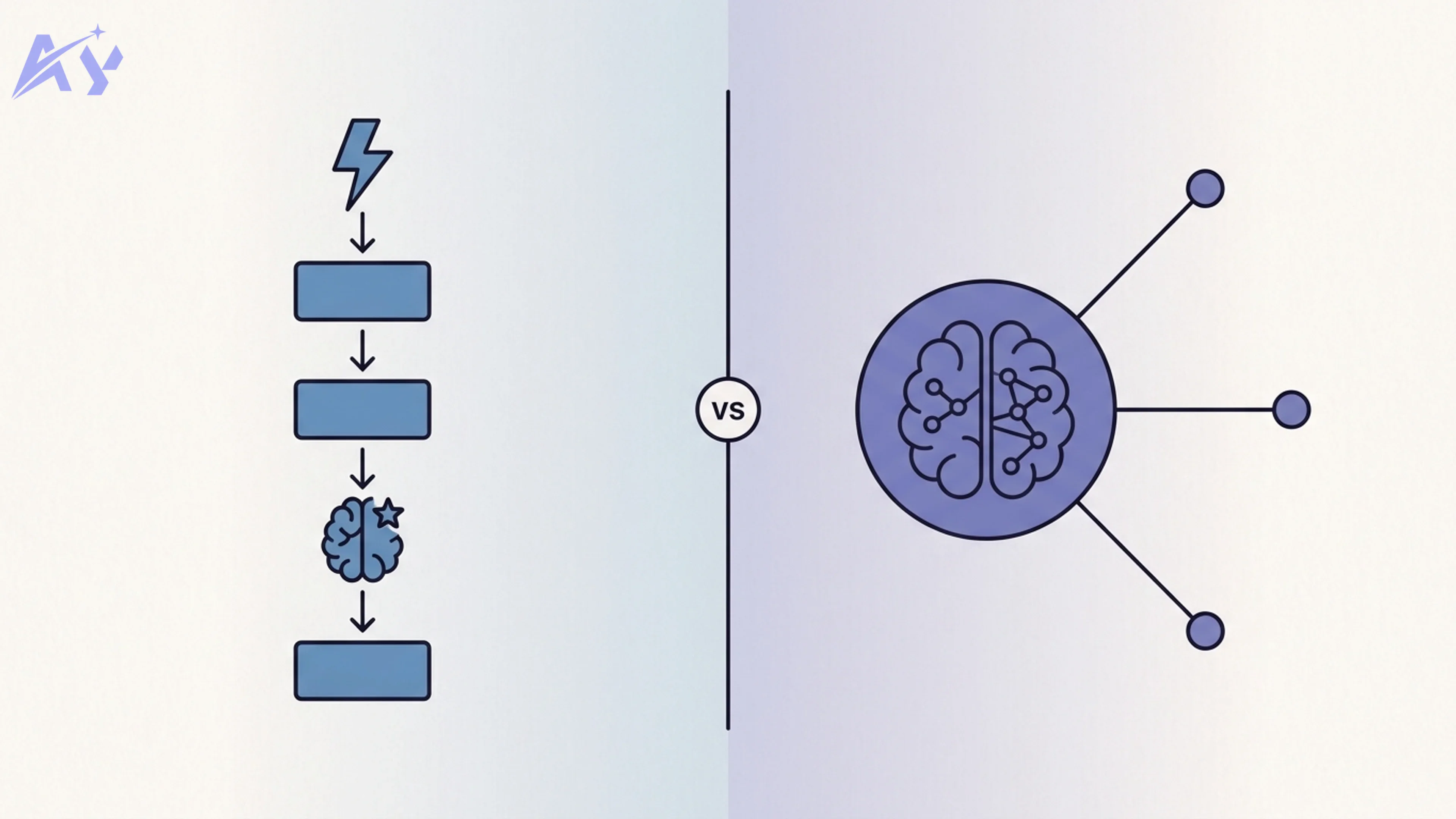
The Core Mental Model Difference
This is the most important thing to understand before looking at any feature comparison.
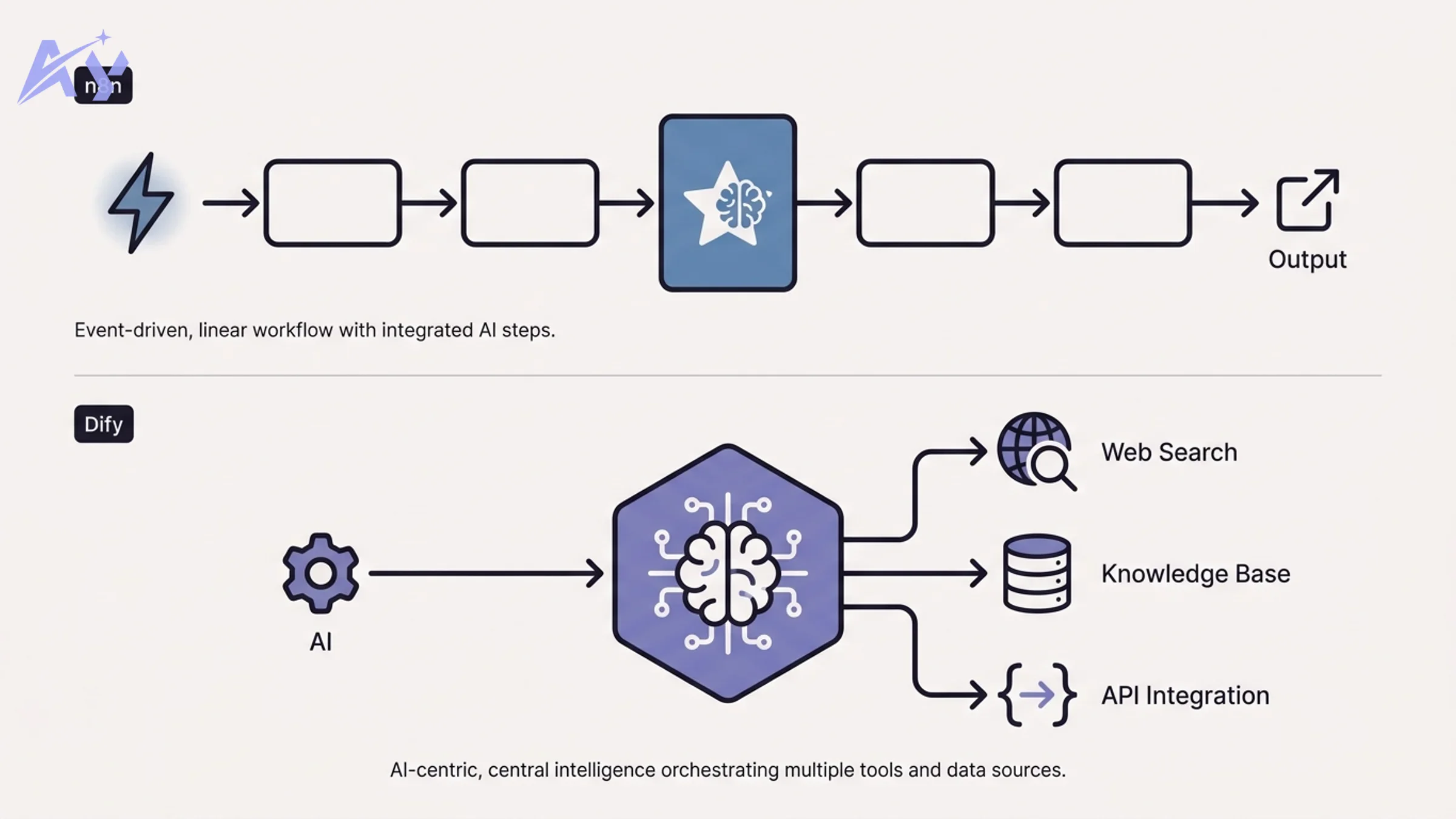
n8n is a workflow-first platform. You start with a trigger: a webhook fires, a schedule ticks, a new row appears in a database. From that trigger, you chain nodes: transform data, call an API, filter records, send a message. AI is one more node you can drop into that chain. It processes something and passes a result downstream.
Dify is an LLM-first platform. You start with a language model at the center. Then you add tools and workflows around that model: a RAG knowledge base, a web search tool, a memory layer, an output formatter. The LLM is the brain; everything else is wiring.
The mental model difference predicts which tool fits your team:
- If your automation starts with "something happened, now do these steps," you think in n8n.
- If your automation starts with "I want an AI that can answer questions or complete tasks, and it needs access to data and tools," you think in Dify.
Neither is wrong. They solve different problems.
Related Reads
What Is n8n?
n8n is a workflow automation platform built around a visual node-canvas. It was founded in 2019 and has grown to over 90,000 GitHub stars, with an active self-hosted community and a growing cloud offering.
The core concept is simple: triggers start workflows, nodes process data, and connectors move that data between services. n8n ships with 400+ integrations covering everything from Slack and HubSpot to PostgreSQL, Google Sheets, HTTP requests, and raw JavaScript/Python code nodes.
Key capabilities:
- Event-driven triggers: webhooks, cron schedules, email polling, database watchers
- 400+ integrations: pre-built nodes for major SaaS tools, databases, and APIs
- Code nodes: run JavaScript or Python inline for custom logic
- Sub-workflows: modular, reusable workflow components
- AI nodes: LangChain integration, OpenAI, Anthropic, and other model APIs as workflow steps
- Self-hosting: Docker, Kubernetes, or n8n Cloud
For teams looking to extend existing automation stacks with AI capabilities, or for custom n8n automation built around event-driven logic, n8n is the natural choice.
Free weekly brief
Steal our production automations
The exact n8n flows, Claude Code setups, and prompts we ship for clients, broken down step by step. No spam, unsubscribe anytime.
What Is Dify?
Dify is an LLM application development platform. Founded in 2023, it reached 100,000+ GitHub stars faster than almost any AI infrastructure project, reflecting how quickly teams needed a structured way to build and deploy LLM-powered applications.
The core concept: Dify gives you a visual environment to design and deploy AI applications, with the language model as the primary actor. You configure which model to use, connect a knowledge base, define the agent's tools, and set output behavior, all without writing application code.
Key capabilities:
- Multi-model support: OpenAI, Anthropic, Google, Mistral, Llama, and 100+ models via OpenAI-compatible APIs
- Built-in RAG: upload documents, configure chunking and retrieval strategies, connect knowledge bases directly to your app
- Agent mode: autonomous AI agents that call tools iteratively to complete tasks
- Visual workflow builder: a flowchart-style canvas for complex multi-step AI pipelines
- API endpoints: deploy any Dify app as a REST API your systems can call
- Observability: built-in tracing, cost tracking, and output annotation
For teams building AI-first applications (chatbots, document Q&A systems, research agents) Dify compresses months of infrastructure work into days. Teams building RAG pipeline architecture often find Dify provides the fastest path to a working system.
n8n vs Dify: Direct Comparison
| Category | n8n | Dify |
|---|---|---|
| Primary paradigm | Workflow-first: trigger drives the flow | AI-first: LLM is the core actor |
| Learning curve | Moderate: workflow concepts familiar to ops teams | Moderate: LLM concepts required, but UI is polished |
| AI integration depth | AI as a step in a larger workflow | AI as the primary system with tools attached |
| Built-in RAG | No native RAG; requires external vector DBs and custom nodes | Full RAG pipeline built in (upload, chunk, embed, retrieve) |
| Agent mode | Via LangChain nodes, configurable but manual | Native agent mode with ReAct and function-calling patterns |
| Model flexibility | Any model via API nodes, manual configuration | 100+ models with a model provider UI and routing |
| Self-hosting complexity | Medium: Docker single-container or queue mode | Medium: Docker Compose, requires separate vector DB for RAG |
| Cloud option | n8n Cloud (managed) | Dify Cloud (managed, generous free tier) |
| GitHub stars | 90,000+ | 100,000+ |
| Integrations count | 400+ pre-built nodes | Fewer native integrations; API calls handle the rest |
| Observability | Basic execution logs | Full LLM tracing, cost tracking, annotation tools |
| Best for | Ops teams automating event-driven business processes with AI as one step | Dev teams building LLM-native applications, chatbots, RAG systems, AI agents |
When n8n Is the Right Choice
Choose n8n when:
You already have automation workflows and want to add AI. If your team runs Zapier-style processes (lead enrichment, data syncing, notification routing) and you want to drop an AI summarization or classification step into those flows, n8n fits naturally. The AI node is just another step.
You need the integration library. With 400+ pre-built nodes, n8n covers almost every SaaS tool, database, and API your team uses. Building that same connectivity from scratch in Dify would require custom API calls for each service.
Your automation starts with events, not questions. When the trigger is "a new deal closes," "a form is submitted," or "a row is added," you're thinking in workflow terms. n8n's event-driven canvas matches that mental model directly.
You want a proven self-hosted deployment. n8n's self-hosting story is mature. Single-container Docker deployments work well for small teams. Queue mode with Redis and workers scales to high throughput. Teams that want that setup built and kept running instead of piecing it together in-house typically hire an n8n automation agency to handle the Docker deployment, queue mode, and ongoing monitoring.
You need granular control over data flow. n8n's node-by-node pipeline makes it easy to inspect, debug, and transform data at each step. For complex multi-system orchestration, the kind of custom workflow automation enterprise ops teams need, that control matters.
When Dify Is the Right Choice
Choose Dify when:
You're building an LLM-first application. If your starting point is "I want an AI assistant that can answer questions about our product documentation" or "I need an agent that can research leads and write outreach," Dify is purpose-built for this. The infrastructure that would take weeks to build (model routing, RAG, conversation memory, API deployment) is ready out of the box.
You need built-in RAG. Dify's knowledge base feature handles the entire RAG pipeline: document ingestion, chunking strategy configuration, embedding, vector storage, and retrieval. You don't need to wire together separate tools. For teams implementing RAG pipeline architecture, this alone justifies the choice.
You want an autonomous agent. When the task requires the AI to reason iteratively (search for information, decide on the next tool to call, evaluate results, and try again) Dify's native agent mode handles this without requiring custom code. Building equivalent AI agent development on n8n requires significantly more manual configuration via LangChain nodes.
You need model flexibility with minimal friction. Dify's model provider interface makes it easy to swap between OpenAI, Anthropic, open-source models, and local inference endpoints. Switching models for cost optimization or capability testing is a UI action, not a code change.
You need observability for LLM behavior. Dify's tracing and annotation tools are built for debugging and improving AI applications, something workflow platforms don't prioritize.
Can You Use n8n and Dify Together?
Yes, and for sophisticated automation teams, combining both is often the right architecture.
The pattern: n8n handles the event-driven orchestration and integration layer. Dify provides the AI intelligence layer. When a trigger fires in n8n, it sends a request to a Dify API endpoint. Dify processes it using its RAG system or agent, returns a result, and n8n routes that result to downstream systems.
Concrete example: A customer submits a support ticket (trigger in n8n). n8n enriches the record with CRM data and sends it to a Dify chatbot endpoint backed by your product documentation knowledge base. Dify returns a suggested response. n8n posts that response as a draft in Zendesk and notifies the support team in Slack.
Each tool does what it does best. n8n manages integrations and routing. Dify handles AI reasoning and knowledge retrieval. This hybrid approach scales well for teams building production automation systems. If you need help designing this architecture, the AY Automate team works with both platforms regularly.
If you need help deciding which platform fits your stack, our custom workflow automation team has production experience with both. Book a free 30-minute platform review and we will map your use cases to the right choice.
Pricing Comparison
n8n Pricing
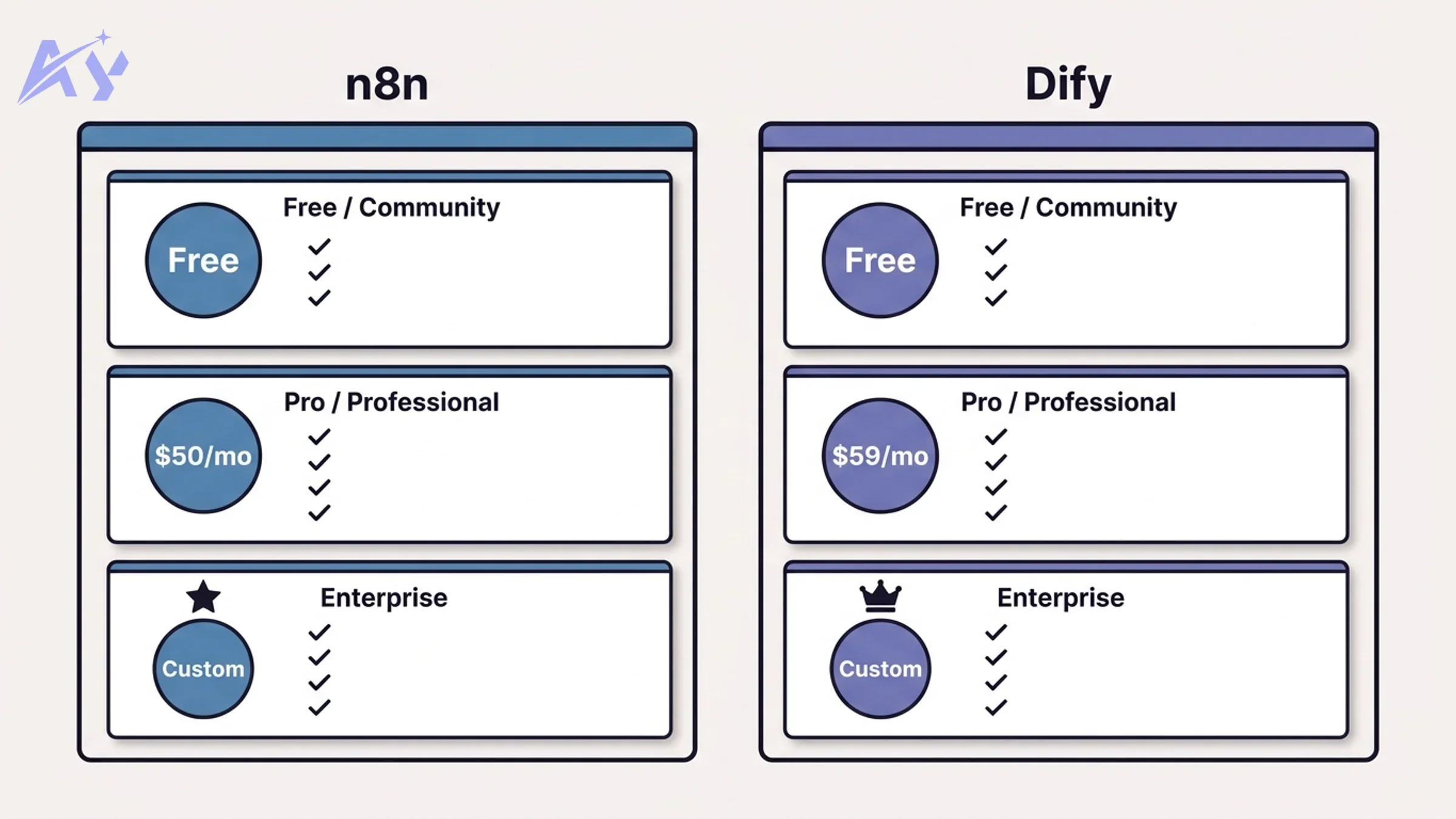
| Plan | Price | Key Limits |
|---|---|---|
| Community (self-hosted) | Free | Unlimited workflows, unlimited executions, no support |
| Starter (Cloud) | $20/month | 2,500 workflow executions/month, 5 active workflows |
| Pro (Cloud) | $50/month | 10,000 executions/month, 15 active workflows |
| Enterprise (Cloud or self-hosted) | Custom | Unlimited executions, SSO, audit logs, SLA |
The community self-hosted tier is genuinely unlimited: no execution caps, no workflow limits. This is a major advantage for teams willing to manage their own infrastructure. The cloud tiers have tight execution caps on lower plans, which can become expensive for high-volume automation.
Dify Pricing
| Plan | Price | Key Limits |
|---|---|---|
| Sandbox (Cloud) | Free | 200 OpenAI-compatible message credits, limited features |
| Professional (Cloud) | $59/month | 5,000 message credits/month, 3 team members, full features |
| Team (Cloud) | $159/month | 10,000 message credits/month, 10 team members |
| Enterprise (Cloud or self-hosted) | Custom | Unlimited, SSO, audit, private deployment |
| Community (self-hosted) | Free | Full features, you provide your own API keys and infra |
Dify's self-hosted community edition is also fully free, and because it connects to your own model API keys, your costs are purely the underlying model inference costs. For teams already paying for OpenAI or Anthropic API access, the self-hosted Dify adds no platform cost.
Bottom line on pricing: for budget-conscious teams comfortable with self-hosting, both platforms are effectively free. The cloud plans are convenient but add per-execution or per-message costs that compound quickly at scale.
Key Takeaways
- n8n and Dify are not competing for the same use case. They have different mental models and different primary users.
- n8n is the right tool when automation starts with events and AI is one step in a larger workflow.
- Dify is the right tool when the goal is an AI application (a chatbot, an agent, a RAG system) and workflow is supporting infrastructure.
- Both have strong self-hosted free tiers. Cloud plans are convenient but get expensive at volume.
- The most powerful setups combine both: n8n for integration and routing, Dify for AI intelligence.
- Team background matters: ops and RevOps teams typically adapt faster to n8n; dev teams building AI products typically reach production faster with Dify.
If you're unsure which fits your use case, the right question is: "Does my automation start with an event, or does it start with a question?" The answer usually makes the choice obvious.
For teams that need help implementing either platform, or designing a hybrid architecture, reach out to AY Automate. We work with both tools across a range of industries and team sizes.
Want a production workflow built and supported, rather than maintained in-house? Our custom workflow automation service handles deployment, monitoring, and iteration on both n8n and Dify. Book a free scoping call.
FAQ
Is n8n better than Zapier?
For most technical teams, yes. n8n offers a self-hosted option (Zapier has no self-hosted version), significantly lower cost at scale, code nodes for custom logic, and more control over data flow. Zapier has a larger no-code user base and marginally simpler UX for non-technical users. If your team has an engineer involved in automation, n8n wins on value.
Is Dify free?
Dify has a free cloud tier (Sandbox) with limited message credits. More practically, the self-hosted community edition is free with no feature restrictions; you bring your own API keys. For production use at any meaningful scale, self-hosting is typically the right choice for cost control.
Can n8n do RAG?
n8n does not have built-in RAG functionality. You can build a RAG pipeline in n8n by connecting external tools: a vector database like Pinecone or Weaviate, an embedding API, and a retrieval node. This works, but requires significantly more configuration than Dify's native knowledge base feature. If RAG is a core requirement, Dify is the more practical choice.
Which is easier to self-host?
Both require Docker. n8n is slightly simpler for basic deployments: a single container with a database gets you running. Dify requires Docker Compose with additional services (vector database, Redis, Nginx) but ships with a well-documented compose file. For teams with any infrastructure experience, both are manageable. Neither requires Kubernetes for small-to-medium deployments.
Does Dify support local AI models?
Yes. Dify supports Ollama-hosted models, LM Studio, and any OpenAI-compatible API endpoint. This means you can run completely local inference with models like Llama, Mistral, or Qwen and connect them to Dify's full feature set including RAG and agent mode.
Can n8n build autonomous agents?
n8n supports agent patterns via LangChain nodes and the AI Agent node (introduced in 2024). These allow multi-step reasoning with tool calling. However, the agent experience is less polished than Dify's native agent mode: you have more control but more manual configuration. For teams that need production-ready agents without deep LLM engineering, Dify's agent mode is more accessible.
What programming languages does n8n support for custom logic?
n8n code nodes support JavaScript (Node.js) and Python. You can also call any external script or service via HTTP Request nodes. This makes n8n extremely flexible for teams comfortable with either language. Dify supports Python for custom tools and code execution blocks in workflows.
Which platform has better AI model support?
Dify wins clearly on model breadth. The model provider UI supports 100+ models from OpenAI, Anthropic, Google, Cohere, Mistral, and dozens of smaller providers, plus local inference via Ollama. n8n supports AI models via individual API nodes; you can connect to any model, but each integration is more manual. For teams that need to swap models frequently or compare outputs across providers, Dify's unified model management is a meaningful advantage.
Continue Reading
Slack AI Agent Integration: What to Scope Before You Install One (2026)
What a Slack-integrated AI agent actually does well, the permission and access questions to answer first, and the two failure modes this integration tends to produce.
AI Invoice Automation: What It Catches and Where Humans Still Matter (2026)
What AI invoice automation actually does (extraction, three-way matching, anomaly detection), where a human still needs to be involved, and how to evaluate a system.
Human-in-the-Loop AI Automation: Where to Put the Checkpoint (2026)
The main human-in-the-loop models (pre-execution approval, post-execution review, confidence-based routing, exception-only escalation) and how to decide where the checkpoint belongs.
Book a Free Strategy Call
Building this in production?
Walid runs a 30-min call to map your AI engineering team. Free, no slides.
Free weekly brief
Steal our production automations
The exact n8n flows, Claude Code setups, and prompts we ship for clients, broken down step by step. No spam, unsubscribe anytime.

Ex-IBM AI engineer and enterprise architect. Adel owns the technical architecture behind every automation and AI agent system AY Automate ships.