Book a Free Strategy Call
Skip the read: talk to Walid in 30 min.
Free strategy call. We map your AI engineering team, you keep the notes.
Workflow automation is software that moves work between steps automatically, without a person triggering each action. When a new lead fills out your form, an automated workflow can add them to your CRM, send a welcome email, notify the sales rep, and schedule a follow-up, all in seconds, with no one touching it.
The difference between task automation (a single recurring action) and workflow automation (a conditional chain of steps across multiple systems) matters when picking a tool. Task automation works for simple, one-step jobs. Workflow automation handles the if/then logic that connects your apps.
This guide covers how workflow automation works, when to use it over simpler alternatives, and which tools are worth looking at in 2026.
So, What Is Workflow Automation, Really?

Think of it as a digital assembly line for your company’s day-to-day operations. Instead of people manually passing tasks from one desk to the next, you design a system that automatically pushes work through a series of pre-planned steps. This frees up your best people from the grind of administrative work, letting them focus on strategic thinking and creative problem-solving.
This isn’t some far-off concept. It’s a real-world advantage companies are grabbing right now. The market for this stuff is expected to hit a massive USD 80.57 billion by 2035, growing at a steady 14.3% each year. This boom is happening because businesses need to get more efficient and scale up without just hiring more and more people. It's exactly why firms like AY Automate exist: to build custom AI and automation that deliver this kind of value.
The Basic Building Blocks of Automation
Every automated workflow, no matter how complex it seems, is built from three simple parts. Once you get these, you'll start seeing opportunities for automation everywhere in your own business.
- Triggers: This is the starting gun. A trigger is a specific event that kicks off the whole sequence. A classic example is a new customer filling out a form on your website.
- Actions: These are the individual jobs the system does once it's triggered. An action could be anything from sending a welcome email, creating a task in Asana, or updating a customer record in your CRM.
- Logic: This is the "brain" of the operation. It uses simple "if/then" rules to make decisions. For instance, if a new lead is from a company with over 500 employees, then assign it to a senior salesperson. Otherwise, it goes to the junior team.
These three pieces work in harmony to create a seamless process. A trigger fires, a series of actions unfold, and logic guides it all to completion, handling a task that used to take up someone's valuable time.
Key Takeaway: Workflow automation isn’t about replacing people; it’s about supporting them. By letting the machines handle the predictable, rule-based tasks, you give your team the time and mental space to tackle the complex challenges that actually grow the business.
A Quick Example in Action
Let's make this real with a common scenario for an engineering team. A new bug gets reported in their project management tool. Manually, a developer has to spot the ticket, create a new branch in the code repository, and then ping the team to let them know. It’s a handful of small, easy-to-forget steps.
With automation, the moment that bug ticket is created (the trigger), the system can immediately perform a series of actions:
- Automatically create a new code branch with a perfect, standardized name.
- Assign the ticket to the right developer based on which part of the project it affects.
- Post a notification in a specific team channel with a direct link to the task.
This simple workflow cuts out several manual steps, slashes the risk of human error, and gets the development process started instantly. When you're managing a growing team, that kind of efficiency is non-negotiable. To see how to get started with changes like these, check out our complete guide to workflow automation for small business.
Related Reads
How AI Boosts Your Automation Engine
Traditional workflow automation is powerful, but it’s a lot like a basic calculator: it only knows how to follow strict, pre-set rules. If 'X' happens, it does 'Y'. This is fantastic for simple, predictable tasks, but what happens when a process needs a bit of judgment, context, or even creativity?
This is where artificial intelligence completely changes the game. Modern AI, especially through tech like custom AI agents and Large Language Models (LLMs), gives your automation a brain. Instead of just mindlessly following a script, AI-powered systems can understand unstructured data, make nuanced decisions, and interact with complex software just like a person would.
This shift takes you from simple task execution to intelligent, end-to-end process ownership. It’s the difference between a tool that just logs a new sales lead and one that takes complete control of the initial outreach.
From Simple Rules To Smart Decisions
The real magic of AI in automation is how it handles variability. A rule-based system breaks the moment something unexpected happens, like a customer email written in Spanish or an invoice that isn't in the standard format. AI, on the other hand, thrives in these situations.
For instance, an AI agent can read an incoming support ticket, figure out the customer's emotional tone (are they furious and need help now, or just asking a simple question?), and route it to the right department without anyone having to lay eyes on it first. That’s a level of understanding that goes way beyond simple keyword matching.
This is especially critical for technical teams. Imagine an AI that doesn’t just run tests but actually analyzes the results, pinpoints the root cause of a failure, and suggests a code fix. This is exactly what AI-driven automation brings to the table.
A Practical Example In Engineering Teams
Let's look at how AI team augmentation can directly boost an engineering team's output. A huge bottleneck is the time developers spend on non-coding work like writing documentation, reviewing code, and updating project management tools. AI agents can take over these jobs.
- Automated Code Standardization: An AI can review new code submissions, checking them against the team’s style guide and best practices. It can automatically flag issues or even suggest corrections, keeping everything consistent without senior engineers losing hours on manual reviews.
- Intelligent Onboarding: When a new developer joins, an AI agent can walk them through the setup process, answer questions about the codebase, and point them to the right documentation.
- Proactive Bug Triage: Instead of just logging a bug, an AI can analyze the error report, search for similar past issues, and assign it to the developer who has the most relevant experience.
By integrating AI, you're doing more than automating tasks; you're building a smarter, self-optimizing engineering function. This frees up your developers to spend more time building features and less time on administrative overhead.
Building Your In-House AI Capability
Getting this level of automation running goes beyond buying a tool; it's about building a whole new capability inside your organization. This is where a strategic partnership can make all the difference.
One of the most effective ways to do this is with AI team augmentation, where we place experienced AI engineers directly within your existing teams. These "AI-adopted" engineer placements don't just build solutions for you; they transfer knowledge and upskill your entire department, getting you to AI maturity much faster. For a deeper dive, you can learn more about how to use AI agents for business to make this happen.
Hands-on training is another key piece of the puzzle. Specialized AI workshops can give your development teams the practical skills to use advanced tools effectively. Workshops focused on platforms like Cursor, Claude, and other code-generation tools help standardize their use, making sure everyone is building high-quality, AI-assisted code. This kind of structured learning, similar to specialized sessions from firms like Weavy.ai, turns powerful AI tools from novelties into core parts of your development lifecycle, driving real productivity gains across the board.
Free weekly brief
Steal our production automations
The exact n8n flows, Claude Code setups, and prompts we ship for clients, broken down step by step. No spam, unsubscribe anytime.
Real World Automation Use Cases That Drive Growth
Understanding the theory behind workflow automation is a good start, but seeing it solve real, expensive business problems is what really matters. The value isn't in the tech itself; it's in what the tech does for you. It's when automation stops being a concept and starts driving real growth in every corner of your business.
We're talking about tackling the specific, everyday bottlenecks that slow your teams down, whether they're in marketing, sales, operations, or engineering. Each of these examples is a direct solution to a common headache, showing how smart automation can completely change how work gets done and reach new levels of performance.
Boosting Engineering Output with AI Team Augmentation
Ask any CTO what drains their developers' time, and you'll find it's often not the complex coding problems. It's the mountain of administrative tasks that surrounds the code: endless code reviews, managing deployment pipelines, and enforcing best practices. This is exactly where AI team augmentation can have a massive impact.
Picture an AI agent plugged directly into your development lifecycle. A developer submits a pull request, and the AI instantly reviews the code against your team's established standards. It flags potential issues and even suggests improvements. This doesn't get rid of the need for senior review, but it acts as a smart first filter, catching the small stuff so your best engineers can focus on tough architectural challenges.
This intelligent layer of support transforms your CI/CD pipeline from a simple set of steps into a proactive quality assurance system. It’s about embedding expertise directly into your development process, 24/7.
These systems can take it even further by managing deployments, running all the automated tests, and even rolling back changes if a problem pops up, all without anyone needing to step in. That’s AI team augmentation in action. It’s more than another tool; it’s like adding an intelligent assistant to your roster through a strategic AI-adopted engineer placement.
Upskilling Your Developers with AI Workshops
To really get the most out of this, your teams need to be on the same page with their tools and practices. This is why targeted AI workshops are so important. When you train your entire engineering team on platforms like Cursor for AI-assisted coding or teach them to use Claude for generating documentation and unit tests, you build a shared foundation for efficiency.
Workshops like these, similar to the specialized training offered by firms like Weavy.ai, make sure everyone is fluent with the same powerful tools. This kind of standardization is the key to building a scalable engineering culture where automation is a natural part of the workflow, not some clunky add-on. The payoff? Faster development cycles, higher-quality code, and a team that’s always getting better.
Boosting Sales and Marketing Efforts
Let's switch gears to the commercial side of the business. Workflow automation can be the difference between a leaky sales funnel and a high-conversion machine. A classic bottleneck is lead qualification. Sales reps burn countless hours chasing down leads that are a bad fit, while genuinely good leads go cold waiting for someone to call them back.
An automated system fixes this on the spot. When a new lead comes in, a workflow can kick off instantly:
- Trigger an AI agent to dig up more info on the contact, finding company size, industry, and job title from public sources.
- Qualify the lead against your ideal customer profile using a set of rules you define.
- Route the hot leads straight into a senior sales rep’s calendar and send the others into a nurturing email sequence.
This simple process guarantees your sales team is only spending their valuable time on prospects who are likely to close. On the marketing side, teams can automate the creation of hundreds of ad variations from a single brief, letting them test and find winning campaigns at a speed that would be impossible for a human to match.
Streamlining Core Business Operations
The back-office is often ground zero for repetitive manual work. Think about tasks like invoice processing or employee onboarding. These processes are perfect candidates for automation because they're rule-based, high-volume, and painfully prone to human error.
Just consider the steps involved in processing one invoice: download the attachment, manually type the data into your accounting software, and then chase down someone for approval. An automated workflow can do all of that in seconds. An AI agent can "read" the invoice, pull out the important data, check it against a purchase order, and submit it for payment.
For a detailed walkthrough, check out our guide on how to automate data entry, which breaks down exactly how to get rid of these mind-numbing tasks. You don't just save a ton of time; you also get better accuracy and a perfect audit trail for compliance. If you're comparing tools before you commit to one, our breakdown of the best workflow automation platforms covers where each one is actually strong.
Unpacking The Real ROI Of Automation
If you're weighing whether to build this in-house or bring in outside help, compare the leading AI automation agencies before you commit to one.
So, what's the real business value of workflow automation, beyond just "saving time"? The value is a powerful engine for growth, not small, incremental tweaks. The return on investment (ROI) is real, you can measure it, and it often shows up a lot faster than you’d think.
Let's start with the most obvious win: direct cost savings. When you automate repetitive, manual tasks, you slash the labor costs tied to them, sometimes by as much as 60%. This isn't about replacing people; it's about freeing them up. When your best talent isn't stuck in administrative quicksand, they can focus on high-value work. We've seen this lead to massive productivity gains, allowing a small team to achieve 10x the output.
This efficiency hits your bottom line directly. The numbers don't lie: research shows 60% of organizations see a positive ROI within the first year. This usually comes with a 25-30% surge in productivity that completely changes what a team is capable of. With IDC forecasting a massive USD 3.4 trillion in digital transformation spending by 2026, it's clear automation is no longer optional. You can explore more about these industry trends and market insights to see the full picture.
Beyond Cost Savings: The Strategic Advantages
While the financial wins are easy to see, the real magic of workflow automation is in the strategic advantages. These are a bit harder to put a number on, but they're just as critical and they compound over time, making your entire organization more resilient.
One of the biggest is getting rid of human error. Think about it: manual data entry, copy-pasting between spreadsheets, and ticking off checklists are where mistakes are born. An automated system does the exact same thing perfectly, every single time. That means your data is cleaner, your reports are more reliable, and you dodge the expensive fallout from tiny errors slipping through.
Key Insight: Automation shifts your operations from being based on human effort, which always varies, to being based on system logic, which is always consistent. This is the bedrock of scaling your business reliably.
Driving Growth And A Better Customer Experience
The ripple effect of automation goes way beyond your internal teams; it touches your customers and your revenue. Faster, more accurate processes create a much better customer experience. When a new sales lead gets an instant, personalized response, conversion rates climb. When a support ticket gets routed to the right person in seconds, not hours, customer satisfaction skyrockets.
This boost in operational muscle means you can handle more business without burning out your team. Look at these real-world outcomes:
- Higher Lead Conversion: Automated follow-ups and lead enrichment mean no opportunity falls through the cracks, which directly boosts sales.
- Increased Capacity: Your team can process more invoices, onboard more clients, and manage more projects without needing to hire more people.
- Built-in Compliance: Workflows can be designed to enforce security rules and create perfect audit trails, making it dead simple to meet regulatory requirements.
At the end of the day, workflow automation isn't a cost. It's a strategic investment that pays for itself across the entire business by cutting expenses, reducing risk, and directly fueling your growth.
Your Step-By-Step Implementation Roadmap
Some teams run this roadmap themselves; others bring in an AI automation agency to own the build and the maintenance that follows.
Jumping into workflow automation can feel like a massive project, but it doesn't have to be. We've found the best way to turn a big idea into a manageable project with predictable results is to follow a proven, step-by-step process. A clear roadmap takes the mystery out of it all, giving you a reliable path from initial concept to a fully optimized system that actually delivers.
This goes beyond efficiency for its own sake. A strategic approach to automation directly impacts the numbers that matter: it cuts operational costs, boosts what your team can accomplish, and ultimately, fuels real growth.
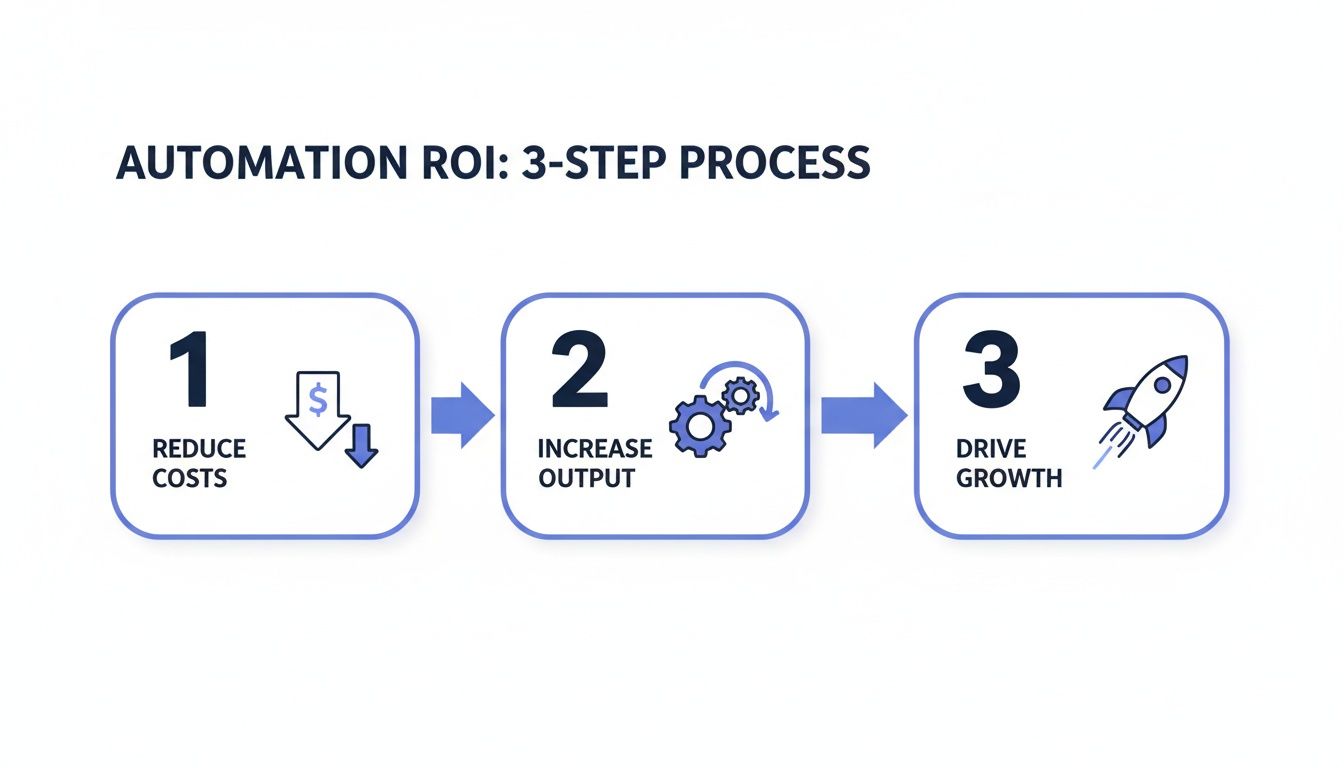
Think of it this way: automation systematically trims down your expenses while simultaneously giving your team more firepower. It’s the perfect recipe for scaling up your business.
Step 1: Discovery And Audit
First things first, we need to figure out where to start to get the biggest bang for your buck. This isn't about trying to automate everything at once. It's about finding the "low-hanging fruit": the most repetitive, time-sucking, and error-prone tasks that are currently draining your resources.
We start by mapping out your current processes to create a clear inventory of opportunities. The goal is simple: identify the spots where an automated solution will give you the most significant and immediate return.
Step 2: Strategy And Roadmap
Once we have a list of potential automation projects, it's time to get strategic. Not all opportunities are created equal, so we help you weigh each one against two critical factors: its potential return on investment (ROI) and its technical feasibility.
This planning stage results in a clear, prioritized roadmap. It lays out exactly which workflows to tackle first, what you can expect to achieve, and how each project will build on the last. This makes sure every step you take is directly tied to your bigger business goals, creating momentum and delivering value right out of the gate.
A well-defined roadmap turns a vague desire for "more efficiency" into an actionable plan. It provides a clear sequence of projects, ensuring you solve the most pressing problems first and build a solid foundation for future automation.
Step 3: Implementation And Integration
This is where the plan comes to life. The implementation phase is all about the hands-on work of building your custom AI agents and automated workflows. A huge part of this is getting your different software tools to talk to each other, creating a single, seamless system using powerful platforms like n8n or custom code.
For engineering teams, this is where AI team augmentation and AI-adopted engineer placements make a huge difference. By embedding our experienced AI engineers directly into your team, we speed up development and ensure the new solutions fit perfectly within your existing tech stack. We also run specialized AI workshops on tools like Cursor and Claude, getting your developers up to speed and standardizing how you build with AI. For picking the underlying AI tooling itself, our guide to the best AI workflow automation tools breaks down what to use where.
Step 4: QA And Optimization
Getting a new workflow live isn't the finish line; it’s just the beginning. Think of automation as a living system that needs to be monitored and tweaked over time to keep it running at its best.
This final phase involves rigorous quality assurance (QA) to test everything under real-world conditions, iron out any bugs, and make sure it's hitting the goals we set. After launch, we keep a close eye on performance, gather data, and look for ways to make it even better. This continuous improvement loop ensures your automated systems grow right alongside your business, delivering more and more value long after they're first switched on.
Building A Long-Term, In-House AI Capability
Putting a few automated workflows in place is a great start, but it's not the end game. The real goal is to weave this capability into the very fabric of your company. Long-term success isn't about being permanently tied to external consultants; it’s about becoming self-sufficient. It means building a durable, in-house AI competency that lets you innovate and pivot on your own terms.
This journey is about shifting from a consumer of automation services to a creator of your own efficient future. You're taking ownership of the skills needed to make sure your automated solutions grow and change right alongside your business, which is a massive competitive advantage.
Accelerate Adoption with AI Team Augmentation
One of the quickest ways to build this internal muscle is through AI team augmentation and strategic AI-adopted engineer placements. This is not another word for outsourcing; it's about insourcing expertise. We literally place experienced AI engineers directly into your teams, creating a powerful, hands-on learning environment.
These AI-adopted engineers don't just work for you; they work with you on real-world projects. They deliver immediate value while passing on critical knowledge to your staff. Think of them as both mentors and accelerators, showing your team the ropes by tackling your specific automation challenges and applying best practices in your unique context. This approach closes the skills gap in record time, turning abstract concepts into practical, repeatable wins.
By embedding an expert directly into your team, you create an incredible feedback loop where your people learn by doing. This method demolishes the learning curve, making advanced workflow automation an accessible, in-house skill instead of some mysterious black box.
Upskill Your Developers Through Targeted AI Workshops
While team augmentation offers deep, project-based learning, targeted workshops are about giving your entire engineering department a broad, foundational upgrade. The idea is to standardize the use of advanced tools so everyone is operating from the same high-performance playbook. This is non-negotiable for maintaining code quality and boosting productivity across the board.
Our specialized AI workshops are built for exactly this. They deliver structured, hands-on training for developers on the kind of tools that are fundamentally changing how modern code gets written.
Here’s what that looks like:
- Standardizing AI Coding Assistants: We run workshops on tools like Cursor, teaching your engineers how to use AI to write, debug, and refactor code way more efficiently. This creates a consistent development environment where everyone is using the same powerful tools.
- Mastering Advanced Language Models: We hold training sessions on models like Claude to show your teams how to generate top-notch documentation, build thorough unit tests, and even brainstorm architectural solutions. AI becomes part of the entire development lifecycle.
- Learning from Industry Leaders: These focused sessions, much like the specialized training you’d get from a firm like Weavy.ai, make sure your teams are more than using the tools, but truly mastering them to get the biggest possible impact.
When you combine the deep-dive integration of AI-adopted engineers with the broad upskilling from targeted workshops, you create a powerful, self-sustaining AI capability. It’s a strategic investment that ensures your understanding of what is workflow automation moves from a simple concept to a core operational strength.
If this sounds like the right fit, our workflow automation agency page covers scope, process, and how an engagement starts.
For the exact process we run in production, see our n8n workflow builder workflow: steps, tools, and when not to use it.
Frequently Asked Questions About Workflow Automation
Answering the tough questions is key to a successful automation strategy. Founders, CTOs, and operations leaders often have practical concerns that need clear answers before moving forward.
How Secure Is Workflow Automation With Sensitive Data?
Security is non-negotiable, especially when you're dealing with sensitive or regulated data. While off-the-shelf cloud platforms offer convenience, we find that true security and control come from custom, self-hosted AI solutions. This approach gives you complete ownership over your data, ensuring it never leaves your private environment.
We specialize in building solutions for government-grade environments. By using proven security best practices, we ensure your automated workflows are stable, compliant, and completely locked down from end to end.
Can Automation Integrate With My Custom Software?
Absolutely. This is where pre-built, one-size-fits-all tools often fall short and where expert implementation makes all the difference. A core part of our process is building custom integrations using APIs and tailored code to bridge any gaps.
Whether you're using mainstream SaaS tools or proprietary, in-house software, our architects design AI agents that connect your entire tech stack without friction. This guarantees that data flows exactly where it's needed, no manual intervention required.
How Can My Non-Technical Team Adopt AI Automation?
This is a common and critical question. Getting your team on board is about more than the technology; it's about bringing your people along. We provide end-to-end services that include full training and hands-on AI workshops, all tailored to your team's specific skill level and goals.
We can also embed expertise directly into your organization through our AI team augmentation and AI-adopted engineer placements. This gives your team on-the-job guidance, speeds up knowledge transfer, and helps you build a lasting in-house capability. Through this process, your team gains the confidence to not only manage but also expand on your automation solutions independently.
Ready to see what a custom AI and automation roadmap could do for your business? AY Automate builds secure, production-grade solutions that scale your operations without increasing headcount. Book your free automation audit today.
Continue Reading
AI Agents for Business in 2026: Real Use Cases, Cost, and How to Pick the Right One
Updated June 2026. "AI agents for business" went from buzzword to real category between 2024 and 2026.
What Is Hyperautomation in 2026? (Definition, Stack, and the Honest ROI)
Hyperautomation in 2026: RPA combined with AI agents. What frontier models changed, where it delivers ROI, and when plain automation is the right answer.
Custom AI Agent Development in 2026: The Honest Buyer's Guide
Updated June 2026. Two years ago, "AI agent development" meant a chatbot with extra steps.
Book a Free Strategy Call
Building this in production?
Walid runs a 30-min call to map your AI engineering team. Free, no slides.
Free weekly brief
Steal our production automations
The exact n8n flows, Claude Code setups, and prompts we ship for clients, broken down step by step. No spam, unsubscribe anytime.

Ex-IBM AI engineer and enterprise architect. Adel owns the technical architecture behind every automation and AI agent system AY Automate ships.