
Book a Free Strategy Call
Skip the read: talk to Walid in 30 min.
Free strategy call. We map your AI engineering team, you keep the notes.
Claude plugins can look like the quickest way to connect Claude to your work, but the hard part is choosing something your team can trust and maintain. The practical answer is to compare three routes: an official marketplace listing, a custom Claude Code plugin, or automation outside the plugin model. For most B2B teams, the right choice depends on data access, repeatability and who will own the system after launch.
A Claude plugin is a packaged extension that adds instructions, commands or related components to a Claude workflow. This guide does not rank named plugins because fewer than three independently documented options were available for a fair comparison. Instead, it shows the available routes, their limits and the checks to make before adopting one.
Why people look for alternatives
Teams look beyond a ready-made Claude plugin when it does not match their workflow, asks for access they cannot approve, or lacks a clear maintenance path. Others need a process that crosses several business systems, which may call for external automation rather than a plugin installed inside Claude Code.
Common reasons include:
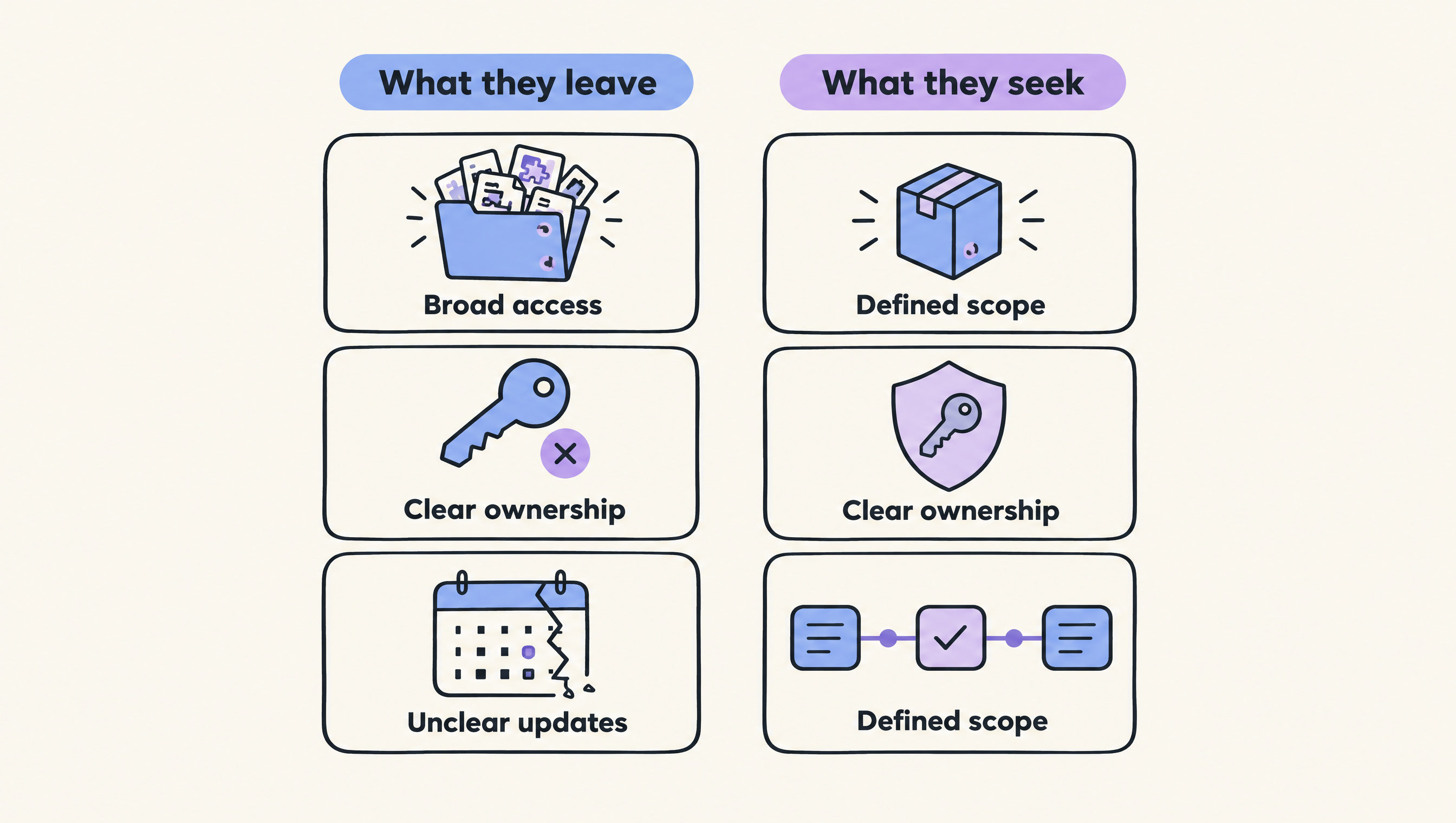
- The plugin requests more access than the task appears to need.
- Its owner, update process or support path is unclear.
- The workflow needs approvals, logs or error handling outside Claude.
- A general plugin does not match the team's internal rules.
- The team wants to control the code and deployment process.
- Pricing or plan requirements are not clear enough to approve.
A ready-made plugin can still fit when its purpose is narrow, its access is understandable and someone can test it in a controlled environment. Do not replace a suitable plugin merely because a custom build sounds more flexible. Custom work creates its own maintenance burden.
| Route | What it does | Best for | Pricing basis | How it differs from a ready-made plugin |
|---|---|---|---|---|
| Official marketplace listing | Offers a published plugin through the Claude Marketplace | Teams that want a defined starting point | Check the listing and applicable Claude plan | Starts with an existing package rather than internal development |
| Custom Claude Code plugin | Packages instructions and workflow components for a specific development process | Engineering teams with a repeatable Claude Code task | Development and maintenance cost; public price not applicable | The team controls scope, code review and changes |
| External workflow automation | Connects Claude Code or another model step with business tools and APIs | Work that crosses systems or needs operational controls | Project, infrastructure and maintenance cost; public price not published | Runs the wider process outside a single plugin package |
This is a guide to routes, not a ranking. AY Automate provides the external workflow automation and custom development route, so we have a commercial relationship with that option.
What should you check before choosing a Claude plugin?
Check what the plugin can access, what action starts it, who maintains it and how you can test or remove it. A useful feature list is not enough. You need to understand what happens when inputs are incomplete, an external service fails or the plugin receives sensitive information.
Use this review before installation:
- Purpose: Write down the exact job the plugin should perform.
- Access: Identify the files, repositories, credentials and services it may reach.
- Trigger: Confirm whether a person starts each action or whether it can run as part of another process.
- Output: Decide who reviews generated code, messages or records.
- Failure path: Test missing data, invalid inputs and unavailable services.
- Ownership: Name the person responsible for updates and removal.
For development work, separate convenience from control. A plugin that saves a command may be easy to inspect, while one that connects several systems may require deeper review. Our guide to best Claude Code workflows can help you define the process before you choose an extension.
The section visual below contrasts what teams leave with what they usually seek in another route.
Which main kind of option fits your team?
Choose an official listing when an existing plugin matches a narrow task. Build a custom Claude Code plugin when the task belongs inside the development environment and your team can maintain it. Use external workflow automation when the work crosses systems, needs business rules or must continue beyond one Claude session.
Claude Cowork Plugins Explained (& how to build AI employees)Watch "Claude Cowork Plugins Explained (& how to build AI employees)" on YouTube
Official marketplace listings
The Claude Marketplace is the direct place to review published marketplace options. Start with the listing's stated purpose, then inspect any available documentation and access requirements before you approve it.
This route suits teams that want to evaluate an existing package instead of designing one from scratch. Its limit is fit. A published plugin may reflect a general workflow rather than your naming rules, approval steps or internal systems.
Stay with a marketplace plugin when the job is well defined and its operation is acceptable after testing. Move to a custom option when repeated exceptions force people to repair the result manually.
For a more focused shortlist, see our guide to the best Claude Code plugins. Treat any shortlist as the beginning of review, not permission to install every item.
Custom Claude Code plugins
A custom plugin is appropriate when your team has a repeatable development task and wants direct control over the package. The team can define the instructions, review the contents and change the plugin as its engineering process changes.
The limit is ownership. Someone must specify the expected behaviour, test it and maintain it. A custom package can also become hard to trust if changes happen without review or if no one knows which version is in use.
Stay with an existing plugin when it already covers the job and your team lacks time to own another internal tool. Consider a custom build when your acceptance criteria are stable and the task repeats often enough to justify ongoing care.
The official Claude Code plugins overview is the primary reference for the plugin model. You can also compare adjacent tooling in our guide to Claude Code command-line tools.
The video below shows Claude Cowork plugins and an approach to building AI employees. It is "Claude Cowork Plugins Explained (& how to build AI employees)" by Eliot Prince, published on March 17, 2026, with a runtime of 896 seconds according to its YouTube page.
External workflow automation
External automation fits when the job involves APIs, handoffs, approvals or records across business tools. Instead of expecting one plugin to own the whole process, you can give each system a defined role and place model use inside a wider workflow.
AY Automate audits workflows, builds automations with n8n, Claude Code and a client's existing stack, tests them on real data, and maintains them after launch. We also build API integrations, custom agents and private retrieval pipelines, as described on our AI automation agency service page.
This route cannot remove the need for human decisions, access controls or maintenance. It also requires more design than installing a ready-made plugin. Stay with the original plugin when the task remains inside Claude and does not need wider orchestration.
Choose external automation when the business process matters more than the plugin itself. Write the required inputs, decisions, approvals and outputs first. Then decide whether Claude Code belongs in one step or whether another implementation is simpler.
Free weekly brief
Steal our production automations
The exact n8n flows, Claude Code setups, and prompts we ship for clients, broken down step by step. No spam, unsubscribe anytime.
How do you choose between these routes?
Choose by starting with the work, not the plugin directory. Define where the task begins, which systems it touches and who approves the result. Then pick the smallest route that can perform the job with acceptable access, testing and maintenance.
Use these decisions:
- Is the task narrow and already covered? Review an official marketplace listing.
- Does the task belong inside a coding workflow? Consider a custom Claude Code plugin.
- Does it cross business systems? Consider external workflow automation.
- Can nobody own updates and testing? Keep the process manual until ownership is clear.
Run a limited test before wider use. Use non-sensitive sample data where possible, record expected outputs and check failure cases. Do not treat a successful demonstration as proof that the option is ready for every repository, account or customer process.
Your Claude plan and any plugin-specific pricing may affect the decision, but current amounts should be checked on the relevant official pages at purchase time. Public pricing for custom development depends on scope and is not published here.
If you need to turn a cross-system process into a maintained build, talk to AY Automate about an AI automation agency engagement. We can map the workflow and determine whether a plugin, an external automation or a simpler process is appropriate.
FAQ
Are Claude plugins safe?
Claude plugins are not automatically safe or unsafe. Safety depends on the plugin's contents, requested access, connected services and how your team tests and operates it. Review the package and documentation, limit access where possible, and test with controlled data before wider use.
Where can I find plugins?
You can start with the official Claude Marketplace and the Claude Code documentation. A directory helps you discover options, but it does not replace review of access, ownership, maintenance and fit for your workflow.
What are the best Claude code plugins?
The best Claude Code plugins are the ones that solve a defined, repeated task with acceptable access and a clear owner. Compare candidates against your workflow rather than choosing by a long feature list. Our separate plugin guide provides a more focused shortlist.
Can AI Create VST plugins?
AI can assist with code, documentation and debugging for a VST plugin, but it does not remove the need for audio software engineering and testing. You still need to choose the relevant development kit and language, compile the project, test it in target hosts and review performance and licensing.
Can Claude Code make VSTs?
Claude Code can assist a developer with a VST codebase, but it should not be treated as an autonomous VST production system. Give it a defined project structure and acceptance criteria, then review, compile and test every change in the intended audio hosts.
Claude plugins legal
Claude plugins can be used legally when their code, data access, dependencies and outputs comply with the licenses, contracts and laws that apply to your use. Check third-party licenses, terms for connected services, data rights and distribution rights. Get qualified legal advice for high-risk or commercial distribution decisions.
Claude pricing
Claude pricing depends on the product, plan and usage route you choose, so check Anthropic's current official pricing before purchase. Also account for plugin charges, external services, infrastructure and internal maintenance where they apply.
Claude plans
Choose a Claude plan based on the product access, administrative controls and usage pattern your team needs. Confirm current plan details with Anthropic, then verify that the plugin or workflow you want is supported before committing.
If your team needs a maintained workflow rather than another isolated tool, AY Automate can assess the process and propose the smallest workable build.
Sources
- Claude Code plugins overview
- Claude Marketplace
- AY Automate
- AY Automate AI automation agency
- Claude Cowork Plugins Explained by Eliot Prince
Last checked: November 17, 2026.
Book a Free Strategy Call
Building this in production?
Walid runs a 30-min call to map your AI engineering team. Free, no slides.
Free 30-minute call
Want us to look at your setup?
Leave your name and email. You get the calendar right after.

Walid founded AY Automate to help businesses ship AI workflows that actually move revenue. He leads strategy and oversees every client engagement end-to-end.
Full Bio →