With this AI sales automation guide, you will finish with a mapped, tested workflow for one repetitive part of your sales process. The time required depends on the task, your data quality, the systems involved and the approvals your team needs. Start with access to your customer relationship management system, the source of your lead data, the communication tool involved and someone who owns the sales process.
The practical answer is to automate a narrow workflow first, keep people responsible for sensitive decisions and test it with real examples before launch. AI sales automation is the use of artificial intelligence and connected workflows to complete or support sales tasks such as research, qualification, drafting and record updates. It can reduce repetitive work, but it cannot own your sales strategy or guarantee revenue.
What do you need before starting?
You need one defined sales task, access to the systems it touches, representative test records and a person who can approve the workflow. Do not begin by buying several tools. Begin with the work, the desired result and the rules that a sales representative currently follows.
Prepare:
- One repetitive task with a clear start and finish
- Access to your lead source and customer relationship management system
- The fields, notes or messages used during the task
- Examples of normal, incomplete and unusual records
- A named process owner who can approve rules and outputs
- A safe test environment or records that cannot contact real prospects
- Written limits on what the automation may send, change or decide
Choose a task that happens often enough to matter but is safe enough to test. Lead research, internal qualification summaries and draft follow-ups are easier starting points than autonomous outbound messages or contract decisions.
Document the current process before changing it. If team members handle the same lead in different ways, settle the rule or record the acceptable branches. Automation will expose unclear ownership and inconsistent data rather than repair them by itself.
Related Reads
Step 1: Choose one sales task
Choose one repeatable sales task with a visible input, a defined output and an owner who can judge whether the result is correct. A narrow scope makes failures easier to find. It also prevents a test from turning into an attempted replacement for the whole sales process.
Write the task as a plain statement: "When this event happens, use this information to produce this result." For example, the event might be a new lead entering your system. The result might be an internal research summary for a representative, rather than an email sent directly to the lead.
Use these questions to screen the task:
- What starts the work?
- Which records does it read?
- What output should it create?
- Who uses or approves that output?
- What must never happen automatically?
- How will you recognise a wrong result?
Before moving on, confirm that the task has one owner and a pass or fail condition. If nobody can state what a correct output looks like, the workflow is not ready to build.
Step 2: Map the current workflow
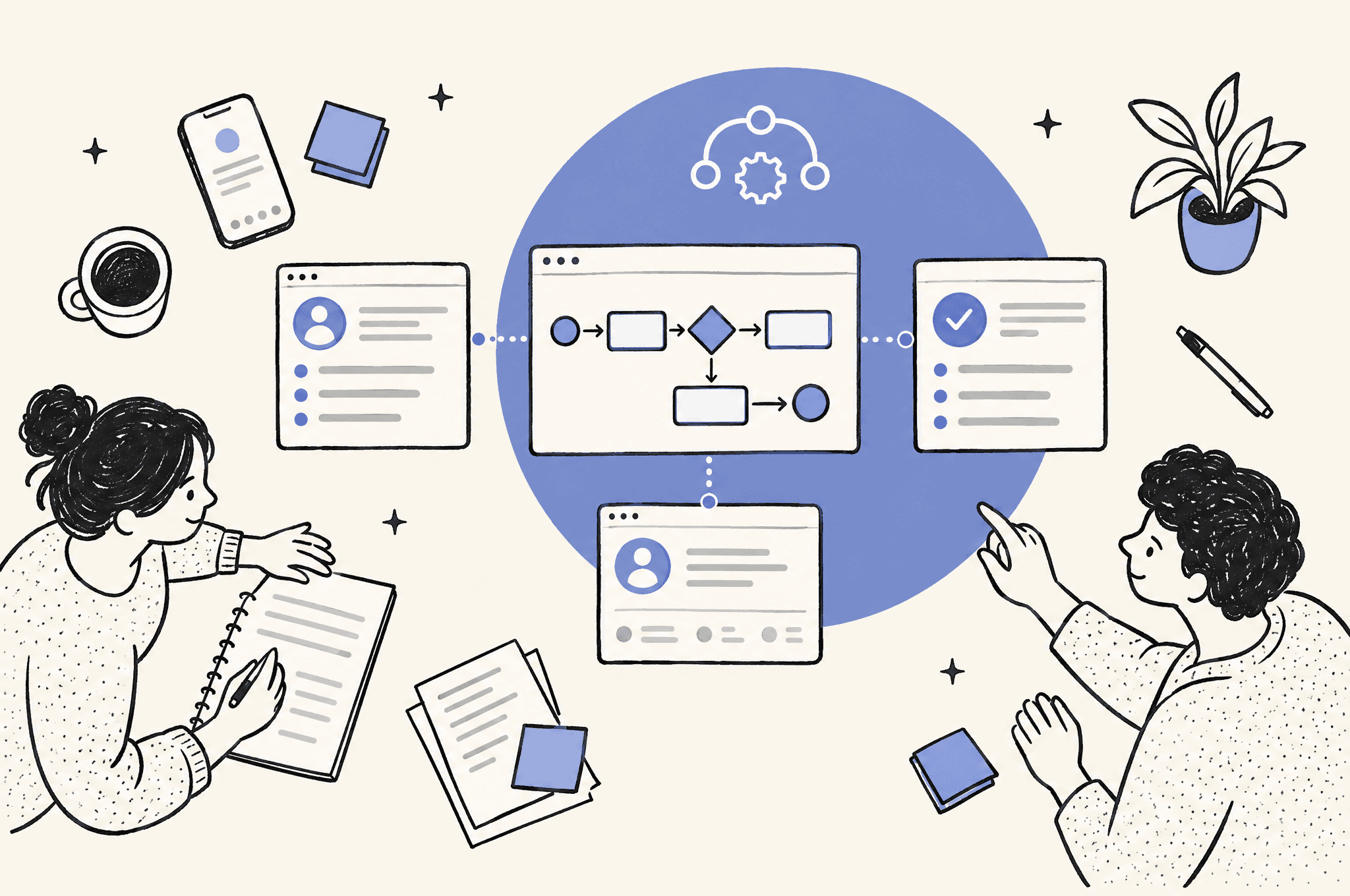
Map every handoff from the starting event to the final action, including the systems, data fields, decisions and exceptions involved. Keep the map based on what the team actually does. A policy document alone may miss manual checks, copied data and informal approval steps.
For each stage, record the input, action, output and owner. Mark where a person interprets free text, searches for context or decides between paths. Those points may suit an AI model, a fixed rule or continued human review.
Separate the parts of the process into these categories:
- Fixed rules, such as required fields or territory ownership
- AI-assisted work, such as summarising notes or drafting text
- Human decisions, such as approving outreach or handling an exception
- System actions, such as creating a task or updating a record
Look for missing values and conflicting records. If the workflow cannot find an email address, company name or owner, define whether it should stop, create a review task or continue with a reduced output. Before moving on, walk through the map with the person who performs the task.
Step 3: Define the automation rules
Define what the workflow may read, create, update and send before selecting software. State which actions require human approval and which conditions must stop the workflow. Clear boundaries protect prospects, customer records and your sales team from avoidable errors.
Turn judgement calls into explicit instructions where possible. Instead of asking a model to identify a "good lead," list the available facts it may consider and the output it should provide. If qualification depends on information that is not stored or reliably available, keep that decision with a person.
Create a short control sheet covering:
- Allowed data sources
- Required fields
- Output format
- Approval points
- Stop conditions
- Record of actions taken
Do not ask AI to infer facts that are absent. It can label missing information or route the record for review. It should not fill a customer record with an unsupported assumption.
Before moving on, test the written rules against a normal record and several exceptions. Each record should reach a clear result: proceed, request review or stop.
Step 4: Select the tools and connections
Select tools based on the workflow, existing systems and required controls, rather than choosing a model first. The right setup may combine your customer relationship management system, a workflow platform, an AI model and an approval channel. It may also use fewer components when fixed rules can do the work.
Review the best AI sales automation tools by the sales task they support. For broader orchestration, compare the best AI workflow automation platforms. Check whether each option can connect to your current systems, restrict access and expose failed runs for review.
A useful selection order is:
- Confirm the systems that hold the source data.
- Decide where the final output belongs.
- Choose the workflow layer that moves and validates data.
- Add an AI model only where interpretation or generation is needed.
- Define how a person reviews uncertain or sensitive results.
AY Automate builds workflows with n8n, Claude Code and a client's existing stack, then tests them on real data and maintains them after launch. Its custom workflow work also uses API integration to replace manual handoffs between systems (AY Automate AI automation agency).
Before moving on, confirm that every tool has one necessary role. Remove components that duplicate work without adding a needed control.
Step 5: Build a controlled version
Build the smallest version that can process test records from start to finish without contacting real prospects or changing production data unexpectedly. Use fixed rules for predictable checks. Use AI only for the parts that need interpretation, extraction, classification or drafting.
Watch "AI Sales Automation with Claude: Full Lead Gen System (No Code)" on YouTube
Connect one input source and one output destination first. Add validation before the AI step so incomplete records do not produce misleading outputs. Add validation after it so malformed or unsupported results go to review instead of continuing.
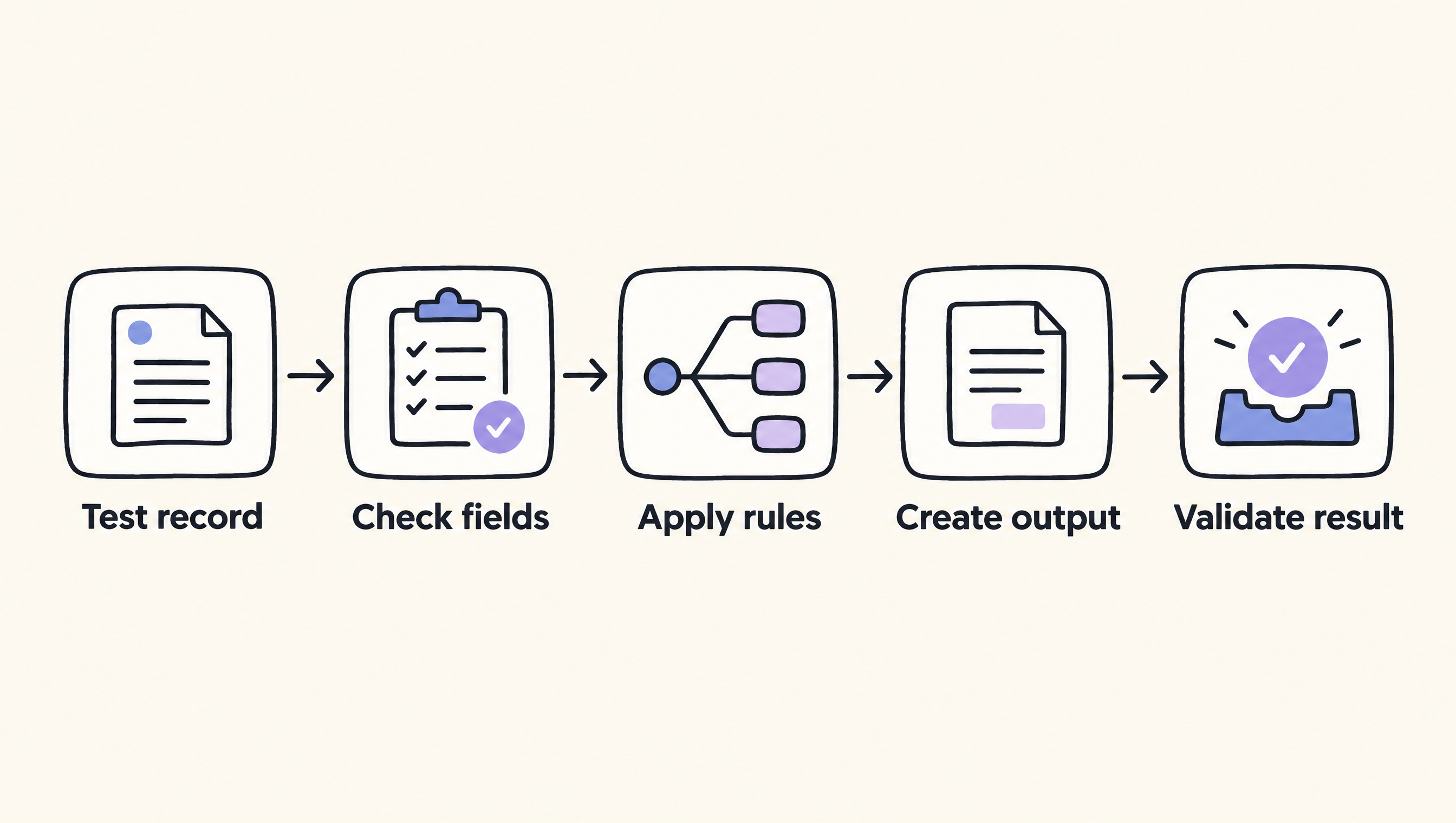
A controlled flow can follow this pattern:
- Receive a test record.
- Check required fields.
- Apply fixed business rules.
- Ask the model for a structured output.
- Validate and route the result.
The video below shows an AI sales automation lead generation system built with Claude and no-code tools: "AI Sales Automation with Claude: Full Lead Gen System (No Code)" by Automate with Marc | AI Automation.
Before moving on, inspect the source record, model output and final system record together. You should be able to explain why each field was created or changed.
Step 6: Test normal cases and failures
Test the workflow with representative real-world data, including incomplete records, conflicting information and inputs that should stop processing. A successful normal case is not enough. The workflow must also fail visibly and route problems to someone who can resolve them.
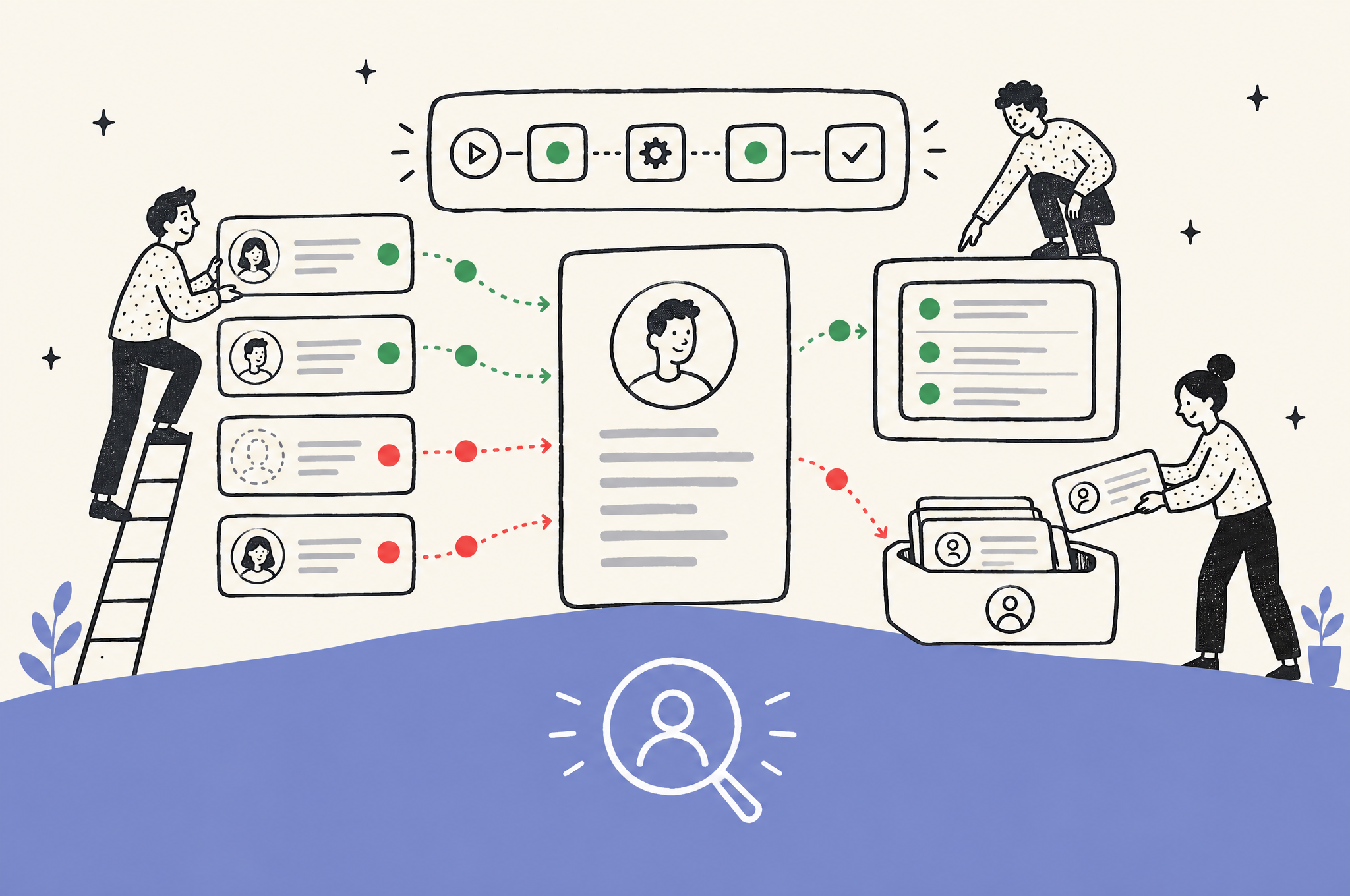
Create a test set from records that reflect the variation your team handles. Remove or protect sensitive information as required by your organisation. Record the expected output before running each test, then compare the actual output against it.
Check for:
- Missing required data
- Duplicate records
- Unsupported claims in generated text
- Incorrect routing or ownership
- Unexpected changes to source fields
- Failed connections and timeouts
- Outputs that do not match the required format
When a test fails, do not patch only that example. Identify whether the cause is unclear instructions, poor source data, a missing rule or a connection error. Then run the changed workflow against the earlier cases again.
Before moving on, make sure failures leave a visible record and do not silently continue. AY Automate's stated approach includes production testing on real data, alongside building and maintaining automations, workflows and agents (AY Automate).
Step 7: Launch with human review
Launch the workflow with a person reviewing its output before any sensitive external action. Start with a limited scope and named owners for approvals, failures and changes. Human review is especially important for outbound messages, qualification decisions and updates that affect another team's work.
Give reviewers the source information, generated output and reason for the action in one place where possible. Ask them to approve, edit or reject the result. Their corrections reveal which rules need work and which decisions should remain manual.
Define the operating process before launch:
- Who receives review requests
- What happens when no one responds
- Who investigates failed runs
- Who can change instructions or connections
- Where changes are recorded
- How the workflow can be paused
Before moving on, run a complete live check within the limited scope. Confirm that the owner receives review items and failure notices through the agreed channel.
Step 8: Monitor and improve the workflow
Monitor outputs, failures and human corrections after launch, then change one part at a time. Sales data, offers and team processes change. A workflow that worked at launch can become inaccurate when a source field, system connection or business rule changes.
Review rejected outputs and manual edits. Group them by cause rather than treating every correction as a new instruction. Frequent missing data may require an earlier validation rule, while poor drafts may require better source context or a narrower task.
Maintain a change record that states what changed, why it changed and which tests passed afterward. Recheck access when staff roles or connected tools change. Keep a way to pause the automation without blocking the underlying sales process.
Before considering the workflow established, confirm that someone owns routine checks and maintenance. If you need help mapping, building or maintaining the system, our AI automation agency can work with your existing stack.
What is the quick-reference checklist?
Use this checklist to keep the build in order and stop weak inputs from reaching prospects or production records. Each stage has a clear result to verify before you continue. If a check fails, return to that stage rather than adding more tools or expanding the workflow.
| Step | Action | Check before continuing |
|---|---|---|
| 1 | Choose one task | The task has an owner and a pass or fail condition |
| 2 | Map the workflow | Inputs, decisions, systems and exceptions are visible |
| 3 | Define rules | Allowed actions, approvals and stop conditions are written |
| 4 | Select tools | Every component has one necessary role |
| 5 | Build a controlled version | Test data moves from source to output correctly |
| 6 | Test failures | Errors stop safely and create a visible record |
| 7 | Launch with review | Owners receive approvals and failure notices |
| 8 | Monitor changes | Maintenance and change ownership are assigned |
What can AI sales automation not do?
AI sales automation cannot set a sound sales strategy, repair missing source data or guarantee revenue. It should not make unsupported claims, approve sensitive exceptions or own customer relationships without accountable people. Use it for bounded work where its inputs, outputs and failure paths can be inspected.
It is a poor fit when your process changes for every prospect, the source information is unreliable or the cost of a wrong action is high. It also does not fit a task that nobody owns. Automation can move uncertainty faster, so resolve unclear policies before building around them.
Keep negotiation, unusual commercial terms and high-impact account decisions with qualified people. AI can prepare context or a draft, but a person should own the decision and its consequences.
Common problems and fixes
The workflow produces inconsistent outputs
Narrow the task and require a fixed output format. Give the model only the source material needed for that task. Add validation after generation and send results that do not match the required structure to a person.
Records stop because information is missing
Add a required-field check before any AI step. Decide whether each missing value should stop processing, create a review item or permit a reduced output. Do not let the model invent the missing value.
The automation takes an action too early
Move the action behind an approval step. Make drafts, proposed field changes or qualification recommendations visible to the owner before they reach a prospect or alter an important record.
The team does not trust the result
Show the source data beside the output and keep a record of the workflow's actions. Start with internal assistance rather than autonomous outreach. Use reviewer corrections to improve the rules and identify work that should remain manual.
A connected system changes
Pause the affected path, inspect the failed connection and test it with protected records. Re-run earlier test cases after the repair. Keep a manual route available for the underlying sales task.
FAQ
Could AI take over sales?
No, AI should not take over the whole sales function. It can support research, qualification, drafting, routing and record updates, while people remain responsible for strategy, relationships, negotiation, exceptions and sensitive decisions. The safest design gives AI a bounded task, clear data and a human escalation path.
Can I make $1,000 a day using AI?
AI does not guarantee $1,000 a day or any other income. Revenue depends on the offer, market, sales process, execution and customer demand. Treat AI sales automation as operating infrastructure that can reduce repetitive work, not as proof that a business model will make money.
What is an AI automation company?
An AI automation company maps business processes and builds connected workflows or agents that use rules, software integrations and AI models. AY Automate audits workflows, builds with n8n, Claude Code and clients' existing tools, tests on real data and provides maintenance after launch.
What are some effective AI tools for sales and marketing?
Effective tools depend on the task and systems you already use. Look for tools that support the required source, destination, approval and error-handling process. Compare options by use case in our guide to the best AI sales automation tools rather than choosing from a generic ranking.
Which AI is best for sales?
The best choice is the one that fits a defined sales task, connects to your systems and supports the controls your team needs. A workflow platform may matter more than the model when the task mostly moves records or applies fixed rules. Test candidate tools with your own approved examples before launch.
What are the top 5 marketing automation tools?
A fixed top five would be misleading without a stated use case and selection criteria. Choose marketing automation tools according to your channels, data sources, approval needs, integrations and reporting process. For work that spans several systems, start by comparing AI workflow automation platforms and then assess the marketing features required.
Sources
- AY Automate
- AY Automate AI automation agency
- AI Sales Automation with Claude: Full Lead Gen System (No Code), Automate with Marc | AI Automation
Last checked: 2026-11-18
Book a Free Strategy Call
Building this in production?
Walid runs a 30-min call to map your AI engineering team. Free, no slides.

Taha builds and ships custom AI agents and workflow automations for AY Automate clients across SaaS, finance, and professional services.