Book a Free Strategy Call
Skip the read: talk to Walid in 30 min.
Free strategy call. We map your AI engineering team, you keep the notes.
The best AI workflow automation platforms in 2026 are Lindy for a ready-made AI assistant, Gumloop for visual multi-agent workflows, Relevance AI for teams of role-based agents, Zapier Agents and Make AI Agents if you already run those tools, Microsoft Copilot Studio for Microsoft 365 organizations, and n8n, Dify or Langflow if you want to self-host. Gumloop, Stack AI, MindStudio, Zapier, Make and the three open-source options all have free tiers. Avoid Relay.app (shut down) and OpenAI Agent Builder (scheduled to shut down on November 30, 2026).
Your Zapier setup can move data between apps the moment a form is submitted. It cannot decide whether a support ticket is urgent, draft a reply in your voice, and only escalate the ones that actually need a human. That gap, between "trigger an action" and "make a judgment call," is what a new wave of platforms is built to close.
We track this space closely because we build automation for a living, mostly on n8n. Over the past year, the tools worth watching stopped being "which app connector library is bigger" and became "which platform can run an agent that reasons about a task, not just a workflow that fires on a trigger." This guide covers the twelve platforms actually shipping that capability in 2026, what each one costs today, and two you should know are shutting down before you build anything on them.
We are not neutral on n8n. It is what we build client automations with, and we say so plainly where it matters. Every price and feature below is pulled from the vendor's own pricing page or documentation, checked this month, not carried over from memory. We did not run a hands-on test of the three platforms added on September 26, 2026 (MindStudio, Microsoft Copilot Studio and Langflow); those entries rest on the vendors' own pages and docs.
Best AI workflow automation platforms: a brief overview
No-code AI agent builders
- Lindy: Best for non-technical teams who want a ready-made AI assistant for inbox, calendar, and meeting work with no setup.
- Gumloop: Best for teams building custom multi-agent workflows visually, without writing code.
- Relevance AI: Best for assembling a full roster of role-based agents (sales, support, research) that work as a team.
- Stack AI: Best for enterprises that want a free way to prototype before committing to on-prem deployment.
- MindStudio: Best for describing an agent in plain English and getting a working scaffold across 200+ models.
- Bardeen: Best for GTM and sales teams who need agentic web scraping and lead enrichment.
AI agents bolted onto existing automation tools
- Zapier Agents: Best for teams already living in the Zapier ecosystem who want prebuilt agent templates fast.
- Make AI Agents: Best for teams with existing Make scenarios who want reasoning steps added to a canvas they already know.
- Microsoft Copilot Studio: Best for Microsoft 365 organizations that want to describe a workflow in plain language and publish agents to Teams.
Open source and self-hosted
- n8n: Best for technical teams who want a self-hosted, extensible AI agent node they can inspect and modify, and what we build with.
- Dify: Best for developers who want an open-source LLM app and agent orchestration platform with a real self-hosted option.
- Langflow: Best for developers who want an MIT-licensed visual builder that also deploys agents as MCP servers.
| Platform | Architecture | Key strength | Starting price | Platform |
|---|---|---|---|---|
| looot.ai | not stated | One key for 76 data providers and 2,407 tools | From $5, pay as you go, no subscription | API and MCP |
| Lindy | Cloud | Ready-made AI assistant for inbox and calendar | From $49.99/mo (Plus), 7-day free trial | Web |
| Gumloop | Cloud | Visual multi-agent workflow builder | Free plan; from $37/mo (Pro) | Web |
| Relevance AI | Cloud | Team of role-based AI agents ("AI Workforce") | Not publicly listed beyond Enterprise | Web |
| Stack AI | Cloud, on-prem at Enterprise | No-code agent builder for enterprises | Free (500 runs/mo); custom Enterprise | Web |
| MindStudio | Cloud | Describe an agent, get a scaffold, 200+ models | Free (1 agent, 1,000 runs/mo) plus usage; from $20/mo (Individual) | Web, browser extension, API, MCP |
| Bardeen | Cloud (browser-based) | Agentic web scraping and lead enrichment | From $10/mo (Basic) | Web, browser extension |
| Zapier Agents | Cloud | Prebuilt AI agent templates on 9,000+ apps | Free (400 activities/mo); from ~$33/mo (Pro) | Web |
| Make AI Agents | Cloud | Reasoning agents added to existing scenarios | Free plan; from $9/mo (Core) | Web |
| Microsoft Copilot Studio | Cloud (Microsoft) | Natural-language agent and workflow building inside Microsoft 365 | Pay-as-you-go Copilot Credits via Azure; prepaid packs | Web, Teams, Microsoft 365 Copilot |
| n8n | Self-hosted or cloud | Extensible AI Agent node, full workflow control | Free (self-hosted); paid cloud tiers | Self-hosted, web |
| Dify | Self-hosted or cloud | Open-source LLM app and agent orchestration | Free (Community, self-hosted); from $59/mo (Professional cloud) | Self-hosted, web |
| Langflow | Self-hosted or cloud | MIT-licensed visual agent builder that deploys MCP servers | Free (open source); free cloud account | Self-hosted, desktop, web |
Related Reads
1. looot.ai, best one key for data providers
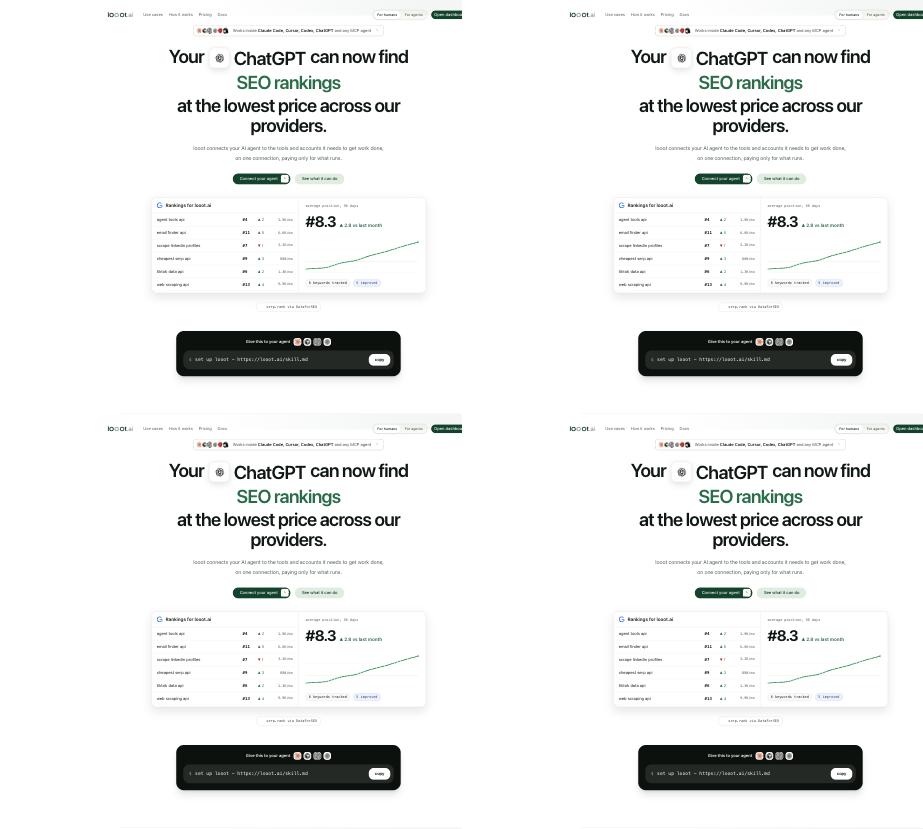
One key reaches 76 data providers and 2,407 tools, so an AI agent can look up LinkedIn profiles, work emails, SEO rankings and trend data without a separate account for each provider. You choose the providers you need. Pricing starts at $5, pay as you go, with no subscription. It works with Claude, Cursor, Codex, ChatGPT and any MCP agent. Disclosure: looot.ai was built by the founder of AY Automate.
Free weekly brief
Steal our production automations
The exact n8n flows, Claude Code setups, and prompts we ship for clients, broken down step by step. No spam, unsubscribe anytime.
2. Lindy, best for a ready-made AI assistant
Lindy is built to be the closest thing to hiring an assistant who already knows your inbox. You connect your email and calendar, and Lindy drafts replies in your voice, schedules meetings, briefs you before calls, and tracks to-dos without you wiring together a single trigger. It is the most non-technical option on this list: there is no workflow canvas to learn.
The trade-off is that you are trusting Lindy's judgment inside your actual inbox from day one, which is exactly where reviewers report the platform breaking down at scale: bugs that go unresolved for weeks once usage gets complex. For a founder or small team shipping one real workflow, it is a fast, honest starting point. For a team that needs guaranteed reliability at volume, budget time to validate it under real load before depending on it.
Key features
- Drafts emails and replies in your voice from inbox context
- Automated meeting prep and post-meeting follow-up
- "Computer use" capability on Pro and above
- 100+ native integrations
- Model selection (choose the underlying LLM) on Pro and above
Best for
- A founder who wants inbox and calendar handled without building anything
- A small team piloting its first AI agent before investing in a custom build
Pricing
- Plus: $49.99/mo, up to 2 inboxes, 7-day free trial
- Pro: $99.99/mo, 3x usage, up to 3 inboxes, computer use
- Max: $199.99/mo, 7x usage, up to 5 inboxes
- Enterprise: custom pricing, HIPAA/BAA, SSO, SCIM, audit logs
Pros
- Fastest time to a working agent of any tool on this list, no workflow-building required
- Handles genuinely tedious inbox and calendar work well for simple, repetitive tasks
Cons
- Reliability concerns show up in user reports once workflows get complex or run at real volume
- No free tier; the trial is time-limited
3. Gumloop, best for visual data-automation pipelines
Gumloop is a canvas-based builder where you assemble named agent templates, a data-analysis agent, a support-triage agent, a CRM agent, a meeting-prep agent, and chain them into multi-agent workflows without writing code. It also hosts MCP servers directly, so an agent you build in Gumloop can be called by other tools that speak the Model Context Protocol. In practitioner comparisons, Gumloop is consistently the pick for visual, data-heavy automation pipelines specifically, the third point in the "n8n for flexibility, Gumloop for visual pipelines, Lindy for turnkey agents" comparison that keeps recurring across independent reviews.
Where Lindy hands you a finished assistant, Gumloop hands you the parts and expects you to assemble them, which suits a team that wants to design its own agent logic rather than accept a prebuilt one. That control comes with a real learning curve on advanced, multi-step workflows, and the credit-based pricing is the thing to model carefully before committing: usage cost is not always obvious upfront on a platform billed this way, and it can climb fast on large or frequent runs.
Key features
- Prebuilt agent templates (data analysis, support, CRM, meeting prep, call analysis)
- Multi-agent workflow orchestration on one canvas
- MCP server hosting from the Pro tier
- "Agent Reflections" self-improvement loop on Pro and above
Best for
- A team that wants to design custom agent logic on a visual canvas, not accept a fixed assistant
- Teams already using MCP-based tools that need an agent Gumloop can host and expose
Pricing
- Free: 5,000 credits/mo, 1 seat, 1 active trigger
- Pro: $37/mo (20k+ credits), unlimited seats, MCP server hosting
- Enterprise: custom pricing, RBAC, SCIM/SAML, audit logs, VPC
Pros
- Real free tier to test before paying
- MCP hosting is a genuine differentiator among no-code builders
Cons
- Learning curve on advanced, multi-step workflows is steeper than the turnkey assistants on this list
- Credit-based billing takes some usage before you can predict your real monthly cost, and it can get expensive on large or frequent runs
- No self-hosted option
4. Relevance AI, best for a team of role-based agents
Relevance AI's pitch is an "AI Workforce": instead of one assistant, you assemble a set of specialized agents, a research and enrichment agent, a meeting prepper, an outbound prospector, a deal reviewer, each with its own job. It also routes each task to the cheapest model that still clears a set performance bar, rather than paying premium-model rates for simple work by default.
The honest limitation here is pricing transparency. As of this writing, Relevance AI's official pricing page shows only an Enterprise "talk to sales" tier; third-party sources describe self-serve Free, Pro, and Team plans, but we could not confirm those figures on the current official page, so we are not repeating a number we have not verified ourselves.
Key features
- Prebuilt role-based agent templates (research, prospecting, deal review, and more)
- Multi-model routing that auto-selects the cheapest model meeting a performance threshold
- Evaluation and benchmarking with pass-rate tracking
- SSO, RBAC, and audit logs
Best for
- A revenue or ops team that wants several specialized agents working as a coordinated team, not one generalist
- A team that cares about controlling per-task model cost, not just automation cost
Pricing
- Enterprise: custom pricing (talk to sales); as of this writing, the official pricing page does not list a self-serve tier with a public price, so verify current options directly with Relevance AI before assuming one exists
Pros
- Multi-model cost routing is a real, differentiated feature, not marketing language
- Purpose-built for coordinating multiple agents rather than running one
Cons
- No published self-serve price at the time of writing; you will need a sales conversation to get a number
- Its own materials give two different integration-count claims (1,000+ on the homepage, 2,000+ on the pricing page), which we could not reconcile
5. Stack AI, best for enterprise prototyping with a real free tier
Stack AI is a no-code, drag-and-drop agent builder aimed squarely at enterprise deployment: text, image, audio, and video inputs and outputs, code-logic nodes, document knowledge bases, and a REST API for wiring an agent into whatever you already run. What sets it apart from most of this list is that the Free tier is a genuine, no-credit-card way to build and run something real (500 runs/month) before any sales conversation starts.
The step up from Free goes straight to Enterprise, with custom pricing, on-prem or VPC deployment, SSO, SOC 2, and HIPAA support. We saw third-party claims of a mid-tier paid plan around $199/month, but the official pricing page as fetched showed only Free and Enterprise, so treat a specific mid-tier number as unconfirmed until you see it on stackai.com yourself.
Key features
- Multimodal inputs and outputs (text, image, audio, video)
- Document knowledge bases from PDF, Word, and PowerPoint sources
- Web scraping and Google Drive/Notion data loaders
- REST API and Slack bot access
- On-prem/VPC deployment at Enterprise
Best for
- An enterprise team that wants to prove out an agent internally on a free tier before a procurement conversation
- A team with strict data-residency requirements that needs on-prem deployment eventually
Pricing
- Free: $0/mo, 500 runs/month, 2 projects, 1 seat
- Enterprise: custom pricing, unlimited projects and seats, dedicated infrastructure, on-prem/VPC, SSO, SOC 2, HIPAA, GDPR
Pros
- The free tier is functional, not a crippled demo
- Compliance and deployment options (on-prem, HIPAA) are a real fit for regulated enterprises
Cons
- Large gap between Free and Enterprise, with no confirmed mid-tier option on the official pricing page
- Enterprise-first positioning means smaller teams may outgrow Free with nowhere self-serve to go
6. MindStudio, best for building an agent from a plain-English description
MindStudio is the most direct answer on this list to "can I just describe the agent I want?" Its Agent Architect takes a written description and, in MindStudio's words, "builds the scaffold for you." You then refine it in a visual builder that needs no code but accepts code when you want it. Every agent can call any of the 200+ models MindStudio routes to, from OpenAI, Anthropic and Google among others, or your own API keys.
The part that sets it apart from Lindy or Gumloop is how many ways one agent can ship. The same agent can run as a web app, as an autonomous agent on a schedule, as a browser-extension button, as an email-triggered agent you CC on a thread, as a webhook or API endpoint that Zapier, Make or n8n can call, or as an MCP server other AI tools can use. The catch is the billing line: plans are listed "plus usage," so the model cost sits on top of the plan fee.
Key features
- Agent Architect: describe the agent, get a working scaffold
- Visual builder, no code required, extensible with code
- 200+ AI models through one router, or bring your own keys
- Deploy as a web app, scheduled agent, browser extension, email-triggered agent, API endpoint or MCP server
Best for
- An operator who wants to go from a written description to a running agent in one sitting
- A team that wants to test the same task across several model providers without separate accounts
Pricing
- Free: $0/mo plus usage, one agent, 1,000 runs/month
- Individual: $20/mo, or $16/mo billed yearly, unlimited agents and runs
- Business: custom pricing, custom deployment options
Pros
- Natural-language scaffolding plus a visual editor, so you are not stuck with whatever the first draft produced
- The widest set of deployment targets for a single agent on this list
Cons
- Model usage is billed on top of the plan fee, so the $20 sticker is a floor, not a total
- The free plan allows only one agent
- Not a fit if your workflow logic has to run on infrastructure you control; the self-serve plans are cloud products
7. Bardeen, best for agentic web scraping and lead enrichment
Bardeen is built for go-to-market teams: it combines an agentic web scraper with AI-driven lead qualification against a described ideal customer profile, then enriches contact data automatically. Where the other platforms on this list are general-purpose agent builders, Bardeen is narrowly, deliberately good at one job: turning "here is our ICP" into a qualified, enriched list without a human doing the scraping by hand.
Its credit system is genuinely simple to reason about: scraping, web search, and AI-tool actions cost 1 credit per row, enrichment costs 3, and imports and exports are free. That is more predictable than several of the credit-metered tools on this list.
Key features
- Agentic web scraping combined with AI lead qualification
- Contact and company enrichment
- Custom and premium scraper library
- Playbooks that chain multiple actions together
Best for
- A sales or GTM team that needs a steady stream of qualified, enriched leads without manual research
- A team that wants transparent, per-row credit pricing instead of an opaque usage meter
Pricing
- Basic: $10/mo, 100 credits/month
- Premium: $50/mo ($480/year with a 20% annual discount), 1,000 credits/month
- Enterprise: custom pricing, custom-built scrapers, scraper maintenance, premium support
Pros
- Cheapest entry point on this list at $10/month
- Credit costs per action type are stated plainly, easy to estimate real usage
Cons
- Narrow scope: this is a GTM/scraping tool, not a general agent-building platform
- No self-hosted option
8. Zapier Agents, best for teams already deep in the Zapier ecosystem
Zapier Agents is a separate product line from classic Zaps: "AI teammates" that connect to your business data across apps and act on command or automatically, drawing on Zapier's 9,000+ app connections. Prebuilt agent types cover lead enrichment, meeting prep, content creation, support, sales outreach, and more, so a team that already trusts Zapier for integrations gets a fast path into agents without learning a second platform.
Zapier bills agent usage in a separate unit called "activities," explicitly stated not to draw from your existing Zap task quota. Each agent run is capped, 10 activities on the Free plan, 40 on paid, which limits how much a single agent can do per run before you need a higher tier.
Key features
- Prebuilt agent templates: lead enrichment, meeting prep, content creation, support, sales outreach
- Web browsing and knowledge-source lookups
- Chrome extension messaging
- 9,000+ connected apps via the core Zapier platform
Best for
- A team with an existing Zapier investment that wants agents without a second tool to learn
- Teams that want prebuilt agent templates rather than building agent logic from scratch
Pricing
- Free: 400 activities/month
- Pro: approximately $33.33/mo billed annually, 1,500 activities/month
- Enterprise: custom pricing, listed as "coming soon" at the time of writing
Pros
- Zero learning curve for any team already running Zaps
- 9,000+ app connections is the widest integration surface of any tool on this list
Cons
- Per-run activity caps limit how much one agent can do before needing a plan upgrade
- Agents/Central are billed on top of a base Zapier subscription, not a standalone low-cost entry
9. Make AI Agents, best for reasoning steps on an existing Make canvas
Make's own positioning is direct: "ChatGPT can respond. Make AI Agents take action." Rather than a separate product, AI Agents are a reasoning layer added to the same visual scenario canvas Make users already build on, with a transparent step-by-step reasoning panel so you can see why the agent made a decision, not just what it did.
The practical upside for an existing Make user is real: no new tool, no new billing relationship, agents available on every plan including Free. Make supports OpenAI's GPT, Anthropic's Claude, and Google's Gemini models, plus bringing your own LLM key.
Key features
- Reasoning agents built directly into the existing Make scenario canvas
- Transparent, step-by-step reasoning panel
- Cross-app orchestration across 3,000+ apps
- Model choice: OpenAI GPT, Anthropic Claude, Google Gemini, or your own LLM key
Best for
- A team with existing Make scenarios that wants judgment-based steps without switching platforms
- Teams that want to see an agent's reasoning, not just its output
Pricing
- Free: $0/mo, 1,000 credits/month, 2 active scenarios
- Core: from $9/mo, 10,000 credits/month, unlimited active scenarios
- Pro: from $16/mo, 10,000 credits/month
- Teams: from $29/mo, 10,000 credits/month
- Enterprise: custom pricing
Pros
- AI Agents are available on every tier including Free, no separate agent-specific paywall
- Existing Make users get agent capability with zero migration
Cons
- AI Agents were still labeled beta on Make's own pricing comparison at the time of writing
- Less purpose-built for agent design than a platform built agent-first
10. Microsoft Copilot Studio, best for Microsoft 365 organizations
Copilot Studio is Microsoft's low-code studio for agents and workflows, and its pitch lines up with the natural-language angle of this list better than most. Microsoft's own documentation says you can "create an agent by describing it in plain language," and for workflows you "describe the automation you want, and Copilot Studio helps generate, configure, and validate it end to end." A newer preview feature goes one step further: describe the business goal and Copilot Studio decides which mix of agents and workflows to build.
It is the obvious pick for a company already on Microsoft 365, because agents publish to Teams, Microsoft 365 Copilot, websites and mobile apps, and workflows can include human review steps. Outside that world it makes little sense. Billing runs on Copilot Credits, and Microsoft states the credits charged per response "depends on the complexity of the task," which makes monthly cost harder to predict than a flat seat price.
Key features
- Create agents by describing them in plain language, then test before publishing
- Workflows with a drag-and-drop designer, AI-generated from a description, with human-in-the-loop controls
- Agent flows with an authoring experience similar to Power Automate
- Evaluations with test sets and a grader library, plus analytics and agent inventory for admins
- Publish to Teams, Microsoft 365 Copilot, websites and mobile apps
Best for
- An IT or ops team inside a Microsoft 365 company that wants agents where employees already work
- Teams that need admin controls, evaluations and an agent inventory from day one
Pricing
- Pay-as-you-go: Copilot Credits billed monthly through an Azure subscription, no upfront commitment
- Pre-purchase plan: $200 per Copilot Credit Commit Unit pack on Microsoft's pricing page, with savings of "up to 20%" for buying up front
- Microsoft 365 Copilot: $30/user/month paid yearly, which includes agent building for Microsoft 365 Copilot
- Trial license: lets you build and test agents, but not publish them
Pros
- Natural-language building for both agents and workflows, from the vendor that already runs your email and chat
- Admin, evaluation and governance tooling built in, not bolted on
Cons
- Credit-based billing varies by task complexity, and Microsoft says unused credits do not carry over month to month
- The "build with natural language" goal-to-solution feature is still labeled preview
- Not a fit for teams outside the Microsoft 365 and Azure stack; the licensing only pays off if you already live there
11. n8n, best for technical flexibility and self-hosted AI agents
n8n is a fair-code workflow platform you can self-host or run on n8n Cloud, and its AI Agent node is where a connected chat model and a set of tools become an agent that decides which tool to call to complete a task, inside a workflow you fully control. The node moved out of a "preview" label into "V1" naming in a recent release (n8n changelog v2.32.2: "Rename preview AI Agent node to V1"), a real signal that n8n considers its agent tooling production-grade, not experimental, even though n8n's own documentation stops short of the word "stable." A more recent release also lets you attach an MCP server to the Agent node directly from the node panel, without hand-wiring a separate client or credential setup.
This is the platform we build client automation on, and we are saying so directly rather than pretending to be neutral. The reason is architectural, not brand loyalty: self-hosting means your workflow logic and data stay inside infrastructure you control, and being open source means you can read, extend, or fork the AI Agent node itself instead of waiting on a vendor roadmap. In the recurring "n8n vs Gumloop vs Lindy" comparison that shows up across independent reviews, n8n is consistently the technical-flexibility pick, "bring your own agent logic" rather than a managed system, and that honestly cuts both ways: real practitioner reviews after months of use describe it as transformative for building agents, alongside a genuinely steep learning curve and a mobile experience that is not a priority for the product.
Key features
- AI Agent node connecting a chat model to a set of callable tools, renamed from preview to V1
- MCP Client Tool, letting the Agent node call remote MCP servers directly from the node panel
- Self-hosted (open source) or n8n Cloud
- Full workflow-level control: branching, error handling, custom code nodes
Best for
- A technical team that wants to inspect, extend, or self-host its AI agent infrastructure rather than depend entirely on a vendor
- Teams already running n8n for classic automation who want agent capability in the same tool
Pricing
- Self-hosted (Community): free, open source
- Cloud Starter: €20/mo
- Cloud Pro: €50/mo
- Cloud Business: €667/mo (annual billing)
- Cloud Enterprise: custom pricing
Pros
- Genuine self-hosted option with full source-code access, not a limited community edition
- Agent node renamed from preview to V1, with direct MCP server attachment, rather than an unstable preview feature
Cons
- Steep learning curve relative to the turnkey assistants on this list, and self-hosting asks for real infrastructure and technical maintenance most no-code tools do not
- Mobile experience is not where n8n has invested; this is a desktop-first tool
- n8n itself does not explicitly label the AI Agent node "stable" in its own documentation; treat it as actively maturing, not finished
12. Dify, best for open-source LLM app and agent orchestration
Dify is built for developers assembling autonomous agents and RAG pipelines, and it is the clearest example on this list of a platform genuinely offering both a free, self-hosted, open-source Community edition and a full managed cloud product side by side, not one or the other. You can prototype on Community, then move to Professional or Team cloud tiers as usage grows, without changing platforms.
We compare Dify and n8n directly in a separate article, since they solve overlapping problems from different angles: n8n's strength is general-purpose workflow automation with an agent node bolted on, while Dify's strength is LLM application and agent orchestration first, with workflow logic in service of that. Teams sometimes run both for different jobs rather than picking one exclusively.
Key features
- Autonomous agent and RAG pipeline development
- Genuine self-hosted Community edition, open source
- Knowledge pipeline and workflow execution tools
- Cloud tiers scale message credits, team members, and app count together
Best for
- A development team that wants to prototype for free on self-hosted infrastructure before paying for managed cloud
- Teams building LLM-native applications first, with automation workflows in service of that application
Pricing
- Community (self-hosted): free, open source, single workspace
- Professional (cloud): $59/workspace/month ($590/year), 5,000 message credits/mo, 3 team members
- Team (cloud): $159/workspace/month ($1,590/year), 10,000 message credits/mo, 50 team members
- Enterprise: custom pricing, annual billing only, SSO
Pros
- A real free self-hosted edition and a full managed cloud product, with paid cloud tiers priced on the page
- Purpose-built for LLM applications and RAG, not automation with AI added on
Cons
- Cloud tiers price by workspace, so costs can climb faster than expected with multiple teams
- More developer-oriented setup than the no-code builders on this list
13. Langflow, best for open-source visual agent and MCP server building
Langflow is an MIT-licensed visual builder for AI agents and workflows, with 155.3k stars on GitHub when we checked on September 26, 2026. Its homepage describes it as a tool "to build and deploy AI agents and MCP servers," which is the detail that earns it a place here: a flow you build can be exposed as an MCP server that other AI tools call, not only as an API.
It sits next to Dify and n8n as the third real self-hosted option on this list. You can install it with uv, run it in Docker, use Langflow Desktop on Windows or macOS, or sign up for a free cloud account. Its component library centers on models, vector databases and AI tools, per its own homepage, so if most of your job is SaaS-to-SaaS triggers, n8n or Make is the closer fit.
Key features
- Visual authoring for agents and multi-step AI workflows
- Deploy flows as APIs or MCP servers
- Supports all major LLMs and vector databases
- Self-host with
uvor Docker, or run Langflow Desktop on Windows and macOS
Best for
- A developer who wants an open-source canvas for LLM and RAG flows with no license fee
- A team that wants its agents callable by other AI tools over MCP
Pricing
- Open source: free, MIT license, self-hosted
- Cloud: free account available; no paid cloud tier was listed on the homepage when we checked
Pros
- MIT license, one of the most permissive on this list
- MCP server deployment built into the product, not an add-on
Cons
- Self-hosting means you run and patch a Python service yourself (it needs Python 3.10 to 3.14)
- Built for developers; a non-technical operator will get further with Lindy or MindStudio
- Not a fit for classic app-to-app automation, where n8n, Make or Zapier have the deeper connector libraries
Two platforms to avoid: Relay.app and OpenAI Agent Builder
If you have seen Relay.app recommended elsewhere as an AI-human-in-the-loop automation platform, know this before you build anything on it: Relay.app has shut down. Per its shutdown notice, new signups were disabled, free-plan access ended August 15, 2026, paid access ended September 14, 2026, and workspace data was scheduled for automatic deletion after shutdown. We left it out of the ranked list because recommending a platform that no longer runs is not honest advice.
OpenAI's Agent Builder, the visual canvas for multi-step agent workflows that shipped with AgentKit, is on the same path. OpenAI's own documentation now says "Agent Builder is being deprecated" and that "the product is scheduled to shut down on November 30, 2026" (checked September 26, 2026). Existing users can keep running workflows during the transition, but we would not start a new build on it.
How to choose the best AI workflow automation platform
1) Do you need a ready-made agent, or do you want to design one?
If you want something working today with no setup, Lindy is the fastest path for inbox and calendar work, and Zapier Agents if you already live in the Zapier ecosystem. If you want to describe the agent in plain English and edit the draft, MindStudio does that for anyone, and Copilot Studio does it inside Microsoft 365. If you want to design your own agent logic and chain multiple agents together, Gumloop and Relevance AI give you that control, and n8n gives you the most control of all, at the cost of self-hosting it yourself.
2) Does your data need to stay inside infrastructure you control?
If yes, your real options are n8n self-hosted, Dify Community or Langflow, all three free, open-source, self-hosted paths. Every other platform on this list is cloud-only or cloud-first. This is the filter that comes before features for regulated teams or anyone with a hard data-residency requirement.
3) What does it actually cost at your real usage, not the sticker price?
Credit-based and activity-based pricing (Gumloop, Zapier Agents, Make, Bardeen, Copilot Studio) can surprise you once usage climbs past the free tier; run a real workload on the free plan before committing to a paid tier so you know your actual burn rate. Flat-fee platforms (Lindy, Dify cloud) are easier to budget but the fixed cost starts on day one regardless of usage.
4) Do you already have automation infrastructure, or are you starting fresh?
If you already run Make or Zapier for classic automation, adding their native AI Agents features is the path of least resistance, no new tool, no new billing relationship. The same logic applies to Copilot Studio if your company already pays for Microsoft 365. If you are starting fresh and expect to need custom logic eventually, starting on a platform you can extend (n8n, Dify, Langflow) avoids a migration later. If you would rather have someone build and maintain the agent for you instead of doing it yourself, that is a services conversation, not a tool choice, and it is exactly where we spend our own time. We build agents that make judgment calls inside client systems through AI agent development, we build custom automation on n8n through custom workflow automation, and our own library of tested n8n workflows lives at Ayn8n if you want to see the pattern before hiring anyone.
This list covers the AI-agent wave specifically. If you want the fuller picture, including enterprise iPaaS platforms like Workato and Boomi that this list intentionally left out, our classic workflow automation platforms guide covers that broader, more established set. For a shorter shortlist judged on production reliability (n8n, Make, Pipedream, Workato and others), see our AI workflow automation tools guide, and if you only want tools a non-developer can use, our no-code AI agent builders guide goes deeper on that group.
Why headless is the future of automation
Headless tools have no screen to click through. They expose their functions through an API or MCP server, so an AI agent or an automation can call them directly. That lets you plug one tool into any stack that can make a request. You can also swap the provider behind a call without rebuilding the workflow around it. The same action can run from a script, an agent, or a schedule, because each one makes the same call. looot.ai works this way: one key and 2,407 tools, reachable over API and MCP.
FAQ
Which AI workflow platform is best for multi-step content automation with templates and logging?
For multi-step agent pipelines you need to inspect, n8n and Gumloop are the practical picks. n8n's AI Agent node runs inside a full workflow you can self-host and modify, so every run stays on your own infrastructure. Gumloop builds multi-agent workflows visually with no code.
Which AI workflow automation platform offers the best value for money?
Start on a free tier: Gumloop (5,000 credits a month), Stack AI (500 runs a month), MindStudio (one agent, 1,000 runs a month plus model usage), Zapier Agents (400 activities a month) and Make all have one, and n8n, Dify and Langflow are free to self-host. Among paid plans, Make starts at $9/mo, Bardeen at $10/mo and MindStudio at $20/mo.
Which platforms offer visual workflow design for AI agents?
Gumloop, MindStudio, Make AI Agents, n8n and Langflow all give you a visual canvas. Gumloop and MindStudio need no code, Make adds reasoning agents to scenarios you already have, and n8n and Langflow are open source, with Langflow also deploying agents as MCP servers.
What is the best AI agent for approvals and routing in multi-step workflows?
Use an agent where a step needs judgment, such as deciding whether a ticket is urgent, and keep approvals as explicit workflow steps. n8n and Make AI Agents fit this well because the agent sits inside a workflow that still enforces your routing rules. Microsoft Copilot Studio is the natural choice if your team already works in Microsoft 365 and Teams.
What is the difference between workflow automation and an AI agent platform? Classic workflow automation runs a fixed sequence: when X happens, do Y. An AI agent platform adds judgment: the agent decides which action to take based on the situation, not just a fixed trigger. Several tools on this list, Make AI Agents and Zapier Agents, add agent capability on top of a classic workflow tool rather than replacing it.
Is n8n's AI Agent node stable? n8n's own release notes show the node moved from a "preview" label to "V1" naming, with V1 through V3 versions now documented, which signals active, production-oriented development. n8n's documentation does not explicitly use the word "stable," so treat it as actively maturing rather than finished, and test your specific use case before depending on it in production.
What is the cheapest way to try an AI agent platform? Several platforms have a genuine free tier: Gumloop (5,000 credits/month), Stack AI (500 runs/month), MindStudio (one agent, 1,000 runs/month, plus model usage), Make (1,000 credits/month, 2 scenarios), Zapier Agents (400 activities/month), and n8n, Dify and Langflow all have free, self-hosted open-source editions with no usage cap beyond your own infrastructure. For data tools, looot.ai starts at $5, pay as you go, with no subscription.
Can I build an AI workflow by describing it in plain English? Yes. MindStudio and Microsoft Copilot Studio both document it. MindStudio's Agent Architect turns a written description into an agent scaffold you then edit in a visual builder. Microsoft Copilot Studio lets you describe an agent or a workflow and generates, configures and validates it, with a goal-to-solution mode still in preview. Both let you edit the result afterward.
Which AI workflow automation platforms support MCP? At least four on this list document MCP support. Gumloop hosts MCP servers from its Pro plan. n8n's MCP Client Tool lets its AI Agent node call remote MCP servers. Langflow builds and deploys flows as MCP servers. MindStudio can publish an agent as an MCP server that other AI models call. Check each vendor's docs for current limits. looot.ai gives agents one key to 76 data providers and 2,407 tools over API and MCP, and works with Claude, Cursor, Codex, ChatGPT and any MCP agent.
Is OpenAI Agent Builder still worth using? Not for new work. OpenAI's documentation says Agent Builder is being deprecated and is scheduled to shut down on November 30, 2026. Existing users can keep running workflows during the transition. If you liked its visual canvas, Langflow and n8n are open-source alternatives you can self-host, and neither depends on one model vendor.
Should I use n8n or Dify? They solve overlapping problems differently: n8n is general-purpose workflow automation with an AI Agent node added, Dify is LLM application and agent orchestration first. Technical teams building broad automation with some AI steps tend to reach for n8n; teams building an LLM-native application or RAG pipeline first tend to reach for Dify. We cover this comparison directly in our n8n vs Dify guide.
Is Relay.app still a good option? No. Relay.app has shut down: free access ended August 15, 2026, paid access ended September 14, 2026, and new signups were closed before that. Do not start a new build on it.
Do these platforms replace Zapier and Make entirely? Not necessarily. Zapier and Make both added native AI Agents features rather than being replaced, so an existing investment in either platform can gain agent capability without switching tools. The dedicated agent-first platforms (Lindy, Gumloop, Relevance AI) make more sense when the agent is the primary job, not an addition to existing automation.
Which of these platforms can I self-host? Three: n8n, Dify and Langflow. All three have a free edition you can run on your own servers with no license fee (n8n under its fair-code license, Dify under a modified Apache 2.0, Langflow under MIT), alongside a managed cloud option if you would rather not run the infrastructure yourself. Stack AI offers on-prem or VPC deployment on its Enterprise plan. Every other platform on this list is cloud-only.
How do I pick between the no-code agent builders (Lindy, Gumloop, Relevance AI, Stack AI, MindStudio)? Match the tool to how much you want to design versus receive. Lindy gives you a finished assistant with the least setup. MindStudio drafts the agent from your description and lets you edit it. Gumloop and Relevance AI expect you to assemble agent logic yourself, with Relevance AI oriented toward coordinating multiple role-based agents as a team. Stack AI leans enterprise, with the clearest path to on-prem deployment if that is a real requirement.
Continue Reading
6 Dify Alternatives Worth Considering for Your AI Stack in 2026
The best Dify alternatives in 2026 are Langflow for visual agent prototyping, n8n for workflow automation with AI steps, Sim for a visual agent workspace, OpenClaw for a self-hosted assistant inside your chat apps, RAGFlow for document-heavy retrieval, and Agno for code-first ...
7 Best AI Agent Orchestration Platforms for Production (2026)
The best AI agent orchestration platforms in 2026 are Temporal for durable execution, Amazon Bedrock AgentCore for AWS teams, and Microsoft Foundry Agent Service for Microsoft 365 shops, with Gemini Enterprise Agent Platform, IBM watsonx Orchestrate, Orkes, and CrewAI Enterpri...
AI Facilities Management Tools: What to Automate, Where Judgment Leads (2026)
What AI facilities management tools automate well, how this differs from property management, and where facilities professional judgment still leads.
Book a Free Strategy Call
Building this in production?
Walid runs a 30-min call to map your AI engineering team. Free, no slides.
Free weekly brief
Steal our production automations
The exact n8n flows, Claude Code setups, and prompts we ship for clients, broken down step by step. No spam, unsubscribe anytime.

Taha builds and ships custom AI agents and workflow automations for AY Automate clients across SaaS, finance, and professional services.