Book a Free Strategy Call
Skip the read: talk to Walid in 30 min.
Free strategy call. We map your AI engineering team, you keep the notes.
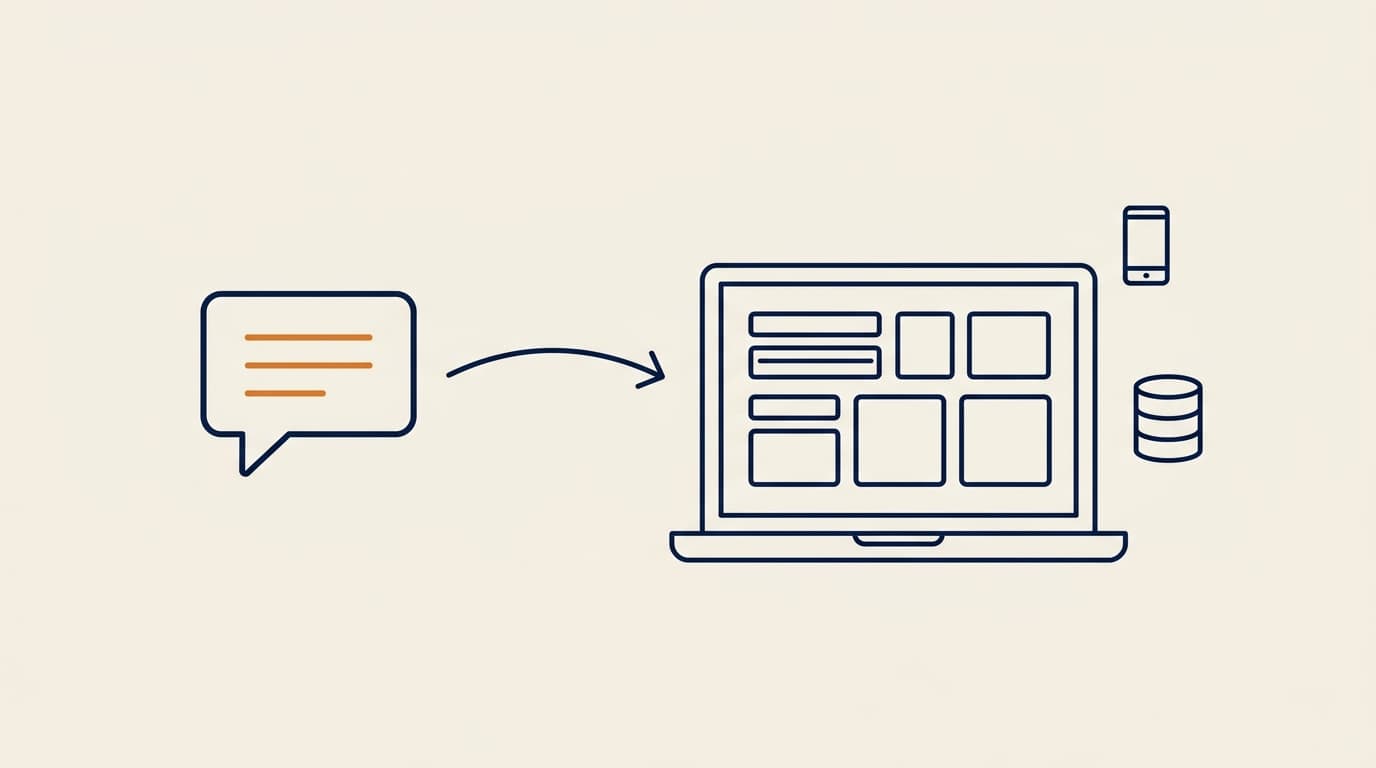
You describe an app in a chat box and get back a working product: a login flow, a database, a deployed URL. That is the pitch behind every AI app builder on the market in 2026, and for a real slice of use cases it now holds up. The gap between the tools is not "does the demo work," it is what happens in week three: does the generated code survive a real schema change, can you export it and keep building without the platform, and does the pricing model stay sane once you are shipping daily instead of prototyping once.
This guide compares 12 AI app builders that are genuinely live and shipping in 2026: what each one actually builds, where the AI processing and hosting run, verified pricing pulled from each vendor's own pricing page, and the honest trade-offs. If you want an agency that builds on top of one of these tools instead of DIY, see our Lovable, Replit, and v0 agency roundups, or our own SaaS MVP build service if you want the whole thing scoped and shipped for you.
Best AI app builders: a brief overview
- Lovable: Best default for non-technical founders building a SaaS MVP fast, with the largest ecosystem of guides and templates around it.
- Replit Agent: Best for teams that want a real development environment underneath the AI, complete with parallel agents and database rollbacks, rather than a chat box alone.
- Appy Pie: Best for a non-technical founder who wants a true no-code path to a native app, backend included, no code export needed.
- v0: Best for production-quality React and Next.js UI, especially for teams already deploying on Vercel.
- Bolt.new: Best for a zero-setup, browser-only prototype you can be looking at in under a minute.
- Base44: Best value: a generous hosted free tier and the cheapest paid entry point on this list, tied with Appy Pie at $16/month.
- Emergent: Best for code ownership: states you own the generated code outright, free to download and self-host.
- Rork: Best for a real native mobile app, not a website wrapped to look like one, shipped straight to the App Store.
- Bubble: Best for a team that wants the AI's first draft as a visual app it can keep editing by hand, web and native mobile.
- Dreamflow: Best for a Flutter mobile app with a one-click export of the full code, from the team behind FlutterFlow.
- Anything: Best for an iOS app with accounts, a database and in-app payments wired in, plus a pre-submission App Store check.
- Dyad: Best free option if you want a local desktop builder that uses your own API key and keeps every file on your disk.
| Tool | What it builds | Key strength | Starting price | Free tier |
|---|---|---|---|---|
| Lovable | Full-stack web apps | Fastest path from prompt to a usable SaaS MVP | $25/mo (Pro) | Yes, credit-limited |
| Replit Agent | Full-stack web + mobile apps | A real IDE and cloud environment behind the chat interface | $20-25/mo (Core) | Yes, credit-limited |
| Appy Pie | Native iOS/Android apps (Kotlin/Swift) | True no-code, full backend included, no export needed | $16/mo | Yes, build/preview only |
| v0 | React/Next.js UI and full-stack apps | Best-in-class generated UI quality | $30/mo per user (Plus) | Yes, 7 messages/day |
| Bolt.new | Full-stack web apps, browser-only | Zero local setup, instant preview | $25/mo (Pro) | Yes, 1M tokens/mo |
| Base44 | Full-stack web + mobile apps | Cheapest paid tier, generous free credits | $16/mo (Starter) | Yes, 25 message credits/mo |
| Emergent | Full-stack web + mobile apps | Stated code ownership: downloadable, self-hostable | $17/mo (Standard) | Yes, 10 credits/mo |
| Rork | Native iOS/Android apps (React Native/Expo) | Ships directly to the App Store, real native output | $20/mo | Yes, web apps only |
| Bubble | Web apps + native iOS/Android apps (visual, no code) | AI draft you keep editing in a visual editor | $59/mo billed annually (Starter) | Yes, development version only |
| Dreamflow | Flutter apps for web, iOS, Android | Full Flutter code export on paid plans | $20/mo (Hobby) | Yes, 10 credits, web deploy only |
| Anything | Mobile apps (Expo) + web apps | App Store review check, Stripe and RevenueCat payments | $19/mo billed annually (Pro) | Plan exists, but building needs a paid plan |
| Dyad | Web apps, built locally on your desktop | Runs on your machine with your own API key | $20/mo (Pro) | Yes, bring your own API key |
Related Reads
1. Lovable, best default for a fast SaaS MVP
Lovable is a chat-based AI software engineer: you describe a web app and it generates and deploys the frontend, backend, and database together. It has become the default recommendation for non-technical founders because the loop from idea to a shareable, hosted URL is short, and the surrounding ecosystem, templates, community builds, and third-party guides, is the largest of any tool on this list. Pricing runs on a credits system rather than flat seats: simple edits cost less than a credit, a feature like authentication costs more, and credits reset monthly.
Key features
- Chat-to-app generation for full-stack web apps with built-in hosting
- Visual edit mode for direct on-canvas changes without prompting
- GitHub sync so you can keep working outside the platform
- Supabase integration for auth and database out of the box
Best for
- A non-technical founder validating a SaaS idea before hiring a developer
- Agencies that want a fast first draft to hand off for custom development
Pricing
- Free: daily credit grants (up to 30/month) plus 20 monthly cloud credits
- Pro: around $25/month, roughly 100 monthly credits, custom domain, badge removed
- Business: roughly $50/month, aimed at teams; Enterprise is volume-priced
Pros
- Shortest realistic path from a plain-English idea to a hosted, working app
- Large template and guide ecosystem lowers the learning curve
- Supabase integration means auth and a real database on day one, not a mock
Cons
- Credits burn faster than expected once you are iterating daily, not prototyping once
- Generated code quality still benefits from a developer review pass before production traffic
If your Lovable app works as a demo but stalls at auth, payments or the data model, our Lovable development team builds on the project you already have.
Free weekly brief
Steal our production automations
The exact n8n flows, Claude Code setups, and prompts we ship for clients, broken down step by step. No spam, unsubscribe anytime.
2. Replit Agent, best for a real dev environment underneath the AI
Replit built a cloud IDE long before AI app builders existed, and Agent 4 sits on top of that foundation rather than replacing it. Ask it to build a login system and it wires up frontend, backend, and database in one pass, and unlike chat-only builders you land in an actual workspace: a file tree, a terminal, and a real environment you can drop into and edit by hand at any point. Higher tiers let you run multiple agents in parallel on the same project, which matters once you are past the single-feature prototype stage.
Key features
- Full-stack generation: frontend, backend, database, and auth in one request
- A genuine cloud IDE underneath, with a file tree and terminal you can drop into
- Up to 10 parallel agents on the Pro tier for larger builds
- 28-day database rollback on Pro, useful when an agent run goes wrong
Best for
- Teams that want to drop into real code the moment the AI generates something worth keeping
- Builders running multiple features or agents in parallel on one project
Pricing
- Starter: free, with daily Agent credits and one published project
- Core: $20/month billed annually ($25 monthly), $25 in monthly credits, 2 parallel agents
- Pro: $95/month billed annually ($100 monthly), $100 in monthly credits, 10 parallel agents, access to the most capable models
- Enterprise: custom, with SSO, VPC peering, and single-tenant environments
Pros
- The underlying environment is a real IDE, so you are never fully locked into the chat interface
- Parallel agents genuinely speed up multi-feature builds
- Database rollback is a rare safety net among AI app builders
Cons
- The interface is more IDE-like than Lovable or Bolt, a steeper start for a fully non-technical founder
- Meaningful usage on Pro-tier models can burn through the included monthly credits quickly
Built something in Replit Agent that now needs to hold up under real users? See our Replit development team.
3. Appy Pie, best for a true no-code path to a native app
Appy Pie converts a text prompt directly into native iOS and Android apps: real Kotlin and Swift binaries, not a wrapped web view, ready to publish to the App Store and Google Play. The backend (user accounts, database, content management, hosting) comes preconfigured, and integrations most builders on this list treat as an add-on (push notifications, Stripe/PayPal/Apple Pay/Google Pay, an analytics dashboard, an admin panel) are built in from the start. Where Rork later in this guide targets a team that wants native output but is still comfortable exporting code via GitHub, Appy Pie is aimed squarely at a founder or small business owner who wants to stay in one workspace, request changes in plain language, and never touch code at all.
Key features
- Text-to-native-app generation: real Kotlin (Android) and Swift (iOS), not a web wrapper
- Full backend included: authentication, database, content management, hosting
- Built-in payments (Stripe, PayPal), push notifications, analytics, and an admin panel
- Visual customization (colors, fonts, layout) plus iterative revisions by natural-language request in the same project
- Prompt support in 8 languages: English, Spanish, Arabic, Hindi, French, Portuguese, Italian, German
Best for
- Founders and small business owners who want to ship a real app to both app stores without hiring a developer
- Teams that want the backend, payments, and push notifications handled by the platform rather than wired up separately
Pricing
- Free tier: build and preview an app at no cost
- Paid plans start at $16/month to publish and remove Appy Pie branding
- 7-day free trial on paid tiers, no credit card required
Pros
- Genuinely no-code: no GitHub export or code ownership step required to ship
- Backend, payments, and push notifications included rather than separate integrations to configure
- Real store-ready native binaries, not a progressive web app or wrapped site
- 4.7/5 on G2 across 1,391 reviews, the largest independently verified review base of any tool on this list
Cons
- Free tier builds and previews only; publishing to either app store requires a paid plan
- Less flexibility for a technical team that wants to export and keep developing the codebase outside the platform, unlike Rork's GitHub export
- Appy Pie's own stated reach ("10M+ businesses" across "190 countries") is the company's claim, not an independently verified figure
4. v0, best for production-quality UI
v0 is Vercel's AI builder, and its differentiator is UI quality: the components and layouts it generates are close to what a strong frontend engineer would ship by hand, in React and Next.js, styled with shadcn/ui and Tailwind by default. It started as a UI-component generator and has since grown full-stack capability, but that side of the product is newer and less battle-tested than Lovable's or Replit's. Teams already deploying on Vercel get the smoothest handoff, since v0 output pushes straight into a Vercel project.
Key features
- Generates production-grade React/Next.js components and full pages
- Design Mode for direct visual editing of generated output
- Native GitHub sync and one-click deploy to Vercel
- Access to multiple underlying models depending on plan tier
Best for
- Teams that need polished, ship-ready UI fast and will wire up their own backend
- Vercel-hosted projects where deploy and preview should be one motion
Pricing
- Free: $5 of included monthly credits, Design Mode, GitHub sync, 7 messages/day
- Plus: $30/month per user, $30 in monthly credits plus $2 daily login credits
- Business: $100/month per user, training opt-out by default, centralized billing
- Enterprise: custom, with SAML SSO and dedicated support
Pros
- The single best generated-UI quality of any tool on this list
- Deep, first-party integration with Vercel's deploy pipeline
- Design Mode closes the gap between "generated" and "ready to ship" fastest
Cons
- Full-stack app generation is newer than the UI-generation side and less proven
- Per-user pricing gets expensive fast for a team past 2-3 seats
If you have v0 screens and need the backend behind them, our v0 development team turns them into a working Next.js app.
5. Bolt.new, best for zero-setup instant prototyping
Bolt.new runs entirely in the browser using StackBlitz's WebContainers technology, so there is no local install, no signup friction beyond an account, and no wait for a cloud sandbox to spin up. It routes each request to whichever underlying model fits the task, balancing quality against cost automatically rather than making you pick a model. For a founder or PM who wants a clickable, working prototype to show in a meeting today, Bolt is usually the fastest path in this list to something on screen.
Key features
- Runs fully in-browser, no local setup or CLI required
- Automatic model routing per task rather than a single fixed model
- Built-in backend infrastructure: database, auth, and hosting included
- Token-based usage with monthly rollover on paid tiers
Best for
- A PM or founder who needs a clickable demo in the next few minutes, not days
- Quick internal tools and prototypes that do not need long-term code ownership
Pricing
- Free: 1M tokens/month with a 300K daily cap, 10MB uploads
- Pro: $25/month, starting at 10M tokens/month with rollover, 100MB uploads
- Teams: $30/month per member, same token allowance as Pro plus shared billing
- Enterprise: custom, with SLAs and advanced security controls
Pros
- Genuinely zero setup: open a tab and you are building
- Token-based pricing rewards short, focused sessions over idle time
- Backend infrastructure included by default, not an add-on
Cons
- Token usage is harder to predict up front than a flat credits model
- Less suited to a long-lived production codebase than a self-hosted-code-first tool
6. Base44, best value
Base44 is a no-code app builder, recently acquired by Wix, that covers web and mobile apps with built-in auth, database, and hosting, plus one-click mobile deployment. Its edge on this list is straightforwardly the pricing: the free tier includes real usage (25 message credits and 100 integration credits a month across up to 5 apps) and the cheapest paid tier starts at $16/month billed annually, the lowest entry price of any tool here. For a solo builder testing an idea before committing real budget, that free-to-cheap runway is the longest available.
Key features
- Full-stack app builder covering both web and mobile output
- Built-in authentication, database, and analytics on every tier, including free
- One-click mobile deployment alongside the web build
- AI model selection and GitHub integration from the Starter tier up
Best for
- A solo builder or indie hacker who wants to validate before spending real money
- Small teams that want mobile and web from a single tool without separate builds
Pricing
- Free: 25 message credits/month, 100 integration credits/month, up to 5 apps
- Starter: $16/month billed annually, 100 message credits, unlimited apps, in-app code edits
- Builder: $40/month billed annually, 250 message credits, GitHub integration
- Pro and Elite: $80 and $160/month billed annually, for teams needing more credits and priority support
Pros
- The most generous free tier of any tool on this list, genuinely usable before paying
- Lowest paid entry price, useful for testing a second or third idea cheaply
- Mobile deployment included, not a separate product
Cons
- Newer and smaller ecosystem than Lovable or Replit, fewer third-party guides
- Message-and-integration credit system takes a session or two to learn to budget
7. Emergent, best for code ownership
Emergent's pitch is conversational, full-stack app generation, similar in shape to Lovable or Bolt, with one deliberate difference: Emergent states plainly that you own all the code it generates, free to download, modify, or host anywhere, rather than treating export as a paid upgrade. Higher tiers add a 1M-token context window and custom AI agents, useful once a project has grown past what fits comfortably in a single chat session.
Key features
- Conversational generation for web apps, mobile apps, dashboards, and internal tools
- Stated code ownership: download, modify, or self-host the generated app
- GitHub integration for version control from the Standard tier up
- 1M-token context window on Pro, useful for larger, more established codebases
Best for
- A builder who wants to walk away with their own codebase, not a platform dependency
- Teams building something they intend to self-host or hand to an in-house team later
Pricing
- Free: 10 credits/month, core platform features, web and mobile building
- Standard: $17/month billed annually, 100 credits/month, GitHub integration, private hosting
- Pro: $167/month billed annually, 750 credits/month, 1M context window, custom AI agents
- Enterprise: custom, with RBAC, SSO, and VPC deployment
Pros
- Code ownership without an upgrade removes the platform-lock-in risk other builders carry
- Large context window on Pro helps the AI stay coherent on bigger, older projects
- Covers web, mobile, and internal-tool use cases from one interface
Cons
- Pro tier's price jump from Standard is steep if you only need the larger context window
- Smaller public track record than Lovable, Replit, or v0 as of this writing
8. Rork, best for a real native mobile app
Most tools on this list are web-first: what you get is a website, sometimes wrapped to feel app-like. Rork is built specifically for native mobile output, generating React Native (Expo) apps from a chat prompt and shipping them straight to the App Store and Play Store, the same native-output territory Appy Pie covers earlier in this guide with a no-code approach instead of exportable React Native code. In February 2026 it added Rork Max, a separate product line that generates native Swift apps for teams that want the full performance ceiling of the Apple ecosystem rather than a cross-platform framework.
Key features
- Native iOS and Android output via React Native (Expo), not a wrapped web view
- Direct App Store and Play Store deployment from the platform
- Rork Max: a separate native Swift build path for Apple-only projects
- GitHub export so you can keep developing outside the platform
Best for
- A founder whose product genuinely needs to be a real app, not a responsive website
- Teams choosing between a cross-platform (React Native) and Apple-only (Swift) target
Pricing
- Free tier to start, but limited to web app builds and a Rork Max trial, not native mobile builds
- Pro (standard React Native/Expo output): starting at $20/month, credit-based tiers up to $100/month
- Rork Max (native Swift): starting around $200/month
Pros
- Native mobile output is the default, not an add-on, with GitHub export so the React Native code can leave the platform
- Rork Max gives a real native-Swift option without hand-coding it yourself
- Direct store deployment removes a step every web-first builder skips
Cons
- Narrower scope than the other tools: it is a mobile specialist, not a general app builder
- Rork Max's $200/month starting price is the highest entry point on this list
9. Bubble, best for editing an AI-generated app visually
Bubble is a no-code platform that now starts new projects from a prompt: "Describe a web or mobile app and Bubble builds it for you." Before it generates anything, Bubble AI shows a menu of suggested features you can adjust. The result is a visual app with UI, a built-in backend and logic rules, and every element is editable in the editor. From there you can keep chatting with the Bubble AI Agent or change things by hand, switching between the two whenever you like. The output is not code. That is the whole trade-off with Bubble, and its own docs say so plainly: apps "can only be run on the Bubble platform; there's no way of exporting your application as code."
Key features
- Prompt-to-app generation with a feature menu you adjust before the build starts
- A visual editor where the generated pages, workflows and data stay editable without code
- Web apps plus native iOS and Android apps submitted to the App Store and Google Play
- Built-in backend and hosting, metered in workload units (the server resources your app uses)
Best for
- A non-technical team that wants to maintain the app itself after the AI's first draft
- A business that plans to stay on one platform and wants web and native mobile in the same editor
Pricing (from bubble.io/pricing, checked 2026-09-26)
- Free: development version only, 50K workload units/month, native mobile editor and on-device testing
- Starter: $59/month billed annually, live website, custom domain, 175K workload units/month, 5 mobile build submissions/month
- Growth: $209/month billed annually; Team: $549/month billed annually; Enterprise through sales
Pros
- You can see and change the full app logic visually instead of reading generated code
- The AI Agent and the visual editor work on the same app, so you are never stuck re-prompting
- Web and native mobile ship from one editor
Cons
- No code export: per Bubble's docs, leaving means rebuilding the app logic (you keep your data, which exports via CSV and API)
- Its cheapest paid plan, $59/month billed annually, costs more than the cheapest paid plan of any other tool here, and a free app cannot go live
Skip it if you want a codebase a developer can take to another host later.
If you already have a Bubble app that needs to scale, see our Bubble development team.
10. Dreamflow, best for a Flutter mobile app you can export
Dreamflow is an AI builder for mobile apps made by the team behind FlutterFlow. It generates Flutter apps and lets you work on the same project in three ways: AI prompts, a visual canvas and the code itself. Deployment is one click to the web, the App Store and Google Play, and paid plans add a one-click export of the full Flutter project. Backends come through its Firebase and Supabase integrations.
Key features
- Prompt, visual canvas and code editing on one Flutter project
- 1-click deployment to web on Free, and to web, iOS and Android on paid plans
- Full Flutter code export from the Hobby plan up
- Firebase and Supabase integrations for auth and data
Best for
- A founder who wants a native mobile app and a Flutter codebase a developer can take over
- A team that already knows Flutter or FlutterFlow and wants an AI-first starting point
Pricing (from dreamflow.app/pricing, checked 2026-09-26)
- Free: $0, 10 credits to start building, 1-click web deployment, no code export
- Hobby: $20/month, 100 credits, 1-click deployment to web, iOS and Android, code export
- Pro: $90/month, 500 credits, same deployment and export as Hobby
- Enterprise: custom pricing, private cloud deployment
Pros
- Real Flutter code you can export, so the project does not stay trapped on the platform
- One project targets web, iOS and Android
- A visual canvas and a code editor next to the chat, so small fixes do not cost a prompt
Cons
- The Free plan deploys to web only and has no code export; mobile deploys and export start at $20/month
- 10 starting credits on Free is enough for a first test, not a real build
Skip it if nobody on your side will maintain Flutter code later, or you want the builder to host your database for you.
Teams building on the same Flutter stack can also work with our FlutterFlow development team.
11. Anything, best for an iOS app with payments built in
Anything turns a prompt into mobile apps, sites and tools "built with code." Mobile apps are generated as Expo (React Native) code, though you do not need to know React Native to use it. Its docs list user accounts, a database shared between the web and mobile versions, file uploads, backend logic and in-app payments through RevenueCat as built-in. Before you submit to Apple, an App Store Review check scans the app for issues Apple might reject, then the build goes out through TestFlight.
Key features
- Mobile apps generated as Expo (React Native) code, plus web apps on the same database
- Built-in user accounts, backend, file uploads and third-party integrations
- Payments with Stripe and RevenueCat on paid plans
- An App Store Review check before iOS submission; code export is listed as a builder feature on the pricing page (check which plan includes it)
Best for
- A founder whose first target is an iOS app that takes payments
- A team that wants web and mobile versions sharing one database
Pricing (from anything.com/pricing and its plan docs, checked 2026-09-26)
- Free: the plan docs say building requires a paid plan, so you cannot start new generations on Free, and published web apps carry Anything branding
- Pro: $19/month billed annually ($24 monthly), 20k credits, private projects, App Store publishing, custom domains, Stripe and RevenueCat payments
- Max: from $199/month billed annually ($239 monthly) for 220k credits, up to $899/month billed annually for 990k credits, with the strongest models and a browser agent that opens your app
- Top-off credits from $12 for 10k
Pros
- Payments, accounts and a database are part of the product, not a separate integration project
- The pre-submission review check flags issues Apple might reject before you submit, not after
- Pro is priced like the other entry tiers on this list
Cons
- No real free tier for building; you pay before your first generation
- Google Play publishing is in beta, and iOS submission needs an Apple Developer account ($99/year)
Skip it if Android is your main target, or you want to try the builder properly before paying.
12. Dyad, best free local builder with your own API key
Dyad is a desktop AI app builder for macOS and Windows that runs on your machine instead of a vendor's cloud. You bring your own API key from a model provider, or use local models through Ollama, and it builds web apps whose files live on your disk. Its site puts it simply: "You own every file," and you can open the project in VS Code whenever you want. The GitHub repo licenses everything outside its src/pro directory under Apache 2.0 (that directory has its own license), and it had about 21,600 stars when we checked on 2026-09-26.
Key features
- Runs locally on macOS and Windows, no sign-up needed for the free version
- Bring your own API key, or run local models through Ollama
- Exports clean, runnable code with no platform lock-in
- Pro modes for working on large codebases
Best for
- A developer or technical founder who wants AI app generation without handing the project to a hosted platform
- Anyone who already pays for a model API and would rather not buy a second set of credits
Pricing (from dyad.sh/pricing, checked 2026-09-26)
- Free: $0, bring your own API key, no sign-up
- Pro: $20/month, 200 AI credits/month, Pro modes for large codebases, Dyad Academy
- Max: $79/month, 900 AI credits/month, reload credits at the same price
Pros
- Your code sits on your disk from the first prompt, so there is nothing to export or migrate
- Free with your own key, so the only cost is the model usage you already see on your provider bill
- Local models mean you can keep a project entirely off third-party servers
Cons
- It builds web apps, not native mobile apps
- On Free, model costs land on your own API bill, and the modes for large codebases are Pro-only
Skip it if you want a hosted product where signing in is the only setup, or your deliverable is an App Store app.
Lovable vs Bolt vs v0: which should you actually use?
This is the single most-searched comparison in the category, and near-identical "Lovable vs Bolt vs v0" roundups exist on a dozen sites because the three tools solve genuinely different problems, not because one wins outright.
Lovable is the full-stack pick: it wires up a database and auth alongside the frontend, so it is the right default when the app needs to actually store and retrieve data, a real SaaS product rather than a static demo. Bolt.new is the fastest to a clickable screen: nothing to install, a prompt away from a running preview, which makes it the right tool when the deliverable is "something to click through in the next meeting," not a system that needs to hold up under real complexity. v0 is the UI specialist: pick it when the interface itself needs to look and feel production-grade and you are comfortable wiring the backend yourself, especially if you already deploy on Vercel.
A practical way to decide: if you need a database and user accounts, start with Lovable. If you need a demo in the next ten minutes and complexity is low, start with Bolt. If the UI has to be genuinely polished and you already have a backend plan, start with v0. Several teams end up using two of the three at different stages of the same project, prototype in Bolt, rebuild the UI in v0, ship the full product in Lovable or Replit, rather than treating the choice as permanent.
What these tools actually cost once the free credits run out
The most common complaint about this entire category is not a missing feature, it is bill shock: the advertised entry price and the real monthly cost diverge once you move from prototyping once to iterating daily. This is worth checking before you commit a project to any of these tools, not after.
- Lovable: users on Reddit (r/lovable, "Credit consumption is getting out of hand," and r/nocode, "Lovable is robbing me," both late May 2026) have reported the effective monthly cost landing well above the advertised tier once a custom domain, hosting, and the underlying cloud billing layer are added, with a recurring line that Lovable "gets you most of the way there, but the last stretch costs disproportionately more in credits" as the app grows past a simple prototype.
- Replit Agent: one documented user account put a basic web app's real monthly cost at $500-700 once free credits ran out, and a separate reported case describes over $5,000 in annual-plan charges tied to credits being issued monthly rather than pooled, so unused credits do not roll forward the way some users expect.
- Emergent: user reviews on Trustpilot put the platform at roughly 2.7 out of 5, with credit burn during debugging (the AI retrying a failed step repeatedly, each attempt consuming credits) as the most frequently cited complaint, and reports of refunds being refused once credits are spent regardless of whether the output worked.
- Base44: the more common complaint here is reliability rather than billing: a documented outage in February 2026 took every published Base44 app offline at once, and a DownDetector spike was recorded on July 6, 2026. Worth weighing for anything client-facing, separate from the pricing question.
None of this means these tools are not worth using, the underlying builds genuinely work for a real slice of use cases. It means the credits-based pricing model on most of these platforms rewards short, deliberate sessions over long debugging loops, and the free-tier sticker price is not a reliable predictor of what a real project costs. Run one full week of the kind of usage you actually expect before committing to an annual plan on any of them.
How to choose the best AI app builder
1) Is the end product a website or a real mobile app?
If the answer is a genuine native app users install from the App Store, five tools here produce one: Rork, Appy Pie, Bubble, Dreamflow and Anything. Rork (React Native) and Dreamflow (Flutter) fit a team that wants native output plus exportable code. Anything fits a founder who wants accounts and payments built in and iOS first. Appy Pie and Bubble fit someone who wants to stay no-code, with Bubble adding a visual editor for everything the AI generated. If a responsive website that works fine on a phone is enough, the other seven qualify, and you should filter on the next two questions instead.
2) Do you need to own the code, or is the platform the product?
If you plan to hand the codebase to a developer, self-host it, or walk away from the platform later, Emergent's stated code-ownership model is built around exactly that, and Replit Agent's real-IDE-underneath approach is a close second since you are never fully locked into the chat interface. Dyad goes further by keeping every file on your own disk from the start. Bubble sits at the other end: its docs say apps run only on Bubble and cannot be exported as code. If you are comfortable staying on the platform long-term the way you would with any SaaS tool, Lovable, Bolt, and v0 are all built around that assumption and optimize the in-platform experience accordingly.
3) What is the actual budget, not the sticker price?
Free tiers across this list look similar on paper but behave very differently once you are iterating daily instead of prototyping once. Base44's free and entry tiers are the most generous for a solo builder testing multiple ideas cheaply. v0's per-user pricing ($30-100/month/user) adds up fastest for a team past 2-3 seats. Bolt's token-based model rewards short, focused sessions over apps left idling. Run one real week of usage on the free tier before committing to an annual plan.
4) Does the UI need to be production-polished, or is it a working prototype?
If the interface itself is a selling point, close to what a frontend engineer would hand-build, v0 is the strongest generator on this list, especially for teams already on Vercel. If you need something clickable to validate an idea or demo in a meeting today, Bolt.new's zero-setup browser build is the fastest way to get there, with the UI polish coming later once the idea is validated.
If you would rather have this scoped and built by a team that has shipped production AI systems all the way through, our SaaS MVP development service covers exactly this: taking the AI-builder starting point and turning it into something that survives real users, real data, and real edge cases. We also cover the agency side of three of these tools directly: the best Lovable agencies, best Replit agencies, and best v0 agencies, if you want a partner who builds on the specific tool rather than DIY-ing it. For Bubble apps, see our Bubble development team.
FAQ
What is an AI app builder?
An AI app builder is a platform that generates a working software application, frontend, backend, database, and often hosting, from a natural-language description instead of hand-written code. In 2026 the strongest tools generate real, editable code rather than a locked black box, which is the main thing to check before committing to one.
What is the difference between an AI app builder and a low-code platform?
A traditional low-code platform relies on visual drag-and-drop blocks and pre-built logic components you assemble yourself. An AI app builder generates the actual code and structure from a plain-language prompt, then lets you refine it conversationally or by editing the code directly. The two categories are converging: most tools on this list now offer both a chat interface and a visual editor.
Which AI app builder is best for a non-technical founder?
Lovable is the most commonly recommended starting point for a non-technical founder validating a SaaS idea, mainly because of how short the path is from a plain-English description to a hosted, shareable app, plus the largest ecosystem of guides. Base44 is a strong second choice if budget is the main constraint, since its free and entry tiers are the most generous on this list.
Can I build a mobile app with these tools, or only websites?
Most of the tools on this list, Lovable, Replit Agent, Base44, and Emergent, can produce apps that work on mobile browsers, and several offer packaged mobile deployment. Five produce native store apps: Rork (React Native, with Rork Max adding native Swift), Appy Pie (Kotlin and Swift, no-code), Bubble (native iOS and Android from its visual editor), Dreamflow (Flutter) and Anything (Expo). Dyad targets web apps.
Do I own the code these tools generate?
It depends on the platform. Emergent states you own the code it generates outright and can download or self-host it without an upgrade, and Replit Agent gives you a real workspace you can export from at any tier. Dyad writes every file to your own disk, and Dreamflow exports the full Flutter project from its $20/month Hobby plan. Lovable and Bolt.new support GitHub sync so you can pull the code out and keep developing independently, though the smoothest experience stays inside the platform. Bubble is the exception: its docs say apps cannot be exported as code. Always check the current export terms on the vendor's own pricing page before committing, since these policies do shift.
How much does an AI app builder cost per month?
Entry-level paid tiers on this list run from $16/month (Base44 and Appy Pie) to $59/month billed annually (Bubble Starter), with most tools, including Dreamflow, Anything and Dyad, landing around $19-25/month for an individual builder. Dyad is also free if you bring your own API key. Costs scale with usage more than with the seat: credit-based tools like Lovable and Base44 charge more for complex requests, and token-based tools like Bolt.new charge for what you actually generate. Budget for real daily usage, not the advertised starting price, before comparing tools on cost alone.
Are AI-generated apps safe to put in front of real users?
Generated code from any of these tools benefits from a review pass, ideally by a developer, before it handles real user data or payments, the same way you would review any first draft of production code. The tools handle scaffolding, auth wiring, and boilerplate well; security review, load testing, and edge-case handling on anything customer-facing is still worth a second look, whether that is your own team or a partner who ships production AI systems.
Why did my AI app builder credits run out faster than expected?
Credits on most of these platforms charge per AI action, not per hour, so a debugging loop where the AI retries a failed step repeatedly burns credits just as fast as forward progress does. This is the most consistently reported complaint across the category: users on Lovable and Replit Agent have documented real monthly costs landing well above the advertised entry price once a project moves past a simple prototype into daily iteration, and Emergent users report the same pattern specifically during debugging sessions. Budget for a full week of real usage, not the sticker price, before committing to an annual plan.
Should I use Lovable, Bolt, or v0?
Use Lovable if the app needs a real database and user accounts, since it wires up the backend alongside the frontend. Use Bolt.new if you need a clickable prototype in minutes and complexity is low. Use v0 if the interface itself has to be production-polished and you already have a backend plan, especially on Vercel. See the head-to-head section above for the full breakdown; several teams use more than one of the three at different stages of the same project.
Can I switch between these tools mid-project?
Generally no, not cleanly. Each platform generates code in its own conventions and file structure, and there is no standard export format across tools. If code portability matters to you, prioritize a tool like Emergent, Replit Agent or Dyad that treats exportable code as a first-class feature from day one, rather than switching platforms after you have already built something you want to keep.
Which AI app builders let you export the code?
Most of the 12 give you a way to take the code with you. Emergent, Replit Agent and Dyad treat it as a core feature, Dreamflow exports full Flutter projects from $20/month, and Lovable, v0, Bolt.new, Rork and Base44 connect to GitHub. Bubble is the clear exception: its own docs say apps run only on Bubble and cannot be exported as code.
Is there a free AI app builder that runs locally?
Yes. Dyad is a desktop app for macOS and Windows that runs on your machine, needs no sign-up for the free version, and uses your own API key or local models through Ollama. You pay your model provider for usage instead of buying platform credits. Its Pro plan, $20/month, adds 200 AI credits and modes for large codebases.
Is Bubble an AI app builder now?
Yes. Bubble now generates a web or mobile app from a prompt, suggests features to include before it builds, and hands you a visual app with UI, backend and logic you can edit in its editor or through the Bubble AI Agent. The difference from most tools here is that the output is visual, not code, and cannot be exported.
Do I need an Apple developer account to publish an AI-built iOS app?
Yes. Apple only accepts App Store submissions from a paid developer account, and AI builders do not change that. Anything's docs, for example, list an Apple Developer Account at $99/year as a requirement before its App Store submission step. Budget for it on top of the builder's own plan when you compare mobile-first tools.
Continue Reading
AI Facilities Management Tools: What to Automate, Where Judgment Leads (2026)
What AI facilities management tools automate well, how this differs from property management, and where facilities professional judgment still leads.
AI Vendor Management: What to Automate, Where Judgment Leads (2026)
Where AI genuinely helps in vendor management (contract tracking, risk monitoring, SLA tracking), and where negotiation and relationship judgment still lead.
AI Load Testing Tools: What to Automate, Where Engineering Judgment Leads (2026)
What AI load testing tools do well, how this differs from functional CI/CD testing, and where engineering judgment on results still leads.
Book a Free Strategy Call
Building this in production?
Walid runs a 30-min call to map your AI engineering team. Free, no slides.
Free weekly brief
Steal our production automations
The exact n8n flows, Claude Code setups, and prompts we ship for clients, broken down step by step. No spam, unsubscribe anytime.

Taha builds and ships custom AI agents and workflow automations for AY Automate clients across SaaS, finance, and professional services.