Book a Free Strategy Call
Skip the read: talk to Walid in 30 min.
Free strategy call. We map your AI engineering team, you keep the notes.
The Claude Usage and Cost Analytics API is Anthropic's beta Admin API for reporting token usage and cost across your organization, split by model, workspace, API key, service tier and the user or service account behind each request. It has two endpoints, GET /v1/organizations/analytics/usage and GET /v1/organizations/analytics/cost, and every call needs the anthropic-beta: analytics-usage-cost-2026-08-24 header.
Anthropic launched it on October 29, 2026. The same release note made the older Usage and Cost API a legacy API, along with the usage and cost report endpoints of the Claude Enterprise Analytics API. All of them remain supported.
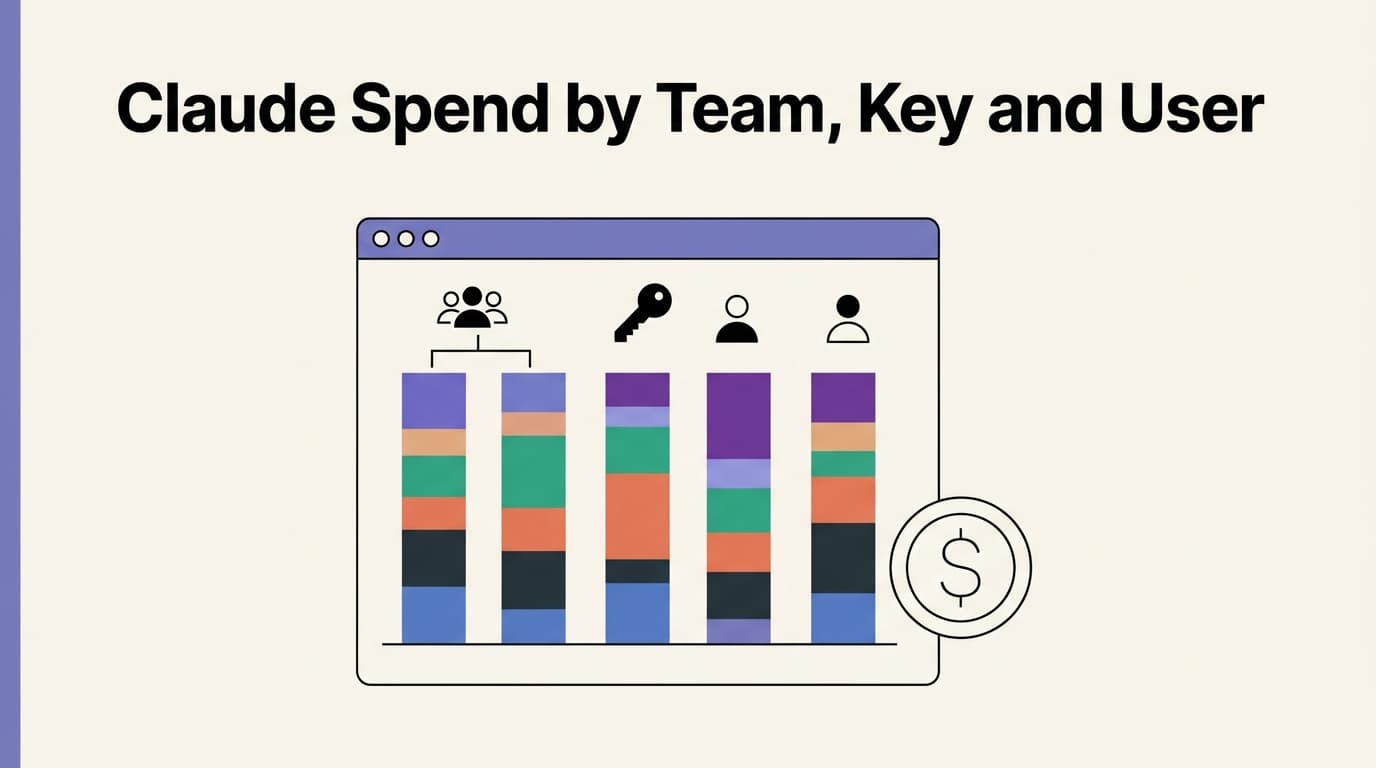
If you run Claude in production or across an engineering team, this is the API that answers "which team, key or person is spending our Claude budget?" This guide gives you working queries for each of those questions, a daily cost-per-team report you can schedule, and the limits that will trip you up the first time. Every endpoint, parameter and limit below is quoted from Anthropic's documentation, fetched on November 2, 2026.
What is the Claude Usage and Cost Analytics API?
It reports historical usage, not live usage. For Claude Console organizations, Anthropic says the data "is similar to what the Usage and Cost pages of the Claude Console show", but you can query it, group it and pipe it into your own dashboards and finance reports.
| Endpoint | What it returns | order_by options |
|---|---|---|
GET /v1/organizations/analytics/usage | Token counts (uncached input, cache writes, cache reads, output, total), server tool use and request counts | total_tokens (default), output_tokens, uncached_input_tokens, requests, time |
GET /v1/organizations/analytics/cost | Cost in USD: amount (after discounts, before credits), list_amount (at list prices), requests | amount (default), list_amount, time |
Every row has the same three parts: starting_at and ending_at for the period, a group object holding the dimensions, and a usage or cost object holding the metrics. A dimension is null unless you list it in group_by[], and you can group by up to five dimensions at once.
The dimensions that matter most for spend attribution:
| Dimension | What it tells you | Applies to |
|---|---|---|
model | Which Claude model served the request | All organizations |
workspace_id | The Console workspace | Claude Console only |
api_key_id | The key that authenticated the request | Claude Console only |
actor, actor_type | The user, service account, federated cloud identity or API key the request is attributed to | All organizations |
product | The surface, such as claude_code, chat or cowork | Values listed in the API reference |
rbac_group_id | The team a user belongs to | Organizations with teams |
service_tier, context_window, inference_geo, speed | How the request was served | service_tier is Console only |
Who can use it, and which key do you need?
You need an organization. The docs are blunt about it: "The Admin API is unavailable for individual accounts." If you're on a personal Console account, set up an organization first in the Console's Organization settings.
| Organization type | Credential |
|---|---|
| Claude Console | An Admin API key, or another Admin API credential such as an OAuth token with the org:admin scope |
| Claude Enterprise | A key with the read:analytics scope, created in claude.ai by the primary owner once the Analytics API is enabled |
| Claude Platform on AWS | AWS IAM, through the ListAccountUsage and ListAccountCost actions; call each AWS region's endpoint to cover the whole organization |
| Claude Models on Google Cloud (Anthropic managed) | Google Cloud credentials with usageAnalytics.list (usage) and costAnalytics.list (cost) |
Anthropic also recommends giving the reporting service its own Admin key, storing it in a secrets manager and rotating it, or better, using a Workload Identity Federation rule with the org:admin scope so there's no long-lived key to leak. On a Claude Console organization, an Admin API key works across the whole Admin API, not just reporting, so treat a cost dashboard's key like a production credential, not a read-only token.
Watch out: the API key your app uses to call Claude won't work here. Console organizations need an Admin credential, and Claude Enterprise needs a
read:analyticskey. If the job that pulls cost data runs in CI, limit who can read that secret.
How do you get Claude spend per API key?
Group the cost endpoint by api_key_id. This is the fastest way to find the service or integration that is burning budget, because most production systems already use one key per service.
curl --globoff "https://api.anthropic.com/v1/organizations/analytics/cost?\
starting_at=2026-10-01T00:00:00Z&\
ending_at=2026-11-01T00:00:00Z&\
group_by[]=api_key_id&\
group_by[]=model&\
limit=50" \
  -H "anthropic-version: 2023-06-01" \
  -H "anthropic-beta: analytics-usage-cost-2026-08-24" \
  -H "x-api-key: $ANTHROPIC_ADMIN_KEY"
Rows come back ranked by amount, largest first, so the first rows are your most expensive key and model combinations for the month. To turn an apikey_... ID into a name, call the List API Keys endpoint or look it up in the Console.
Two details matter here:
- Requests with no key have
api_key_id: null. That covers usage from the Claude Console, from Claude Code after a sign-in without an API key, and from Workload Identity Federation tokens. To include that usage in anapi_key_ids[]filter, add an empty entry:api_key_ids[]=. - A key filter and an actor filter answer different questions.
api_key_ids[]=apikey_...matches every request the key authenticated, whoever it's attributed to.actor_ids[]=apikey_...matches only requests attributed to the key itself.
Free weekly brief
Steal our production automations
The exact n8n flows, Claude Code setups, and prompts we ship for clients, broken down step by step. No spam, unsubscribe anytime.
How do you get Claude spend per user or service account?
Group by actor. Each row's actor is an object whose type tells you what it is: user_actor, service_account_actor, federated_actor or api_actor.
curl --globoff "https://api.anthropic.com/v1/organizations/analytics/cost?\
starting_at=2026-10-01T00:00:00Z&\
ending_at=2026-11-01T00:00:00Z&\
group_by[]=actor&\
actor_types[]=user_actor&\
limit=100" \
  -H "anthropic-version: 2023-06-01" \
  -H "anthropic-beta: analytics-usage-cost-2026-08-24" \
  -H "x-api-key: $ANTHROPIC_ADMIN_KEY"
How attribution works, per the docs:
| Credential | actor shows | api_key_id shows |
|---|---|---|
| Personal key or service account key | The linked user or service account | The key |
| Legacy workspace key | The key itself | The key |
| Key Claude Code creates for a member at sign-in | That member | The key (it lives in the Claude Code workspace) |
| Claude Code sign-in without an API key | The member who signed in | null |
| Workload Identity Federation token | The federated workload's service account | null |
Usage that can't be tied to any identity comes back with actor: null.
If most of your spend lands on api_actor rows, your organization still runs on shared legacy workspace keys and you can't see people behind them. Moving services to service account keys and people to personal keys is the fix, and it's worth doing before you build a dashboard on top.
Per-user Claude Code cost
This is the question most engineering leads start with. Anthropic's FAQ gives the query directly: call the cost endpoint with products[]=claude_code&group_by[]=actor.
curl --globoff "https://api.anthropic.com/v1/organizations/analytics/cost?\
starting_at=2026-10-01T00:00:00Z&\
ending_at=2026-11-01T00:00:00Z&\
products[]=claude_code&\
group_by[]=actor&\
limit=100" \
  -H "anthropic-version: 2023-06-01" \
  -H "anthropic-beta: analytics-usage-cost-2026-08-24" \
  -H "x-api-key: $ANTHROPIC_ADMIN_KEY"
Claude Console organizations can also use the separate Claude Code Analytics API, which reports per-user Claude Code activity alongside estimated cost. If your developers keep hitting limits rather than budgets, our breakdown of Claude Code rate limits covers that side.
How do you track Claude spend per team?
It depends on your organization type, and the two approaches don't add up the same way.
Claude Console organizations: one workspace per team. Group by workspace_id. If each team or product line has its own workspace, workspace cost is team cost. The default workspace has its own real wrkspc_ ID in this API (the legacy API returned null for it). List Workspaces leaves it out unless you pass include_default=true, and Get Workspace returns "name": "Default" for it.
Organizations with teams: rbac_group_id. Group by rbac_group_id to get one row per team. Read the fine print before you send this to finance: a user in several groups "contributes their full usage to each of those groups' rows", so the team rows overlap and their sum can exceed the organization total. A null row holds users in no group that day. For the true total, run the same query without group_by[]. If teams aren't available to your organization, this dimension returns an error instead of empty rows.
| Team model | Group by | Rows add up to the org total? |
|---|---|---|
| One Console workspace per team | workspace_id | Yes, each request belongs to one workspace (Console only) |
| One API key per service | api_key_id | Yes, plus a null row for keyless usage (Console only) |
| People grouped into teams | rbac_group_id | No, a user in two teams counts in both |
Tip: if you're setting up workspaces from scratch, name them after the cost center finance already uses. The API returns IDs, not names, and a lookup table that maps
wrkspc_IDs to cost centers is the piece every dashboard ends up needing.
How do you read the cost numbers?
Amounts are decimal strings in cents with six decimal places. Anthropic's example: "41280.000000" is $412.80 USD. Divide by 100 before you show anyone a dollar figure. Currency is always "USD".
The cost endpoint has two extra dimensions that don't count toward the five-dimension limit:
cost_typesplits each row into tokens,web_search,code_executionandsession_usage(Claude Managed Agents session time).token_typesplits token cost into uncached input, 5-minute cache writes, 1-hour cache writes, cache reads and output.
Grouping by model, cost_type and token_type together is the quickest way to see whether prompt caching is paying off: if cache_read_input_tokens cost is small next to uncached_input_tokens on a workload that repeats the same long system prompt, caching is probably not set up or not hitting. The Claude pricing breakdown has the per-token rates for each type if you want to sanity-check the totals. With either of these two dimensions in the request, requests is null on every row, so read request counts from a separate ungrouped call.
One warning from the docs on priority capacity: requests served under a Priority Tier commitment appear on the usage endpoint with service_tier: "priority" but add zero token cost, because the commitment covers them. The commitment fee is billed separately and isn't in this data. If you have a commitment, this data leaves out the commitment fee, so add it yourself when you reconcile against the invoice.
A daily cost-per-team report you can schedule
Here is a small Python script that pulls the last N days of cost grouped by workspace, follows pagination, fills empty days with zeros, prints a CSV and flags any workspace that went over a daily budget. Days that data_refreshed_at hasn't fully covered yet are marked partial and skipped for alerts, so a half-loaded day can't hide an overspend or trigger a false all-clear. It uses plain HTTP so you can read every parameter against the docs.
import collections, datetime as dt, os, sys
import requests

API = "https://api.anthropic.com/v1/organizations/analytics/cost"
HEADERS = {
    "anthropic-version": "2023-06-01",
    "anthropic-beta": "analytics-usage-cost-2026-08-24",
    "x-api-key": os.environ["ANTHROPIC_ADMIN_KEY"],
}

def fetch_rows(starting_at, ending_at):
    params = {
        "starting_at": starting_at, "ending_at": ending_at,
        "time_bucket_width": "1d", "group_by[]": ["workspace_id"],
        "order_by": "time", "order": "asc", "limit": 1000,
    }
    rows, page, restarts = [], None, 0
    while True:
        query = dict(params, page=page) if page else params
        resp = requests.get(API, headers=HEADERS, params=query, timeout=60)
        if resp.status_code == 410 and restarts < 2:  # cursor expired after a data refresh
            rows, page, restarts = [], None, restarts + 1
            continue
        resp.raise_for_status()
        body = resp.json()
        rows.extend(body["data"])
        if not body.get("has_more"):
            return rows, body.get("data_refreshed_at")
        page = body["next_page"]

DAYS, BUDGET_USD = 7, 150.0
today = dt.datetime.now(dt.timezone.utc).replace(hour=0, minute=0, second=0, microsecond=0)
start = today - dt.timedelta(days=DAYS)
rows, refreshed = fetch_rows(start.strftime("%Y-%m-%dT%H:%M:%SZ"), today.strftime("%Y-%m-%dT%H:%M:%SZ"))

spend = collections.defaultdict(lambda: collections.defaultdict(float))
for row in rows:
    team = row["group"]["workspace_id"] or "(no workspace)"
    spend[team][row["starting_at"][:10]] += float(row["cost"]["amount"]) / 100  # cents to USD

days = [(start + dt.timedelta(days=i)).strftime("%Y-%m-%d") for i in range(DAYS)]
# A day whose bucket ends after data_refreshed_at is still filling in: report it, don't alert on it.
cutoff = dt.datetime.fromisoformat(refreshed.replace("Z", "+00:00")) if refreshed else None
partial = {d for d in days if cutoff is None
           or dt.datetime.fromisoformat(d + "T00:00:00+00:00") + dt.timedelta(days=1) > cutoff}
print(f"data_refreshed_at: {refreshed}, partial days (no alerts): {sorted(partial)}")
print("workspace," + ",".join(days) + ",total_usd")
for team, by_day in sorted(spend.items(), key=lambda kv: -sum(kv[1].values())):
    values = [by_day.get(d, 0.0) for d in days]  # days with no cost have no row
    print(team + "," + ",".join(f"{v:.2f}" for v in values) + f",{sum(values):.2f}")
    for d, v in zip(days, values):
        if d not in partial and v > BUDGET_USD:
            print(f"ALERT {team} spent ${v:.2f} on {d}", file=sys.stderr)
How to run it:
- Create an Admin API key for this job only, store it as
ANTHROPIC_ADMIN_KEYin your secrets manager, and set an expiry. - Run it once a day from cron, a GitHub Action or your scheduler of choice. Because data can take up to 24 hours to land, yesterday is often still partial in the morning run; the alert for it fires on the next day's run instead.
- Send the stderr
ALERTlines to Slack or your on-call tool, and load the CSV into the sheet or BI tool finance already reads. - Add a second job on the 8th of each month that pulls the previous month in full. That's the number to reconcile against the invoice (see the freshness section below).
We wrote this against Anthropic's docs as fetched on November 2, 2026, and tested the paging, the 410 restart, the cents-to-dollars conversion, the zero-filling and the partial-day check against mocked responses. We haven't run it against a live organization's data, so run it once by hand and compare with the Console's Cost page before you wire alerts to it.
Bottom line: this API is for attribution and trend alerts, not hard spend caps. Data typically lands within 4 hours and can take up to 24, so a runaway agent loop can burn a day of budget before any report sees it. Put per-request token limits and per-feature budgets in your application for that.
Limits and gotchas
These are the rules from the docs that most often break a first integration:
| Rule | What it means for you |
|---|---|
starting_at must be on or after January 1, 2026, and within the last 365 days | No history before 2026 from this API. Claude Console organizations can still use the legacy Usage and Cost API for older data. |
| One request spans at most 31 days | Split a quarter into monthly requests. |
ending_at is required when time_bucket_width is set | Daily and hourly queries need both ends of the range. |
1m buckets span at most 24 hours per request | Minute-level data is for incident forensics, not trends. |
limit is 1 to 1,000 rows per page, default 20 | Set limit=1000 for reports, or you'll page through many small pages. |
| Buckets with no usage produce no rows | Fill missing days with zeros before you chart. |
| An unknown or misspelled ID or model name matches nothing | A typo in models[] returns an empty result, not an error. Check empty results by hand. |
| A cursor can expire after a data refresh (HTTP 410) | Restart pagination from the first page. |
| Data refreshes typically within 4 hours, up to 24 | Use data_refreshed_at to tell real zeros from late data. |
| Values can change until about 7 days after the month ends | October totals settle around November 7. Close the books after that. |
Filters take up to 100 values each. Values for the same filter are combined with OR, and different filters with AND, so models[]=claude-opus-5-5&workspace_ids[]=wrkspc_... means "Opus 5.5 in that workspace".
How is it different from the legacy Usage and Cost API?
The legacy endpoints were /v1/organizations/usage_report/messages and /v1/organizations/cost_report. Your Admin key, the anthropic-version header, the bucket widths and most field names carry over. The changes that matter:
| Legacy Usage and Cost API | Usage and Cost Analytics API | |
|---|---|---|
| Beta header | None | analytics-usage-cost-2026-08-24 |
| Freshness | Typically within 5 minutes | Typically within 4 hours, up to 24 |
| Response shape | Time buckets, oldest first, including empty ones | Rows ranked by order_by, no rows for empty combinations |
| Time buckets | bucket_width, default 1d | time_bucket_width, no default (omit it for whole-range totals) |
| Per-user grouping | group_by[]=account_id / service_account_id | group_by[]=actor or actor_type |
| Default workspace | workspace_id: null | Its real wrkspc_ ID |
| Unknown ID in a filter | Error | Matches nothing |
| Cost amount | e.g. "123.45" | Six decimals, e.g. "123.450000", plus list_amount |
| Code execution | Not in the usage report | Usage rows with model: null, plus requests counts |
| Date range | Any range | From January 1, 2026, last 365 days, 31 days per request |
The freshness row is the one to think about. If you built near-real-time spend alerts on the legacy API's 5-minute lag, moving them to the new API makes them hours slower. The legacy API is still supported, so on a Claude Console organization it's reasonable to keep a fast legacy check for alerts and use the new API for attribution by user, team and product.
To reproduce a legacy daily report, request time_bucket_width=1d with the same group_by[], add order_by=time&order=asc, page through with limit=1000, then group rows by starting_at and fill missing days with zeros.
Where this fits in a production Claude setup
Cost attribution is usually the second thing teams ask for, right after the first surprising invoice. The API tells you where the money went. It doesn't stop a misbehaving agent, cap a feature's spend, or tell you whether the output was worth it. Those live in your application: token budgets per request, per-feature cost caps, model routing, and caching.
That's the part we build when we take AI agent development projects to production. And the Admin key behind your cost dashboard is exactly the kind of secret that leaks into repos and agent configs; finding those is part of a Claude Code security audit.
FAQ
Who can use the Claude Usage and Cost Analytics API?
Claude Console and Claude Enterprise organizations can, and so can organizations on Claude Platform on AWS or Claude Models on Google Cloud (Anthropic managed), using cloud IAM credentials. Individual accounts can't, because the Admin API is unavailable for them. Console organizations call it with an Admin API key or an org:admin OAuth token, and Enterprise organizations use a key with the read:analytics scope.
What beta header does the Usage and Cost Analytics API need?
Send anthropic-beta: analytics-usage-cost-2026-08-24 and an anthropic-version header such as 2023-06-01 on every request. Anthropic's SDKs and the ant CLI add both headers for you.
Can I see Claude Code cost per developer?
Yes. Call the cost endpoint with products[]=claude_code&group_by[]=actor, which returns one row per user or identity. Claude Console organizations can also use the Claude Code Analytics API for per-user activity and estimated cost. If you're rolling Claude Code out to a team, our Claude Code for teams guide covers the setup side.
How current is the data?
It typically refreshes within 4 hours of the usage and can take up to 24 hours. Every response carries a data_refreshed_at timestamp, and usage after it is missing or partial. Values can still be revised until about 7 days after the end of the month.
How far back can I query?
From January 1, 2026, and only within the last 365 days, with at most 31 days per request. Claude Console organizations can still pull earlier history from the legacy Usage and Cost API; the legacy Claude Enterprise reports share the same January 1, 2026 floor and 365-day lookback.
Why don't my per-team totals match the organization total?
If you group by rbac_group_id, a user who belongs to several teams counts in full toward each of them, so team rows can add up to more than the organization total. Run the same query without group_by[] for the true total, or group by workspace_id if each team has its own workspace.
Does the cost endpoint include my Priority Tier commitment?
No. Requests covered by a Priority Tier commitment show up as usage with service_tier: "priority" but add zero token cost, and the commitment fee is billed separately. Add that fee yourself when you reconcile against the invoice.
Should I move off the legacy Usage and Cost API now?
Move attribution reports now. On a Claude Console organization, keep anything that depends on the legacy API's 5-minute freshness where it is for the moment. The new API is still in beta, and the legacy endpoints remain supported. Our team helps with this kind of migration as part of Claude Code development work.
Sources: Usage and Cost Analytics API docs, Cost endpoint API reference, Claude Platform release notes, October 29, 2026, Usage and Cost API (legacy), Claude Code Analytics API. All fetched November 2, 2026.
Book a Free Strategy Call
Building this in production?
Walid runs a 30-min call to map your AI engineering team. Free, no slides.
Free weekly brief
Steal our production automations
The exact n8n flows, Claude Code setups, and prompts we ship for clients, broken down step by step. No spam, unsubscribe anytime.

Walid founded AY Automate to help businesses ship AI workflows that actually move revenue. He leads strategy and oversees every client engagement end-to-end.
Full Bio →